To choose a home lab server that won’t overspend on idle power, pick hardware with low TDP ratings, like modern CPUs such as Intel Core i5 or AMD Ryzen, and opt for SSDs over traditional HDDs for quieter, more efficient operation. Use high-efficiency power supplies with 80 Plus Gold or Platinum ratings, and implement cooling solutions that reduce fan noise without sacrificing airflow. Staying mindful of these choices helps balance performance and energy savings— explore further to discover more ways to optimize your setup.

Get business pricing on networking and server gear
- Business-only prices and quantity discounts
- Tax-exempt purchasing
- Multiple users, one account, clear invoices
Key Takeaways
- Select servers with low TDP ratings and modern CPUs like Intel Core i5 or AMD Ryzen for efficient performance.
- Use SSDs instead of HDDs to reduce power consumption, heat, and noise.
- Choose power supplies with 80 Plus Gold or Platinum ratings to maximize efficiency and reduce energy waste.
- Implement soundproof enclosures and efficient cooling solutions to minimize noise and maintain optimal temperatures.
- Prioritize hardware with power management features and low idle power ratings to save energy during inactivity.
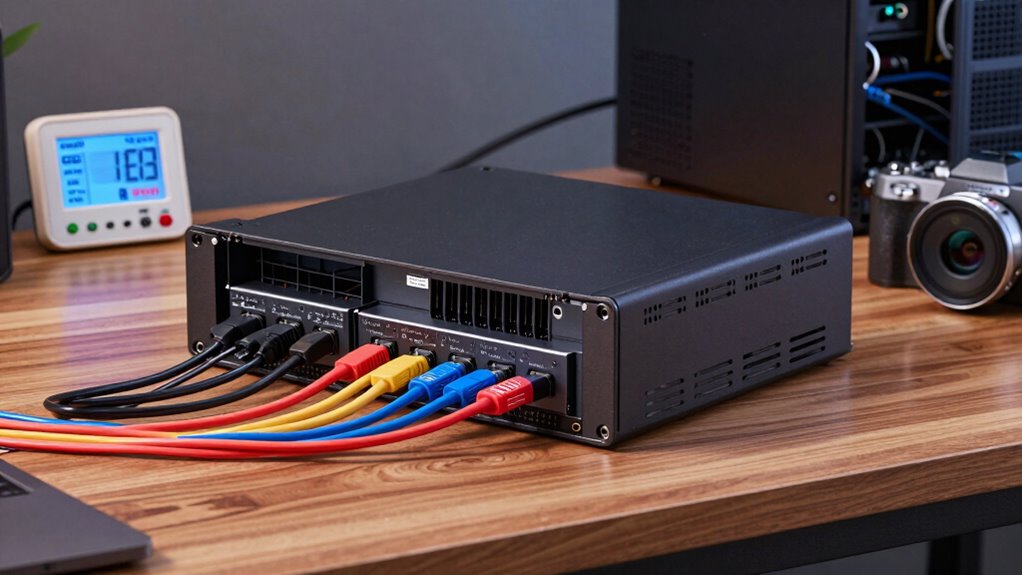
Setting up a home lab server can be a game-changer for learning, testing, and experimenting with different technologies. But to make it sustainable and cost-effective, you need to focus on choosing the right hardware—especially components that minimize power consumption during idle times. Opting for energy-efficient components is critical here. Look for servers or hardware with low TDP (thermal design power) ratings, which indicate lower energy use. Modern CPUs like Intel’s Core i5 or AMD Ryzen series often offer good performance with surprisingly low power consumption. Additionally, consider SSDs over traditional HDDs because they use less power, run quieter, and generate less heat, which reduces cooling costs and noise.
Balancing performance with energy efficiency helps prevent your server from running at full throttle all the time, saving money on electricity bills. When selecting a power supply, choose one with an 80 Plus Gold or Platinum rating, which ensures high efficiency and reduces energy waste. This means less heat, less noise from cooling fans, and longer hardware lifespan. Along with selecting energy-efficient components, implementing noise reduction techniques is equally important to keep your home lab comfortable. Servers tend to generate a fair amount of noise from fans and hard drives, especially when under load, so investing in quiet cooling solutions is worthwhile.
Choose high-efficiency power supplies and quiet cooling solutions to reduce noise, heat, and extend hardware lifespan in your home lab.
You can install larger, slower-spinning fans or use fan controllers to adjust speeds based on temperature, reducing unnecessary noise during idle periods. Soundproof enclosures or cases with sound-dampening materials also help contain fan noise, making sure your workspace stays peaceful. Proper ventilation is vital, not just for noise control but for maintaining optimal temperature levels. Overheating can lead to increased fan speeds and louder sounds, so ensure your setup has adequate airflow. You might also consider placing your server in a dedicated closet or room with soundproofing if noise becomes a concern. Additionally, selecting hardware with low idle power ratings is crucial to minimize electricity consumption when the server is not actively processing tasks. Moreover, paying attention to power management features in your hardware can further optimize energy usage during periods of inactivity. In fact, choosing hardware with efficient cooling solutions can also help reduce overall noise and energy consumption, making your setup even more sustainable.
Ultimately, choosing a home lab server that balances energy efficiency and noise reduction ensures you won’t overspend on idle power while maintaining a quiet environment. This approach saves you money over the long term, reduces electrical consumption, and creates a more comfortable space for your experiments. By prioritizing energy-efficient components and noise reduction techniques, you can build a reliable, cost-effective, and peaceful lab environment that supports your learning and testing needs without breaking the bank.
Products Worth Considering

Anker SOLIX C1000 Gen 2 Portable Power Station with 200W Solar Panel

Jackery Explorer 300 Portable Power Station with 40W Solar Panel, 292Wh
Bose QuietComfort Wireless Over-Ear Noise-Cancelling Headphones, Sandstone
As an affiliate, we earn on qualifying purchases.
Frequently Asked Questions
What Is the Typical Lifespan of Home Lab Servers?
Home lab servers typically last around 3 to 5 years, depending on your focus on energy efficiency and hardware durability. If you choose energy-efficient components and prioritize durable hardware, your server can extend its lifespan. Regular maintenance and timely upgrades also help. By selecting quality, energy-conscious parts, you guarantee your server remains reliable longer, maximizing your investment and reducing overall replacement costs.
How Do I Upgrade My Home Lab Server Later?
Upgrading your home lab server is like giving it a fresh coat of paint—revitalizing its performance. Start by checking energy efficiency and hardware compatibility before buying new components. You can swap out RAM, storage, or even the CPU, but guarantee compatibility with your existing setup. Keep an eye on power draw to prevent overspending on idle energy use, making upgrades both smart and sustainable.
Are There Eco-Friendly Server Options Available?
Yes, eco-friendly server options are available. You can prioritize energy-efficient models with low power consumption, reducing environmental impact. Look for servers with certifications like ENERGY STAR, which guarantee high energy efficiency. These servers use less electricity during idle and active states, helping you save on energy costs. By choosing environmentally conscious hardware, you contribute to a greener future while maintaining your home lab’s performance.
What Warranties Are Common for Home Lab Servers?
You’ll typically find home lab servers come with warranties ranging from one to three years. When selecting your server, consider how server cooling impacts longevity, guaranteeing it stays efficient. Also, check if the warranty covers RAID configurations, as these are vital for data protection. A good warranty offers support for hardware failures and guarantees replacement parts quickly, giving you peace of mind while you experiment and learn at home.
How Do Noise Levels Vary Between Server Models?
Noise levels in server models vary like a symphony, from whisper-quiet to loud as a lawnmower. Your choice depends on server cooling and noise insulation. Servers with advanced cooling systems tend to generate less noise, while well-insulated cases can muffle sounds effectively. Consider your environment; if silence is key, opt for models designed with noise reduction in mind, ensuring your home lab remains a peaceful sanctuary.
Conclusion
Choosing the right home lab server means balancing performance, power, and cost—think of it as finding the Holy Grail in your tech quest. Don’t get caught up in shiny, overpowered gear that’s just gathering dust like a forgotten relic. Instead, pick a setup that meets your needs without draining your wallet or wasting energy. Remember, even the most legendary heroes knew when to call it a day—sometimes, less truly is more.