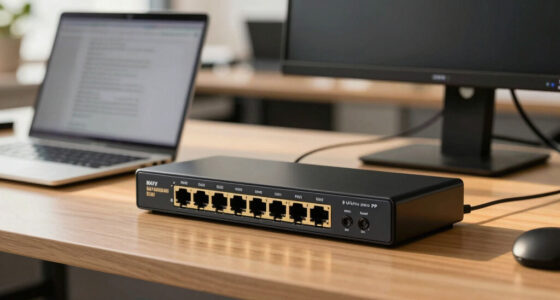
When searching for the best smartphone servers, the goal is to find a device that balances performance, ease of use, and expandability. The Synology DS425+ stands out as the top overall pick thanks to its reliable private cloud capabilities and user-friendly interface. For those needing raw power, the MikroTik RDS2216 offers impressive processing and storage options, ideal for demanding applications. However, tradeoffs often come down to cost, complexity, and scalability—more powerful options tend to be pricier and require more technical know-how. Keep reading for a detailed breakdown of each choice and what makes them suitable for different users.

Get business pricing on networking and server gear
- Business-only prices and quantity discounts
- Tax-exempt purchasing
- Multiple users, one account, clear invoices
Key Takeaways
- The top-ranked options balance performance with ease of setup, making them suitable for both beginners and advanced users.
- More powerful servers like MikroTik RDS2216 excel in enterprise environments but come with a higher price tag and complexity.
- Compact NAS devices such as UGREEN NAS DH2300 are perfect for simple media storage but lack the scalability of rack-mounted solutions.
- All-in-one solutions like ZimaBoard combine NAS, router, and home lab functions, offering versatility but sometimes sacrificing specialized performance.
- Price often correlates with features—more expensive servers generally deliver higher processing power, faster connectivity, and better expandability.


| smartphone server | Processor | RAM |
|---|---|---|
| Synology DS425+ 4-Bay Diskless | — | — |
| MikroTik RDS2216 ROSE Data Ser | 16-core 2 GHz ARM64 | 32GB DDR4 |
| 7700 x86 Home Server & 2-Bay N | Intel Quad-Core | 16GB |
| UGREEN NAS DH2300 2-Bay Deskto | High-performance processor | 4GB |
| UGREEN NAS DXP2800 2-Bay Deskt | Intel N100 Quad-Core | 8GB DDR5 |
| ZimaBoard 2 1664 x86 Home Serv | N150 quad-core up to 3.6GHz | — |
| Synology DS225+ Private Cloud | Intel CPU | — |
More Details on Our Top Picks
Synology DS425+ 4-Bay Diskless NAS Private Cloud Media Server
The Synology DS425+ stands out for its robust data protection features and ability to support multiple users and surveillance systems simultaneously, making it an excellent choice for small offices. Compared with the simpler Synology DS225+ or DS225j, this model offers higher transfer speeds and more advanced security options, though it requires purchasing disks separately and may be complex for those new to NAS setups. Its high-speed data transfer of 278 MB/s ensures smooth media streaming and file sharing, while comprehensive RAID and snapshot support protect critical data. However, its design is optimized for small to medium-sized environments, not large enterprise data centers. This pick makes the most sense for small businesses seeking reliable, secure, and expandable storage with minimal compromise on performance.Pros:- High-speed data transfer for media and file sharing
- Supports multiple users and surveillance cameras simultaneously
- Robust data protection with RAID, backups, and snapshots
- Centralized access control for multiple users
Cons:- Requires purchasing disks separately, increasing initial cost
- Setup can be complex for beginners
- Limited to small to medium-sized office environments
Best for: Small office environments needing secure, high-speed storage with surveillance integration
Not ideal for: Home users or large enterprises requiring scale beyond 4 bays or more advanced enterprise features
- Number of Bays:4
- Type:Diskless NAS
- Data Transfer Speed:278 MB/s
- Supports:Concurrent access from 10+ users, 30 IP cameras
- Warranty:3 years
Our verdict“This NAS is best suited for small businesses needing reliable, secure, and expandable storage with comprehensive data protection.”
MikroTik RDS2216 ROSE Data Server, 16-Core ARM CPU, 32GB RAM, 20× U.2 NVMe Storage, 2× 100G QSFP28, 4× 25G SFP28, 4× 10G SFP+
The MikroTik RDS2216 ROSE Data Server excels in high-density NVMe storage and ultra-fast networking, making it ideal for demanding enterprise environments. Unlike the more consumer-focused Synology DS425+ or UGREEN NAS models, this server offers a 16-core ARM processor and dual 100G networking ports, supporting extensive virtualization, data processing, and high-speed data transfer needs. Its support for up to 20 U.2 NVMe drives ensures massive throughput, but the setup is not for novices; it demands advanced technical knowledge and is overkill for small-scale or home use. Redundant power supplies add to its high availability features, though they increase the overall cost and complexity. This system makes the most sense for data centers or enterprise IT teams prioritizing performance and scalability over ease of use.Pros:- High-density NVMe storage supports demanding workloads
- Ultra-fast multi-gigabit networking ports for rapid data transfer
- Robust processing with 16-core ARM CPU
- Dual hot-swappable power supplies for high availability
Cons:- Complex setup requiring advanced technical skills
- Designed for enterprise use, not suitable for small-scale applications
- Higher cost due to enterprise features and hardware
Best for: Enterprise data centers and IT professionals managing high-volume, high-speed data processing
Not ideal for: Small businesses or home users seeking easy plug-and-play solutions
- Processor:16-core 2 GHz ARM64
- RAM:32GB DDR4
- Storage Capacity:Supports up to 20 U.2 NVMe SSDs
- Networking Ports:2× 100G QSFP28, 4× 25G SFP28, 4× 10G SFP+
- Form Factor:1U rackmount
- Power Supplies:Dual hot-swappable
Our verdict“This server is best for enterprise environments where high performance, scalability, and uptime are essential, and technical expertise is available to manage it.”
7700 x86 Home Server & 2-Bay NAS Kit, Intel Quad-Core, 16GB RAM, CasaOS Preinstalled, Dual SATA, PCIe x4 Expansion, Docker Ready, Plex, Home Assistant, Self-Hosting Platform
The ZimaBlade 7700 offers a flexible x86 platform with support for various operating systems, making it a compelling choice for tech-savvy users wanting custom NAS or home server setups. Compared with the more streamlined UGREEN NAS DXP2800 or the basic UGREEN DH2300, this kit provides PCIe expansion and Docker compatibility, ideal for running multiple services like Plex or Home Assistant. Its Intel quad-core CPU and 16GB RAM handle media streaming and home automation tasks well, but setup requires a degree of technical skill, especially for OS installation and configuration. With just two SATA bays, storage capacity might be limited for larger media libraries, and no OS is preinstalled, adding to the DIY aspect. This makes sense for users comfortable with building and customizing their own server environment.Pros:- Flexible x86 platform supports multiple OS and applications
- Supports Docker and virtualization for versatile use
- Includes PCIe x4 expansion for upgrades
- Preinstalled CasaOS simplifies initial setup
Cons:- Requires technical knowledge for OS setup and configuration
- Limited to 2 drive bays, potentially restricting storage capacity
- No included operating system, user must install and configure
Best for: Home tech enthusiasts and DIY users building custom NAS or home automation servers
Not ideal for: Users seeking an out-of-the-box, plug-and-play NAS for simple backups or media streaming
- Processor:Intel Quad-Core
- RAM:16GB
- Storage Bays:2
- Preinstalled OS:CasaOS
- Expansion:PCIe x4
- Connectivity:Dual SATA
Our verdict“This mini server makes the most sense for experienced users who want customization and expandability in a home or lab environment.”
UGREEN NAS DH2300 2-Bay Desktop NAS Support Capacity 64TB Diskless
The UGREEN NAS DH2300 is an approachable choice for users new to network-attached storage, offering straightforward setup and support for up to 64TB of storage. Unlike the more advanced UGREEN DXP2800, this model is simpler, lacking features like 2.5GbE connectivity or AI photo organization, but it compensates with ease of use. Its 4GB RAM and basic Ethernet interface are sufficient for personal backups and media streaming, making it ideal for home users who want reliable storage without technical complexity. However, it doesn’t support Docker or virtual machines, limiting its flexibility for advanced tasks. It’s best for those seeking a plug-and-play solution, rather than a high-performance or enterprise-grade server.Pros:- User-friendly setup suitable for beginners
- Supports large storage capacity up to 64TB
- Includes AI features for photo organization
- Secure with encryption and layered security
Cons:- Lacks support for Docker or virtual machines
- Limited to basic 1GbE network interface
- Not suitable for enterprise or heavy workloads
Best for: Home users needing simple, reliable storage and media sharing
Not ideal for: Power users or small businesses requiring advanced features or higher performance
- Support Capacity:64TB
- Diskless:Yes
- RAM:4GB
- Network Interface:1GbE
- Video Output:4K HDMI
- Processor:High-performance processor
Our verdict“This NAS is best for users seeking an easy, reliable way to store and organize personal data and media without technical hurdles.”
UGREEN NAS DXP2800 2-Bay Desktop Network Attached Storage (Diskless)
The UGREEN NAS DXP2800 offers a high-capacity storage solution with up to 80TB and advanced connectivity options, making it suitable for tech-savvy individuals who want central storage with AI features. Compared to the simpler DH2300, this model provides 2.5GbE networking, M.2 NVMe slots, and a more powerful processor, enabling faster data transfers and more complex setups. Its user-friendly setup combined with AI-powered photo organization appeals to remote workers and power home users. However, it still requires some technical knowledge for initial configuration and does not include disks, which adds to the overall cost. If extensive storage, multi-device access, and AI features matter, this NAS makes a compelling choice.Pros:- Massive storage capacity up to 80TB
- High-speed 2.5GbE network support
- AI photo organization and duplicate detection
- Supports multiple device types including smartphones and smart TVs
Cons:- Requires technical knowledge for setup
- No included disks, additional purchase needed
- Limited to 2 drive bays
Best for: Remote workers and advanced home users needing large storage and AI capabilities
Not ideal for: Beginners or those who prefer an out-of-the-box, simple NAS for basic backups
- Processor:Intel N100 Quad-Core
- RAM:8GB DDR5
- Maximum Storage Capacity:80TB
- Network Speed:2.5GbE
- M.2 NVMe Slots:2
- Connectivity:4K HDMI, supports multiple OS
Our verdict“This NAS is ideal for users who need large-scale storage, fast networking, and AI features, provided they are comfortable with some technical setup.”
ZimaBoard 2 1664 x86 Home Server, N150, 16GB LPDDR5, PCIe 3.0×4 Expansion, Dual 2.5GbE & SATA3.0, All-in-One NAS/Router/Docker/Home Lab
The ZimaBoard 2 stands out as a highly adaptable home server that can handle multiple roles from NAS to homelab, thanks to its x86 architecture and extensive expansion options. Compared with the Synology DS225+, which excels in media and backup tasks, the ZimaBoard offers far greater customization and raw performance potential—at the cost of needing more technical setup and maintenance. Its dual 2.5GbE ports and PCIe expansion make it perfect for users who want a flexible system that grows with their needs, but the limited 64GB eMMC storage means additional drives are often necessary for larger data sets. This pick makes the most sense for tech-savvy enthusiasts or small business owners who require a tailored, multi-purpose server solution without sacrificing performance.
Pros:- Powerful x86 architecture supporting multiple OS and use cases
- Flexible PCIe expansion for high-speed upgrades
- Dual SATA and 2.5GbE ports for reliable storage and network performance
- Supports diverse software like TrueNAS, Proxmox, and Linux containers
Cons:- Requires technical expertise for setup and configuration
- Limited onboard storage—only 64GB eMMC—necessitating additional drives
Best for: Advanced home lab enthusiasts or small business owners needing a customizable, high-performance server.
Not ideal for: Beginners or users seeking a simple, plug-and-play NAS solution with minimal setup.
- Processor:N150 quad-core up to 3.6GHz
- Memory:16GB LPDDR5
- Storage:64GB eMMC
- Expansion:PCIe 3.0 x4
- Networking:Dual 2.5GbE Ethernet
- Storage Ports:Dual SATA3.0
- Preinstalled OS:ZimaOS
- Supported OS:TrueNAS, Proxmox, Debian, Ubuntu Server, pfSense, OpenWrt
Our verdict“This system is ideal for experienced users who want a versatile, high-performance home server capable of running multiple services.”
Synology DS225+ Private Cloud Media Server – 2-Bay Diskless NAS with Intel CPU
The Synology DS225+ offers a straightforward, reliable solution for private cloud storage and media access. Its Intel CPU and 4K streaming support make it a strong choice for households prioritizing media playback and automated backups, a step above the basic 2-bay NAS options like the UGREEN DXP2800. However, being diskless means users must purchase drives separately, which can increase initial costs. Its 282 MB/s transfer speed ensures smooth media streaming and quick backups, but the limited two-bay configuration restricts total storage capacity—an important consideration for users with large data needs. This device makes the most sense for users who want a secure, easy-to-manage private cloud with excellent media capabilities, without the complexity of a full server setup.
Pros:- Supports 4K media streaming and private cloud storage
- Automated backups and multi-layer data protection
- Supports up to 30 IP cameras with AI detection
- Three-year warranty ensures peace of mind
Cons:- Requires purchasing drives separately, increasing initial cost
- Limited to two bays, which may restrict large storage setups
- Less flexible than a full server for diverse workloads
Best for: Home users seeking a secure, media-focused private cloud with simple setup and management.
Not ideal for: Power users or small businesses requiring extensive customization or higher storage capacity.
- Processor:Intel CPU
- Number of Bays:2
- Transfer Speed:282 MB/s
- Warranty:3 years
Our verdict“This NAS is best suited for home users prioritizing media streaming, data security, and easy management over extensive storage capacity or customization.”

How We Picked
To determine the best smartphone servers, I evaluated each model based on performance, ease of setup, build quality, expandability, and value for money. I prioritized devices that balance power and user-friendliness, recognizing that many buyers seek reliable home or small business solutions without unnecessary complexity. Devices were also assessed on their connectivity options, software support, and future-proofing potential. The ranking reflects a combination of these factors, with an emphasis on versatility and scalability for diverse user needs.Factors to Consider When Choosing Best Smartphone Servers
Choosing a smartphone server involves understanding your specific needs and how different features align with them. Beyond raw specs, consider factors like setup complexity, upgrade paths, and software ecosystem. A server that’s perfect for a tech-savvy user might overwhelm a beginner, while a simple NAS may lack the power needed for demanding applications. Here are key considerations to guide your decision:Performance and Processing Power
Assess your expected workload—light media streaming and backups require less power than hosting virtual machines or complex databases. More cores and faster processors support multitasking and intensive tasks, but come at a higher cost. If you plan to run multiple services simultaneously on your smartphone server, prioritize models with ample CPU and RAM. Conversely, for basic media storage, a less powerful but more affordable device may suffice.
Ease of Use and Setup
Some servers like Synology NAS units come with intuitive interfaces and plug-and-play setup, making them ideal for users without technical backgrounds. Others, especially enterprise-grade models, may require advanced networking knowledge or command-line configuration. Consider how much time and effort you’re willing to invest in setup and maintenance, and choose a device that matches your comfort level and technical skills.
Connectivity and Expansion Options
Look for servers with multiple network ports, support for high-speed connections, and expansion slots. These features are vital if you plan to scale up storage, connect multiple devices, or integrate with other smart home systems. For mobile-centric use, prioritize Wi-Fi and Ethernet options that support gigabit speeds, ensuring smooth data transfers and streaming.
Build Quality and Reliability
Quality components and good thermal management extend the lifespan of your server, especially if it runs constantly. Devices with sturdy enclosures and reliable hardware can prevent data loss and reduce downtime. If your server will be part of a critical home or business setup, investing in robust build quality makes sense to avoid frequent repairs or replacements.
Budget and Future-Proofing
Balance your current needs with potential future upgrades. Cheaper models may seem appealing initially but could limit growth or require replacement sooner. Higher-end servers often provide upgrade paths, faster interfaces, and more RAM slots, helping your setup stay relevant longer. Consider your long-term plans and how much you’re willing to invest upfront for better scalability.
Frequently Asked Questions
Can I use a smartphone server for gaming or high-end media editing?
While some smartphone servers like high-performance NAS units can handle media streaming and backups well, they are generally not optimized for intensive gaming or high-end editing. For tasks requiring significant CPU and GPU resources, dedicated gaming PCs or workstations will perform much better. However, if your goal is remote access, media storage, or lightweight hosting, a capable server can be a useful addition to your setup.
Is it better to buy a pre-configured server or build my own?
Pre-configured servers like Synology or ZimaBoard offer convenience, reliability, and easier setup, making them ideal for most users. Building your own server can provide more customization and potentially higher performance for specific tasks but requires technical expertise and longer setup time. If you prefer simplicity and support, a ready-made device usually makes more sense, especially for home use.
How important are network interfaces for a smartphone server?
Network interfaces are vital because they determine data transfer speeds and connectivity stability. For home or small business use, gigabit Ethernet ports are standard, but models with multiple ports or 10G support provide better scalability and performance. Wireless options, such as dual-band Wi-Fi, add convenience but may not match wired speeds for large data transfers. Prioritize the interfaces based on your intended workload and network infrastructure.
What’s the best way to secure my smartphone server from cyber threats?
Securing your server involves using strong passwords, enabling encryption, and regularly updating firmware and software. Many devices offer built-in security features like firewalls and access controls, which should be configured properly. Also, consider network segmentation and VPN access for remote connections to reduce exposure. Proper security practices are essential, especially if sensitive data is stored or accessed remotely.
How much should I spend on a smartphone server for reliable everyday use?
Expect to spend around $200 to $500 for a dependable entry-level or mid-range server that handles daily tasks like media storage, backups, and basic hosting. Higher-end models with advanced features and better processing power can cost $600 and above, suitable for more demanding applications or future expansion. Budgeting according to your specific needs and planned use cases ensures you’re investing wisely without overspending.
Conclusion
For most home users or small offices, the Synology DS425+ offers a compelling balance of ease of use, performance, and expandability, making it the best overall choice. Those seeking value for money should consider the UGREEN NAS DH2300, which provides reliable basic storage without breaking the bank. Users with a higher budget or complex needs might prefer the MikroTik RDS2216 for its raw processing power and advanced features. Beginners will appreciate simplified options like the Synology DS225+, while tech-savvy users looking for versatility might find the ZimaBoard 2 ideal for their home lab or custom setup. Carefully match your choice to your technical comfort level, budget, and future growth plans to get the best value from your investment.