
Overprovisioning RAM won’t always solve performance issues because it doesn’t address core problems like inefficient cache management, slow disk I/O, or software bottlenecks. Simply adding more memory might temporarily boost speed, but if the cache algorithms are flawed or storage hardware is slow, your system will still lag. By understanding the real causes, you can find effective fixes that deliver lasting improvements—stick around to learn more.

Get business pricing on networking and server gear
- Business-only prices and quantity discounts
- Tax-exempt purchasing
- Multiple users, one account, clear invoices
Key Takeaways
- More RAM doesn’t address underlying cache management or algorithm inefficiencies causing slowdowns.
- Increasing RAM doesn’t improve data transfer speeds or resolve disk I/O bottlenecks.
- Overprovisioning masks issues without fixing software inefficiencies or resource conflicts.
- Larger memory capacity doesn’t enhance cache hit rates if caching strategies are flawed.
- Hardware limitations and outdated configurations remain critical obstacles, unaffected by additional RAM.
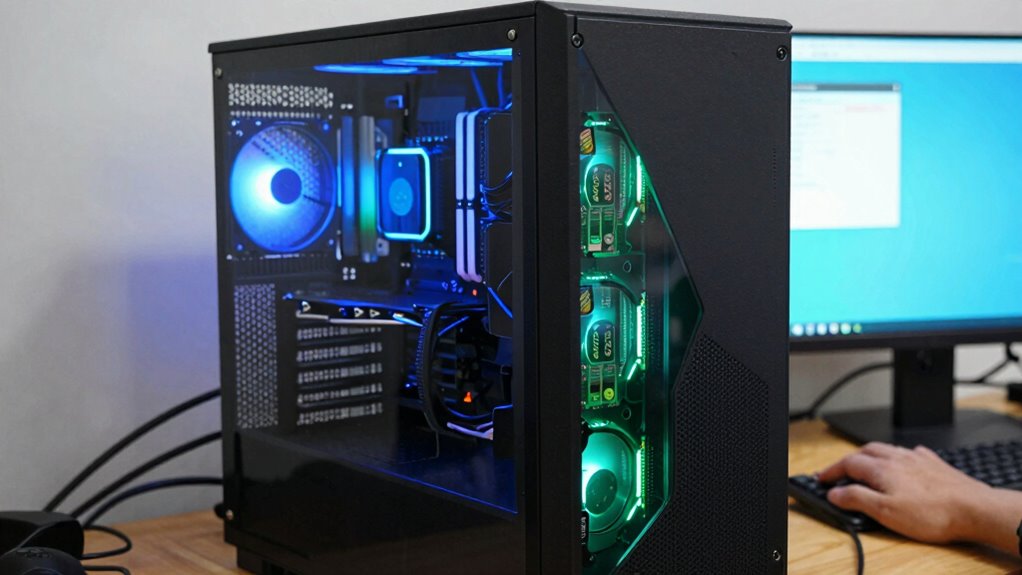
Adding more RAM might seem like an easy fix for sluggish computer performance, but it doesn’t always solve the underlying issues. While increasing memory can temporarily boost speed, it often doesn’t address deeper problems related to cache management and disk I/O. These components play vital roles in how efficiently your system operates, especially when it comes to handling data and executing tasks.
When your system struggles with cache management, simply adding more RAM won’t necessarily improve performance. Cache is designed to store frequently accessed data close to the processor, reducing the need to fetch information from slower storage devices. If your cache management algorithms are inefficient or misconfigured, your system might still experience delays, even with ample memory. Excess RAM doesn’t improve cache hit rates if the underlying caching strategy is flawed. Instead, your system might just be holding more data in memory without addressing the root causes of cache misses, leading to continued slowdowns.
Disk I/O, or input/output operations related to reading and writing data on storage devices, often becomes the bottleneck in system performance. Overprovisioning RAM doesn’t directly influence disk I/O speeds, which are governed by your storage hardware and how data is transferred between the storage device and system memory. If your disk is slow or heavily fragmented, your system will spend more time waiting for data to load or save, regardless of how much RAM you have. In such cases, the real issue isn’t memory capacity but the efficiency of data transfer and storage management.
Furthermore, system performance problems are frequently caused by software inefficiencies, background processes, or resource conflicts that aren’t resolved simply by increasing RAM. Overprovisioning can sometimes mask these issues temporarily but won’t fix the fundamental inefficiencies in how data is managed or transferred within your system. For example, if your operating system isn’t optimizing cache usage or if disk I/O is hampered by outdated drivers or hardware limitations, more RAM won’t alleviate the core problem.
In essence, adding RAM is a useful tool, but it’s not a universal solution. To truly enhance performance, you need to look at how your system manages its cache, how efficiently it handles disk I/O, and whether your hardware and software configurations are optimized. Otherwise, you risk throwing resources at the problem without addressing the real causes, leaving your system still sluggish despite the extra memory.
Products Worth Considering

Samsung 27 Odyssey OLED G5 (G50SF) QHD QD-OLED Gaming Monitor

Samsung 27-Inch Odyssey QD-OLED G8 4K 240Hz Gaming Monitor

Samsung 27-inch Odyssey OLED G6 QD-OLED QHD Gaming Monitor
As an affiliate, we earn on qualifying purchases.
Frequently Asked Questions
Can Overprovisioning RAM Improve Gaming Performance Significantly?
Overprovisioning RAM can slightly improve gaming performance, but it doesn’t guarantee significant gains. It aids in gaming optimization by reducing data swapping, but only if your hardware is compatible with the increased memory. If your system already has enough RAM, adding more won’t make a noticeable difference. Focus on optimizing game settings and ensuring hardware compatibility to achieve the best gaming experience, rather than solely increasing RAM.
How Does RAM Overprovisioning Affect System Power Consumption?
Overprovisioning RAM increases your system’s energy consumption because more memory modules draw additional power, potentially reducing power efficiency. While it can boost performance in some cases, it also leads to higher power usage, which might drain your battery faster or increase electricity costs. If you prioritize energy efficiency, it’s better to balance RAM capacity with actual needs rather than overprovisioning, ensuring your system runs at its most effective without unnecessary power drain.
Is There a Point Where Adding More RAM Becomes Useless?
Like a knight facing a dragon, you might think more RAM always helps, but there’s a point of diminishing returns. Hardware limitations cap how much memory benefits your system. Once you’ve exceeded your actual needs, adding extra RAM becomes useless, as it won’t boost performance further. Instead, focus on optimizing other components, because beyond a certain point, more RAM won’t solve your bottlenecks.
What Are Alternative Solutions to Improve System Performance?
To improve system performance, focus on better memory management by closing unnecessary applications and optimizing your system settings. Consider hardware upgrades like faster SSDs or a more powerful CPU to boost overall speed. Upgrading your RAM beyond a certain point may not help, so balancing memory, processing power, and storage is key. Regularly updating your software also guarantees efficient resource use, preventing bottlenecks and enhancing performance.
How Does RAM Overprovisioning Impact Virtual Machine Performance?
Think of RAM overprovisioning as giving your virtual machine a bigger toolbox. It can improve performance by increasing memory allocation, but only if resource management is efficient. Overprovisioning can lead to wasted memory or bottlenecks if the system doesn’t handle resources well. Too much memory can cause unnecessary overhead, reducing performance. To boost VM performance, focus on balanced resource management rather than just increasing RAM.
Conclusion
In fact, overprovisioning RAM isn’t a one-size-fits-all solution; sometimes, it can even hinder performance. Did you know that up to 30% of system bottlenecks stem from other factors like CPU or disk issues? So, instead of just adding more RAM, it’s smarter to diagnose and optimize your entire system. Remember, a balanced setup often outperforms simply throwing more memory at the problem. Keep your system streamlined for the best results.