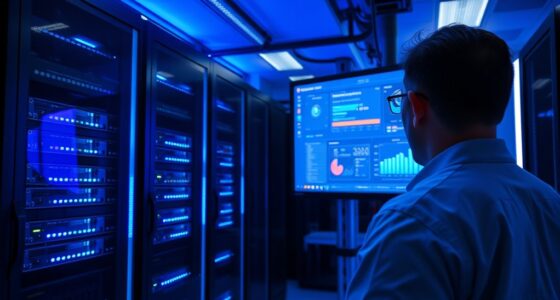
You often overlook console servers because they quietly support your network’s stability until a crisis hits. Their importance becomes clear during remote recovery efforts, where quick access to hardware is critical. Without proper setup or redundancy, you could face prolonged downtime or data loss. When everything functions normally, their role fades into the background. But understanding their true value now can help you prepare for emergencies—stick around to find out more.
Key Takeaways
- Their critical role in uninterrupted network management is often overlooked until remote access is urgently needed.
- Many organizations underestimate the importance of hardware redundancy until a failure disrupts control.
- Console servers’ ability to enable quick remote recovery becomes apparent only during network crises.
- The strategic value of console servers for proactive management is frequently undervalued before emergencies occur.
- Proper configuration and testing highlight their importance, which is often realized only in urgent recovery scenarios.
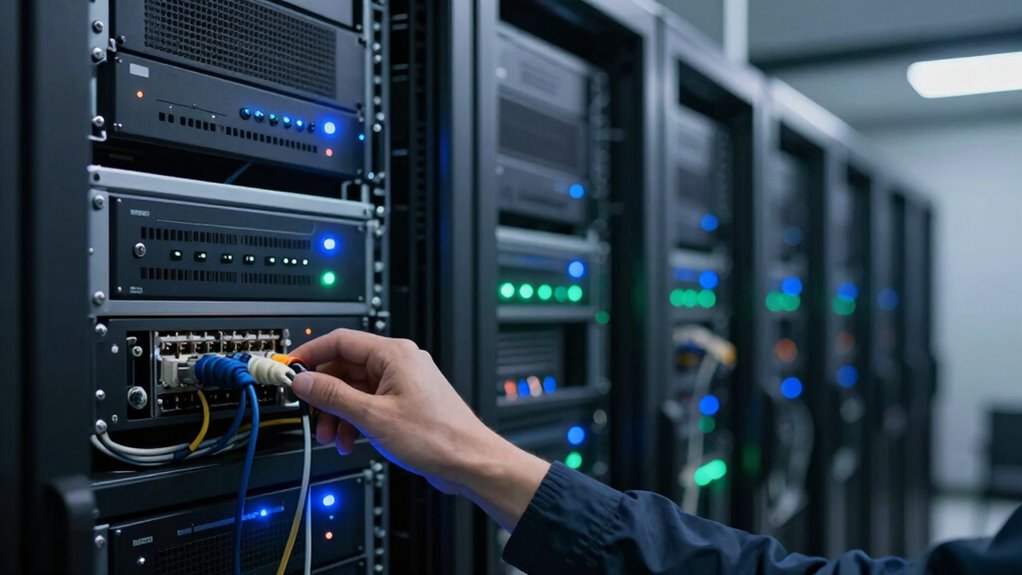
While many IT professionals focus on high-end networking equipment, console servers often go overlooked despite their vital role in managing and maintaining network infrastructure. These devices act as the central point for accessing and controlling network hardware, making them essential for smooth operations. When everything runs smoothly, you might not think twice about your console server’s presence. However, when a network issue arises, its importance becomes glaringly obvious. The key benefits of console servers—remote accessibility and hardware redundancy—are what make them indispensable, especially during urgent recovery situations.
Console servers are vital for seamless network management, providing essential remote access and hardware redundancy during critical moments.
Remote accessibility allows you to connect to your network hardware from anywhere, at any time. Instead of scrambling to physically access servers or switches in locked data centers, you can quickly troubleshoot issues remotely. This capability drastically reduces downtime and speeds up recovery. If a switch or router malfunctions late at night or during off-hours, your console server provides instant access to diagnose and resolve problems without the need for on-site visits. This feature becomes critical during emergencies, where every second counts, and physical access might be impossible or impractical. Recognizing the importance of network management tools such as console servers helps underscore their role in maintaining operational continuity.
Hardware redundancy is another crucial aspect that often goes unnoticed until it’s needed most. By deploying redundant console servers, you ensure continuous management access even if one device fails. You’re not left stranded due to hardware failure at a critical moment. Redundant setups provide a safety net, allowing you to switch seamlessly between devices without losing control. This redundancy is particularly valuable in environments where uptime is non-negotiable—like data centers, financial institutions, or healthcare networks. It guarantees that, no matter what, you maintain the ability to manage your network infrastructure during outages or hardware malfunctions. Additionally, understanding the importance of redundancy in network components helps illustrate how these measures can prevent catastrophic failures. Incorporating proper configuration and regular testing of these backup systems further enhances their effectiveness during emergencies.
Despite these advantages, many overlook console servers until a crisis hits. When remote recovery becomes urgent, the value of a well-implemented console server setup becomes crystal clear. It’s not just about convenience—it’s about ensuring your network stays operational when it matters most. The ability to access your hardware remotely, coupled with hardware redundancy, transforms your response time from reactive to proactive, minimizing downtime and potential damage.
In the end, console servers might seem like a minor component in your network architecture, but their role in remote accessibility and hardware redundancy makes them a cornerstone of resilient network management. Recognizing their importance before emergencies strike allows you to prepare effectively, ensuring your infrastructure remains accessible, manageable, and secure—even when faced with unexpected challenges.
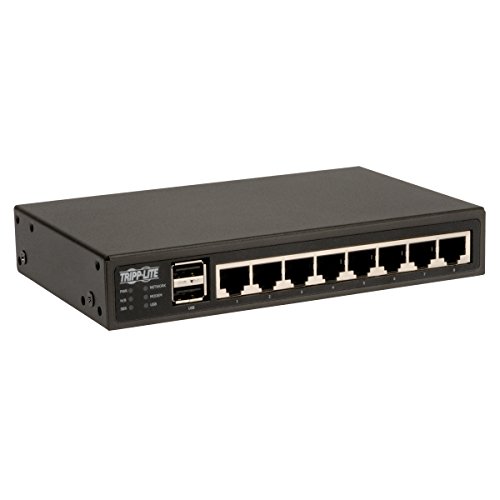
TRIPP LITE TAA GSA 8-Port Serial Console/Terminal Server Management Switch (B094-008-2E-M-F)
Dual Ethernet and Built-In Modem for Out of Band Access
As an affiliate, we earn on qualifying purchases.
As an affiliate, we earn on qualifying purchases.
Frequently Asked Questions
How Do Console Servers Differ From Traditional Network Management Tools?
Console servers differ from traditional network management tools by providing direct, remote troubleshooting access to hardware, even if the network is down. They often include hardware redundancy features, ensuring uninterrupted access during failures. Unlike conventional tools, console servers offer secure, out-of-band management, enabling you to quickly diagnose and resolve issues without physical presence, which becomes especially critical during urgent remote recovery situations.
What Are the Initial Costs of Implementing a Console Server?
Think of initial costs like planting a seed; they may seem high but grow into essential benefits. Implementing a console server involves expenses for hardware, such as serial console devices, and software licenses. You also need to take into account setup costs for remote troubleshooting capabilities and hardware redundancy to guarantee continuous operation. While upfront investments can be substantial, they save you time and money during critical remote recovery situations.
Can Console Servers Integrate With Existing IT Infrastructure Seamlessly?
Yes, console servers can seamlessly integrate with your existing IT infrastructure. They streamline remote troubleshooting by providing centralized access to hardware, reducing the need for physical intervention. Most console servers support standard protocols and have compatibility features that align with your network devices, making hardware integration straightforward. This enables you to quickly diagnose issues and perform remote recovery, boosting efficiency without disrupting your current setup.
What Security Measures Protect Console Server Access?
You guarantee console server security through multiple measures. Remote access is protected via strong authentication protocols like two-factor authentication and secure VPN connections. Physical security is essential, so you keep servers in locked, access-controlled environments. Regular firmware updates and monitoring help detect unusual activity. Combining these strategies, you safeguard remote access and physical security, reducing risks of unauthorized access and assuring reliable, secure management of your infrastructure.
How Scalable Are Console Servers for Growing Networks?
Think of console servers as the backbone of your network’s tree—scalable branches that grow with your needs. They offer excellent network redundancy and hardware flexibility, allowing you to add or upgrade components seamlessly. As your network expands, these servers adapt effortlessly, ensuring stable remote access and management. Their scalability keeps your infrastructure resilient, making sure your network remains robust, flexible, and ready to handle future growth without missing a beat.
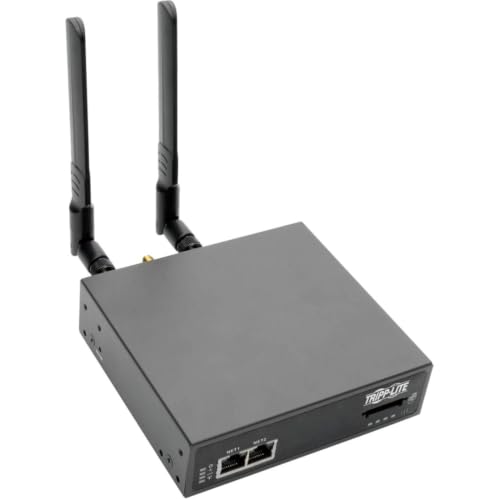
Tripp Lite 8-Port Console Server w/ 4G LTE Cellular Gateway Dual GB NIC, 4Gb Flash (B093-008-2E4U-V)
Access devices from anywhere in the world: remotely monitor, access and control serial-based networking equipment from anywhere through…
As an affiliate, we earn on qualifying purchases.
As an affiliate, we earn on qualifying purchases.
Conclusion
You might not realize it now, but console servers are crucial for smooth remote recovery. Studies show that over 70% of data center outages could be minimized with proper console access. When urgent recovery is needed, having a console server becomes your lifeline. Don’t wait until it’s too late—embrace this underrated tool now, so you’re prepared for any unexpected hiccup. Trust me, it’s better to be safe than scrambling in a crisis.
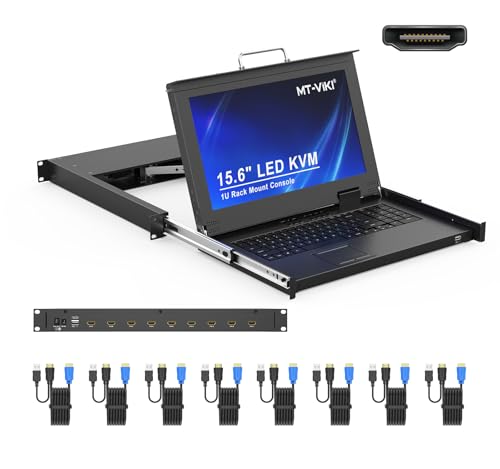
MT-VIKI Rack Mount KVM Console w/15.6" LCD Monitor, 8 Port HDMI KVM Switch, 1920×1080@60Hz 1U Integrated Monitor Keyboard, Fits 18.9" to 31.5" Deep Racks (480-800mm), Included 8 Cables
MT-VIKI 1568HL is our latest all-in-one console to manage up to 8 computers. Features a 15.6" LCD monitor…
As an affiliate, we earn on qualifying purchases.
As an affiliate, we earn on qualifying purchases.

Networx Console Rollover Adapter – RJ45 Serial Management Tool – Connects Laptop to Network Switch Console Ports – Yost Serial Standard
CONSOLE MANAGEMENT: Converts any standard Ethernet patch cable into a Rollover Console Cable. Provides immediate serial management access…
As an affiliate, we earn on qualifying purchases.
As an affiliate, we earn on qualifying purchases.