Finding the best network attached KVM over IP can be challenging with so many options offering different features. The top pick for overall performance is the JetKVM IP KVM PC Remote Control with Touchscreen LCD, thanks to its ultra-low latency and versatile touchscreen interface. For those prioritizing affordability, the GL.iNet Comet (GL-RM1) offers reliable remote access without breaking the bank. If you need extensive port capacity or rack integration, the MT-VIKI 8 Port Rack Mount KVM Over IP stands out. Most buyers face tough tradeoffs between latency, resolution, compatibility, and price, so continue reading for a detailed breakdown of each option.
Key Takeaways
- Top contenders balance low latency with high-resolution support for seamless remote management.
- Ease of setup varies greatly, with some units supporting plug-and-play while others require complex configuration.
- Price ranges widely, but investing in higher-end models often reduces issues like lag and compatibility problems.
- Rack-mount solutions excel in enterprise environments, whereas standalone units suit smaller setups.
- Open-source options like JetKVM provide customization but may demand technical expertise.




More Details on Our Top Picks
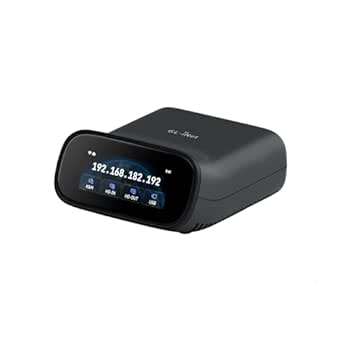
GL.iNet Comet (GL-RM1) Remote KVM Over Internet with 4K@30Hz Support
The GL.iNet Comet (GL-RM1) stands out for its straightforward setup and high-quality 4K@30Hz video support, making it ideal for remote IT management without complex configuration. Compared to the StarTech.com HDMI KVM Extender, which excels over LAN with up to 4K 60Hz for longer distances, the Comet prioritizes simplicity and internet-based control, though it’s limited to 4K at 30Hz and doesn’t support multi-point viewing. Its compact size and compatibility with various devices enhance portability and flexibility, but the lack of Power Delivery means it can’t be powered via PD adapters, and a stable internet connection is essential for consistent performance. If I need an easy-to-deploy remote KVM accessible over the internet with high resolution, this option makes sense. However, for large-scale or multi-user setups, other solutions might be more suitable.
Pros:- Supports 4K resolution at 30Hz for sharp visuals
- One-click setup with no extra software needed
- Enables remote BIOS access and file transfer
Cons:- Cannot use Power Delivery adapters, limiting power options
- Lacks advanced features like multi-user support or higher refresh rate
Best for: IT professionals and remote workers needing quick, reliable access to multiple computers over the internet
Not ideal for: Large enterprise environments requiring multi-user simultaneous access or 4K at higher refresh rates
- Product Type:Remote Control
- Color:Black
- Item Weight:85 grams
- Item Dimensions:3.15″L x 2.36″W x 0.68″H
- Hardware Encoding:H.264
- Compatible Devices:Apple, Computers, Laptop, Routers, Samsung
- Connectivity Technology:Ethernet, HDMI
Bottom line: This device suits users prioritizing simple, high-quality remote access over the internet, with minimal setup effort.
StarTech.com HDMI KVM Extender Over IP Network, 4K 60Hz, Driverless, HDMI and USB Over Ethernet/CAT6 (up to 330ft/100m), AVoIP, Tx/Rx Kit
The StarTech.com HDMI KVM Extender excels in offering 4K@60Hz video over long distances—up to 330 feet—making it a standout choice for large server rooms or conference setups where high resolution at a distance is critical. Its driverless, plug-and-play design simplifies deployment compared to the more integrated but less flexible GL.iNet Comet Pro. While it supports all major OS and hardware platforms, it requires additional receivers for multi-point configurations, which could add to the total cost. The absence of detailed audio features and serial port support means it’s less suited for specialized applications. If I need reliable, high-resolution video and USB extension over long distances, this unit delivers, though at the expense of more complex multi-point setups.
Pros:- Supports 4K 60Hz video over 330 feet
- No drivers required, plug-and-play operation
- Compatible across all major OS and hardware platforms
Cons:- Requires additional receivers for multi-user configurations
- Limited detail on audio and serial port features
Best for: Businesses needing scalable, long-distance 4K HDMI extension with broad OS compatibility
Not ideal for: Small offices or home setups that don’t require extensive cabling or long-distance transmission
- Video Resolution:4K 60Hz
- Maximum Distance:330 ft / 100 m
- Connectivity:Ethernet/CAT6
- Supported OS:Windows, macOS, Linux
- Hardware Compatibility:Intel, AMD, Snapdragon/ARM, Apple Silicon
- Ports:HDMI, USB, RS232, 3.5mm audio
Bottom line: Ideal for large-scale installations demanding high-quality 4K video over extended distances with minimal fuss.
GL.iNet Comet Pro (GL-RM10) Remote KVM Over Wi-Fi with Touchscreen and 4K Passthrough
The GL.iNet Comet Pro (GL-RM10) introduces a more interactive approach to remote KVM, featuring dual-band Wi-Fi 6, 4K passthrough, and a built-in touchscreen for direct management. It’s well-suited for those who prefer a standalone, wireless device with secure remote access via Tailscale, simplifying management without needing a dedicated PC. Compared with the OREI HDMI HDMI Over LAN Extender, which focuses on wired connections and longer distances, the Comet Pro emphasizes flexibility and user interaction, though it requires external power control extensions for full remote functionality. Its limited portability and setup complexity may challenge non-technical users. If a user values a touchscreen interface and wireless control for remote management, this model fits well, but it’s less ideal for highly mobile or straightforward office environments.
Pros:- Supports dual-band Wi-Fi 6 for flexible connectivity
- Includes a touchscreen for easy local management
- Supports 4K passthrough and two-way audio
Cons:- Requires external power control extensions for remote power cycling
- Limited portability and potentially complex setup for non-technical users
Best for: Remote IT teams and power users who want an interactive, wireless remote KVM with a touchscreen interface
Not ideal for: Users seeking a portable or purely wired solution, or those with limited technical setup skills
- Operation Mode:ON-ON
- Current Rating:0.6 Amps
- Operating Voltage:5 Volts
- Control Method:App
- Connectivity Protocol:Wi-Fi
- Wattage:3 watts
Bottom line: Best suited for tech-savvy users who want an interactive, wireless remote KVM with versatile management options.
OREI KVM Over IP HDMI Extender Over LAN, 1080p, Up to 492 Ft, Remote Keyboard & Mouse USB Control
The OREI KVM Over IP HDMI Extender offers a practical solution for extending 1080p video and USB control over LAN up to nearly 500 feet, making it suitable for remote surveillance or basic server management. Its straightforward setup and compatibility with standard LAN cables make it accessible for home or small office use. While it’s a cost-effective choice compared to the more detailed 4K extenders like the OREI HDMI 4K HDMI Over Ethernet Extender, it’s limited to 1080p resolution, which may not meet the needs of high-end media or graphics workflows. Latency can also be an issue over very long distances. If I require simple, long-range control of a PC or server over a LAN, this device offers an affordable, reliable option, but not for high-resolution demanding tasks.
Pros:- Supports 1080p video over nearly 500 feet
- Allows remote keyboard, mouse, and USB control
- Easy to install and compatible with standard LAN cables
Cons:- Limited to 1080p resolution, not suitable for high-res workflows
- Potential latency issues over very long distances
Best for: Small businesses or home labs needing reliable long-distance 1080p control
Not ideal for: High-end media editing or applications requiring 4K or HDR support
- Operation Mode:ON-NONE-ON
- Current Rating:1.5 Amps
- Operating Voltage:120 Volts
- Control Method:Remote
- Maximum Distance:492 Ft
- Video Resolution:1080p
Bottom line: A dependable choice for basic remote control over LAN when 1080p quality is sufficient and long-distance extension is needed.
OREI KVM 4K HDMI Over Ethernet Extender Balun over CAT6/7 Cable, 4K@60Hz up to 230 Feet, 2 USB 1.1 Ports, Supports Keyboard & Mouse, HDMI Loop Out, Power Over Cable
The OREI 4K HDMI Over Ethernet Extender delivers crisp 4K@60Hz video over distances up to 230 feet, making it a solid choice for high-end conference rooms or digital signage where clarity matters. Its USB 1.1 ports extend keyboard and mouse control, and features like HDMI loop-out and HDR support enhance usability. Its plug-and-play design simplifies installation, but the shorter maximum range compared to other HDMI extenders limits flexibility in larger setups. Additionally, some users report latency issues with extended runs or complex configurations. For users needing reliable 4K video with USB KVM extension over a relatively short distance, this device offers a strong balance of performance and ease of use.
Pros:- Supports 4K@60Hz with HDR for high-quality visuals
- Includes USB ports for keyboard and mouse extension
- Easy to install with plug-and-play setup
Cons:- Limited to 230 feet maximum distance
- Potential latency with complex or extended setups
Best for: Medium-sized conference rooms or digital signage requiring reliable 4K video extension up to 230 feet
Not ideal for: Large industrial environments or setups exceeding 230 feet where longer reach is necessary
- Video Resolution:4K@60Hz
- Maximum Distance:230 feet
- Cable Type:CAT6/7
- USB Ports:2 USB 1.1
- Supported HDMI Formats:HDMI 2.0b, HDCP 2.2, HDR
- Additional Features:HDMI loop-out, EDID pass-through
Bottom line: An excellent choice for high-resolution, short-to-mid-range video extension with integrated USB control.
GL.iNet Comet PoE (GL-RM1PE) Remote KVM Control Over Internet
This model stands out for its seamless Power over Ethernet support, simplifying deployment in remote or distributed environments. Compared to the JetKVM, it offers native 4K video streaming with low latency, but relies on compatible PoE switches, which can add to setup complexity. Its built-in 32GB storage provides local system management, a feature not present in more minimalistic options like the IP KVM Remote Control. The secure remote access via Tailscale enhances safety for remote troubleshooting, making it particularly suited for network administrators and remote office setups. However, some features depend on additional accessories like Fingerbot, and detailed compatibility info can be limited. Overall, it’s ideal for those needing reliable, PoE-powered access with high-quality video and integrated storage, provided they have compatible network infrastructure.
Pros:- Supports Power over Ethernet for simplified deployment
- Secure remote access via Tailscale and browser support
- High-quality 4K video streaming with low latency
- Built-in 32GB storage for local management
Cons:- Requires compatible PoE switches for optimal performance
- Some advanced features depend on additional accessories
Best for: Network administrators managing remote devices in professional environments with PoE infrastructure
Not ideal for: Home users or small office setups without PoE switches or advanced remote management needs
- Power over Ethernet (PoE):Supported
- Dual Power Options:PoE and Type-C 5V adapters
- Built-in Storage:32GB eMMC
- Video Resolution:4K@30Hz
- Connectivity:Browser, Windows, MacOS, Linux, Tailscale app
- Additional Support:ATX Board and Fingerbot support (sold separately)
Bottom line: This pick is best suited for professionals seeking reliable, PoE-powered remote KVM with high-resolution video and security features.
IP KVM Remote Control Over Internet, 4K@60Hz, Simulate Keyboard Mouse Touch Screen, Remote Operation for PC, Servers, Windows, Mac, Android
This device excels with its support for 4K@60Hz resolution, making it ideal for tasks requiring sharp visuals and smooth motion. Compared with the JetKVM, it offers easier setup via app and web login, but it lacks advanced features like a touchscreen or open-source flexibility. Its compatibility across Windows, MacOS, and Android broadens its appeal for diverse environments, especially where quick remote troubleshooting is needed. The ability to simulate keyboard, mouse, and touchscreen interactions makes it a versatile choice for remote management and even OS installation. However, it’s limited to specific hardware configurations and does not support NVR devices, which could restrict use in surveillance setups. This pick is perfect for those needing high-res video with straightforward setup across multiple platforms.
Pros:- Supports 4K resolution at 60Hz with low latency
- Easy setup via app and web login for quick deployment
- Universal compatibility with Windows, MacOS, and Android
- Enables BIOS-level control and remote OS installation
Cons:- Limited to specific hardware configurations
- Not compatible with NVR devices
- Requires Ethernet connection for remote access
Best for: IT teams and remote support staff requiring high-resolution control over varied hardware configurations
Not ideal for: Users seeking open-source or highly customizable solutions, or those with NVR-centric security systems
- Resolution:3840×2160@60Hz
- Audio Support:Yes
- Remote Control Methods:App and web login
- Compatibility:Windows, Mac OS, Android
- Connectivity:HDMI, USB, Ethernet
- Warranty:1 year
Bottom line: This solution is best for users needing high-res, straightforward remote control across multiple OS platforms, but not suited for NVR applications.
JetKVM IP KVM PC Remote Control with Touchscreen LCD, Open Source, Ultra-Low Latency, Network KVM Switch for BIOS Access
The JetKVM stands out for its open-source design and ultra-low latency streaming, making it ideal for advanced users who want full control over their remote KVM environment. Its built-in touchscreen offers real-time status updates, while dual video outputs facilitate BIOS access and OS installations. Compared with the OREI 4K extender, it emphasizes responsiveness and customization, but its limited USB port count and Linux-centric system may be restrictive for some. The device supports secure, encrypted cloud connectivity, making it suitable for sensitive environments like home labs or professional testing setups. However, its hardware expansion options are limited, and Linux knowledge is necessary to unlock its full potential. This makes it perfect for tech-savvy users who value open-source flexibility and low latency.
Pros:- Supports browser-based remote control without extra software
- Built-in touchscreen for real-time monitoring
- Open-source and highly customizable
- Ultra-low latency for responsive control
Cons:- Limited to 1 USB port, restricting peripherals
- Requires Linux familiarity for full customization
- Hardware expandability is limited
Best for: Advanced users and developers needing a customizable, low-latency remote KVM solution
Not ideal for: Less technical users or those requiring extensive peripherals or Windows-based systems
- Product Type:Personal Computer
- Operating System:Linux
- Video Output:HDMI
- Connectivity Technology:Ethernet, HDMI, USB
- Dimensions:2.36 x 1.77 x 1.38 inches
- Weight:0.31 Pounds
Bottom line: This product is ideal for advanced users seeking a customizable, low-latency remote KVM with BIOS-level access, but not for general-purpose or plug-and-play needs.
OREI 4K@60Hz KVM HDMI Extender Over Ethernet PoC Single HDBaseT CAT5e/CAT6A/CAT7 Cable – Up to 400 Feet, Supports 4:4:4, Remote, Keyboard, Mouse, USB Control
This HDMI extender specializes in transmitting 4K@60Hz video over long distances up to 400 feet, making it a practical choice for large control rooms or digital signage setups. Compared to the AV Access extender, it offers similar high-resolution capability but emphasizes compatibility with HDBaseT and IR remote control for source management. Its plug-and-play design reduces setup complexity, yet its USB support is limited to keyboard and mouse, excluding webcams or external drives. The focus on AV fidelity and extended reach makes it less suitable for environments needing broader peripheral support or network-based control, but it excels where high-quality video transmission is paramount over significant distances.
Pros:- Supports 4K@60Hz video over 400 feet
- Plug-and-play with no drivers needed
- Compatible with various AV devices and supports advanced audio formats
- Includes IR remote control for source switching
Cons:- USB support limited to keyboard and mouse
- Requires matching transmitter and receiver pairs
- No support for webcams or external storage devices
Best for: AV professionals needing high-resolution video extending over long distances with simple setup
Not ideal for: Users requiring extensive USB peripherals or network-based device management
- Video Resolution:4K@60Hz
- Cable Type:CAT5e/CAT6A/CAT7
- Maximum Distance:400 feet
- HDMI Version:HDMI 2.0/1.4/1.3b
- Audio Support:LPCM, Dolby Digital, DTS 7.1
- Warranty:1 year
Bottom line: This extender is best for high-quality, long-distance HDMI video transmission, but not for USB peripherals or network-based control.
AV Access 4K HDMI USB KVM Extender over Ethernet up to 120m (390ft), 4K@30Hz, 1080P@120Hz, Plug & Play, 3 USB Ports, Supports 16 Sets
This extender shines in environments where multiple remote sets are needed, supporting up to 16 units over Ethernet. It offers flexible resolution options, from 4K@30Hz to 1080P@120Hz, suitable for diverse applications like control rooms or digital signage. Compared with the OREI extender, it provides more USB ports—three per set—and supports a larger number of simultaneous connections, but at the cost of requiring Ethernet infrastructure and network setup. Its plug-and-play nature simplifies deployment, yet configuring many sets can become complex in busy networks. This product is an excellent choice for large facilities that need multiple remote control points with reliable long-distance video and USB support.
Pros:- Supports 4K@30Hz and 1080P@120Hz over long distances
- Allows up to 16 remote sets for large-scale control
- Plug-and-play setup with no driver requirement
- Reliable transmission suitable for professional environments
Cons:- Requires Ethernet cabling infrastructure
- Complex configuration for multiple sets
- Limited to Ethernet network environments
Best for: Large organizations or control centers managing multiple remote KVM sets over Ethernet
Not ideal for: Small offices or users without existing Ethernet infrastructure or requiring straightforward single-set control
- Maximum Distance:120 meters (390 feet)
- Video Resolution:4K@30Hz, 1080P@120Hz
- USB Ports:3 per set
- Supported Systems:Windows, macOS, Linux
- Number of Sets Supported:Up to 16
- Audio:7.1-channel
Bottom line: This extender is best suited for large-scale settings needing multiple remote control stations over Ethernet, but it’s less ideal for smaller or simpler setups.
JetKVM Open-Source IP KVM Remote Control with ATX Extension Board
This open-source solution appeals to those who want flexible, low-level control over their server management, especially if they prefer customizing hardware setups. Unlike the MT-VIKI 8 Port Rack Mount KVM, which emphasizes high port density and rack integration, the JetKVM offers a more DIY approach for individual or small-scale setups. Its support for multiple OSes and dual connection options makes it versatile, but installation demands technical skill, and it’s limited to PC cases with PCIe slots. The absence of latency data means users must test for performance, especially in latency-sensitive environments. The JetKVM stands out for its open-source nature and broad OS compatibility, making it ideal for those comfortable with hardware tinkering.
Pros:- Supports simultaneous KVM and front panel connections
- Simplifies setup with single-cable power and control
- Compatible with multiple operating systems
Cons:- Requires technical knowledge for installation
- Limited to specific PC cases with available PCIe slots
Best for: Advanced users or data center managers needing customizable, open-source IP KVM solutions for specific server setups
Not ideal for: Less technical users seeking plug-and-play, all-in-one solutions with minimal setup effort
- Power Management:Supports remote power control via RJ-12 extension port
- Connectivity:USB-C port for power, dual headers for KVM and front panel buttons
- Compatibility:Mac, Windows, Linux
- Form Factor:ATX extension board with PCIe bracket
- Power Supply:5V via USB-C port
Bottom line: This pick suits technically skilled buyers who want a flexible, open-source IP KVM for custom server management.
MT-VIKI 8 Port Rack Mount KVM Over IP Console with 17” LCD Monitor
The MT-VIKI 8 Port Rack Mount KVM is tailored for data centers or server rooms where managing multiple servers physically and remotely is essential. Compared with the JetKVM, which is better suited for individual or small-scale setups, the MT-VIKI excels in rack integration with a 1U form factor and support for up to 64 daisy-chained units, making it highly scalable. Its 17-inch LCD monitor and BIOS-level control provide clear, full-boot visibility, but the need for specific client software adds an extra step for remote access. Additionally, its size may be less suitable for smaller rack spaces. The unit offers a comprehensive management interface, but the bulk and software dependency could be drawbacks for those seeking simplicity. It makes the most sense for IT teams managing multiple servers in a rack environment who need robust, scalable remote console access.
Pros:- Supports remote and local server management over IP
- BIOS-level control and full boot process interaction
- Daisy chaining support for up to 64 servers
Cons:- Requires client software for IP access, adding complexity
- Size may be bulky for small rack spaces
Best for: Data center administrators or enterprise IT teams managing multiple servers with high-density rack setups
Not ideal for: Small businesses or home labs with limited rack space, due to its larger size and complexity
- Number of Ports:8
- Monitor Size:17 inches
- Resolution:1280×1024
- Mounting Dimensions:18.9×23.6×1.77 inches
- Daisy Chain Support:Up to 64 computers
- USB Ports:5
Bottom line: This device is ideal for large-scale server environments where managing multiple servers over IP with full control is a priority.
How We Picked
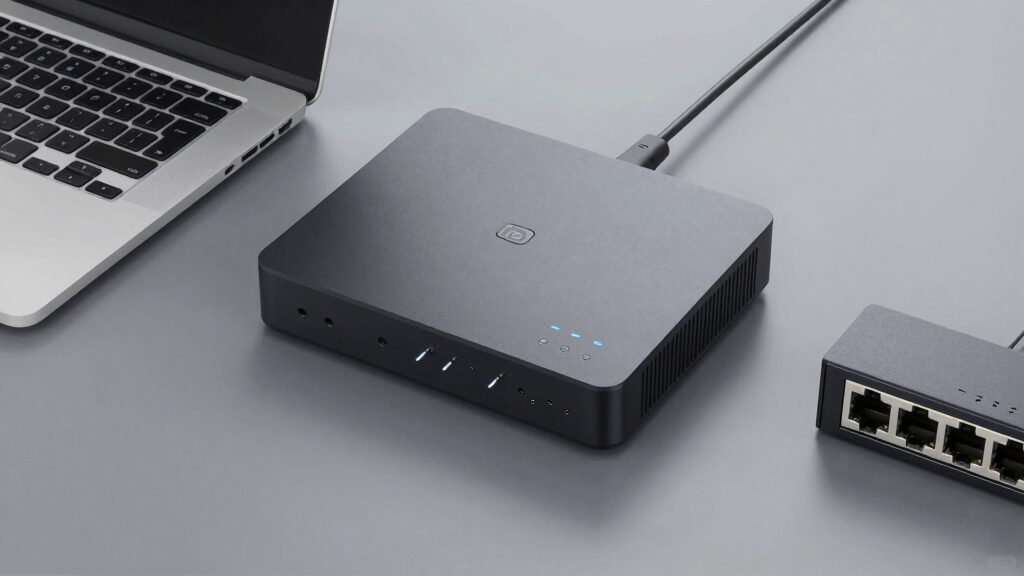
I evaluated each product based on core performance metrics such as latency, resolution, and compatibility with different hardware and networks. Usability was also a key factor, including setup complexity, remote control features, and user interface quality. Build quality and reliability over time influenced rankings, along with value relative to price. I aimed to highlight options suitable for different use cases—from small offices to enterprise data centers—ensuring each product’s tradeoffs and strengths are clear to help buyers match their specific needs.Factors to Consider When Choosing Best Network Attached Kvm Over Ip
Choosing the best network attached KVM over IP involves balancing several factors that impact performance, ease of use, and cost. The right choice depends on your technical environment, remote access needs, and future scalability. Here are key considerations to keep in mind before making your purchase.Performance and Latency
Low latency is crucial for real-time control, especially in high-stakes environments like server management or BIOS access. Devices with higher resolution support can improve clarity but may introduce slight delays. Consider your primary use case—if you need near-instant response times, prioritize models with proven low-latency performance, even if that means paying a premium.
Compatibility and Connectivity
Ensure the KVM over IP device supports your existing hardware interfaces (HDMI, DisplayPort, USB, etc.) and network infrastructure. Some units work better over LAN, while others are designed for Wi-Fi, which can impact stability. Compatibility with multiple operating systems and remote devices can prevent headaches later, especially in mixed environments.
Ease of Setup and Management
Simpler setups with plug-and-play features save time, but more advanced models may require extensive configuration. Management features like remote firmware updates, user access controls, and multi-user support add complexity but benefit larger deployments. Think about your technical skill level and the importance of centralized control when selecting a unit.
Price and Total Cost of Ownership
While budget options may seem attractive initially, they often lack features or reliability needed for long-term use. Higher-end models tend to offer better build quality, lower latency, and more extensive support, translating into a higher upfront investment but fewer headaches. Factor in potential costs for maintenance, firmware updates, and scalability when assessing value.
Support, Reliability, and Scalability
Robust customer support and firmware updates are vital for maintaining security and performance. Consider whether the device supports future expansion, such as additional ports or integration with existing management systems. Enterprise-grade units often excel here, but they come at a higher price and complexity, so match these features to your actual needs.
Frequently Asked Questions
Will a network attached KVM over IP work with my existing network setup?
Most KVM over IP solutions are designed to be compatible with standard Ethernet networks, but checking specific requirements is wise. Some models require dedicated VLANs or specific network configurations for optimal performance. If your network is heavily segmented or uses advanced security measures, verify that the device can integrate smoothly without disrupting existing workflows.
Can I access a KVM over IP device remotely from anywhere?
Yes, most devices support remote access via secure web interfaces or dedicated management software. However, remote access quality depends on your network’s bandwidth and security settings. For sensitive environments, look for units with strong encryption and multi-factor authentication to protect remote sessions.
What’s the typical latency I should expect from a good KVM over IP?
High-quality models generally offer latency below 50 milliseconds, which is suitable for most management tasks. Lower latency reduces lag during real-time control, making it crucial for BIOS-level or video editing tasks. Be cautious of cheaper units that might introduce delays over 100 milliseconds, which can hinder productivity.
Are open-source KVM solutions reliable for enterprise use?
Open-source options like JetKVM can be customized for specific needs, but they typically require more technical knowledge to set up and maintain. While they can be reliable if properly configured, they may lack the comprehensive support and testing of commercial products. Use open-source options mainly if you have dedicated technical resources and specific customization needs.
How does rack-mounting affect my choice of KVM over IP?
Rack-mount units are ideal for data centers and enterprise environments where space efficiency and centralized management matter. They often include multiple ports and LCD consoles for quick local access. However, they tend to be more expensive and complex to install, making them less suitable for small or home setups. Match your environment’s scale and management requirements with the appropriate form factor.