

Integrating a CDN with your VPS can significantly boost your website’s speed and reliability by distributing static content across global edge servers. This reduces the distance data travels, resulting in faster load times and less server strain. You’ll notice quicker page responses, improved user experience, and decreased bandwidth usage. Proper SSL setup and cache management further enhance security and performance. Stay with us to discover how optimizing these elements can open up even greater speed benefits.
Key Takeaways
- CDN reduces latency by delivering static content from geographically closer edge servers.
- Edge caching decreases server load, resulting in faster page load times for visitors.
- Proper cache management ensures timely content updates and minimizes unnecessary data transfer.
- SSL integration with CDN secures data transmission, maintaining speed without compromising security.
- The combined use of CDN and VPS optimizes overall website performance measurable through faster load times and reduced bounce rates.

Integrating a Content Delivery Network (CDN) with your Virtual Private Server (VPS) can considerably improve your website’s performance and reliability. When you connect a CDN, you’re essentially distributing your content across multiple servers worldwide, reducing the distance between your visitors and your site’s data. This setup allows for faster load times and less server strain. One of the key features you’ll want to leverage is edge caching. Edge caching stores copies of your static content—like images, stylesheets, and scripts—closer to your users at the CDN’s edge servers. By doing so, you minimize the time it takes for data to travel from your server to your visitors, resulting in quicker page loads and a smoother browsing experience.
Using a CDN with edge caching speeds up content delivery and reduces server load for a smoother website experience.
Configuring edge caching correctly is critical. You need to set appropriate cache expiry times and cache-control headers to guarantee that your users get the latest version of your content without unnecessary delays or outdated data. When properly managed, edge caching reduces the number of requests hitting your VPS, which can markedly decrease server load and bandwidth usage, especially during traffic spikes. This setup not only improves speed but also enhances your website’s reliability, as your visitors will experience fewer interruptions caused by server overloads or downtime.
Another essential aspect of integrating a CDN with your VPS is SSL configuration. Securing your data in transit is non-negotiable, especially if you handle sensitive information or want to maintain trust with your users. When you connect a CDN, you must ensure that SSL/TLS certificates are correctly configured on both your origin server and the CDN’s edge servers. Many CDN providers offer easy-to-implement SSL options, including free certificates via providers like Let’s Encrypt. Proper SSL configuration guarantees that all data exchanged between your visitors, CDN, and VPS remains encrypted, preventing eavesdropping and man-in-the-middle attacks.
Additionally, some CDN providers manage SSL termination at their edge servers, simplifying your setup. Still, you’ll need to verify that your SSL certificates are valid, correctly installed, and cover all necessary domains and subdomains. Failing to configure SSL properly can lead to security warnings, which may deter visitors and damage your site’s reputation. When SSL is configured correctly alongside edge caching, you get the dual benefits of fast content delivery and secure connections, making your website both reliable and trustworthy. Furthermore, understanding and implementing proper content management practices can help optimize your CDN integration and overall website performance.
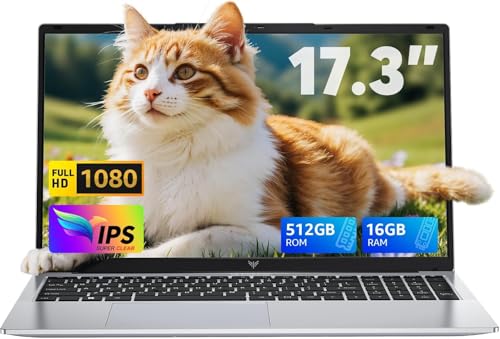
KAIGERR 17.3 Inch Laptop, 2025 Laptop with Quad Core-12th Alder Lake N95(Up to 3.4GHz), 16GB RAM 512GB ROM Traditional Laptop Computer, 6000Mah Battery
【Powerful Capabilities】 KAIGERR AX17 windows 11 laptop powered by latest 12th generation Alder Lake N95 processor (4C/4T, 6MB...
As an affiliate, we earn on qualifying purchases.
Frequently Asked Questions
How Does CDN Integration Affect VPS Server Security?
When you integrate a CDN with your VPS, it can improve security benefits by filtering malicious traffic and DDoS attacks before they reach your server. However, it also introduces potential vulnerabilities, like misconfigured CDN settings or data exposure if not managed properly. You need to monitor your CDN settings closely to confirm that security is strengthened rather than compromised. Proper configuration helps you maximize security benefits and minimize potential vulnerabilities.
What Are the Cost Implications of Combining CDN With VPS?
When you combine a CDN with your VPS, consider the cost analysis and budget considerations. While CDNs can increase your expenses, they often reduce bandwidth costs and improve user experience, leading to higher satisfaction and retention. You might need to pay for additional bandwidth or premium features, but the overall benefits can outweigh these costs. Carefully evaluate your traffic needs to make certain the integration fits within your budget while boosting performance.
Can CDN Improve VPS Performance for Dynamic Content?
Think of a CDN as a helpful friend who’s always nearby. Yes, a CDN can improve your VPS’s performance for dynamic content, but it’s trickier than static files. Dynamic content requires real-time updates, so cache invalidation becomes essential. With proper cache invalidation strategies, your CDN can deliver faster responses, reducing load times and enhancing user experience. Just remember, managing cache invalidation for dynamic content needs careful planning to stay effective.
How Do I Troubleshoot CDN and VPS Connectivity Issues?
When troubleshooting CDN and VPS connectivity issues, start by checking your SSL configuration to guarantee secure connections. Verify cache invalidation settings to prevent outdated content from causing problems. Use tools like ping and traceroute to identify network delays or disruptions. Clear your CDN cache and restart services if needed. Monitoring logs helps pinpoint issues, and adjusting cache rules can improve performance. These steps help you resolve connectivity issues efficiently.
Is CDN Integration Suitable for Small or New VPS Setups?
Think of your small VPS as a tiny boat in a vast ocean; integrating a CDN is like adding a jet engine. While it offers great speed boosts, consider scalability challenges and technical complexity. For new setups, CDN integration can be beneficial, but be prepared to manage the added complexity. If your traffic grows, a CDN will keep your site swift, but start small to navigate the technical waters smoothly.

ACEMAGIC 2024 17.3Inch Laptop,FHD Display Laptop with Quad Core-12th Alder Lake N97(Up to 3.6GHz), 6000Mah Battery,16GB RAM 512GB ROM Business Laptop Computer.
【POWERFUL PERFORMANCE】Experience lightning-fast processing speeds with ACEMAGIC AX17's 12th generation Alder Lake N97 processor, 16GB DDR4 RAM, and...
As an affiliate, we earn on qualifying purchases.
Conclusion
By integrating a CDN with your VPS, you’re opening a powerful engine that propels your website’s speed and reliability. Think of it as adding wings to your server—lifting your content closer to your users and soaring past slow load times. With this setup, you’ll notice your visitors flying through pages effortlessly. Embrace this synergy, and watch your site transform into a well-oiled machine—where speed isn’t just a goal, but a reality within reach.
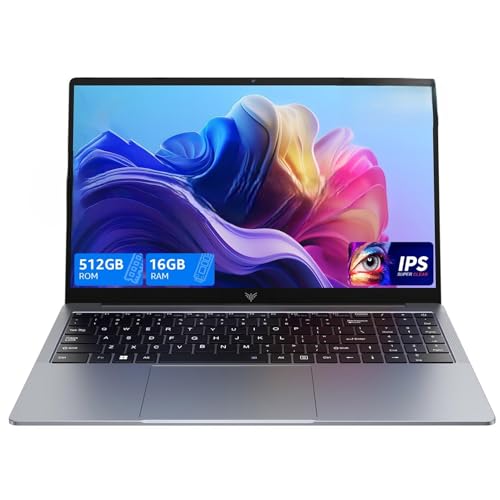
2026 Laptop with Windows 11, Intel Quad-Core Processor (up to 3.6GHZ)16GB DDR4 RAM 512GB SSD,15.6 Inch FHD IPS Display, Metal Body,5000mAh Battery,USB3.2,Portable Laptops Computer for Business Office
Higher Performance: The laptop uses the latest 12th Gen processor (4C/4T, 6MB cache, 6W, up to 3.6GHz), which...
As an affiliate, we earn on qualifying purchases.

XISEZIUO 15.6" FHD IPS Laptop-Computer - 16GB RAM 512GB SSD, Intel Celeron Processor N5095(Beat to i3-10110U, Up to 2.9GHz), Backlit Keyboard, Fingerprint Reader, Win 11, Numpad, Silver
【Intel Celeron N5095 CPU】Powered by the Intel Celeron N5095 processor, the XISEZIUO laptop is built with a focus...
As an affiliate, we earn on qualifying purchases.