
To analyze your VPS disk latency, start by using iostat to monitor real-time disk activity, including read/write speeds, queue lengths, and device utilization. Follow up with fio to simulate workload scenarios, helping you identify potential bottlenecks and performance issues. Combining these tools offers a clear view of your storage’s health and responsiveness. Keep exploring further to discover how these insights can optimize your VPS performance effectively.
Key Takeaways
- Use iostat to monitor real-time disk activity, including throughput, queue length, and device utilization for latency insights.
- Run fio with workload scenarios to simulate real application traffic and measure disk response under load.
- Compare iostat and fio data to identify bottlenecks and hardware issues affecting disk latency.
- Use combined metrics to assess storage performance, determine upgrade needs, and optimize configurations.
- Regular analysis helps maintain VPS responsiveness, prevent bottlenecks, and support proactive performance management.

Understanding disk latency in your VPS is essential because it directly impacts your server’s performance and responsiveness. When your disk takes too long to read or write data, it creates bottlenecks that slow down applications and frustrate users. To effectively tackle this, you need to analyze and measure disk performance accurately. Tools like iostat and fio are invaluable for this purpose. They help you identify whether your storage subsystem is causing delays and guide you in implementing storage optimization strategies to improve overall performance.
Using iostat, you can monitor real-time disk activity and gather detailed metrics about I/O operations. It provides insights into read/write speeds, queue lengths, and device utilization. This information allows you to perform performance benchmarking, comparing how different disks or configurations behave under various loads. By regularly tracking these metrics, you can detect patterns or anomalies that indicate performance degradation or hardware issues. This proactive approach enables you to make informed decisions about upgrading or tweaking your storage setup, ensuring your VPS runs smoothly. Additionally, understanding the contrast ratio of your storage devices can help you assess their capacity to render detailed images during data processing, which is especially relevant for high-performance or multimedia workloads.
Monitor disk activity with iostat to identify performance issues and optimize your VPS storage.
Fio complements iostat by offering a flexible way to simulate workload scenarios and measure disk performance under specific conditions. You can configure fio to generate read/write patterns that mirror your actual application traffic, giving you a realistic view of how your storage performs during peak times. This helps you pinpoint the exact causes of high disk latency and evaluate the effectiveness of storage optimization techniques. For example, you might discover that your current disk configuration struggles with random read/write operations typical of database workloads. Armed with this knowledge, you can optimize your storage setup, whether that’s upgrading to SSDs, enabling caching, or adjusting filesystem parameters.
Together, iostat and fio give you a comprehensive picture of your VPS’s storage health. They enable precise performance benchmarking, helping you compare different hardware or configurations objectively. This is vital because it allows you to make data-driven decisions, reducing guesswork and minimizing downtime. By routinely analyzing disk latency, you can also plan capacity upgrades before performance issues escalate, keeping your server responsive and your users happy.

Sturdy M.2 NVMe 2280 2260 2242 2240 2230 SSD Card Case – 24 Slot Organizer
- High Capacity Storage: Holds 24 M.2 SSDs of various sizes
- Water-Resistant & Shockproof: Made of durable PP plastic with silicone seal
- Organized Interior Design: 24 precise slots prevent SSD contact and damage
As an affiliate, we earn on qualifying purchases.
As an affiliate, we earn on qualifying purchases.
Frequently Asked Questions
How Can I Reduce Disk Latency on My VPS?
To reduce disk latency on your VPS, focus on storage optimization by cleaning up unnecessary files and optimizing database queries. You can also consider hardware upgrades, such as moving to faster SSDs or increasing RAM, which can improve disk performance. Regularly monitoring disk activity helps identify bottlenecks, allowing you to implement these improvements efficiently and guarantee your VPS runs smoothly with minimal latency.
What Are the Common Causes of High Disk Latency?
High disk latency often results from disk fragmentation, which slows data access, or hardware limitations like aging drives or insufficient RAM. You might notice delays because the disk struggles to read or write data efficiently. To reduce latency, consider defragmenting your disk if applicable, upgrading hardware components, or optimizing your workload to lessen the strain on your storage system. These steps can help improve overall disk performance.
How Do I Interpret Iostat and Fio Results Together?
You interpret iostat and fio results together by first examining disk I/O performance metrics like read/write speeds, IOPS, and latency from iostat. Then, compare these with fio’s throughput, I/O operations, and latency reports. If fio shows high latency or low throughput while iostat indicates high wait times, it suggests your disk might be bottlenecked. Combining these insights helps you pinpoint performance issues and optimize your VPS’s disk I/O.
What Disk Latency Thresholds Should I Be Concerned About?
You’ll want to watch for disk latencies exceeding 5 milliseconds, as this often signals hardware bottlenecks during workload spikes. When latencies rise above this threshold, your system’s performance can suffer. Keep an eye on this statistic to proactively address issues before they impact your applications. If latencies stay consistently high, it’s time to contemplate upgrading storage or optimizing workload distribution to prevent bottlenecks.
Can Disk Latency Affect My VPS Performance Significantly?
Yes, disk latency can substantially impact your VPS performance. When latency increases, it slows down disk throughput, causing delays in data access and processing. Poor I/O scheduling can worsen this effect, leading to sluggish response times and decreased efficiency. Monitoring disk latency helps identify bottlenecks, so you can optimize I/O scheduling and improve overall system performance, ensuring your VPS runs smoothly and efficiently.
VPS disk performance monitoring tools
As an affiliate, we earn on qualifying purchases.
As an affiliate, we earn on qualifying purchases.
Conclusion
By monitoring VPS disk latency with iostat and fio, you gain clear insights into performance. Just like a car’s engine needs regular checks to run smoothly, your VPS requires consistent analysis to avoid bottlenecks. Ignoring these metrics might seem harmless, but it can lead to sluggish responses and lost data. Stay proactive—understand your disk’s behavior now, so your applications stay fast and reliable tomorrow. Ultimately, proactive monitoring keeps your VPS running like a well-tuned machine.
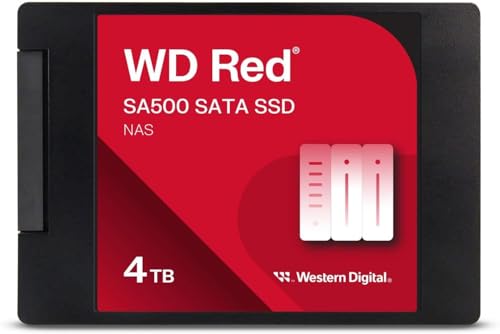
Western Digital 4TB WD Red SA500 NAS 3D NAND Internal SSD Solid State Drive – SATA III 6 Gb/s, 2.5"/7mm, Up to 560 MB/s – WDS400T2R0A
- Optimized for NAS caching: Rapid access to frequently used files
- High endurance: Handles heavy read/write loads
- Purpose-built for NAS: Maximum SATA performance for home and business
As an affiliate, we earn on qualifying purchases.
As an affiliate, we earn on qualifying purchases.
As an affiliate, we earn on qualifying purchases.