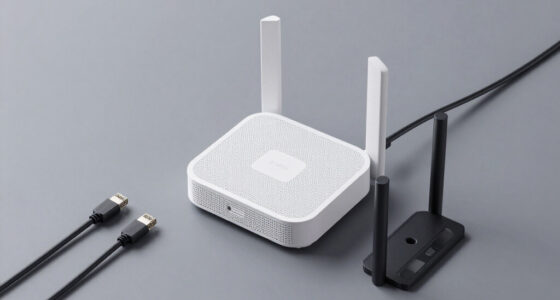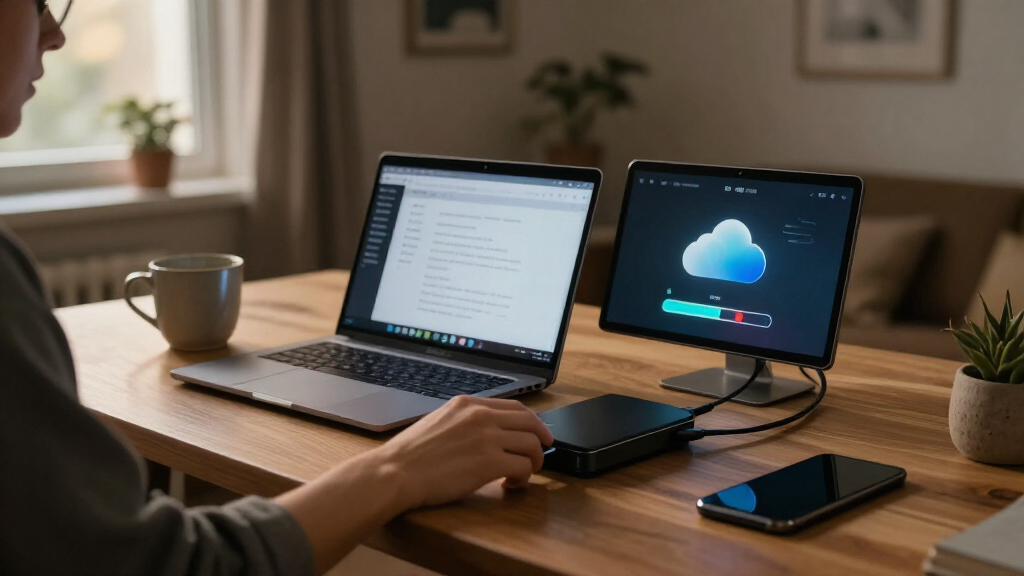

Cloud backup storage services range from simple personal backup devices to expandable NAS systems, and my best overall pick is the Synology DS225+ for buyers who want a capable two-bay foundation they can configure around their needs. The UGREEN NAS DH4300 Plus is a standout for buyers seeking four drive bays, while the Synology BeeDrive suits people who want direct computer and phone backups without setting up a full NAS. The main tradeoffs are setup effort, included versus separately purchased drives, and whether a single drive or multi-drive system fits your tolerance for hardware failure. A NAS can give you local control, but it is not automatically an off-site cloud backup. Read on for the full breakdown and a guide to matching each option to your backup plan.

Get business pricing on networking and server gear
- Business-only prices and quantity discounts
- Tax-exempt purchasing
- Multiple users, one account, clear invoices
Key Takeaways
- The lineup includes very different kinds of backup tools: the BeeDrive focuses on direct device backup, while most other picks are network-attached storage systems that need more setup and ongoing management.
- Drive bays affect resilience, not just capacity: two- and four-bay NAS models can support multi-drive configurations, while the single-bay LinkStations have no second internal drive for redundancy.
- Included storage simplifies the first setup: several LinkStation models arrive with drives, while the DS225+ and DS223j are diskless and require a separate drive purchase.
- More capacity is not the same as a complete backup plan: a device on the same network may still be affected by theft, power damage, or other local events, so off-site copies matter.
- The best fit depends on how much control you want: Synology and UGREEN multi-bay systems suit buyers willing to configure a NAS, while simpler personal storage options may suit buyers who prefer fewer setup decisions.
| BUFFALO LinkStation 210 4TB 1-Bay NAS with Included Hard Drive |  | Best for Simple Home Backups | Model: LS210D0401 | Storage capacity: 4TB | Drive bays: 1 | VIEW LATEST PRICE | See Our Full Breakdown |
| BUFFALO LinkStation 720 8TB 2-Bay NAS with Hard Drives |  | Best for Redundant Home Backups | Model: LS720D0802 | Total capacity: 8TB | Usable capacity in RAID 1: 4TB | VIEW LATEST PRICE | See Our Full Breakdown |
| Synology BeeDrive 2TB – Backup Windows Files & iOS/Android Photos, Transfer Smartphone to PC Over Wi‑Fi |  | Best Portable Backup Companion | Digital storage capacity: 2TB | Connectivity: Cellular, USB-A, USB-C, Wi-Fi | Hardware interface: USB 3.2 Gen 2 | VIEW LATEST PRICE | See Our Full Breakdown |
| BUFFALO LinkStation 210 2TB 1-Bay NAS with Hard Drive | | Best Entry-Level NAS for Smaller Libraries | Model: LS210D0201 | Storage capacity: 2TB | Drive bays: 1 | VIEW LATEST PRICE | See Our Full Breakdown |
| Western Digital My Book Live 2TB Personal Cloud Storage NAS |  | Best for Legacy Home Media Sharing | Storage capacity: 2TB | Connectivity: Ethernet, USB | Hard drive form factor: 3.5 inches | VIEW LATEST PRICE | See Our Full Breakdown |
| Synology DS225+ 2-Bay Diskless NAS |  | Best for Flexible Home Backups | Drive bays: 2 | Drive status: Diskless | Storage volume: Up to 40 TB | VIEW LATEST PRICE | See Our Full Breakdown |
| STATIONPC PocketCloud Portable NAS with M.2 NVMe and SD Card Slots |  | Best for Backup on the Go | Storage interface: M.2 NVMe, PCIe x4 | Capacity: Up to 8 TB; up to 16 TB with matching Dock | Connectivity: USB, Wi-Fi 6, SD card, AP mode; Ethernet with Dock | VIEW LATEST PRICE | See Our Full Breakdown |
| UGREEN NAS DH4300 Plus 4-Bay Network Attached Storage |  | Best for High-Capacity Home Storage | Drive bays: 4 | Maximum advertised capacity: 128 TB | Memory: 8 GB LPDDR4X | VIEW LATEST PRICE | See Our Full Breakdown |
| BUFFALO LinkStation SoHo 220 8TB 2-Bay NAS with Hard Drives |  | Best Ready-to-Use Mirrored Backup | Drive bays: 2 | Included drives: 2 × 4 TB | Total capacity: 8 TB | VIEW LATEST PRICE | See Our Full Breakdown |
| BUFFALO LinkStation 710 8TB 1-Bay NAS |  | Best for Simple Cloud-Linked Backups | Model: LS710D0801 | Storage capacity: 8 TB | Drive bays: 1 | VIEW LATEST PRICE | See Our Full Breakdown |
| UGREEN NAS DH2300 2-Bay Personal Storage |  | Best for Automated Personal Backups | Drive bays: 2 | Maximum capacity: 64 TB with compatible drives | Memory: 4 GB | VIEW LATEST PRICE | See Our Full Breakdown |
| Synology DiskStation DS223j 2-Bay NAS Enclosure (Diskless) |  | Best for a Quiet Private Cloud | Model: DS223j | Drive bays: 2 | Included drives: None (diskless) | VIEW LATEST PRICE | See Our Full Breakdown |
| BUFFALO LinkStation SoHo 720 2-Bay NAS with 16TB Storage |  | Best Preconfigured Storage Bundle | Total capacity: 16 TB (2 × 8 TB) | Usable capacity in RAID 1: 8 TB | Drive bays: 2 | VIEW LATEST PRICE | See Our Full Breakdown |
| BUFFALO LinkStation 710 4TB 1-Bay NAS Network Storage | | Best Simple Single-Drive Cloud Backup | Model: LS710D0401 | Storage capacity: 4 TB | Drive bays: 1 | VIEW LATEST PRICE | See Our Full Breakdown |
| cloud backup storage service | Drive bays | Warranty |
|---|---|---|
| BUFFALO LinkStation 210 4TB 1- | 1 | 2 years, including hard drive |
| BUFFALO LinkStation 720 8TB 2- | 2 | 2 years, including hard drives |
| Synology BeeDrive 2TB | — | — |
| BUFFALO LinkStation 210 2TB 1- | 1 | 2 years, including hard drive |
| Western Digital My Book Live 2 | — | — |
| Synology DS225+ 2-Bay Diskless | 2 | 3 years |
| STATIONPC PocketCloud Portable | — | — |
| UGREEN NAS DH4300 Plus 4-Bay N | 4 | — |
| BUFFALO LinkStation SoHo 220 8 | 2 | 3 years, including hard drives |
| BUFFALO LinkStation 710 8TB 1- | 1 | 2 years |
| UGREEN NAS DH2300 2-Bay Person | 2 | — |
| Synology DiskStation DS223j 2- | 2 | 2 years |
| BUFFALO LinkStation SoHo 720 2 | 2 | 3 years, including hard drives |
| BUFFALO LinkStation 710 4TB 1- | 1 | 2-year manufacturer limited |
More Details on Our Top Picks
BUFFALO LinkStation 210 4TB 1-Bay NAS with Included Hard Drive
The LinkStation 210 4TB suits households that want a straightforward network drive for shared files and automated backups without adding a cloud subscription. Its included 4TB drive gives several computers one central backup destination, while folder controls and SSL file-transfer encryption add basic safeguards for shared access. Compared with the 2TB LinkStation 210 in this lineup, it offers more room for photo libraries and computer backups; unlike the two-bay LinkStation 720, it has no second drive or RAID option. That simpler setup comes with a meaningful limitation: a single drive does not provide drive-level redundancy if the disk fails. Its stated macOS support also stops at version 15, so buyers with newer systems should check compatibility before choosing it.
Pros:- Includes a 4TB hard drive for centralized network storage.
- Supports automated backups from multiple computers and devices.
- Provides subscription-free personal cloud access for compatible devices.
- Includes SSL file-transfer encryption and folder access controls.
Cons:- One drive bay means no RAID mirroring or drive-level redundancy.
- Listed macOS compatibility ends at version 15.
Best for: Households with Windows PCs or supported Macs that want a subscription-free shared backup location and need more than 2TB.
Not ideal for: Buyers who need drive redundancy, support for macOS versions newer than 15, or a portable backup device.
- Model:LS210D0401
- Storage capacity:4TB
- Drive bays:1
- Hard drive included:Yes
- Compatibility:Windows and macOS 15 and earlier
- Warranty:2 years, including hard drive
- Support:24/7 US-based support
Our verdict“Choose this LinkStation for a roomy, subscription-free home backup hub if one-drive storage meets your protection needs.”
BUFFALO LinkStation 720 8TB 2-Bay NAS with Hard Drives
Among these options, the LinkStation 720 is the clearest fit for buyers who want a home backup NAS with a choice between capacity and mirroring. It arrives with two drives and supports RAID 1, which keeps a mirrored copy but leaves 4TB usable from the 8TB total; RAID 0 exposes all 8TB, but does not provide that same redundancy. That tradeoff makes it more flexible than either single-bay LinkStation 210, while its Dropbox, Azure, and OneDrive integration adds cloud-sync options beyond local network backups. It still needs a router connection, and RAID 1 is not a substitute for an off-site copy. Buyers should also confirm the listed macOS 26 compatibility matches their devices before setup.
Pros:- Two included hard drives support RAID 1 mirroring or RAID 0 capacity.
- Automated backup software supports Windows and Mac computers.
- Cloud integration includes Dropbox, Azure, and OneDrive.
- Includes encryption, a Cat 6A Ethernet cable, and 24/7 US-based support.
Cons:- RAID 1 leaves 4TB usable from the 8TB total capacity.
- RAID 0 provides full capacity but not the mirroring protection of RAID 1.
- Requires a router connection for network storage.
Best for: Households with multiple computers that want a two-drive NAS, mirrored local storage, and optional syncing with Dropbox, Azure, or OneDrive.
Not ideal for: Buyers who need all 8TB usable while keeping RAID 1 protection, or who cannot connect storage to a router.
- Model:LS720D0802
- Total capacity:8TB
- Usable capacity in RAID 1:4TB
- Drive bays:2
- RAID modes:RAID 1, RAID 0
- Compatibility:Windows and macOS 26
- Cloud integration:Dropbox, Azure, OneDrive
- Warranty:2 years, including hard drives
Our verdict“Pick the LinkStation 720 if you want two-drive flexibility and accept 4TB usable capacity for RAID 1 mirroring.”
Synology BeeDrive 2TB – Backup Windows Files & iOS/Android Photos, Transfer Smartphone to PC Over Wi‑Fi
The Synology BeeDrive takes a different approach from the router-connected LinkStation models: it is a portable 2TB SSD for backing up and finding files across computers and phones, not a traditional always-on home NAS. Wi-Fi, USB-A, and USB-C connectivity make it useful for consolidating photos and files from supported devices, while local AI processing powers natural-language search without sending that search processing to the cloud. Its listed read speed of 1050MB/s can help with large file transfers, and its 43g body is easier to carry than a desktop NAS. The tradeoff is capacity and role: it has less space than the 4TB LinkStation 210 and lacks the same router-based shared-storage setup. It also has no built-in battery and requires compatible operating systems.
Pros:- Portable 2TB SSD weighs 43g and supports wired and wireless connections.
- Supports backup and file transfer across compatible computers and smartphones.
- Local AI-powered search includes OCR and image description features.
- Listed read speed is 1050MB/s.
Cons:- 2TB capacity is lower than the 4TB LinkStation 210 and 8TB LinkStation 720.
- No built-in battery, so continuous use requires a power connection.
- Operating-system compatibility requirements may exclude older devices.
Best for: People who want a compact device for backing up and searching files from compatible PCs, Macs, and smartphones, including while away from a home NAS.
Not ideal for: Households seeking a high-capacity, always-on shared network drive or buyers whose devices run unsupported operating systems.
- Digital storage capacity:2TB
- Connectivity:Cellular, USB-A, USB-C, Wi-Fi
- Hardware interface:USB 3.2 Gen 2
- Read speed:1050MB/s
- Compatible devices:Android 10+, Windows 10 64-bit (1809+) and Windows 11+, iOS 15+, macOS 12+
- Form factor:Portable
- Weight:43g
- Dimensions:2.56 × 0.59 × 2.56 inches
Our verdict“Choose BeeDrive for portable, searchable backups across supported devices, not as a replacement for a high-capacity household NAS.”
BUFFALO LinkStation 210 2TB 1-Bay NAS with Hard Drive
The LinkStation 210 2TB is the lower-capacity way into a router-connected backup setup. It includes a hard drive, supports automated backups from multiple computers, and offers subscription-free personal cloud access, so it covers the basics without requiring a separate disk purchase. Compared with the 4TB LinkStation 210, this model is better suited to modest file collections than growing photo and video libraries; compared with the two-bay LinkStation 720, it gives up RAID options and extra drive capacity. Folder access controls and SSL encryption help protect shared transfers, but the single drive bay leaves no internal mirror if the drive fails. Its listed macOS support ends at version 15, which narrows its fit for some Mac owners.
Pros:- Includes a 2TB hard drive for centralized network backups.
- Supports automated backups from multiple computers.
- Offers subscription-free personal cloud access.
- Includes SSL encryption and individual folder access controls.
Cons:- One drive bay provides no internal drive-level redundancy.
- Its 2TB capacity is smaller than the 4TB LinkStation 210 and LinkStation 720.
- Listed macOS compatibility ends at version 15.
Best for: Individuals or small households with modest backup needs who want an included-drive NAS for supported Windows and Mac computers.
Not ideal for: Families with large media libraries, buyers who need RAID mirroring, or Mac users running versions newer than macOS 15.
- Model:LS210D0201
- Storage capacity:2TB
- Drive bays:1
- Hard drive:Included
- Compatibility:Windows and macOS 15 and earlier
- Connectivity:Ethernet
- Warranty:2 years, including hard drive
- Support:24/7 US-based support
Our verdict“Choose this model for basic shared backups on a smaller budget of storage space, provided you do not need RAID or newer listed macOS support.”
Western Digital My Book Live 2TB Personal Cloud Storage NAS
The WD My Book Live combines 2TB of network storage with home media sharing, automatic Windows backup through WD SmartWare, and Apple Time Machine compatibility. That mix may appeal to households trying to centralize files and stream media from one device. Compared with the BUFFALO LinkStation 210 2TB, its stated media-streaming and Time Machine features make the media-and-Mac angle more prominent, while the LinkStation offers clearer details on folder controls, SSL encryption, and warranty support. The My Book Live’s data lists both Ethernet and USB connectivity but also gives mixed USB interface information, so buyers should verify the connection details rather than assume a particular USB standard. It is a single 2TB device, with no stated RAID option, and its older model data makes current software and remote-access compatibility worth checking before purchase.
Pros:- Centralizes and shares files and media across a home network.
- Supports automatic backup with WD SmartWare for Windows.
- Compatible with Apple Time Machine.
- Includes media streaming and remote access features in its product description.
Cons:- The listed USB interface information is inconsistent.
- The 2TB single-drive setup has no stated RAID redundancy.
- Current software and remote-access compatibility should be verified for this older model.
Best for: Owners of compatible home networks who want one device for basic Windows backups, Time Machine backups, and media sharing.
Not ideal for: Buyers seeking a current, clearly specified NAS with RAID redundancy, larger capacity, or verified modern software and remote-access support.
- Storage capacity:2TB
- Connectivity:Ethernet, USB
- Hard drive form factor:3.5 inches
- Rotational speed:7200rpm
- Data transfer rate:1000 megabits per second
- Media speed:80MB/s
- Compatible devices:Tablet, television
- Model number:WDBACG0020HCH-NESN
Our verdict“Consider the My Book Live for compatible legacy home-media and backup setups, but verify its software and connection support before relying on it.”
Synology DS225+ 2-Bay Diskless NAS
The Synology DS225+ suits households that want a configurable hub for backups, shared files, photos, and media rather than a ready-to-use drive. Its two bays support RAID and snapshots, giving buyers options for redundancy and recovery from unwanted file changes; remote access extends that library beyond the home network. Compared with the BUFFALO LinkStation SoHo 220, it offers more emphasis on snapshots, media streaming, and surveillance support, while the Buffalo includes hard drives and can be set up without sourcing them separately. The DS225+ is diskless, so the initial setup requires buying compatible drives and choosing a capacity. Its compact tabletop enclosure and support for up to 30 IP cameras also make it a better fit for a connected home than a simple backup-only box.
Pros:- Automated backups and remote access help centralize household files and photos.
- RAID and snapshot support provide multiple ways to protect and recover data.
- Media streaming and hardware transcoding add uses beyond file storage.
- Supports smart surveillance with up to 30 IP cameras.
Cons:- Diskless design means drives must be purchased separately.
- Two bays offer less expansion room than the four-bay UGREEN NAS DH4300 Plus.
Best for: Home users who want a configurable two-drive hub for automated backups, photo storage, media streaming, and optional surveillance.
Not ideal for: Buyers who want storage ready out of the box or prefer not to select and install drives themselves.
- Drive bays:2
- Drive status:Diskless
- Storage volume:Up to 40 TB
- Transfer speed:282 MB/s
- Surveillance support:Up to 30 IP cameras
- Dimensions:9.14 × 4.25 × 6.5 in
- Weight:1300 g
- Warranty:3 years
Our verdict“Choose the DS225+ if you want a flexible, feature-rich home backup hub and are comfortable supplying your own drives.”
STATIONPC PocketCloud Portable NAS with M.2 NVMe and SD Card Slots
The STATIONPC PocketCloud takes backup storage away from the desk: its SD-card slot, USB, Wi-Fi 6, and hotspot mode let users copy files from several sources without relying on a conventional wired NAS setup. That makes it especially relevant to photographers and travelers who need a portable place to collect camera files. Unlike the stationary Synology DS225+, PocketCloud has replaceable batteries and up to six hours of continuous use, but it is not a like-for-like household backup server. It is diskless, and Ethernet requires the matching Dock; buyers also need a compatible M.2 NVMe drive. The LCD and one-click backup simplify status checks in the field, while the Dock-based expansion can raise capacity to 16 TB. Its portability comes with more setup choices and less plug-in simplicity.
Pros:- Backs up from SD cards, USB, Wi-Fi 6, and hotspot mode.
- Replaceable batteries provide up to six hours of continuous use.
- One-click backup and an LCD make field operation more straightforward.
- Capacity can expand to 16 TB with the compatible Dock.
Cons:- M.2 NVMe storage is not included.
- Ethernet connectivity requires a separate compatible Dock.
- Portable battery operation is less suited to continuous home backup than the Synology DS225+.
Best for: Traveling photographers and field workers who want to copy SD-card and device files to portable storage without depending on a home network.
Not ideal for: Households seeking an always-on wired backup server or buyers who want included storage and built-in Ethernet.
- Storage interface:M.2 NVMe, PCIe x4
- Capacity:Up to 8 TB; up to 16 TB with matching Dock
- Connectivity:USB, Wi-Fi 6, SD card, AP mode; Ethernet with Dock
- Battery:Dual replaceable 3200 mAh batteries
- Continuous use:Up to 6 hours
- Standby:Up to 20 days
- Weight:722 g
- Dimensions:6 × 3.6 × 1 in
Our verdict“Pick PocketCloud for portable, multi-source backups in the field, not as a substitute for a drive-equipped home NAS.”
UGREEN NAS DH4300 Plus 4-Bay Network Attached Storage
For buyers planning a large local archive, the UGREEN NAS DH4300 Plus stands apart with four bays and advertised capacity up to 128 TB. That headroom makes it a stronger choice for growing photo libraries, media collections, and shared household backups than the two-bay Synology DS225+. Its 2.5GbE port supports faster wired transfers on a compatible network, while automatic photo backup and AI album features help organize personal media. The tradeoff is a less flexible connection setup: this NAS does not support Wi-Fi, and drives are not included, so buyers must plan for a wired location and supply their own disks. Docker support adds room for selected applications, but the system does not support virtual machines. It also offers 4K HDMI output, a useful media feature rather than a replacement for its network-storage role.
Pros:- Four bays and advertised capacity up to 128 TB allow substantial local storage growth.
- 2.5GbE wired networking supports faster transfers on compatible networks.
- Automatic photo and video backup includes AI album features.
- Docker support and 4K HDMI output add capabilities beyond basic file sharing.
Cons:- Diskless design requires a separate drive purchase and setup.
- No Wi-Fi means the NAS needs a wired Ethernet connection.
- Does not support virtual machines, unlike more flexible server-style setups.
Best for: Households and media collectors who need a high-capacity, wired NAS with room to add multiple drives over time.
Not ideal for: Buyers who need Wi-Fi, virtual machines, or a storage system that arrives with drives installed.
- Drive bays:4
- Maximum advertised capacity:128 TB
- Memory:8 GB LPDDR4X
- Network:2.5GbE wired Ethernet
- Read speed:312 MB/s
- Drive status:Diskless
- Supported features:Docker; no virtual machine support
- Wireless connectivity:Wi-Fi not supported
Our verdict“Choose the DH4300 Plus when capacity and wired expansion matter more than Wi-Fi convenience or virtual-machine support.”
BUFFALO LinkStation SoHo 220 8TB 2-Bay NAS with Hard Drives
The BUFFALO LinkStation SoHo 220 is the most straightforward pick here for buyers who want included drives and a choice between capacity and mirroring. Its two 4 TB drives can run as RAID 1 with 4 TB usable for a mirrored copy, or RAID 0 for the full 8 TB without that same redundancy. Automated computer backups and USB direct copy cover common home and small-office tasks, while subscription-free remote access avoids a recurring service requirement. Compared with the diskless Synology DS225+, the SoHo 220 requires less drive planning but has fewer stated media and surveillance features. Its listed read speed is 80 MB/s, so it is a more modest file-storage option than the UGREEN NAS DH4300 Plus, and macOS support is limited to macOS 15 and earlier.
Pros:- Includes two 4 TB drives for an out-of-box storage setup.
- RAID 1 provides mirrored 4 TB usable storage, while RAID 0 offers 8 TB usable.
- Automated computer backups and USB direct copy support common backup routines.
- Subscription-free remote access includes SSL encryption.
Cons:- RAID 1 cuts usable capacity to 4 TB.
- Listed read speed of 80 MB/s is lower than the UGREEN NAS DH4300 Plus’s stated 312 MB/s.
- macOS compatibility is limited to macOS 15 and earlier.
Best for: Windows households and supported Mac users who want an included-drive NAS with a simple choice between mirrored storage and full capacity.
Not ideal for: Users with newer macOS versions beyond macOS 15, or buyers who prioritize faster transfers and advanced NAS features.
- Drive bays:2
- Included drives:2 × 4 TB
- Total capacity:8 TB
- RAID options:RAID 1: 4 TB usable; RAID 0: 8 TB usable
- Read speed:80 MB/s
- Connectivity:Ethernet, USB
- Compatible platforms:Windows, macOS 15 and earlier
- Warranty:3 years, including hard drives
Our verdict“Choose the SoHo 220 if you want an included-drive, two-bay backup system and value RAID 1 simplicity over maximum capacity or speed.”
BUFFALO LinkStation 710 8TB 1-Bay NAS
The BUFFALO LinkStation 710 is aimed at buyers who want a single included 8 TB drive for shared storage, computer backups, and syncing with services they already use. Its Dropbox, Azure, and OneDrive integration gives it a distinct role beside the SoHo 220: the SoHo offers two drives and RAID choices, while the LinkStation 710 keeps storage in one bay and adds named cloud integrations. Folder access controls and SSL-encrypted transfers help manage shared files, and the closed system favors a more contained setup over a highly configurable NAS. The key tradeoff is its single drive bay, which provides no second internal drive for mirroring. Buyers who want drive-level redundancy should compare it with the two-bay BUFFALO LinkStation SoHo 220; this model makes more sense when simple centralized storage is the priority.
Pros:- Includes an 8 TB hard drive for centralized network storage.
- Automated computer backups support multiple devices.
- Folder access restrictions and SSL encryption help control and protect file sharing.
- Integrates with Dropbox, Azure, and OneDrive.
Cons:- One drive bay prevents internal RAID mirroring.
- Less suitable for expansion or redundancy than the two-bay BUFFALO LinkStation SoHo 220.
- Two-year warranty is shorter than the SoHo 220’s three-year warranty.
Best for: Windows and Mac users who want included 8 TB network storage, automated backups, and links to Dropbox, Azure, or OneDrive.
Not ideal for: Buyers who need internal drive mirroring, multiple-bay expansion, or a NAS for more complex storage arrangements.
- Model:LS710D0801
- Storage capacity:8 TB
- Drive bays:1
- Hard drive included:Yes
- Compatible operating systems:Windows and macOS 26
- Cloud integration:Dropbox, Azure, OneDrive
- Security:Closed system and SSL encryption
- Warranty:2 years
Our verdict“Pick the LinkStation 710 for uncomplicated 8 TB shared storage and cloud-service syncing, but choose a two-bay NAS if drive redundancy matters.”
UGREEN NAS DH2300 2-Bay Personal Storage
The UGREEN NAS DH2300 suits households that want a private destination for phone photos and computer backups without stepping up to a more advanced NAS. Its automatic backups across multiple operating systems and AI photo organization help make a growing personal library easier to maintain and search. Two bays allow up to 64 TB with compatible drives, though those drives are sold separately, so setup involves an additional purchase. Compared with the Synology DiskStation DS223j, the DH2300 states its capacity and transfer limits clearly, but its app and expansion flexibility are constrained: it does not support Docker or virtual machines. Its wired 1GbE connection also means it needs a network cable, not Wi-Fi. I’d choose it for straightforward home backup, not server workloads.
Pros:- Automates backups across multiple operating systems
- AI tools organize and search photo libraries
- Two bays support RAID modes and up to 64 TB with compatible drives
- Supports two-factor authentication and encrypted transfers
Cons:- Storage drives are not included and must be purchased separately
- Requires wired Ethernet; Wi-Fi needs an external USB adapter
- Does not support Docker or virtual machines and is intended for personal use
Best for: Households seeking automated photo and computer backups, with room to add compatible drives as their personal library grows
Not ideal for: Buyers who need wireless placement, Docker, virtual machines, or a NAS for server applications
- Drive bays:2
- Maximum capacity:64 TB with compatible drives
- Memory:4 GB
- Ethernet:1GbE
- Maximum transfer speed:Up to 125 MB/s
- Drive interface:Serial ATA
- Drive form factor:3.5 inches
- Storage drives:Not included
Our verdict“Choose the DH2300 for automated household backups and photo organization if you are comfortable supplying drives and connecting it by Ethernet.”
Synology DiskStation DS223j 2-Bay NAS Enclosure (Diskless)
The Synology DiskStation DS223j is a compact, diskless starting point for buyers who want a private cloud for file sharing and automated backups. It supports computers and mobile devices, and can also monitor footage from multiple IP cameras, giving it a broader home role than a backup-only appliance. Its quiet, energy-efficient tabletop design is a practical fit for a living area or home office. Unlike the BUFFALO LinkStation SoHo 720, it does not arrive with drives, so you choose and buy storage separately; that adds setup work and makes the usable capacity depend on your drive choices. The supplied details do not specify a network speed or maximum capacity, so buyers comparing performance or scale should seek more information before choosing. I’d favor it for a tidy, flexible home cloud, not an out-of-the-box storage bundle.
Pros:- Supports private cloud storage and file sharing across devices
- Automates backups for computers and mobile devices
- Can record and monitor footage from multiple IP cameras
- Compact, quiet, and energy-efficient design
Cons:- Diskless enclosure means drives must be purchased separately
- Capacity and network speed are not specified in the supplied product details
Best for: Home users who want a quiet, compact private cloud for device backups, shared files, and IP-camera monitoring, and are willing to source drives
Not ideal for: Buyers who want included storage, a clearly stated capacity, or a ready-to-use NAS without selecting drives
- Model:DS223j
- Drive bays:2
- Included drives:None (diskless)
- Dimensions:6.5 × 3.94 × 8.9 in (D × W × H)
- Weight:0.87 kg
- Mounting type:Tabletop
- Compatible devices:Android, desktop, laptop, iPhone
- Warranty:2 years
Our verdict“Pick the DS223j for a quiet home private cloud with backup and camera uses if you are prepared to choose and install drives.”
BUFFALO LinkStation SoHo 720 2-Bay NAS with 16TB Storage
The BUFFALO LinkStation SoHo 720 is the clearest choice here for buyers who want a two-drive NAS with storage already installed. Its pair of 8 TB drives can run in RAID 1 for 8 TB of mirrored capacity, trading half the raw space for a copy of the data on the second drive, or RAID 0 for 16 TB without that mirror. The 2.5 GbE connection offers more wired network headroom than the 1GbE UGREEN DH2300, provided the rest of the network supports it. Automated computer backups, USB direct copy, encrypted transfers, and subscription-free remote access add useful backup and sharing options. The tradeoff is its fixed included drive capacity and wired setup; the diskless Synology DS223j gives more drive-selection freedom. I’d pick this bundle for a ready-to-configure home or small-office backup hub.
Pros:- Includes two 8 TB drives and supports RAID 1 or RAID 0
- 2.5 GbE provides faster wired-network potential than 1GbE options such as the UGREEN DH2300
- Automated computer backups and USB direct copy simplify adding files
- Includes subscription-free remote access, encrypted transfers, and a 3-year warranty
Cons:- RAID 1 provides 8 TB of usable capacity from the included 16 TB of drives
- Requires a wired Ethernet connection to the network
- RAID 0 uses the full capacity but does not mirror data across both drives
Best for: Households or small offices that want an included two-drive NAS, automated backups, and the choice between mirrored protection and maximum capacity
Not ideal for: Buyers who need Wi-Fi, want to select their own drives, or require 16 TB of usable space with RAID 1
- Total capacity:16 TB (2 × 8 TB)
- Usable capacity in RAID 1:8 TB
- Drive bays:2
- Connectivity:2.5 GbE Ethernet
- Drive interface:Serial ATA-600
- Drive form factor:3.5 inches
- Hard drive rotational speed:5400 rpm
- Warranty:3 years, including hard drives
Our verdict“Choose the SoHo 720 if you want included drives, faster wired networking, and a choice of mirrored protection or full capacity.”
BUFFALO LinkStation 710 4TB 1-Bay NAS Network Storage
The BUFFALO LinkStation 710 keeps the setup simple: it includes a 4 TB hard drive for centralized files, automated backups, and private file sharing, without requiring buyers to source drives first. Its subscription-free personal cloud access and Dropbox, Azure, and OneDrive integrations make it useful for people who want local storage alongside familiar cloud services. Compared with the two-bay BUFFALO LinkStation SoHo 720, this model has less room for growth and no second drive for a mirrored RAID setup. That simpler single-drive design may suit a small household, but it also means there is no built-in drive redundancy if the included disk fails. I’d choose the LinkStation 710 for basic shared storage and backups when ease of setup matters more than capacity expansion or drive-level protection.
Pros:- Includes a 4 TB hard drive for immediate local storage
- Supports automated backups and centralized file sharing
- Subscription-free personal cloud access
- Integrates with Dropbox, Azure, and OneDrive
Cons:- Single drive bay provides no second drive for mirrored storage
- Less capacity and expansion flexibility than the two-bay BUFFALO LinkStation SoHo 720
- Uses one included drive, leaving no additional bay for drive-level redundancy
Best for: Individuals or small households who want an included-drive NAS for basic computer backups, shared files, and links to existing cloud services
Not ideal for: Buyers who need mirrored drive protection, expandable multi-drive capacity, or a two-bay setup
- Model:LS710D0401
- Storage capacity:4 TB
- Drive bays:1
- Hard drive:Included
- Compatibility:Windows and macOS
- Cloud integrations:Dropbox, Azure, OneDrive
- Included items:AC adapter, Cat 6A Ethernet cable, LinkStation 710D, quick setup guide, warranty statement
- Warranty:2-year manufacturer limited
Our verdict“Choose the LinkStation 710 for straightforward 4 TB personal cloud storage if a single drive and limited expansion meet your needs.”
How We Picked
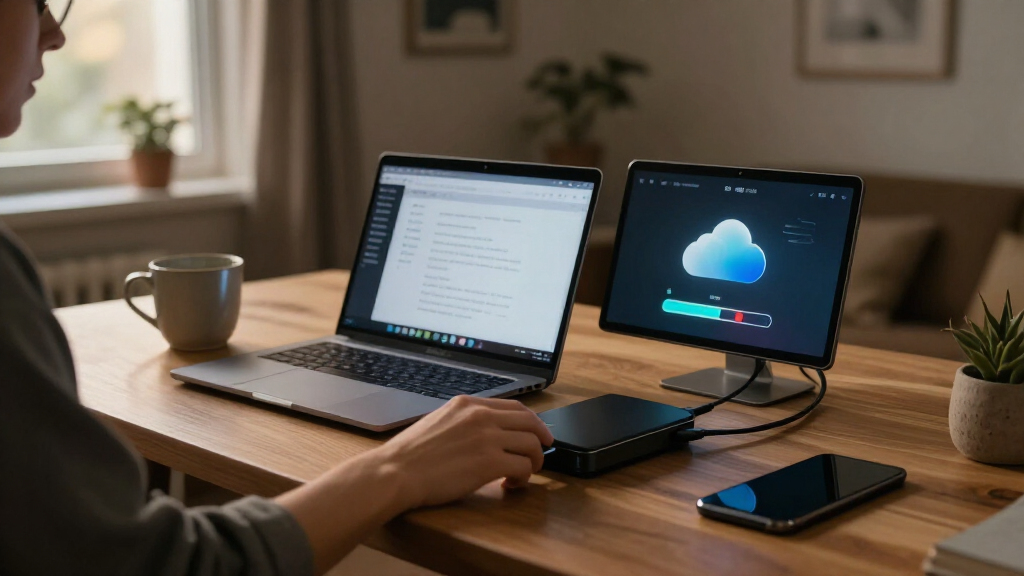
I compared these 14 products as backup storage choices, not as interchangeable cloud subscriptions. The ranking reflects how well each product fits a clear buyer need: storage capacity, number of drive bays, whether drives are included, likely setup demands, and room to adapt as a backup library grows. I also gave weight to the difference between direct device backup and a networked NAS, since those approaches solve different problems.
Products with useful flexibility for a range of home and small-office backup plans rank ahead of narrower choices, while simpler or more specialized devices earn their place for buyers who value convenience, portability, or preinstalled storage. A diskless enclosure can offer more choice but adds a separate drive decision; a single-bay model can be easier to get started with but lacks an internal second drive. None of these products should be treated as a substitute for an independent off-site copy without checking the backup features and setup that apply to the buyer’s own system.
Factors to Consider When Choosing Cloud Backup Storage Services
Before choosing a device, I would map out what needs backing up, how often it changes, and what should happen if the device itself fails. The product list shows several ways to store a local copy; the right choice depends on the full backup routine around it.
Decide Whether You Need a NAS or Direct Device Backup
A NAS connects to your network and can act as shared storage for multiple computers and devices, while a direct backup device may focus on copies from a specific computer or phone. Start with the number of people and devices that need access, not with the largest capacity figure. A NAS can suit a household or small office with several backup sources, but its network setup and administration may take more attention. A simpler device can be easier to operate when the goal is backing up one person’s files and photos. A common mistake is buying a NAS for its flexibility and then never configuring automatic backup jobs. Choose the approach you are most likely to maintain, then confirm that its software supports your devices and backup schedule.
Plan for Drive Failure, Not Just Storage Space
Drive bays determine which internal storage arrangements are possible, but multiple bays do not automatically mean your files are protected. A multi-drive setup may support redundancy, depending on the model and configuration, yet it can still be lost through theft, electrical damage, or mistakes that delete files. A single-bay product keeps the hardware simpler, but it has no second internal drive to mirror or otherwise protect its contents. Work out how much usable space you need after any redundancy arrangement, rather than assuming every installed terabyte will be available for files. Do not confuse redundancy with backup: redundancy can keep a system running through some drive failures, while a separate backup protects against a broader range of loss. For irreplaceable files, plan a second copy on a separate device or at another location.
Check What Is Included Before Setting a Capacity Target
Some products in this roundup include hard drives, while the Synology DS225+ and DS223j are diskless enclosures. An included-drive system can reduce initial setup decisions, but it also limits your choice of drive model and starting configuration. With a diskless NAS, you can select drives that suit your capacity and intended use, though you must check compatibility and account for the extra installation step. Estimate current storage, then add room for future photos, video, computer backups, and shared files. Avoid buying only for today’s library if you expect automatic backups to accumulate over several years. Also check how much space a multi-drive configuration will leave for actual files after any protection scheme is set up.
Understand What “Cloud” Means in Your Backup Plan
A network-attached storage device may be reachable over a home or office network, but that alone does not make it an off-site cloud backup. If the device stays in the same building as your computer, one local disaster or theft can affect both copies. Look for the backup and remote-access capabilities you need, and check whether a product requires separate software, accounts, or services to provide them. Do not assume that phone-photo transfer, file sharing, or remote access automatically creates versioned backups. For stronger protection, pair local storage with a separate off-site copy, such as a compatible cloud service or a second device stored elsewhere. The added steps are worthwhile when losing a single local copy would be difficult to recover from.
Match Setup Complexity to Your Routine
NAS systems give buyers more control over storage and network access, but that flexibility brings configuration and maintenance choices. Think about whether you are comfortable installing drives, creating backup tasks, managing user access, and checking that jobs keep running. A feature-rich device is a poor fit if nobody will maintain its settings or notice a failed backup. Direct backup options can reduce the number of decisions, though they may not cover the needs of a multi-user household or office. Before buying, identify who will set it up and who will respond if a backup stops. The best system is one that can run regularly without relying on someone remembering to copy files by hand.
Choose for the Whole Backup Routine, Not a Single Feature
Storage capacity, portability, network access, and redundancy each solve different problems, so rank them by the files you cannot replace. A compact device with phone and card workflows may suit travel or quick transfers, while a multi-bay NAS can make more sense for a growing shared archive. More bays can add configuration choices and hardware needs, so they are not automatically better for a small, stable file collection. Consider how often you will be away from the network, whether several people need access, and how quickly you would need to restore files after a computer failure. A restore plan matters as much as the initial backup: check how files can be recovered and whether the process fits your devices. Favor the product that fits the routine you can sustain rather than the one with the longest feature list.
Frequently Asked Questions
Is a NAS the same thing as cloud backup?
No. A NAS is storage connected to your local network, and it can hold backup copies, but that does not automatically place a copy outside your home or office. If the NAS and computer are in the same location, theft, fire, or other local damage could affect both. Some NAS setups can connect to remote backup services, but the buyer must confirm which features and setup are supported. For important files, use the NAS as one part of a plan that includes a separate off-site copy.
Should I choose a two-bay NAS or a single-bay model?
A single-bay model is a simpler fit when you mainly want one networked storage location and accept that its internal drive is a single point of failure. A two-bay NAS gives you more configuration options, including arrangements that can preserve access through some drive failures, depending on the system and setup. That does not replace a separate backup, since accidental deletion or damage to the whole device can still affect stored files. Compare usable capacity after configuration, not just the total capacity of the installed drives. Choose two bays when flexibility or internal drive protection matters enough to justify the extra setup.
Are diskless NAS enclosures a good choice for a first-time buyer?
They can be, if you are comfortable selecting and installing compatible drives and want control over the storage configuration. Diskless models such as the Synology DS225+ and DS223j require a separate drive purchase, so the enclosure alone is not a ready-to-use storage system. A model that includes drives can reduce those first steps, though it gives you fewer choices over the installed storage. First-time buyers should also check the setup process for creating users, configuring backup jobs, and testing file recovery. If you want the fewest decisions, a preconfigured option may be easier to start with.
Can I use one of these devices to back up both phones and computers?
Some devices are designed around specific phone or computer backup workflows, while a general NAS may support several devices through its software and network setup. The product name or storage capacity alone does not confirm that it supports every operating system or photo workflow you use. Check compatibility for each phone and computer, including whether backups can run automatically and whether previous file versions are retained. A device that copies photos from a phone may not protect a computer’s full set of files. List your devices and backup needs before choosing, then verify that the required apps and features are available.
What should I do if I want protection from theft or a house fire?
Keep another copy of important files outside the building where the original computer and NAS are stored. That copy could be held by a separate cloud backup service or on another storage device kept at a different location, depending on the recovery time and access you need. A second drive inside the same NAS may help with some drive failures, but it does not protect against loss of the whole device or location. Check how often the off-site copy updates and how you would restore files if your internet connection or main computer were unavailable. Test a small recovery before relying on the plan for your only copy of important data.
Conclusion
For a flexible home or small-office NAS, I would start with the Synology DS225+ as the best overall, provided you are comfortable adding drives and configuring the system. The BUFFALO LinkStation 210 2TB is a straightforward value-oriented choice for buyers who want a simpler, included-drive starting point and do not need multiple bays. For a best premium pick, the UGREEN NAS DH4300 Plus suits buyers who want four bays and room to build a larger storage setup. Beginners who mainly want to back up a computer and phone should look at the Synology BeeDrive before taking on a full NAS. For specific needs, choose the STATIONPC PocketCloud if portability and its M.2 and SD card slots fit your workflow, or the DS223j if you want a diskless two-bay Synology enclosure. Whichever option you choose, pair local storage with a separate off-site copy when the files would be hard to replace.
Halloween Picks

Vexalify 11-Inch Halloween Pumpkin Fog Machine with 12-Color Lights

Spirit Halloween Scary Sitting Scarecrow Animatronic, 4 ft 6 in

Panefright Halloween Window Projector – Scary Projector for Spooky Decor
As an affiliate, we earn on qualifying purchases.