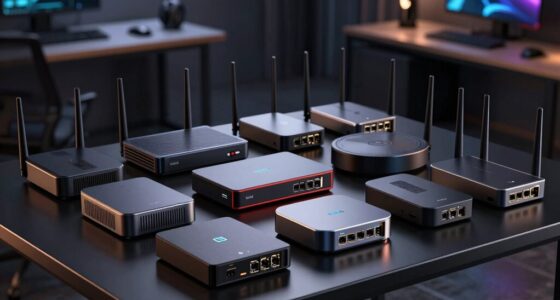
The best homelab mini PCs balance enough processing power and memory for your services with low space and power demands. I would start with the MINISFORUM MS-01 for a more capable, ready-to-run lab, while the Beelink Mini S12 Pro suits lightweight services and the GEEKOM A7 offers stronger general-purpose processing. The main tradeoff is between low-power simplicity, headroom for virtual machines, and practical details such as network ports and upgrade paths. A faster processor cannot make up for a network or storage setup that does not fit your plans. Read on for how the 15 options compare and which type of lab each one suits.

Get business pricing on networking and server gear
- Business-only prices and quantity discounts
- Tax-exempt purchasing
- Multiple users, one account, clear invoices
Key Takeaways
- The MS-01 is the most lab-oriented choice in this lineup: its Core i5-12600H, 32GB of DDR5, and 1TB SSD give it a stronger starting point for several services or virtual machines than the small N100 systems.
- The Mini S12 Pro is the low-demand pick, not a universal server: its Intel N100 and 16GB of memory fit lightweight services, but buyers planning a growing VM workload should look toward a more capable processor.
- The Ryzen 7 7730U models split on configuration: the GEEKOM A7 pairs the processor with 32GB of RAM, while the GMKtec M5 Ultra lists 16GB; memory capacity may matter more than the shared processor for multitasking.
- Several listings make networking the deciding detail: the NAB6 Lite configurations specify dual 2.5GbE, while most other entries provide less networking detail in their names. Verify port count and speed before choosing a machine for routing or storage traffic.
- Model names alone are not enough to compare: the lineup includes two N100 Beelinks and two NAB6 Lite listings with different memory and storage configurations, so match the exact SKU to the workload rather than assuming every version is identical.
| Beelink Mini S12 Pro Mini PC, Intel 12th Gen N100, 16GB DDR4, 500GB SSD |  | Best Low-Power Starter | Processor: Intel Processor N100, 4 cores and 4 threads, up to 3.4GHz | Memory: 16GB DDR4-3200; maximum 16GB | Storage: 500GB SSD; M.2 SATA and 2.5-inch SATA expansion listed | VIEW LATEST PRICE | See Our Full Breakdown |
| GEEKOM A7 Mini PC with Ryzen 7 7730U, 32GB RAM, and 500GB SSD |  | Best for Virtualization | Processor: AMD Ryzen 7 7730U, 8 cores and 16 threads, up to 4.5GHz | Memory: 32GB RAM; expandable to 64GB | Storage: 500GB PCIe Gen4 x4 SSD; expandable to 4TB | VIEW LATEST PRICE | See Our Full Breakdown |
| MINISFORUM NAB6 Lite Mini PC with Intel Core i5-12600H, 16GB RAM, and 500GB SSD |  | Best for Multi-Network Labs | Processor: Intel Core i5-12600H, 12 cores and 16 threads, up to 4.5GHz | Memory: 16GB DDR4 | Storage: 500GB PCIe 4.0 M.2 2280 SSD; expandable up to 2TB | VIEW LATEST PRICE | See Our Full Breakdown |
| BOSGAME E5 Plus Mini PC with AMD Ryzen 3 5400U, 8GB RAM, 256GB SSD |  | Best for Expandable Networking | Processor: AMD Ryzen 3 5400U, 4 cores and 8 threads, up to 4.0GHz | Memory: 8GB DDR4; expandable to 64GB using 2 SODIMM slots | Storage: 256GB M.2 2280 SATA SSD; additional M.2 2280 NVMe PCIe 3.0 x4 slot | VIEW LATEST PRICE | See Our Full Breakdown |
| Beelink Mini PC, MINI S12 Intel N100, 16GB DDR4 RAM, 500GB SSD |  | Best Compact Multi-Gig Pick | Processor: Intel N100, 4 cores and 4 threads, up to 3.4GHz | Memory: 16GB DDR4; maximum 16GB | Storage: 500GB SSD | VIEW LATEST PRICE | See Our Full Breakdown |
| ACEMAGIC K1 Mini PC with AMD Ryzen Pro 7330U, 16GB RAM, 256GB SSD |  | Best for Quiet, Compact Setups | Processor: AMD Ryzen Pro 7330U, 4 cores / 8 threads, up to 4.3GHz | Memory: 16GB LPDDR4 3200MT/s, non-expandable | Storage: 256GB M.2 2280 SSD; M.2 NVMe PCIe 3.0 or SATA expansion up to 2TB | VIEW LATEST PRICE | See Our Full Breakdown |
| Beelink SER5 Mini PC with AMD Ryzen 5 5500U | 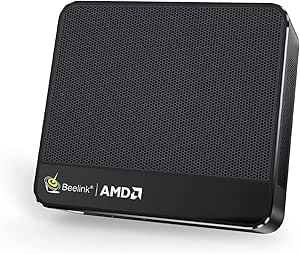 | Best Value for Expandable Compute | Processor: AMD Ryzen 5 5500U, 6 cores / 12 threads, up to 4.0GHz | Memory: 16GB DDR4, upgradeable to 64GB | Storage: 480GB M.2 2280 NVMe SSD | VIEW LATEST PRICE | See Our Full Breakdown |
| MINISFORUM MS-01 Mini PC, Intel Core i5-12600H, 32GB DDR5, 1TB SSD |  | Best Premium Homelab Platform | Processor: Intel Core i5-12600H, 12 cores / 16 threads, up to 4.5GHz | Memory: 32GB DDR5; supports up to 96GB dual-channel | Storage: 1TB SSD included; supports up to three M.2 NVMe SSDs | VIEW LATEST PRICE | See Our Full Breakdown |
| MINISFORUM Mini PC NAB6 Lite Intel Core i5-12600H, 16GB RAM, 500GB SSD | | Best for Network Appliance Builds | Processor: Intel Core i5-12600H, 12 cores / 16 threads, up to 4.5GHz | Graphics: Integrated Intel Iris Xe | Memory: 16GB DDR4; supports dual-channel configuration after replacement | VIEW LATEST PRICE | See Our Full Breakdown |
| KAMRUI E1 Mini PC with AMD Ryzen 5 3500U, 8GB RAM, 256GB SSD |  | Best Entry-Level Upgrade Project | Processor: AMD Ryzen 5 3500U, 4 cores / 8 threads, up to 3.7GHz | Memory: 8GB DDR4, upgradeable to 16GB | Storage: 256GB M.2 SSD; supports storage up to 2TB | VIEW LATEST PRICE | See Our Full Breakdown |
| GMKtec M5 Ultra Mini PC with AMD Ryzen 7 7730U, 16GB RAM, and 256GB SSD |  | Best for Multi-Network Labs | Processor: AMD Ryzen 7 7730U, 8 cores/16 threads | Memory: 16GB DDR4 (1 x 16GB), expandable to 64GB | Storage: 256GB M.2 2280 PCIe 3.0 SSD; dual slots support up to 4TB | VIEW LATEST PRICE | See Our Full Breakdown |
| Beelink SER5 MAX Mini Desktop PC, Ryzen 7 7735U 24G LPDDR5 + 1TB NVMe SSD |  | Best for CPU-Heavy Services | Processor: AMD Ryzen 7 7735U, 8 cores/16 threads, up to 4.75GHz | Memory: 24GB LPDDR5 | Storage: 1TB PCIe 4.0 NVMe M.2 SSD | VIEW LATEST PRICE | See Our Full Breakdown |
| BOSGAME E5 Mini PC, AMD Ryzen 3 5300U, 16GB DDR4, 512GB NVMe SSD |  | Best for a Starter Network Lab | Processor: AMD Ryzen 3 5300U, 4 cores/8 threads, up to 3.8GHz | Memory: 16GB DDR4 3200 MT/s; maximum 64GB | Storage: 512GB M.2 2280 NVMe PCIe 3.0 SSD | VIEW LATEST PRICE | See Our Full Breakdown |
| Getorli Mini PC with AMD Ryzen 5 3500U, 16GB RAM, 512GB NVMe SSD |  | Best for a Basic Desktop-and-Server Combo | Processor: AMD Ryzen 5 3500U, 4 cores/8 threads, up to 3.7GHz | Memory: 16GB DDR4-2400, expandable to 32GB | Storage: 512GB NVMe SSD | VIEW LATEST PRICE | See Our Full Breakdown |
| KAMRUI Mini PC with AMD Ryzen 5 3501U, 8GB RAM, 256GB SSD, Dual LAN, Windows 11 Pro |  | Best for a Low-Power Router or Firewall Build | Processor: AMD Ryzen 5 3501U | Graphics: Integrated AMD Radeon Vega 8 | Memory: 8GB DDR4; upgradeable to 32GB | VIEW LATEST PRICE | See Our Full Breakdown |
| homelab mini PC | Processor | Memory | Storage | Networking |
|---|---|---|---|---|
| Beelink Mini S12 Pro Mini PC | Intel Processor N100, 4 cores and 4 threads, up to 3.4GHz | 16GB DDR4-3200; maximum 16GB | 500GB SSD; M.2 SATA and 2.5-inch SATA expansion listed | 1GbE, Wi-Fi 6, Bluetooth 5.2 |
| GEEKOM A7 Mini PC with Ryzen 7 | AMD Ryzen 7 7730U, 8 cores and 16 threads, up to 4.5GHz | 32GB RAM; expandable to 64GB | 500GB PCIe Gen4 x4 SSD; expandable to 4TB | 2.5GbE, Wi-Fi 6E |
| MINISFORUM NAB6 Lite Mini PC w | Intel Core i5-12600H, 12 cores and 16 threads, up to 4.5GHz | 16GB DDR4 | 500GB PCIe 4.0 M.2 2280 SSD; expandable up to 2TB | 2 × 2.5GbE, Wi-Fi 6, Bluetooth 5.2 |
| BOSGAME E5 Plus Mini PC with A | AMD Ryzen 3 5400U, 4 cores and 8 threads, up to 4.0GHz | 8GB DDR4; expandable to 64GB using 2 SODIMM slots | 256GB M.2 2280 SATA SSD; additional M.2 2280 NVMe PCIe 3.0 x4 slot | Dual 2.5GbE, Wi-Fi 5, Bluetooth 5.0 |
| Beelink Mini PC | Intel N100, 4 cores and 4 threads, up to 3.4GHz | 16GB DDR4; maximum 16GB | 500GB SSD | 2.5GbE, Wi-Fi 6, Bluetooth 5.2 |
| ACEMAGIC K1 Mini PC with AMD R | AMD Ryzen Pro 7330U, 4 cores / 8 threads, up to 4.3GHz | 16GB LPDDR4 3200MT/s, non-expandable | 256GB M.2 2280 SSD; M.2 NVMe PCIe 3.0 or SATA expansion up to 2TB | Gigabit Ethernet, Wi-Fi 5, Bluetooth 4.2 |
| Beelink SER5 Mini PC with AMD | AMD Ryzen 5 5500U, 6 cores / 12 threads, up to 4.0GHz | 16GB DDR4, upgradeable to 64GB | 480GB M.2 2280 NVMe SSD | 2.5G LAN, dual-band 802.11ac Wi-Fi, Bluetooth |
| MINISFORUM MS-01 Mini PC | Intel Core i5-12600H, 12 cores / 16 threads, up to 4.5GHz | 32GB DDR5; supports up to 96GB dual-channel | 1TB SSD included; supports up to three M.2 NVMe SSDs | 2 × 10Gbps SFP+ and 2 × 2.5Gbps RJ45 |
| MINISFORUM Mini PC NAB6 Lite I | Intel Core i5-12600H, 12 cores / 16 threads, up to 4.5GHz | 16GB DDR4; supports dual-channel configuration after replacement | 500GB PCIe 4.0 M.2 2280 SSD; expandable up to 2TB | 2 × 2.5G RJ45, Wi-Fi 6, Bluetooth 5.2 |
| KAMRUI E1 Mini PC with AMD Ryz | AMD Ryzen 5 3500U, 4 cores / 8 threads, up to 3.7GHz | 8GB DDR4, upgradeable to 16GB | 256GB M.2 SSD; supports storage up to 2TB | Gigabit Ethernet |
| GMKtec M5 Ultra Mini PC with A | AMD Ryzen 7 7730U, 8 cores/16 threads | 16GB DDR4 (1 x 16GB), expandable to 64GB | 256GB M.2 2280 PCIe 3.0 SSD; dual slots support up to 4TB | Dual 2.5GbE RJ45, Wi-Fi 6E, Bluetooth 5.2 |
| Beelink SER5 MAX Mini Desktop | AMD Ryzen 7 7735U, 8 cores/16 threads, up to 4.75GHz | 24GB LPDDR5 | 1TB PCIe 4.0 NVMe M.2 SSD | 2.5GbE, Wi-Fi 6, Bluetooth 5.4 |
| BOSGAME E5 Mini PC | AMD Ryzen 3 5300U, 4 cores/8 threads, up to 3.8GHz | 16GB DDR4 3200 MT/s; maximum 64GB | 512GB M.2 2280 NVMe PCIe 3.0 SSD | Dual 2.5GbE, Wi-Fi 5, Bluetooth |
| Getorli Mini PC with AMD Ryzen | AMD Ryzen 5 3500U, 4 cores/8 threads, up to 3.7GHz | 16GB DDR4-2400, expandable to 32GB | 512GB NVMe SSD | — |
| KAMRUI Mini PC with AMD Ryzen | AMD Ryzen 5 3501U | 8GB DDR4; upgradeable to 32GB | 256GB SSD; dual M.2 2280 slots support up to 4TB | Dual Gigabit Ethernet |
More Details on Our Top Picks
Beelink Mini S12 Pro Mini PC, Intel 12th Gen N100, 16GB DDR4, 500GB SSD
The Mini S12 Pro is a sensible starting point for a homelab built around lightweight services: its N100 processor has a stated 6W TDP, and 16GB of RAM and a 500GB SSD are ready for a modest mix of containers, DNS filtering, or a basic home server. Unlike the MINISFORUM NAB6 Lite, it has only one gigabit Ethernet port and a lower-powered four-core CPU, so it is not the better fit for multi-gig routing or heavier virtualization. Its advantage is a compact, restrained setup with Wake-on-LAN, PXE, and auto power-on support. The single memory slot caps RAM at 16GB, which limits room to grow, and the product data lists SATA storage expansion rather than a second network interface. Choose it for simple, low-demand services; skip it if your lab needs multiple VMs or faster wired networking.
Pros:- Low 6W stated processor TDP suits an always-on, lightweight server role.
- 16GB RAM and a 500GB SSD are included for a usable starter setup.
- Wake-on-LAN, PXE, and auto power-on support common homelab management tasks.
- Two HDMI outputs support dual 4K displays when used as a desktop or console.
Cons:- Single gigabit Ethernet port is less flexible than the dual 2.5GbE ports on the MINISFORUM NAB6 Lite.
- One SODIMM slot and a 16GB memory ceiling limit virtualization and future expansion.
- The four-core N100 is better suited to lightweight services than sustained, compute-heavy workloads.
Best for: Homelab beginners who want a low-power box for a few lightweight services, such as DNS filtering, a small media utility, or basic containers.
Not ideal for: Users planning several memory-hungry virtual machines, a multi-gigabit router, or a lab that needs more than one Ethernet port.
- Processor:Intel Processor N100, 4 cores and 4 threads, up to 3.4GHz
- Memory:16GB DDR4-3200; maximum 16GB
- Storage:500GB SSD; M.2 SATA and 2.5-inch SATA expansion listed
- Networking:1GbE, Wi-Fi 6, Bluetooth 5.2
- Video outputs:2 × HDMI 2.0, up to 4K at 60Hz
- USB:4 × USB 3.2 Type-A
- Power:Processor TDP: 6W
- Dimensions:4.52 × 4.01 × 1.54 inches
Our verdict“Choose the Mini S12 Pro for an inexpensive-to-run starter lab with modest services, not for multi-gig networking or substantial virtualization.”
GEEKOM A7 Mini PC with Ryzen 7 7730U, 32GB RAM, and 500GB SSD
Of these five, the GEEKOM A7 has the strongest starting point for a lab that will run multiple services at once: its 8-core, 16-thread Ryzen 7 is paired with 32GB of RAM, and memory can expand to 64GB. That makes it a more natural virtualization host than either N100 Beelink, whose 16GB ceiling restricts how many guests can be assigned meaningful memory. Networking is also better suited to a busy home setup, with 2.5GbE and a broad USB port selection. Four power modes give some control over performance and power draw, while the aluminum chassis and active cooling support higher workloads than the entry-level picks. The tradeoff is that it still uses integrated graphics, and its included 500GB SSD may fill quickly if you keep VM images and data locally. Pick it for compute and memory headroom, not a dedicated GPU or large built-in storage.
Pros:- Eight-core, 16-thread Ryzen 7 processor provides more compute headroom than the N100 models.
- 32GB installed RAM can be expanded to 64GB for larger virtualization workloads.
- 2.5GbE LAN and USB4 offer useful fast-network and peripheral connectivity.
- Four power modes let users favor quieter, lower-power operation or higher performance.
Cons:- Integrated Radeon graphics are not a substitute for a dedicated GPU.
- The included 500GB SSD may be limiting for a collection of VM images and datasets.
- Its higher performance and active cooling make it less focused on minimal-power operation than the N100 Beelinks.
Best for: Homelab users who want to host several containers or virtual machines and value upgradeable memory plus 2.5GbE networking.
Not ideal for: Buyers whose main goal is the lowest-power always-on server, or who need dedicated graphics or abundant included storage.
- Processor:AMD Ryzen 7 7730U, 8 cores and 16 threads, up to 4.5GHz
- Memory:32GB RAM; expandable to 64GB
- Storage:500GB PCIe Gen4 x4 SSD; expandable to 4TB
- Networking:2.5GbE, Wi-Fi 6E
- Ports:Dual USB-C, 5 USB 3.2 ports, dual HDMI 2.0, SD card slot
- Graphics:Integrated AMD Radeon Graphics
- Power modes:10W Silent, 15W Balanced, 20W Performance, 30W High-Speed
- Dimensions:5.47 × 5.2 × 1.71 inches
Our verdict“Pick the GEEKOM A7 when your homelab needs CPU and memory headroom for multiple guests more than it needs minimal power draw.”
MINISFORUM NAB6 Lite Mini PC with Intel Core i5-12600H, 16GB RAM, and 500GB SSD
The NAB6 Lite is the clearest fit here for a homelab where networking matters as much as compute. Its dual 2.5GbE ports can support separate network roles, such as a lab segment and an upstream connection, without adding a USB adapter. The 12-core, 16-thread Core i5-12600H also offers substantially more processing headroom than the N100 Beelinks, while the listed four-display support can be useful when the machine doubles as a workstation. Compared with the GEEKOM A7, this model has less RAM included and only 16GB is specified, so it is a less compelling choice for memory-heavy virtualization. Storage can expand to 2TB, and the pop-up housing simplifies hardware access, but the listing does not state a memory-upgrade ceiling. This is a strong network-oriented mini server; skip it if you want a low-power box or need a clearly documented high-RAM configuration.
Pros:- Dual 2.5GbE ports support more flexible wired network and routing setups than either Beelink N100.
- 12-core, 16-thread Core i5 processor provides more compute capacity than entry-level N100 systems.
- Supports up to four 4K displays through HDMI and USB-C.
- Pop-up housing and storage expansion up to 2TB make internal upgrades more accessible.
Cons:- Only 16GB of DDR4 memory is specified, less than the GEEKOM A7’s 32GB starting configuration.
- The listed processor is a higher-performance class than the low-power N100 options, so it is not the best match for a minimal-power server.
- No memory expansion maximum is provided in the product specifications.
Best for: Homelab builders who need two 2.5GbE interfaces for routing, network segmentation, or a compact server connected to multiple wired networks.
Not ideal for: Users prioritizing low idle power or large virtual-machine workloads that call for more than the listed 16GB of RAM.
- Processor:Intel Core i5-12600H, 12 cores and 16 threads, up to 4.5GHz
- Memory:16GB DDR4
- Storage:500GB PCIe 4.0 M.2 2280 SSD; expandable up to 2TB
- Networking:2 × 2.5GbE, Wi-Fi 6, Bluetooth 5.2
- Display support:Up to four 4K at 60Hz displays
- Video outputs:2 × HDMI and 2 × USB-C
- Cooling:Dual heat pipes, dual air vents, active solid-state heat sink
- Storage expansion:Up to 2TB
Our verdict“Choose the NAB6 Lite when dual 2.5GbE and stronger CPU capacity matter more than low power or generous included RAM.”
BOSGAME E5 Plus Mini PC with AMD Ryzen 3 5400U, 8GB RAM, 256GB SSD
The BOSGAME E5 Plus is an upgrade-first pick: it arrives with just 8GB of RAM and a 256GB SATA SSD, but its two SODIMM slots support up to 64GB, and a separate NVMe slot gives storage a clear path to expansion. Its dual 2.5GbE ports are more useful for routing or network segmentation than the single gigabit port on the Beelink Mini S12 Pro. The Ryzen 3 5400U is also a more capable starting point for mixed services than the N100, though it does not match the higher-core GEEKOM A7 or NAB6 Lite for heavier concurrent workloads. The main catch is that a buyer planning to run several VMs will likely need to upgrade memory and storage from day one. This makes sense for a hands-on builder who wants to shape the configuration; it is less attractive as a ready-to-deploy server.
Pros:- Dual 2.5GbE ports allow routing or separate wired network connections.
- Two SODIMM slots support memory upgrades up to 64GB.
- An additional M.2 NVMe slot allows faster storage expansion beyond the included SATA SSD.
- Supports Ubuntu and other Linux distributions as well as Windows 11 Pro.
Cons:- The included 8GB RAM is a tight starting point for virtualization and multiple services.
- The 256GB SATA SSD is modest and slower than the PCIe 4.0 drive listed for the NAB6 Lite.
- Wi-Fi 5 and Bluetooth 5.0 are older wireless standards than those on the Beelink N100 models.
Best for: Hands-on homelab builders who want dual 2.5GbE and plan to add RAM and NVMe storage as their services grow.
Not ideal for: Buyers who need substantial memory and storage out of the box, or who want a low-effort host for multiple virtual machines.
- Processor:AMD Ryzen 3 5400U, 4 cores and 8 threads, up to 4.0GHz
- Memory:8GB DDR4; expandable to 64GB using 2 SODIMM slots
- Storage:256GB M.2 2280 SATA SSD; additional M.2 2280 NVMe PCIe 3.0 x4 slot
- Networking:Dual 2.5GbE, Wi-Fi 5, Bluetooth 5.0
- Display outputs:HDMI 2.0, DisplayPort, and USB-C; up to 4K at 60Hz each
- Operating system:Windows 11 Pro; supports Ubuntu and other Linux distributions
- Power consumption:15W
- Dimensions:5.04 × 5 × 1.69 inches
Our verdict“Pick the E5 Plus if you want dual 2.5GbE and upgrade flexibility and are willing to expand its limited stock memory and storage.”
Beelink Mini PC, MINI S12 Intel N100, 16GB DDR4 RAM, 500GB SSD
This Beelink MINI S12 shares the N100 and 16GB memory ceiling of the Mini S12 Pro, but the key homelab distinction is its listed 2.5GbE port. That gives it a faster wired connection for a small NAS, media server, or home-lab node than the Pro’s 1GbE port, while keeping a low-power four-core processor and a 500GB SSD. It also includes PXE, Wake-on-LAN, RTC wake, and auto power-on, useful options for a remotely managed machine. Compared with the dual-2.5GbE NAB6 Lite, though, it has only one network port and far less CPU capacity; it cannot replace a more powerful multi-interface server. The single memory slot and 16GB maximum also limit VM density. Choose this model for a compact, efficient node that benefits from faster Ethernet, not for complex routing or heavy virtualization.
Pros:- 2.5GbE provides faster wired networking than the Mini S12 Pro’s listed 1GbE port.
- 16GB RAM and a 500GB SSD are included for a practical lightweight-server setup.
- PXE, Wake-on-LAN, RTC wake, and auto power-on help with unattended operation.
- Dual HDMI outputs support two 4K displays at 60Hz.
Cons:- One Ethernet port offers less routing flexibility than the dual 2.5GbE NAB6 Lite or BOSGAME E5 Plus.
- The single memory slot limits RAM to 16GB, restricting larger virtualization setups.
- The four-core N100 is less suited to sustained compute workloads than the Ryzen 7 GEEKOM A7 or Core i5 NAB6 Lite.
Best for: Homelab owners seeking a small, low-power node for NAS duties, media services, or lightweight containers with a 2.5GbE connection.
Not ideal for: Users who need dual Ethernet for routing, more than 16GB of RAM, or the processing capacity to host several demanding virtual machines.
- Processor:Intel N100, 4 cores and 4 threads, up to 3.4GHz
- Memory:16GB DDR4; maximum 16GB
- Storage:500GB SSD
- Networking:2.5GbE, Wi-Fi 6, Bluetooth 5.2
- Video outputs:2 × HDMI, up to 4K at 60Hz
- USB:4 × USB 3.2 Gen 2 Type-A
- Management features:Wake-on-LAN, PXE boot, RTC wake, auto power-on
- Dimensions:115 × 102 × 41mm
Our verdict“Choose this MINI S12 for a compact, low-power homelab node where one 2.5GbE link is enough and heavy virtualization is not the goal.”
ACEMAGIC K1 Mini PC with AMD Ryzen Pro 7330U, 16GB RAM, 256GB SSD
The ACEMAGIC K1 suits a homelab where a small footprint and low-noise operation matter more than future memory upgrades. Its Ryzen Pro 7330U, 16GB of RAM, and built-in power supply make it a tidy choice for a light virtualization host, utility server, or monitoring box; the VESA mount also keeps it off a crowded desk. Compared with the Beelink SER5, it has less CPU capacity—the SER5’s six cores and 12 threads are better suited to running several busy services—but the K1 offers a compact chassis and support for three displays. Its main limitation is fixed memory: 16GB cannot be increased as containers or virtual machines multiply. The 256GB SSD is also a modest starting point, though an M.2 upgrade can add storage.
Pros:- Compact 5.04-inch-square chassis with VESA mounting option
- Quiet cooling and integrated power supply simplify a small installation
- Three display outputs support up to three connected monitors
- M.2 storage expansion supports an SSD up to 2TB
Cons:- 16GB LPDDR4 memory is not upgradeable
- Four-core processor has less multitasking headroom than the Beelink SER5’s six-core CPU
- Wi-Fi 5 and Bluetooth 4.2 are older wireless standards
Best for: Homelab beginners or home-office users who want a quiet, VESA-mountable machine for a few lightweight services and local administration.
Not ideal for: Users planning a growing virtual-machine host or memory-heavy workloads, because its 16GB LPDDR4 memory is non-expandable.
- Processor:AMD Ryzen Pro 7330U, 4 cores / 8 threads, up to 4.3GHz
- Memory:16GB LPDDR4 3200MT/s, non-expandable
- Storage:256GB M.2 2280 SSD; M.2 NVMe PCIe 3.0 or SATA expansion up to 2TB
- Networking:Gigabit Ethernet, Wi-Fi 5, Bluetooth 4.2
- Video outputs:HDMI 2.0, DisplayPort 1.4, and USB-C DisplayPort; up to three displays
- USB ports:6 USB-A 3.2 and 1 USB-C 3.2 Gen 2
- Operating system:Windows 11 Pro
- Dimensions and weight:5.04 × 5.04 × 1.61 inches; 500 g
Our verdict“Choose the ACEMAGIC K1 for a quiet, compact homelab node with display flexibility, but skip it if you expect to expand memory-heavy workloads.”
Beelink SER5 Mini PC with AMD Ryzen 5 5500U
The Beelink SER5 brings a useful mix of CPU threads, upgradeable memory, and fast wired networking to a homelab without the specialized hardware of the MINISFORUM MS-01. Its six-core, 12-thread Ryzen 5 5500U can handle more concurrent containers and light virtual machines than the four-core ACEMAGIC K1, while the option to grow RAM to 64GB gives it room to adapt. The 2.5G LAN is a practical advantage for a file server or a network connected to faster storage. The tradeoff is that it has only one listed Ethernet port, unlike the NAB6 Lite’s dual 2.5G ports or the MS-01’s SFP+ links. Its 480GB NVMe drive is a useful starting point, but graphics are integrated and the operating system is not specified, so buyers should plan their own server OS setup.
Pros:- Six-core, 12-thread processor provides useful capacity for concurrent services
- DDR4 memory can be upgraded to 64GB
- 2.5G LAN supports faster wired networking than Gigabit Ethernet
- 480GB NVMe SSD provides a larger starting drive than the ACEMAGIC K1’s 256GB
Cons:- Only one Ethernet port is listed, limiting direct multi-network appliance setups
- Integrated graphics are not suited to demanding GPU workloads
- Operating system is not specified
Best for: Homelab builders who want an upgradeable, general-purpose host for several containers or light virtual machines and can use a single 2.5GbE connection.
Not ideal for: Network appliance builders who need multiple physical Ethernet ports, or anyone requiring a clearly specified preinstalled operating system.
- Processor:AMD Ryzen 5 5500U, 6 cores / 12 threads, up to 4.0GHz
- Memory:16GB DDR4, upgradeable to 64GB
- Storage:480GB M.2 2280 NVMe SSD
- Networking:2.5G LAN, dual-band 802.11ac Wi-Fi, Bluetooth
- Video outputs:HDMI and USB-C; dual displays up to 4K at 60Hz
- USB ports:3 USB 3.2 and 1 USB 2.0
- Power consumption:54W
- Dimensions:6.6 × 5.1 × 1.5 inches
- Warranty:3 years
Our verdict“Pick the SER5 for an adaptable everyday homelab host with strong CPU and RAM upgrade potential, but choose a dual-port system for routing or network segmentation.”
MINISFORUM MS-01 Mini PC, Intel Core i5-12600H, 32GB DDR5, 1TB SSD
The MINISFORUM MS-01 is the most purpose-built server platform in this group. Its standout combination—dual 10Gbps SFP+, dual 2.5GbE, a PCIe 4.0 slot, and support for three NVMe drives—can anchor fast storage, network virtualization, or a compact lab with several high-speed links. Compared with the Beelink SER5, it offers much stronger networking and storage expansion, alongside a 12-core, 16-thread processor and 32GB of DDR5 to start. That flexibility comes with added setup complexity: its stated maximum storage capacity requires separately configured drives, and the integrated Iris Xe graphics are not a substitute for a discrete GPU. The MS-01 makes the clearest sense when its expansion and networking are part of the plan; for a few basic services, the less elaborate NAB6 Lite is easier to justify.
Pros:- Dual 10Gbps SFP+ and dual 2.5GbE ports offer unusually flexible networking
- Supports up to 96GB of dual-channel DDR5 memory
- Up to three M.2 NVMe drives enable substantial fast storage expansion
- PCIe 4.0 x16 slot accommodates compatible expansion cards
Cons:- Maximum stated storage capacity requires separately sourced U.2 and M.2 drives
- Integrated Iris Xe graphics limit demanding graphics and GPU-accelerated workloads
- More expansion options can mean more configuration work than simpler systems such as the NAB6 Lite
Best for: Experienced homelab builders creating a compact virtualization, storage, or network lab that can use 10GbE, multiple NVMe drives, and PCIe expansion.
Not ideal for: Beginners running a small set of low-demand services, or users seeking strong discrete-GPU performance without adding compatible hardware.
- Processor:Intel Core i5-12600H, 12 cores / 16 threads, up to 4.5GHz
- Memory:32GB DDR5; supports up to 96GB dual-channel
- Storage:1TB SSD included; supports up to three M.2 NVMe SSDs
- Maximum storage configuration:Up to 24TB with one U.2 NVMe SSD and two 22110 M.2 NVMe SSDs
- Networking:2 × 10Gbps SFP+ and 2 × 2.5Gbps RJ45
- Expansion:PCIe 4.0 x16 slot
- Other connectivity:2 × USB4
- Graphics:Integrated Intel Iris Xe
- Security:Intel vPro support
Our verdict“Choose the MS-01 when you need a compact platform for high-speed networking, storage, and PCIe expansion; for basic services, its capabilities may go unused.”
MINISFORUM Mini PC NAB6 Lite Intel Core i5-12600H, 16GB RAM, 500GB SSD
The NAB6 Lite is the most direct fit here for a homelab that needs separate wired network connections. Its dual 2.5G Ethernet ports give firewall, routing, and link-aggregation projects a more practical starting point than the single-port Beelink SER5. The Core i5-12600H also brings 12 cores and 16 threads, so it can take on general services alongside network tasks. Unlike the MS-01, it lacks 10Gbps SFP+ ports, a PCIe expansion slot, and support for several NVMe drives; in return, its simpler hardware layout better suits buyers who need dual LAN without building around high-speed fiber networking. The 16GB DDR4 memory and 500GB SSD can be upgraded, but the supplied memory is modest for a host expected to run many virtual machines. Its four-display output is more useful for a workstation than a headless server.
Pros:- Dual 2.5G Ethernet ports suit firewall and network segmentation projects
- 12-core, 16-thread processor can run networking and general services together
- Wi-Fi 6 and Bluetooth 5.2 are specified
- Two HDMI and two USB-C video outputs support up to four displays
Cons:- 16GB DDR4 may constrain a virtual-machine-heavy setup until upgraded
- 500GB SSD is expandable only up to 2TB as described
- No listed SFP+ ports or PCIe expansion slot, unlike the MS-01
Best for: Homelab users building a firewall, router, or network services host that needs two 2.5GbE ports and a capable multi-core CPU.
Not ideal for: Storage-focused builders who need multiple internal NVMe drives or 10Gbps SFP+ networking; the MS-01 has more expansion headroom.
- Processor:Intel Core i5-12600H, 12 cores / 16 threads, up to 4.5GHz
- Graphics:Integrated Intel Iris Xe
- Memory:16GB DDR4; supports dual-channel configuration after replacement
- Storage:500GB PCIe 4.0 M.2 2280 SSD; expandable up to 2TB
- Networking:2 × 2.5G RJ45, Wi-Fi 6, Bluetooth 5.2
- Video outputs:2 × HDMI and 2 × USB-C; supports four-screen output
- USB ports:7 total USB ports
- Cooling:Dual heat pipes, dual air vents, and active solid-state cooling
Our verdict“Choose the NAB6 Lite for a capable dual-2.5GbE network appliance or general homelab host, but look to the MS-01 for 10GbE and broader storage expansion.”
KAMRUI E1 Mini PC with AMD Ryzen 5 3500U, 8GB RAM, 256GB SSD
The KAMRUI E1 is an approachable starting point for a small homelab, provided its limited out-of-box memory matches the workload. The Ryzen 5 3500U has four cores and eight threads, while upgradeable RAM and storage let an owner improve the machine as needs change. That flexibility gives it an advantage over the ACEMAGIC K1’s fixed 16GB memory, but the K1 starts with twice the RAM and a newer Ryzen Pro processor. The E1’s Gigabit Ethernet and two 4K display outputs suit basic services, light virtualization, or a compact administration workstation; its 8GB starter configuration is less comfortable for multiple virtual machines until upgraded. Buyers should also treat 16GB as its stated memory ceiling. It is a simpler, less network-focused choice than the dual-port NAB6 Lite.
Pros:- Four-core, eight-thread processor can handle light services and everyday administration
- Memory can be upgraded from 8GB to 16GB
- M.2 storage can be expanded up to 2TB
- HDMI, DisplayPort, and USB-C support two 4K displays at 60Hz
Cons:- 8GB of included memory is limiting for virtualization until upgraded
- Stated memory upgrade ceiling of 16GB is below the SER5’s 64GB support
- Gigabit Ethernet lacks the faster networking and multiple ports of the NAB6 Lite
Best for: First-time homelab builders who want a small Windows 11 Pro machine for a few light services and are comfortable upgrading memory or storage.
Not ideal for: Users planning several virtual machines, larger container stacks, or multi-network routing, because it starts with 8GB RAM and has only Gigabit Ethernet.
- Processor:AMD Ryzen 5 3500U, 4 cores / 8 threads, up to 3.7GHz
- Memory:8GB DDR4, upgradeable to 16GB
- Storage:256GB M.2 SSD; supports storage up to 2TB
- Operating system:Windows 11 Pro
- Networking:Gigabit Ethernet
- Video outputs:HDMI 2.0, DisplayPort 1.4, and USB-C; two 4K displays at 60Hz
- USB ports:6 USB 3.2 and 1 USB-C
- Weight:13.7 ounces
- Included accessories:Power adapter, VESA mount, HDMI cable, and user manual
Our verdict“Pick the KAMRUI E1 as a modest, upgradeable first homelab machine for light services, but choose a higher-memory or dual-LAN model for a larger lab.”
GMKtec M5 Ultra Mini PC with AMD Ryzen 7 7730U, 16GB RAM, and 256GB SSD
The GMKtec M5 Ultra is a strong fit for a homelab where network separation matters as much as processor capacity. Its dual 2.5GbE ports give you room to connect separate networks or build a compact routing and virtualization host, while the Ryzen 7 7730U’s eight cores and 16 threads can handle several light services at once. Compared with the BOSGAME E5, it offers substantially more CPU headroom; the tradeoff is that its included 256GB SSD leaves less room for virtual machine images and data than the BOSGAME’s 512GB drive. Memory and storage can be expanded, but the single 16GB memory module means an upgrade may be useful sooner for heavier virtualization. This is a capable, flexible base, not a high-capacity system out of the box.
Pros:- Eight-core, 16-thread Ryzen 7 processor supports multiple concurrent services.
- Dual 2.5GbE ports suit network labs and faster wired connections.
- Memory expands to 64GB and the dual M.2 slots support up to 4TB of storage.
- Wi-Fi 6E and support for up to three displays add setup flexibility.
Cons:- The included 256GB SSD can fill quickly with virtual machines and container data.
- Single-channel 16GB memory may constrain memory-hungry services until upgraded.
- Integrated graphics share system memory and are not suited to demanding graphics workloads.
Best for: Homelab builders who want dual 2.5GbE for routing, network segmentation, or a multi-service host and plan to expand storage.
Not ideal for: Buyers who need large local VM or media storage immediately, or who want to run graphics-heavy workloads.
- Processor:AMD Ryzen 7 7730U, 8 cores/16 threads
- Memory:16GB DDR4 (1 x 16GB), expandable to 64GB
- Storage:256GB M.2 2280 PCIe 3.0 SSD; dual slots support up to 4TB
- Networking:Dual 2.5GbE RJ45, Wi-Fi 6E, Bluetooth 5.2
- Display support:Up to three displays; HDMI 2.0 supports 4K at 60Hz
- Ports:2 USB 3.2, 2 USB 2.0, USB-C, HDMI 2.0, DisplayPort, 3.5mm audio
- Operating system:Windows 11 Pro
- Power and cooling:35 watts; air cooling
Our verdict“Choose the M5 Ultra if dual 2.5GbE and a strong expandable CPU platform matter more than having ample storage from day one.”
Beelink SER5 MAX Mini Desktop PC, Ryzen 7 7735U 24G LPDDR5 + 1TB NVMe SSD
The Beelink SER5 MAX pairs an eight-core, 16-thread Ryzen 7 7735U with 24GB of LPDDR5 memory and a 1TB NVMe drive, giving a homelab more room for several services before upgrades become a priority. Its single 2.5GbE port is less flexible than the GMKtec M5 Ultra’s dual 2.5GbE, so it is a better match for compute-heavy workloads than a routing or network-segmentation build. The SER5 MAX counters with faster listed graphics and three display outputs, but those features matter less to a headless server than its memory and storage capacity. One limitation is that the LPDDR5 memory is described as onboard rather than user-expandable; buyers should confirm the configuration fits their planned workloads before choosing it.
Pros:- Ryzen 7 7735U provides eight cores and 16 threads for parallel workloads.
- 24GB LPDDR5 and a 1TB NVMe SSD offer useful capacity without an immediate upgrade.
- Two M.2 PCIe 4.0 slots provide substantial listed storage expansion room.
- 2.5GbE, Wi-Fi 6, and Bluetooth 5.4 cover wired and wireless connectivity.
Cons:- One Ethernet port is less suitable for routing and network-separation projects than the GMKtec M5 Ultra.
- LPDDR5 memory is not listed as expandable, limiting later RAM upgrades.
- Its three-display and Radeon graphics capabilities add little value to a headless server.
Best for: Homelab users running several CPU-intensive services who want generous memory and SSD capacity in the included configuration.
Not ideal for: Network lab builders who need two Ethernet interfaces, or users who want to increase system memory later.
- Processor:AMD Ryzen 7 7735U, 8 cores/16 threads, up to 4.75GHz
- Memory:24GB LPDDR5
- Storage:1TB PCIe 4.0 NVMe M.2 SSD
- Storage expansion:Two M.2 2280 PCIe 4.0 slots, listed support up to 4TB each
- Graphics:Integrated AMD Radeon 680M
- Networking:2.5GbE, Wi-Fi 6, Bluetooth 5.4
- Video outputs:HDMI 2.0, DisplayPort 1.4, USB-C; supports three displays
- Power consumption:65 watts
Our verdict“Pick the SER5 MAX for a well-equipped compute host with ample included RAM and storage, but not for a dual-network build.”
BOSGAME E5 Mini PC, AMD Ryzen 3 5300U, 16GB DDR4, 512GB NVMe SSD
The BOSGAME E5 makes a practical entry point for a homelab centered on network tools, lightweight containers, or a few modest services. Its most relevant feature is dual 2.5GbE, a more useful advantage for network experimentation than the extra graphics and display options found on the Beelink SER5 MAX. The four-core Ryzen 3 5300U is the limiting factor: it can handle everyday services, but offers less room for simultaneous virtual machines than the eight-core GMKtec M5 Ultra. A 512GB NVMe drive is a more comfortable starting point than the GMKtec’s 256GB, and both memory and storage can grow. This model favors connectivity and a manageable first build over heavy compute capacity.
Pros:- Dual 2.5GbE ports support network testing and separate wired connections.
- 512GB NVMe SSD gives a starter lab more local storage than the GMKtec M5 Ultra’s included drive.
- Memory can expand to 64GB and a second M.2 drive can be added.
- USB-C supports data, video output, and Power Delivery 3.0.
Cons:- Four CPU cores provide less capacity for concurrent services than the Ryzen 7 options.
- Integrated graphics are not intended for demanding 3D workloads.
- Keyboard and mouse are not included.
Best for: First-time homelab builders testing routing, DNS, monitoring, or lightweight container services on a dual-port wired system.
Not ideal for: Users planning numerous virtual machines, demanding data processing, or graphics-intensive workloads.
- Processor:AMD Ryzen 3 5300U, 4 cores/8 threads, up to 3.8GHz
- Memory:16GB DDR4 3200 MT/s; maximum 64GB
- Storage:512GB M.2 2280 NVMe PCIe 3.0 SSD
- Storage expansion:Two M.2 2280 NVMe PCIe 3.0 slots
- Networking:Dual 2.5GbE, Wi-Fi 5, Bluetooth
- Display support:Up to three 4K displays at 60Hz
- USB-C:Data, video output, and Power Delivery 3.0
- Operating system:Windows 11 Pro
Our verdict“Choose the BOSGAME E5 for an affordable-in-capacity, dual-2.5GbE starter lab rather than a host for heavy virtualization.”
Getorli Mini PC with AMD Ryzen 5 3500U, 16GB RAM, 512GB NVMe SSD
The Getorli Mini PC is best viewed as a compact general-purpose desktop that can also host light homelab services. Its 16GB RAM and 512GB SSD give it a more balanced out-of-box setup than the KAMRUI Ryzen 5 3501U, which starts with 8GB and 256GB. For a server-first build, though, the KAMRUI has the clearer networking case thanks to dual Ethernet; Getorli lists only Ethernet without specifying a second port or a faster link. The Ryzen 5 3500U and two HDMI outputs suit everyday multitasking and a local display setup, but the maximum 32GB memory and older DDR4-2400 speed make this less appealing for expanding virtual-machine workloads. Its one-year warranty is also shorter than the three-year coverage listed for the M5 Ultra.
Pros:- 16GB RAM and a 512GB NVMe SSD provide a useful starting configuration.
- Two HDMI outputs support a dual-display desk setup.
- Wi-Fi 6 and Bluetooth 5.3 offer current wireless connectivity.
- Memory can be upgraded to 32GB.
Cons:- Ethernet is listed without a dual-port or 2.5GbE specification, limiting its appeal for network labs.
- Memory is limited to 32GB and uses DDR4-2400.
- The one-year warranty is shorter than the three-year coverage listed for the GMKtec M5 Ultra.
Best for: Buyers who want one compact Windows desktop for everyday tasks alongside a small number of lightweight homelab services.
Not ideal for: Network engineers needing dual Ethernet, or homelab users planning memory-intensive virtualization and long-term expansion.
- Processor:AMD Ryzen 5 3500U, 4 cores/8 threads, up to 3.7GHz
- Memory:16GB DDR4-2400, expandable to 32GB
- Storage:512GB NVMe SSD
- Display output:Two HDMI ports; supports up to two 4K displays
- Connectivity:Wi-Fi 6, Bluetooth 5.3, Ethernet
- Ports:2 USB 2.0, 2 USB 3.0, USB-C 2.0, full-featured USB-C 3.2, 2 HDMI
- Operating system:Windows 11 Pro
- Warranty:1 year
Our verdict“Choose Getorli for a general-purpose desktop that can run light services, not as the foundation for a fast or expandable network lab.”
KAMRUI Mini PC with AMD Ryzen 5 3501U, 8GB RAM, 256GB SSD, Dual LAN, Windows 11 Pro
The KAMRUI Ryzen 5 3501U earns its place through homelab-friendly connectivity and upgrade paths, not its starting capacity. Dual Gigabit Ethernet makes it a natural candidate for a basic router, firewall, or network appliance, while the dual M.2 slots leave room to add storage. Compared with the BOSGAME E5, it has less capable networking on paper—Gigabit rather than 2.5GbE—and arrives with half the memory and storage. The 8GB RAM and 256GB SSD may be enough for a focused appliance, but most users running several services should budget for upgrades; memory tops out at 32GB. Its three-display support is a bonus for setup and monitoring, though it does little to offset the modest processor for heavier virtualization.
Pros:- Dual Gigabit Ethernet supports separate WAN and LAN connections for appliance builds.
- Two SO-DIMM slots allow memory upgrades up to 32GB.
- Dual M.2 2280 slots support storage expansion up to 4TB.
- HDMI, DisplayPort, and USB-C support up to three 4K displays.
Cons:- The included 8GB RAM and 256GB SSD may require upgrades for multi-service use.
- Gigabit Ethernet is slower than the dual 2.5GbE on the BOSGAME E5 and GMKtec M5 Ultra.
- The Ryzen 5 3501U is a modest platform for heavy virtualization or graphics workloads.
Best for: Tinkerers building a basic router, firewall, or dedicated network appliance who are comfortable adding RAM and storage.
Not ideal for: Users who want a ready-to-run multi-service server, 2.5GbE networking, or substantial virtual-machine capacity.
- Processor:AMD Ryzen 5 3501U
- Graphics:Integrated AMD Radeon Vega 8
- Memory:8GB DDR4; upgradeable to 32GB
- Storage:256GB SSD; dual M.2 2280 slots support up to 4TB
- Networking:Dual Gigabit Ethernet
- Display output:HDMI 2.0, DisplayPort 1.4, USB-C; supports three 4K displays
- Power and cooling:28 watts; air cooling with dual copper heat pipes and low-noise fan
- Operating system:Windows 11 Pro
Our verdict“Pick the KAMRUI for a compact, upgradeable dual-Gigabit appliance, but choose a higher-spec model for a general-purpose server.”
How We Picked
I ranked these mini PCs around the demands of a homelab rather than everyday desktop use. I weighed processor capability for concurrent services and virtual machines, installed memory and storage as supplied, and the networking and port details stated in each product configuration. Low-power processors can suit always-on, light-duty services, while higher-capacity configurations offer more room for workloads that compete for CPU and memory.
The order favors systems with a useful combination of compute, memory, storage, and clearly described connectivity. That puts the MS-01 ahead as the strongest listed starting configuration, while the N100 machines rank better for modest, efficient setups than for heavy multitasking. Where listings overlap or omit details—such as exact expandability, network speed, or the configuration attached to a model name—I treat that uncertainty as a buying caveat rather than assuming an unlisted feature.
Factors to Consider When Choosing Best Homelab Mini PCs
Before picking a box, I would map the services you expect to run to their resource needs. A DNS service and a few small containers call for a different machine than several virtual machines, software-defined networking, or a storage server. These broader choices can matter more than comparing processor names alone.
Match CPU Headroom to the Workload
List what the server will run at the same time, not just the first service you plan to install. A low-power N100 can make sense for a small set of lightweight containers, but simultaneous virtual machines, compiling, or media tasks can call for more CPU headroom. Many-core or higher-performance processors help when several tasks compete, yet they may be unnecessary for an always-on network utility. Avoid buying solely by core count: sustained performance, cooling, and workload type also shape results. If your lab will expand, leave some capacity unused rather than sizing the system to a single benchmark or current service.
Plan Memory Around Virtualization
Memory is often the first limit reached when a homelab grows from containers into virtual machines. Estimate the RAM assigned to each guest, then leave room for the host operating system, file cache, and services that run outside the guests. A machine with a faster CPU but less installed RAM can be a poorer fit for a collection of VMs than a more balanced configuration. Check whether memory is replaceable or soldered and what the maximum supported capacity is; do not infer upgrade options from the product family name. If the configuration is fixed, choose enough capacity at purchase to avoid a short-lived upgrade ceiling.
Treat Networking as a Workload Requirement
For a basic server, one Ethernet port may be enough; for a router, firewall, or segmented lab, port count and speed can determine whether a mini PC works at all. Check whether the listing identifies the number of ports and their link speed, then compare that with your switch, internet connection, and storage traffic. Two Ethernet ports can simplify a router setup, but they do not automatically provide better throughput or replace a managed switch. Also check whether wireless networking is relevant to your deployment; a wired server usually benefits more from dependable Ethernet. When a listing leaves networking details unclear, confirm the exact SKU before planning around it.
Check Storage Capacity and Expansion Before Installing
The included SSD affects how much room you have for operating systems, containers, snapshots, and local data, but storage needs can grow quickly with logs and virtual-machine images. Decide whether the mini PC will store only system files or also act as a data server. Look for the number and type of internal drive slots, supported drive sizes, and any limits on expansion rather than assuming a larger listed SSD is replaceable or expandable. For important data, plan a separate backup location; extra capacity inside the host is not a backup. A smaller boot drive may be fine if the design already includes a separate storage system.
Think About Power, Noise, and Placement
A homelab box may run around the clock, so its idle power draw can matter more over time than brief peak performance. Product names and processor families alone do not reveal actual power use; look for credible measurements of the exact configuration if energy use is a priority. Cooling also affects where the machine can live and whether fan noise will bother you in a bedroom or shared workspace. A compact chassis saves shelf space but can leave less room for cooling or internal expansion. Consider airflow, dust access, and how easily you can reach ports before choosing a location.
Buy for Maintenance and the Next Upgrade
A homelab is easier to maintain when components are accessible and the system can be serviced without replacing the whole unit. Check the warranty, firmware support, BIOS options, and availability of RAM, SSD, or network upgrades for the exact model. Small differences between product configurations can change what is upgradeable, so confirm the listing and manufacturer documentation rather than relying on a shared model name. Paying more can make sense when the added memory, storage, or connectivity avoids an immediate replacement. If you are new to self-hosting, a well-documented machine with a clear upgrade path may be more useful than the most powerful specification sheet.
Frequently Asked Questions
Is an Intel N100 mini PC enough to start a homelab?
It can be enough if your first services are lightweight, such as DNS, monitoring, or a small number of containers. The Beelink Mini S12 Pro configuration in this roundup includes 16GB of memory, which gives a basic lab more room than an entry-level memory configuration. An N100 is a less suitable choice if you expect to run many virtual machines or CPU-heavy services at once. Before buying, write down the services you want and their memory needs, then leave capacity for the host. If your plans are uncertain, prioritize an upgradeable system or more memory over a small difference in processor speed.
Should I choose the MS-01 or a Ryzen 7 mini PC for several virtual machines?
The MS-01 is the clearest starting point here for a lab that values its listed 32GB of DDR5, 1TB SSD, and Core i5-12600H configuration. The GEEKOM A7 also lists 32GB of RAM and a Ryzen 7 7730U, so it may suit buyers who want that memory capacity in a different platform. The GMKtec M5 Ultra uses the same Ryzen 7 family but lists 16GB of RAM and a smaller SSD, which can constrain a VM-heavy setup sooner. Compare the exact SKU, supported memory upgrades, and network ports before deciding. The better fit depends on guest count and services, not the CPU label alone.
Do I need two Ethernet ports for a homelab mini PC?
No, not every homelab needs two ports. A single wired connection can serve a host running containers or a few internal services, especially when a managed switch handles network segmentation. Multiple Ethernet ports become more useful for a router or firewall, separating networks, or connecting directly to another system. This roundup includes NAB6 Lite configurations that specify dual 2.5GbE, but check that the exact listing you are buying has those ports. Also confirm link speed and how the ports can be configured in your chosen operating system.
Can I use a homelab mini PC as a NAS?
Yes, but a mini PC is a good NAS only if its storage connections, drive capacity, and backup plan match your data needs. A listed SSD can hold an operating system and applications, but it may not provide enough space or redundancy for a large media or backup library. Check for additional internal drive slots and supported connections before assuming you can add storage. If the machine has limited internal expansion, an external enclosure or separate NAS may be a better fit. Keep a second copy of important files on a separate device or location, since RAID and extra capacity do not replace backups.
How much RAM should I buy if I may add services later?
Start with the expected memory use of the host and each service or virtual machine, then allow extra room for growth and caching. The difference between 16GB and 32GB can be more meaningful than a modest CPU step when several guests run together. If the system uses soldered memory or has a low upgrade limit, buying more capacity up front can prevent an early replacement. On the other hand, a small always-on lab running only a few lightweight containers may not need a large memory configuration. Verify whether RAM is upgradeable for the exact configuration, since product families can ship with different memory types and capacities.
Conclusion
For most buyers building a capable lab from a single mini PC, I would choose the MINISFORUM MS-01 as the best overall because its listed Core i5-12600H, 32GB of DDR5, and 1TB SSD make it the most ready-to-run configuration in this group. The Beelink Mini S12 Pro is the best value-style fit for lightweight services, while the GEEKOM A7 is my premium alternative for buyers who want a Ryzen 7 system with 32GB of memory. Beginners with modest plans can start with the N100 system, provided they accept less headroom for future VMs. For routing or network segmentation, I would shortlist a NAB6 Lite configuration with confirmed dual 2.5GbE; for a growing VM lab, prioritize memory and upgradeability over compactness alone. Match the exact SKU to your intended workload, especially where listings share a model name but specify different configurations.