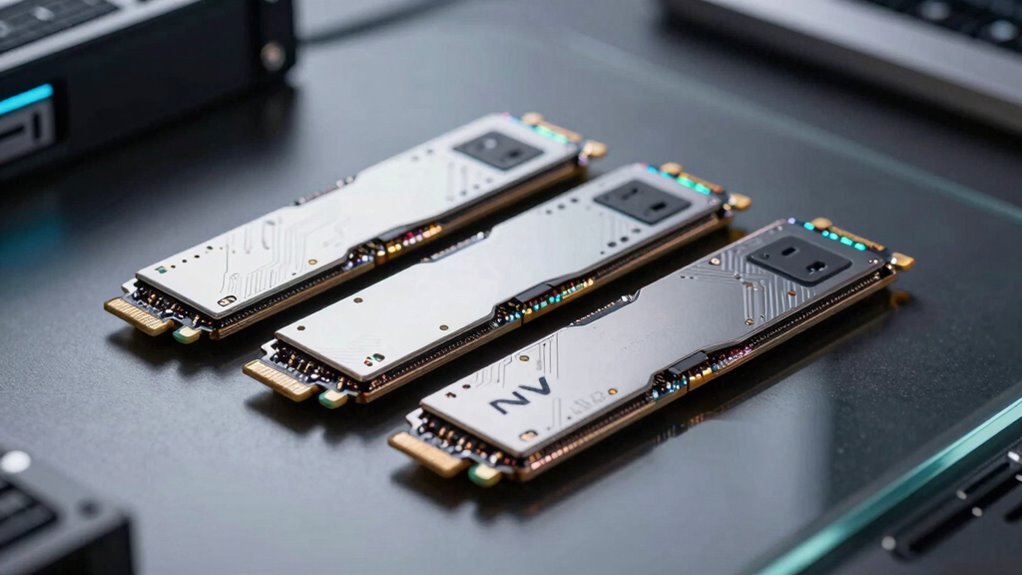

Choosing the right NVMe SSD for server use in 2026 involves balancing speed, capacity, endurance, and budget. The SanDisk Optimus 5100 stands out for its blazing-fast PCIe 4.0 speeds, ideal for high-performance workloads. Meanwhile, the WD Black SN7100 offers impressive read/write speeds and larger capacity for demanding server environments. The Crucial P310 provides a versatile mix of speed and compatibility, suited for enterprise setups, but may be limited by hardware constraints. Each of these options presents tradeoffs between raw performance, capacity, and price, helping you pinpoint the best fit for specific server roles.

Get business pricing on networking and server gear
- Business-only prices and quantity discounts
- Tax-exempt purchasing
- Multiple users, one account, clear invoices
Key Takeaways
- The SanDisk Optimus 5100 delivers top-tier PCIe 4.0 speeds, ideal for intensive data tasks.
- WD Black SN7100 provides high capacity and exceptional read/write speeds for demanding server applications.
- Crucial P310 offers broad compatibility and excellent performance, though hardware compatibility is key.
- Performance varies significantly based on server hardware support for PCIe Gen4.
- Capacity needs should influence your choice — larger drives are better for data-heavy applications, but may come at a higher cost.
| SanDisk 500GB Optimus 5100 NVMe SSD – PCIe 4.0 x4, M.2 2280 |  | Best Overall High-Performance NVMe for Servers | Capacity: 500GB | Interface: PCIe 4.0 x4 | Form Factor: M.2 2280 | VIEW ON AMAZON | See Our Full Breakdown |
| Western Digital 500GB WD Green SN3000 NVMe Internal SSD – Gen4 PCIe, M.2 2280 |  | Best for Compact, Efficient Server Storage | Capacity: 500GB | Interface: PCIe Gen4 | Form Factor: M.2 2280 | VIEW ON AMAZON | See Our Full Breakdown |
| WD_BLACK SN7100 1TB NVMe SSD – Gen4 PCIe, M.2 2280 |  | Best for Gaming and High-Speed Data Tasks | Capacity: 1TB | Interface: PCIe Gen4 | Form Factor: M.2 2280 | VIEW ON AMAZON | See Our Full Breakdown |
| Crucial P310 1TB PCIe Gen4 NVMe M.2 SSD |  | Best Versatile Performance for Mixed Server Tasks | Capacity: 1TB | Interface: PCIe Gen4 NVMe | Form Factor: M.2 2280 | VIEW ON AMAZON | See Our Full Breakdown |
| Kingston NV3 1TB M.2 2280 NVMe SSD |  | Best Budget-Friendly High-Speed NVMe | Capacity: 1TB | Form Factor: M.2 2280 | Interface: NVMe PCIe 4.0 x4 | VIEW ON AMAZON | See Our Full Breakdown |
| nvme ssd for server | Capacity | Interface | Form Factor | Read Speed |
|---|---|---|---|---|
| SanDisk 500GB Optimus 5100 NVM | 500GB | PCIe 4.0 x4 | M.2 2280 | up to 7,100MB/s |
| Western Digital 500GB WD Green | 500GB | PCIe Gen4 | M.2 2280 | — |
| WD_BLACK SN7100 1TB NVMe SSD | 1TB | PCIe Gen4 | M.2 2280 | 7,250MB/s |
| Crucial P310 1TB PCIe Gen4 NVM | 1TB | PCIe Gen4 NVMe | M.2 2280 | 7,100MB/s |
| Kingston NV3 1TB M.2 2280 NVMe | 1TB | NVMe PCIe 4.0 x4 | M.2 2280 | — |
More Details on Our Top Picks
SanDisk 500GB Optimus 5100 NVMe SSD – PCIe 4.0 x4, M.2 2280
The SanDisk Optimus 5100 excels with PCIe 4.0 speeds up to 7,100MB/s read and 6,700MB/s write, making it suitable for high-demand server workloads. Its reliability and endurance of up to 1,200 TBW ensure it can sustain prolonged use, though the 500GB capacity limits its appeal for data-heavy environments. Compared to larger drives, it offers less storage but makes up for it with cutting-edge speed. Its low power consumption is a plus for servers with power efficiency needs, but it lacks included accessories or software. This drive is ideal for workloads requiring rapid data transfer but may need supplementing with larger drives for bulk storage.
Pros:- Blazing PCIe 4.0 speeds for rapid data access
- High reliability with robust endurance
- Low power for energy-efficient operation
Cons:- Limited capacity options
- No bundled software or accessories
Best for: High-performance server tasks and environments where speed outweighs capacity
Not ideal for: Large-scale data storage or budget-constrained setups
- Capacity:500GB
- Interface:PCIe 4.0 x4
- Form Factor:M.2 2280
- Read Speed:up to 7,100MB/s
- Write Speed:up to 6,700MB/s
- Endurance:up to 1,200 TBW
Our verdict“A top choice for speed-critical server applications that can prioritize performance over capacity.”
Western Digital 500GB WD Green SN3000 NVMe Internal SSD – Gen4 PCIe, M.2 2280
The WD Green SN3000 offers PCIe Gen4 speeds up to 5,000MB/s, a good middle ground for servers needing solid performance without the premium price. Its 500GB capacity makes it suitable for boot drives or applications where data volume is manageable. Its slim M.2 2280 form factor allows for easy integration into space-constrained server hardware. The included data migration software adds value for quick deployment. However, performance can be dependent on system compatibility, and it might not sustain sustained workloads as well as higher-end drives. This model is better suited to small, performant server roles rather than heavy-duty storage tasks.
Pros:- Decent PCIe Gen4 speeds for quick data transfers
- Small form factor ideal for compact servers
- Includes useful data migration software
Cons:- Performance varies with host system
- Limited capacity for large data sets
Best for: Small to medium server environments needing reliable, fast storage
Not ideal for: Heavy data processing or large-scale storage farms
- Capacity:500GB
- Interface:PCIe Gen4
- Form Factor:M.2 2280
- Max Speed:5,000MB/s
Our verdict“A practical choice for servers requiring reliable Gen4 speeds in tight spaces but not for storage-intensive workloads.”
WD_BLACK SN7100 1TB NVMe SSD – Gen4 PCIe, M.2 2280
The WD_BLACK SN7100 pushes performance with up to 7,250MB/s read and 6,900MB/s write speeds, making it suitable for gaming servers or intensive data processing. Its 1TB capacity addresses larger storage needs and supports demanding workloads, although its recent replacement by newer models means availability could be limited. Its use of TLC 3D NAND enhances efficiency and lifespan, but actual durability depends heavily on server workload patterns. Overall, this drive offers exceptional speed but requires compatible hardware to reach full potential. It’s best suited for environments where maximum speed and capacity are priorities, and hardware can support PCIe Gen4.
Pros:- Excellent read/write speeds for demanding tasks
- Large 1TB capacity
- Supports PCIe Gen4 for future-proofing
Cons:- Availability issues due to newer models
- Limited info on long-term durability
Best for: High-performance gaming servers or data-intensive applications
Not ideal for: Older systems without PCIe Gen4 support or long-term endurance guarantees
- Capacity:1TB
- Interface:PCIe Gen4
- Form Factor:M.2 2280
- Read Speed:7,250MB/s
- Write Speed:6,900MB/s
- NAND Type:TLC 3D NAND
Our verdict“A high-speed option for advanced servers with PCIe 4.0 support, but check hardware compatibility.”
Crucial P310 1TB PCIe Gen4 NVMe M.2 SSD
The Crucial P310 combines high speed—up to 7,100MB/s read and 6,000MB/s write—with broad compatibility, making it a versatile choice for various server setups. Its 1TB capacity supports sizable applications and data needs, while the included Acronis software simplifies migration. It’s especially suitable for environments requiring a mix of performance and reliability, such as virtualized servers or multi-role systems. The main limitation is that performance may be capped on older PCIe Gen3 hardware, and full throughput depends on the host system’s capabilities. Still, this drive balances speed, capacity, and compatibility well.
Pros:- High performance with PCIe Gen4 support
- Large 1TB capacity
- Includes data migration software
Cons:- Dependent on hardware support for maximum speeds
- Performance may be limited on older systems
Best for: Mixed workloads, virtualization, and applications requiring broad compatibility
Not ideal for: Legacy systems with PCIe Gen3-only slots or extreme speed demands
- Capacity:1TB
- Interface:PCIe Gen4 NVMe
- Form Factor:M.2 2280
- Read Speed:7,100MB/s
- Write Speed:6,000MB/s
- Software Included:Acronis Data Recovery
Our verdict“A flexible, high-speed drive suited for a variety of server needs with broad compatibility.”
Kingston NV3 1TB M.2 2280 NVMe SSD
The Kingston NV3 delivers impressive read/write speeds of up to 6,000MB/s and 4,000MB/s respectively, at a competitive price point. It includes Acronis cloning software and offers a 5-year warranty, making it a compelling choice for budget-conscious server upgrades. Its 1TB capacity suits many enterprise and data center roles, but performance is capped at PCIe 4.0 x4 speeds, and it may not sustain the highest workloads over long periods. This drive is ideal for small to mid-sized servers, or as an upgrade where cost efficiency matters but speed remains essential.
Pros:- High read/write speeds for fast data access
- Includes cloning software for easy migration
- 5-year warranty for peace of mind
Cons:- Limited to PCIe 4.0 systems
- Capacity might be insufficient for large-scale storage
Best for: Cost-effective server upgrades with high-speed needs
Not ideal for: Heavy, sustained workloads or very large data centers
- Capacity:1TB
- Form Factor:M.2 2280
- Interface:NVMe PCIe 4.0 x4
- Max Read Speed:6000MB/s
- Max Write Speed:4000MB/s
- Warranty:5 years
Our verdict“A reliable, affordable NVMe SSD for servers that need solid speed without breaking the bank.”

How We Picked
Our selection process focused on NVMe SSDs tailored for server environments in 2026, emphasizing performance, endurance, capacity, and compatibility. We prioritized drives with PCIe 4.0 support, as this standard offers the best balance of speed and future-proofing for servers. Reliability and endurance metrics were key, ensuring drives can handle continuous operation. We also considered user feedback and industry reputation, favoring models with proven durability and manufacturer support. Price-to-performance ratios helped differentiate premium options from more budget-friendly choices, recognizing that not every server needs maximum speed but all require dependable operation.
| nvme ssd for server | Interface |
|---|---|
| SanDisk 500GB Optimus 5100 NVM | PCIe 4.0 x4 |
| Western Digital 500GB WD Green | PCIe Gen4 |
| WD_BLACK SN7100 1TB NVMe SSD | PCIe Gen4 |
| Crucial P310 1TB PCIe Gen4 NVM | PCIe Gen4 NVMe |
| Kingston NV3 1TB M.2 2280 NVMe | NVMe PCIe 4.0 x4 |
Factors to Consider When Choosing Nvme Ssd For Servers
Selecting the right NVMe SSD for server use in 2026 hinges on understanding key factors like speed, endurance, capacity, and compatibility. While high-end models like the SanDisk Optimus 5100 prioritize raw speed for demanding tasks, slightly more affordable options like the Crucial P310 offer broader system compatibility without sacrificing much performance. Meanwhile, capacity considerations are vital—larger drives support extensive data needs, but may come at a premium. I’ll guide you through these aspects to help you pick an SSD that aligns with your server’s workload requirements and hardware specifications.Performance and Speed
The primary driver of server NVMe SSD value is speed. PCIe 4.0 drives like the SanDisk Optimus 5100 and WD Black SN7100 push the limits with read speeds exceeding 7,000MB/s, ideal for data centers and intensive applications. However, ensure your server hardware supports PCIe 4.0 to realize these benefits. For systems limited to PCIe 3.0, such speeds won’t be attainable, and choosing a PCIe 4.0 drive may not justify the extra cost. Think about your workload: if you require rapid data access and transfer, investing in the fastest drives is worthwhile, but for lighter tasks, mid-range options may suffice.
Capacity and Scalability
While drives like the SanDisk Optimus 5100 come in 500GB, larger capacities are often necessary for extensive server environments. The WD Black SN7100 and Kingston NV3 both offer 1TB models, providing more room for data, virtual machines, or applications. Keep in mind, larger drives tend to cost more and may not be necessary if your server workload is modest. Balancing capacity with budget is key—overestimating can lead to unnecessary expenses, while underestimating might limit your system’s growth and performance.
Endurance and Reliability
Endurance, measured in TBW (Terabytes Written), determines how much data can be written to the drive before it risks failure. For continuous server operation, drives like the SanDisk Optimus 5100 with 1,200 TBW stand out, supporting heavy workloads. Enterprise-grade drives often provide higher endurance, but for most server environments, a drive with at least several hundred TBW is sufficient. Always consider the expected write volume and choose a drive that can sustain your workload over years without premature failure.
Compatibility and System Support
Before purchasing, verify your server’s hardware supports PCIe 4.0 if you want to leverage maximum speed. Some drives, like the Crucial P310, are compatible with PCIe 3.0 systems but will operate at reduced speeds. Additionally, check form factor compatibility—most drives here use M.2 2280, but if your server uses different slots or mounting, you might need adapters or different form factors. Compatibility is often overlooked but can be a critical factor in ensuring your new SSD functions optimally within your existing setup.
Frequently Asked Questions
What is the main advantage of PCIe 4.0 NVMe SSDs for servers?
PCIe 4.0 NVMe SSDs provide significantly higher data transfer speeds compared to PCIe 3.0 drives, often exceeding 7,000MB/s. This boost translates into faster boot times, quicker data processing, and improved overall server performance, especially in environments with heavy I/O demands. However, to fully benefit from these speeds, your server hardware must support PCIe 4.0, making compatibility a key consideration.
How do I choose the right capacity for my server?
Capacity needs depend heavily on your workload. For small to medium servers, 500GB or 1TB drives like the WD Green SN3000 or Kingston NV3 often suffice for OS, applications, and some data. Larger capacities are better for data-heavy environments, virtual machines, or large databases but come at a higher cost. Balance your current needs with potential growth, and consider drives that can be expanded or added to your server setup over time.
Are endurance ratings important for server NVMe SSDs?
Yes, endurance ratings indicate how much data can be written to the drive over its lifespan. For servers with continuous operation or heavy data write loads, drives with higher TBW ratings, like the SanDisk Optimus 5100, are preferable. Lower endurance drives may fail prematurely under sustained workloads, leading to data loss or downtime. Always match the endurance rating with your expected data write volume to ensure reliability.
Can I use consumer NVMe SSDs in a server?
While some consumer NVMe SSDs can technically work in servers, they generally lack the endurance and reliability features required for enterprise or data center use. Server-grade SSDs often have higher TBW ratings, better thermal management, and longer warranties. For critical server applications, choosing drives explicitly designed for enterprise use ensures better durability, support, and consistent performance over time.
What should I consider about compatibility before buying an NVMe SSD for a server?
Compatibility involves checking whether your server supports PCIe 4.0 or PCIe 3.0, as this impacts the maximum achievable speeds. Verify the form factor—most here are M.2 2280, but some servers may require different sizes or mounting options. Also, ensure your motherboard or expansion cards have compatible slots and support NVMe protocols. Confirming these details beforehand prevents costly mistakes and ensures you get the performance you expect.
Conclusion
For those operating high-performance, data-intensive servers, drives like the SanDisk Optimus 5100 and WD Black SN7100 are excellent choices, offering maximum speed and capacity. Small businesses or environments with moderate workloads benefit from the balanced features of the Crucial P310, which combines speed, compatibility, and value. Budget-conscious buyers still need reliable performance and can consider the Kingston NV3, which provides solid speeds at a lower cost. Ultimately, matching your specific workload, hardware capabilities, and budget will lead you to the most suitable NVMe SSD for your server needs in 2026.