

Choosing between cPanel and bare Linux depends on whether you prioritize simplicity or control. cPanel offers an intuitive, visual interface that makes managing your server easy, even with limited technical skills. Bare Linux, however, provides full customization and optimization, but requires you to have system management knowledge and spend time on maintenance. Your decision will be shaped by how much control you need versus how quickly and easily you want to set up. More details await for those curious to explore further.
Key Takeaways
- cPanel offers user-friendly, visual interfaces for quick setup, while bare Linux requires command-line knowledge for detailed configuration.
- Bare Linux provides full customization and control over server settings, unlike cPanel’s simplified, limited options.
- Using cPanel reduces technical effort, but restricts deep system modifications; Linux demands expertise but allows granular control.
- cPanel is ideal for small websites and beginners; Linux suits advanced users needing tailored performance and security tuning.
- The choice involves balancing ease of use and rapid deployment against the flexibility and power of detailed server management.
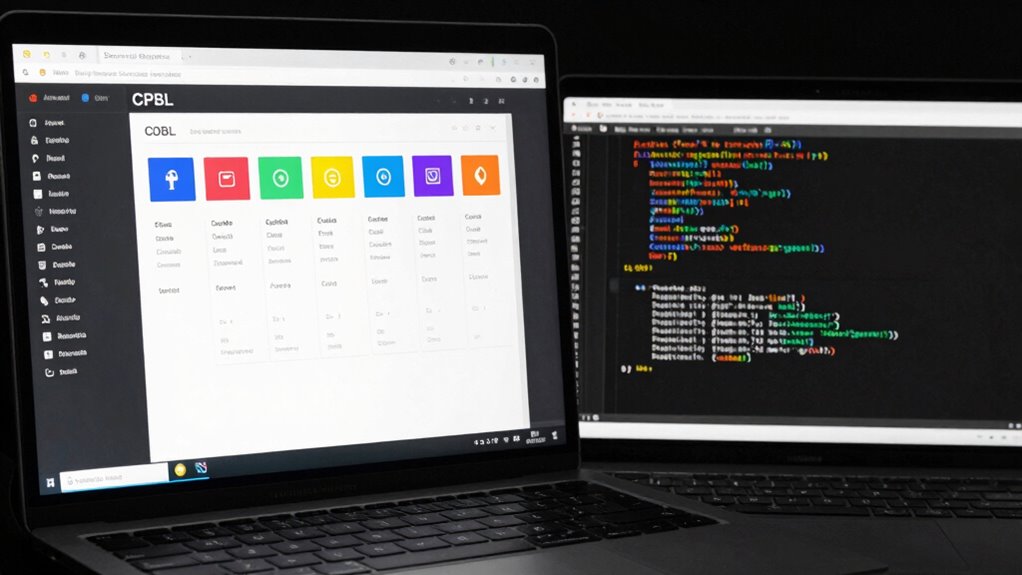
Have you ever wondered if keeping things simple is always the best choice? When it comes to managing your server environment, that question hits close to home. On one side, you have tools like cPanel that prioritize a user-friendly interface, making it easier for you to navigate without delving into complex configurations. The user interface in cPanel is designed to be intuitive, with visual menus and straightforward options, so you can perform tasks like setting up email accounts, managing domains, or installing applications with just a few clicks. This simplicity appeals to those who want quick results without the steep learning curve. But simplicity often comes with trade-offs, especially when it involves system customization or control over the environment.
Simplicity offers quick results, but may limit system customization and control over your server environment.
If you prefer a more hands-on approach, bare Linux gives you the power to customize every aspect of your system. Without a graphical interface, you’re working directly with command-line tools, which can be intimidating at first. However, this level of control allows you to tailor your server exactly to your needs. You can optimize performance, install only the software you want, and configure security settings at a granular level. With system customization, you’re not limited by predefined options; instead, you have the freedom to shape your environment precisely how you envision. The trade-off is that this approach requires more technical knowledge and time, especially when troubleshooting or making updates. Understanding these system management principles can help you make more informed decisions about your server setup.
Choosing between cPanel and bare Linux boils down to your priorities. If you value ease of use and rapid deployment, cPanel’s user interface can save you time and reduce frustration. It simplifies routine tasks and minimizes the need for technical expertise, which is ideal if you’re managing a small website or lack extensive server experience. Conversely, if you need complete control over your server environment and are comfortable with command-line operations, bare Linux offers unmatched flexibility. You can customize your system to optimize performance, implement advanced security measures, or experiment with new configurations that aren’t available in cPanel.
Ultimately, it’s a balancing act. Simplicity can free you from complexity and save you time, but it might limit your system customization options. Control provides power and flexibility but demands more effort and technical skill. Your choice depends on how much control you want versus how much simplicity you need. Recognizing this trade-off between control and simplicity helps you select the approach that best aligns with your goals, whether that’s a straightforward setup or a fully customized server environment.
cPanel web hosting management software
As an affiliate, we earn on qualifying purchases.
As an affiliate, we earn on qualifying purchases.
Frequently Asked Questions
How Do Updates Differ Between cPanel and Bare Linux?
With cPanel, updates are automated through its user interface, making it easy to keep your system current without much effort, and updates tend to be more frequent to guarantee security and features. On bare Linux, you control updates manually via command line, offering more control over when and what to update, but this requires more technical knowledge. The update frequency depends on your preferences and maintenance schedule.
Can cPanel Be Customized Beyond Its Default Features?
Yes, cPanel can be customized, but it has some limitations due to its user interface and core design. You can add plugins, tweak settings, and modify themes, but deep customization options are limited compared to a bare Linux setup. The user interface simplifies management, which means advanced users might find it restrictive for extensive customizations. For full control, a bare Linux system offers more flexibility, but with increased complexity.
What Security Risks Are Associated With Bare Linux Setups?
Using bare Linux can expose you to security risks if you don’t properly configure your firewall and manage user privileges. Without default protections, malicious actors could exploit open ports or escalate user privileges, compromising your system. You need to vigilantly set up firewall rules and limit user access, ensuring only trusted users have elevated privileges. Regular updates and monitoring are also essential to maintaining a secure environment.
How Does Performance Vary Between cPanel and Bare Linux?
Like a knight wielding a sword, you’ll find that bare Linux often offers better performance, with more precise Server Optimization and Resource Allocation. cPanel introduces some overhead due to its user-friendly interface, which can slightly reduce speed. However, cPanel’s automation and management tools can streamline your workflow. Overall, bare Linux tends to deliver a leaner, faster environment, especially if you’re comfortable fine-tuning your server.
Is Technical Support Easier With cPanel or Bare Linux?
With cPanel, you’ll find technical support easier because of its user interface designed for simplicity, making it accessible even for those with limited server knowledge. Customer support tends to be more straightforward, often provided by the cPanel team or hosting providers. In contrast, bare Linux requires more technical expertise, as support involves troubleshooting command-line issues, which can be more challenging if you’re less experienced.
As an affiliate, we earn on qualifying purchases.
Conclusion
So, in the battle of cPanel versus bare Linux, the choice boils down to your love for simplicity or your craving for control. Want a shiny, user-friendly interface that basically does everything for you? cPanel’s your buddy. But if you enjoy the thrill of tinkering, digging through logs, and wielding command-line magic, bare Linux is your playground. Either way, just remember: with great power comes great responsibility—and possibly a few sleepless nights!
As an affiliate, we earn on qualifying purchases.
As an affiliate, we earn on qualifying purchases.