

Choosing between Docker containers and virtual machines depends on your application’s needs. If you want fast deployment, high scalability, and efficient resource use, containers are the better option. They support cloud-native, microservices, and dynamic scaling but share the host OS, which can raise security concerns. VMs offer stronger isolation and compatibility for legacy systems but are slower and more resource-intensive. Exploring your specific requirements will help you pick the best environment for your project.
Key Takeaways
- Containers offer faster startup times and higher density, making them ideal for rapid deployment and scalable microservices.
- VMs provide stronger isolation and full OS separation, suitable for legacy systems or cross-OS applications.
- Containers deliver near-native performance with minimal overhead, while VMs have higher resource consumption and latency.
- Containers are more efficient in resource utilization and easier to manage at scale, supporting cloud-native architectures.
- VMs enhance security through complete OS isolation, whereas containers require rigorous security practices due to shared kernels.
Fundamental Differences in Architecture and Design

Understanding the fundamental differences in architecture and design between Docker containers and virtual machines is essential for choosing the right solution. Virtual machines virtualize entire hardware, including CPU, memory, storage, and network interfaces, running separate guest OSes on a hypervisor. In contrast, Docker containers virtualize only the OS layer, sharing the host OS kernel among all containers. Each VM has its own guest OS kernel and user space, while containers contain just the application and its dependencies. Containers depend on the Docker Engine or similar runtime to interact with the host kernel, whereas VMs run on a hypervisor that abstracts hardware. This core distinction influences how each approach isolates, manages resources, and supports different operating systems, shaping their suitability for various deployment scenarios. A key trait of successful deployment is understanding the resource management capabilities unique to each approach. Additionally, isolation mechanisms differ significantly, impacting security and stability considerations across environments. The security features of each method also play a crucial role in their deployment decisions, with containers generally offering lighter security isolation compared to VMs. Moreover, performance overhead differs between the two, affecting resource utilization and scalability.
Performance Benchmarks and Speed
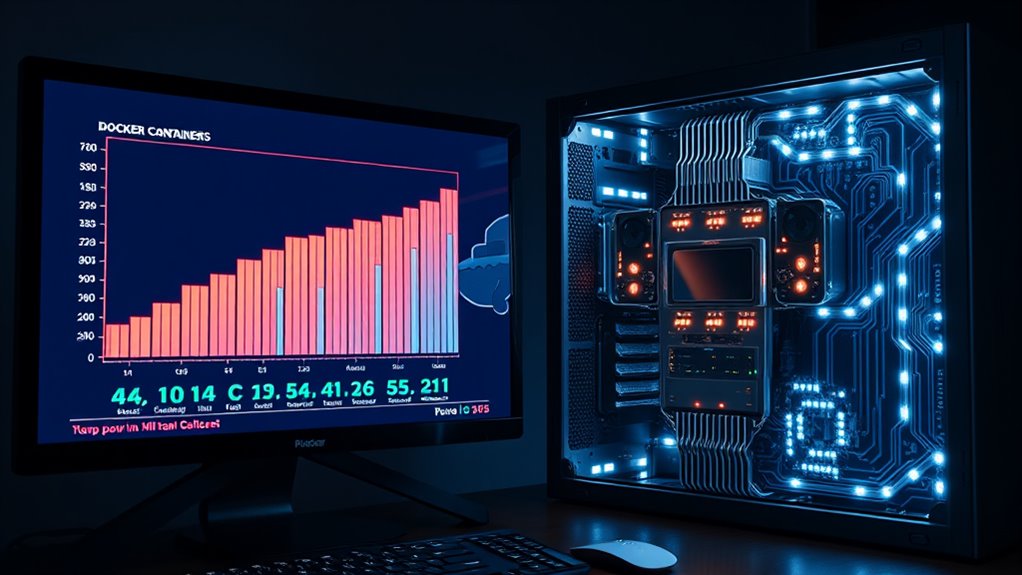
When comparing performance, you’ll notice containers start much faster than VMs, often within seconds, reducing latency for application deployment. This speed difference impacts throughput, especially in dynamic environments where rapid scaling is critical. Understanding these benchmarks helps you choose the right technology for your workload’s speed and responsiveness needs. Additionally, active listening and empathy are essential for managing complex deployments and ensuring smooth operations across different environments. Recognizing the importance of privacy policies and user consent management can influence how you handle data security in your deployment strategies. Incorporating space and organization principles can further streamline deployment workflows and resource management. Moreover, comprehending benefits of raw food can guide decisions about container security and isolation, ensuring your applications remain protected.
Startup Time Comparison
Docker containers start markedly faster than virtual machines, often within just a few seconds, whereas VMs typically take minutes to boot. Containers leverage the host OS kernel, eliminating the need to load a full guest OS, which drastically reduces startup overhead. They don’t require permanent resource reservation, allowing for dynamic allocation and quicker initialization. In contrast, VMs need to load virtualized hardware, full OS stacks, device drivers, and system services, adding significant delay. This architectural difference results in containers booting in seconds, ideal for rapid deployment and scaling, while VMs take much longer, usually between one to three minutes or more. The speed advantage of containers enhances CI/CD workflows, enabling faster testing, deployment, and responsiveness to fluctuating demand.
Latency Differences
Containers deliver considerably lower latency than virtual machines thanks to their lightweight architecture. Because they share the host OS kernel, containers run as isolated processes, avoiding the OS startup and management overhead that VMs require. Studies show containers have less than 5% overhead, nearly matching native speeds, especially for database and network-intensive workloads. In real-world benchmarks, containers consistently outperform VMs—write latencies of 6 ms versus 10 ms and read latencies of 7 ms versus 11 ms at 80,000 transactions. Network latency within data centers adds just 5 microseconds for containers, negligible compared to VMs’ delays. Here’s a quick comparison:
| Aspect | Containers | Virtual Machines | Impact |
|---|---|---|---|
| Boot Time | Seconds or less | Minutes | Faster startup |
| OS Overhead | Minimal (shared kernel) | Full OS per instance | Lower latency |
| Network Latency | ~5 µs within data center | Higher due to VM overhead | Faster network responses |
| Memory Usage | Shared, minimal | 120–150 MB per VM | Reduced latency for memory-sensitive applications |
Throughput Performance
Containerized environments deliver near-native throughput performance because they minimize overhead and efficiently utilize system resources. You’ll find that Docker containers typically match application performance directly on the host, with minimal delays. Unlike VMs, which introduce significant overhead due to full OS virtualization, containers leverage the host’s kernel, reducing resource demands. Benchmarks confirm that Docker outperforms KVM in throughput, especially for I/O-bound workloads. Containers’ quick startup times—measured in seconds—allow faster deployment and better overall throughput. They’re more memory-efficient, as they don’t load a complete OS. Properly optimized containers can eliminate performance losses, and direct access to host resources enhances I/O performance. Both performance benchmarks and real-world tests support the fact that containers support higher scalability and better resource utilization, making them ideal for applications demanding high throughput and rapid deployment. In addition, AI cybersecurity jobs require high-performance environments to respond swiftly to threats, which containerization can facilitate effectively. Furthermore, resource allocation in container environments can be dynamically adjusted to optimize throughput based on workload demands. A well-tuned container ecosystem can also benefit from efficient resource management, further boosting throughput and system responsiveness.
Resource Utilization and Cost Efficiency
Because they share the host operating system’s kernel and only package essential dependencies, containers typically use considerably fewer resources than virtual machines. They require less CPU and memory because they don’t need a full guest OS, allowing for higher workload density per server. Containers allocate resources on demand from a single OS kernel, unlike VMs that reserve fixed amounts regardless of actual use, making containers more efficient overall. Their smaller memory footprint and lightweight design enable quicker deployment and scaling, reducing operational costs. Additionally, because containers use fewer resources, you can maximize existing hardware capacities and lower infrastructure expenses. Virtual machines, with their heavier resource consumption, lead to higher costs in electricity, cooling, and maintenance. Efficient resource management is essential for optimizing hardware usage and reducing operational overhead. Moreover, resource allocation strategies in container environments can dynamically adapt to workload demands, further enhancing efficiency, especially in environments where scalability is critical. Incorporating automated scaling solutions allows for even better resource utilization and cost savings.
Security and Isolation Capabilities

You should consider how VMs offer stronger hardware and OS isolation, making breaches less likely to spread, while containers share the host kernel, increasing potential vulnerabilities. Kernel exploits pose a higher risk for containers because a compromise can affect all running instances on the host. Managing security requires different strategies: VMs depend on hypervisor hardening, whereas containers need kernel security and advanced tools to prevent breakout risks. Additionally, implementing protective styling techniques like those used in textile arts can help reinforce security boundaries by adding layers of defense. For example, choosing names inspired by Irish heritage can reflect cultural significance and foster a sense of tradition within your security practices. Furthermore, continuous monitoring and regular updates are essential to identify and mitigate emerging threats effectively, especially as cybersecurity threats evolve rapidly.
Isolation Strength Differences
Virtual machines offer stronger security and isolation because they run complete guest operating systems on hypervisors, ensuring full separation from other VMs and the host. This setup prevents the spread of breaches across environments, making VMs ideal for high-security needs. Containers, however, share the host OS kernel and isolate processes using namespaces and cgroups, which provides weaker isolation. If the kernel is compromised, multiple containers could be affected. While VMs enforce resource boundaries at the hardware level, containers rely on the host’s kernel, increasing the risk of cross-container interference. Although containers have a smaller attack surface due to fewer OS components, their shared kernel makes them more vulnerable to kernel-level exploits. Consequently, VMs generally deliver stronger, more robust isolation compared to containers.
Kernel Vulnerability Risks
Since containers share the host OS kernel, the security of this shared component directly impacts their vulnerability profile. If a kernel vulnerability exists, all containers are at risk, since they rely on the same kernel. This exposure makes it vital to regularly patch and update the kernel to prevent exploits. Vulnerability scans help identify potential issues before attackers can exploit them. To mitigate risks, hardening the host environment, using minimal OS configurations, and restricting access to privileged ports are essential. Kernel vulnerabilities can cause container breakouts, system crashes, privilege escalation, or data exposure. While virtual machines provide an additional layer of separation because they have their own kernels, containers’ shared kernel architecture inherently increases the potential impact of kernel-level vulnerabilities. Understanding the subconscious power during sleep can help developers cultivate a mindset of vigilance and proactive security. Additionally, implementing security best practices such as using container security tools can further reduce the risk of kernel exploits. Regularly monitoring and applying patch management strategies is crucial to maintaining a secure container environment, especially considering the evolving nature of cybersecurity threats and their potential to exploit kernel-level weaknesses.
Security Management Complexity
Containers provide flexible security management through various isolation mechanisms, such as host, bridge, and none networks, allowing you to control the level of network separation between containers. However, because they share the host OS kernel, their isolation isn’t as strong as VMs, which have dedicated kernels. Containers reduce their attack surface with lightweight design and minimal dependencies. Security frameworks like Docker help manage controls and updates, while immutability prevents tampering. You can enhance security with tools like Wiz or Kubescape, monitor activity, and enforce compliance. Here’s a quick comparison:
| Feature | Containers | Virtual Machines | Security Focus |
|---|---|---|---|
| Isolation Mechanism | Process and network segmentation | Complete hardware virtualization | Degree of separation |
| Attack Surface | Smaller, lightweight | Larger, more complex | Vulnerability points |
| Management Tools | Docker security tools, runtime security | Hypervisors, security patches | Control complexity |
Additionally, containers often benefit from lightweight design that minimizes resource consumption while maintaining security.
Ideal Use Cases and Industry Adoption

Organizations increasingly adopt container platforms due to their ability to support rapid scaling, high density, and portability across different environments. You’ll find containers ideal for microservices-based, cloud-native applications that need quick deployment and flexibility. Docker is popular for its ease of use, with around 40% market share, while Kubernetes-managed containers are growing fast. Industries like IT, telecom, finance, and healthcare leverage containers for scalable, efficient infrastructure, especially in cloud or hybrid setups. VMs remain preferred for legacy systems, monolithic apps, or workloads requiring full OS access and strong isolation. Containers excel at horizontal scaling, supporting 8–18+ containers per host, whereas VMs suit resource-intensive tasks and vertical scaling. Many organizations adopt hybrid models to balance agility and security needs. Additionally, understanding the role of creativity in technology development can inspire innovative solutions in container management and deployment strategies.
Deployment, Maintenance, and Management Aspects

Deployment speed and resource efficiency are among the key advantages that set containers apart from virtual machines. You can deploy containers in seconds, thanks to sharing the host OS and skipping lengthy guest OS startups. They also use less memory and CPU since they package only your application and dependencies, not entire OS layers. This lightweight design allows you to run more containers on the same hardware, boosting utilization and lowering costs. For maintenance, containers make updates straightforward—redeploy new images without affecting other services. They support immutable infrastructure, reducing configuration drift. However, managing dependencies and orchestration tools like Kubernetes adds complexity. In contrast, VMs require more resources for full OS management and tend to have longer update cycles. Overall, containers streamline deployment and maintenance, but require careful security and orchestration considerations. Additionally, understanding container security and best practices is essential to protect your applications in a shared environment.
Scalability and Flexibility in Cloud Environments
Building on the advantages of containers in deployment and maintenance, their true strength lies in scalability and flexibility within cloud environments. You can efficiently use resources since containers only need application dependencies, making them more lightweight than VMs. They start almost instantly, enabling rapid scaling as demand shifts. Their lightweight nature and OS sharing allow you to spin up multiple containers easily, supporting horizontal scaling. Containers also adapt dynamically, adjusting resources on the fly for ideal performance. Orchestration tools like Kubernetes automate deployment and scaling, making managing large container clusters straightforward. Their portability ensures consistent behavior across different environments, boosting scalability. Additionally, containers support microservices and cloud-native apps, offering the agility to deploy, scale, and manage applications swiftly within cloud platforms.
Making the Right Choice for Your Application

Choosing between containers and virtual machines depends on your application’s specific needs and priorities. If you need quick deployment, high efficiency, and easy scaling, containers are ideal. They share the host OS, start fast, and make better use of resources, perfect for cloud-native microservices and CI/CD workflows. Conversely, if your application demands strong security, strict isolation, or runs different operating systems, VMs are better suited. They provide full OS separation, supporting legacy systems or cross-OS testing. Consider these factors:
- Security and isolation requirements
- Speed of deployment and scalability
- Compatibility with multiple operating systems
Frequently Asked Questions
How Do Containers and VMS Handle Software Updates and Patching?
You handle software updates and patching differently in containers and VMs. With containers, you create a new image with patches, then redeploy, making updates quick and simple without affecting running instances. VMs require updating entire OS images and applying patches within each VM, which can be slower and more resource-intensive. Containers focus on patching dependencies, while VMs involve full OS updates, offering stronger isolation but increased maintenance.
What Are the Best Practices for Securing Containerized Applications?
Want to keep your containerized apps safe? You should use minimal, trusted base images, scan for vulnerabilities regularly, and update your images promptly. Limit privileges by avoiding root access, enforce strict network controls, and use secrets management tools instead of embedding sensitive info. Harden images by removing unnecessary packages, implement runtime security, and continuously audit your environment. Are you doing enough to reduce attack surfaces and prevent breaches?
How Do Hybrid Architectures Combine Containers and VMS Effectively?
You combine containers and VMs effectively by running containers inside VMs, which offers layered isolation and flexibility. This setup leverages VM security and management tools while benefiting from container agility and portability. You can orchestrate at both levels with tools like Kubernetes and hypervisors, optimizing resource use and deployment speed. Just be aware that added layers can increase complexity, so proper planning guarantees smooth operations and security.
What Are Common Challenges in Migrating From VMS to Containers?
Migrating from VMs to containers is like renovating a house—you need to carefully plan each step. You’ll face manual configuration challenges, as every workload requires custom setup. Compatibility issues may arise with legacy apps or full OS dependencies. Networking and security need rethinking, and tools for automation are limited. You must test thoroughly, adjust policies, and sometimes modify applications, making the migration complex but ultimately rewarding with more agility.
How Do Licensing and Compliance Requirements Impact Container vs. VM Decisions?
Your licensing and compliance needs heavily influence your choice. VMs give you clear OS boundaries, making license management and audits straightforward, but they can be costly and complex to scale. Containers reduce licensing overhead with shared kernels and easier scaling, but require strict tracking of images and dependencies for compliance. If security and regulatory standards demand strict segregation, VMs might be better; for agility, containers could be more suitable.
Conclusion
Choosing between Docker containers and virtual machines is like picking the right tool for your craft. Containers offer speed and agility, while VMs provide robust isolation. Think about your application’s needs and future growth. The right choice will be the key that unleashes your project’s potential—just like a well-tuned engine propels a vehicle forward. Make your decision wisely, and your application’s journey will be smooth and successful.