
KVM and OpenVZ differ mainly in architecture; KVM offers full hardware virtualization, supporting various OS and better resource isolation, while OpenVZ uses OS-level virtualization sharing the Linux kernel, limiting OS options. KVM provides consistent performance with dedicated resources, making it suitable for complex or mixed environments. OpenVZ excels in high-density, Linux-only setups with quick deployment and lower costs. To understand which suits your needs best, exploring their features further can guide your choice effectively.
Key Takeaways
- KVM provides hardware-assisted full virtualization supporting diverse OS and kernel customization, while OpenVZ uses OS-level virtualization sharing a single Linux kernel.
- KVM offers dedicated resources ensuring high performance and isolation; OpenVZ shares resources dynamically, increasing contention risk under load.
- KVM supports multiple operating systems, including Windows; OpenVZ is limited to Linux distributions with shared kernel constraints.
- KVM generally incurs higher costs due to dedicated hardware but offers scalable, consistent performance; OpenVZ is more cost-effective for Linux-only, high-density deployments.
- KVM provides stronger security and isolation with independent hypervisors; OpenVZ’s shared kernel poses higher security risks but allows rapid provisioning.
Architecture and Kernel Management

When comparing the architecture and kernel management of KVM and OpenVZ, it’s important to understand their fundamental differences. KVM uses hardware-assisted full virtualization, running each VM with its own independent kernel, which provides strong isolation and flexibility. In contrast, OpenVZ employs OS-level virtualization, sharing the same Linux kernel across all containers, reducing overhead but limiting customization. With KVM, you can run different kernel versions on the same host, enabling tailored configurations for each VM. OpenVZ’s containers depend entirely on the host’s kernel version, meaning you can’t upgrade or modify kernels within containers. This shared kernel approach simplifies resource management but reduces isolation, while KVM’s hypervisor architecture ensures each VM operates as a fully isolated, independent system.
Operating System Support and Compatibility
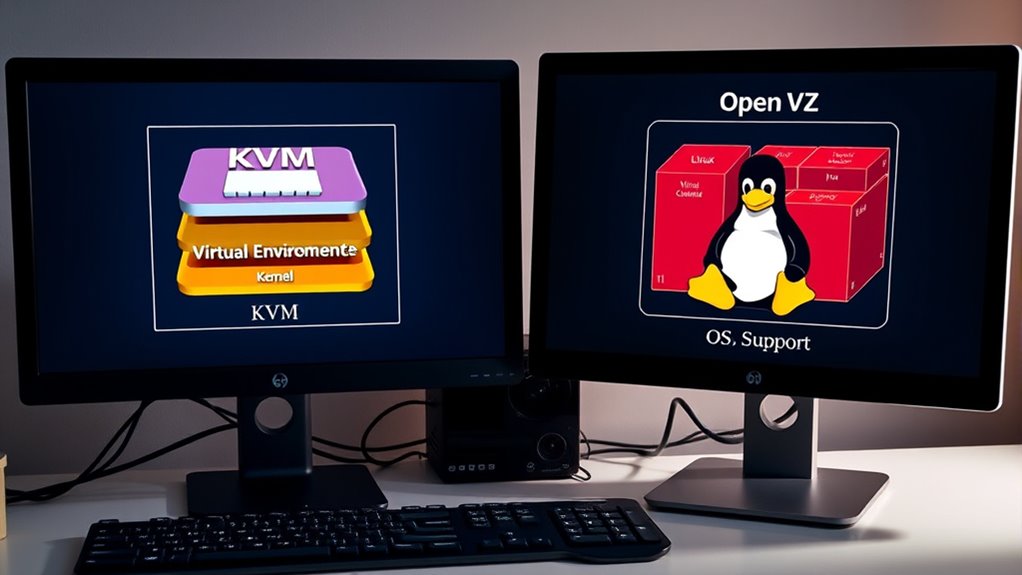
KVM offers extensive operating system support, making it suitable for diverse environments that require running different OS types. You can run Linux, Windows, and BSD variants as guest OSes, providing flexibility for mixed workloads. You can also leverage high compatibility with various hardware and software configurations, which is crucial for enterprise deployments. Unlike OpenVZ, which relies on a shared kernel and supports only Linux distributions with limited templates, KVM allows each VM to operate with its own kernel, even different from the host. This enables custom kernel modifications and compatibility with proprietary systems like Windows. KVM supports a broad range of images, including third-party ISO files, facilitating rapid deployment and migration. Additionally, the separation provided by hardware-assisted virtualization enhances security and stability, making KVM a more versatile virtualization solution overall. OpenVZ’s restrictions to Linux containers limit compatibility and customization options, making KVM the better choice if you need broad OS support, proprietary application compatibility, and greater flexibility.
Resource Allocation and Performance Metrics

When comparing KVM and OpenVZ, you’ll notice differences in memory management, with KVM offering dedicated resources and OpenVZ sharing memory dynamically. These choices impact performance overhead and can lead to resource contention, especially under heavy load. Understanding these factors helps you choose the solution that best balances efficiency and stability for your needs. Additionally, being aware of AI security vulnerabilities is crucial when deploying these virtualization technologies in cloud environments to ensure data integrity and system safety. Proper resource allocation strategies, such as memory management, are essential to optimize performance and prevent bottlenecks in both platforms. Moreover, understanding resource allocation techniques can help improve overall system efficiency and reliability. Incorporating monitoring tools can also assist in proactively managing resources and identifying issues before they impact system performance.
Memory Management Differences
Memory management in KVM and OpenVZ differs markedly in how they allocate and control resources. OpenVZ uses a shared memory model, pooling RAM dynamically among containers based on demand, allowing burstable memory use when host RAM is available. This setup boosts efficiency but can lead to contention and performance fluctuations when multiple containers compete for resources. Additionally, OpenVZ’s model can benefit from resource allocation strategies that optimize shared memory use to reduce conflicts. OpenVZ’s approach may also be more suitable for environments aiming for cost-effective resource utilization because of its lightweight design. KVM assigns fixed, dedicated memory to each VM, ensuring predictable resource allocation and stable performance under varying workloads. This strict separation enhances security and consistency but may result in higher overhead and less flexibility. KVM’s ability to support overcommit and controlled swapping provides precise management, while OpenVZ’s shared model favors lightweight, resource-efficient environments at the expense of increased potential for resource contention and performance variability. Additionally, the choice between these technologies can be influenced by their integration capabilities with other systems, such as attune magazine’s focus on innovative wellness practices.
Performance Overhead Impact
Resource allocation strategies markedly influence the performance overhead experienced in virtualized environments. With KVM, you get dedicated CPU and memory, which limits contention and stabilizes performance, but it requires more resources per VM and increases management complexity. OpenVZ, on the other hand, shares resources dynamically, boosting hardware utilization and enabling quick scaling. However, this sharing can cause performance fluctuations of 20-40% due to activity in other containers. Disk I/O in OpenVZ is faster thanks to container-level access, but heavy workloads may lead to contention. KVM’s virtual hardware emulation introduces some overhead, yet support for virtio drivers improves efficiency. Network latency remains low in both, but KVM’s virtual NICs add slight overhead compared to OpenVZ’s direct kernel networking. Overall, resource allocation choices directly impact performance variability and scalability. Additionally, cybersecurity vulnerabilities can be exacerbated in virtualized environments if proper security measures are not implemented. Furthermore, understanding the performance overhead impact is crucial for optimizing resource utilization and maintaining system stability. Recognizing the resource management techniques used in each virtualization method can further aid in selecting the optimal solution for specific workloads. It is also important to consider how resource allocation strategies can influence overall system security and stability.
Resource Contention Risks
KVM guarantees strong resource isolation by dedicating fixed amounts of CPU, RAM, and disk I/O to each virtual machine, effectively preventing resource contention even during peak workloads. Each VM operates within its own hardware-isolated environment, so one VM’s resource spike won’t impact others. In contrast, OpenVZ uses a shared-resource model; containers can burst into unused host capacity, which boosts efficiency but risks contention during demand spikes. If one container consumes excessive CPU, memory, or I/O, it can degrade performance for others. Here’s a comparison:
| Feature | KVM | OpenVZ | Risk Level |
|---|---|---|---|
| Resource Allocation | Fixed, guaranteed | Shared, burstable | Low |
| Performance Stability | Consistent, predictable | Variable, fluctuates under load | Moderate to High |
| Impact of Spikes | Isolated, minimal impact | Potential degradation | High |
| Oversubscription | Difficult | Easier | High |
| Suitability | Multi-tenant, SLA-critical applications | Cost-efficient, Linux-only workloads | Moderate |
Additionally, KVM’s robust security features align with AI Security best practices, further safeguarding resources against emerging cyber threats. Understanding resource contention is crucial for optimizing virtualization performance and ensuring reliable service delivery. Proper resource management techniques can help mitigate performance risks associated with resource sharing.
Security and Isolation Features

When comparing security and isolation features, it’s clear that KVM provides a markedly stronger security architecture than OpenVZ. KVM uses full hardware virtualization, offering dedicated hypervisors for each VM, ensuring complete isolation. You can run different kernel versions and customize security settings per VM, reducing vulnerabilities. KVM isolates traffic and firewalling at the hardware level, minimizing cross-VM attacks. In contrast, OpenVZ relies on OS-level virtualization with all containers sharing the same kernel, which exposes vulnerabilities if the host kernel is compromised. Its shared kernel means a security breach in one container could affect others. Additionally, resource sharing can lead to instability, and security patches depend on the host provider, limiting your control. Overall, KVM’s architecture makes it better suited for environments requiring strict security measures. Furthermore, KVM’s ability to implement security best practices enhances its resilience against emerging threats, such as regular updates and patches.
Typical Use Cases and Deployment Scenarios

The security and isolation strengths of KVM and OpenVZ directly influence their ideal deployment scenarios. You’ll find KVM suited for environments needing diverse operating systems, such as Windows, Linux, or BSD, and applications requiring full kernel control, like legacy systems or specialized workloads. Its ability to support independent kernels makes it ideal for high-security, enterprise, and compute-intensive tasks. Conversely, OpenVZ excels in high-density deployments where lightweight, Linux-only containers are beneficial. It’s perfect for web hosting, shared hosting, and rapid provisioning of lightweight applications. If your focus is on cost-effective VPS hosting with many containers or quick deployment of Linux environments, OpenVZ is the better choice. KVM works best when flexibility, diverse OS support, and full virtualization are priorities for your deployment. Understanding the security and isolation aspects of each technology can help determine the most suitable environment for your needs. Additionally, considering resource allocation can optimize performance and efficiency in your virtualization strategy. Prophetic dreams remind us of the importance of understanding different layers of reality and perception, which can inform how we approach technology and security considerations.
Cost, Scalability, and Operational Considerations

Cost, scalability, and operational complexity are key factors to contemplate when choosing between KVM and OpenVZ. OpenVZ offers lower costs by sharing the host kernel, reducing hardware needs, and simplifying management. KVM incurs higher costs due to full virtualization, requiring dedicated hardware and more complex setup. Scalability favors OpenVZ’s quick provisioning, resource sharing, and oversubscription, but performance may suffer under heavy load. KVM provides scalability with dedicated resources and advanced configurations like NUMA and GPU passthrough, though it’s more rigid. Operationally, OpenVZ is easier to maintain with fewer kernel concerns, while KVM demands more expertise. Here’s a comparison:
| Aspect | OpenVZ | KVM |
|---|---|---|
| Cost | Lower | Higher |
| Scalability | Rapid, resource sharing | Rigid, hardware-dependent |
| Management | Simpler | Complex |
| Performance Stability | Variable under contention | Consistent, isolated |
| Use Cases | Budget Linux VPS | High-performance, specialized |
Additionally, security considerations can influence which virtualization technology is more suitable for sensitive workloads. Moreover, the resource isolation provided by KVM can offer enhanced security for critical applications. Furthermore, hardware compatibility plays a significant role in selecting the appropriate solution for specific deployment environments. And understanding virtualization mechanisms is essential for optimizing deployment strategies.
Frequently Asked Questions
Can Openvz Containers Run Windows or Other Non-Linux OSES?
No, OpenVZ containers can’t run Windows or other non-Linux OSes. You share the host OS kernel, which is Linux, so only Linux distributions work inside OpenVZ. Running Windows or different OSes isn’t supported because it requires a different kernel, and OpenVZ doesn’t emulate hardware like hypervisors do. If you need Windows or other OSes, you should use a full virtualization tool like KVM, which offers complete OS independence.
How Does Live Migration Differ Between KVM and Openvz?
Think of live migration as a high-wire act—you want it smooth and seamless. With KVM, you experience near-zero downtime because it transfers the entire VM state, including memory and devices, while maintaining full isolation. OpenVZ, on the other hand, faces a brief pause of around 15-20 seconds due to shared kernel constraints. This makes KVM better suited for critical applications needing continuous availability during migration.
Is Nested Virtualization Possible With Openvz or KVM?
You can’t do nested virtualization with OpenVZ because it’s an OS-level virtualization technology that doesn’t support running virtual machines inside other VMs. However, with KVM, nested virtualization is possible once you enable the feature and configure your system properly. This allows you to run virtual machines inside virtual machines, making it useful for development, testing, and complex network setups, despite some performance and stability limitations.
What Are the Backup and Snapshot Capabilities for Both Platforms?
You can create snapshots and backups on both platforms, but their methods differ. With KVM, you take VM snapshots capturing disk, memory, and device states, using tools like `virsh` or third-party software, though snapshots can impact performance. OpenVZ allows lightweight container snapshots, often via `vzctl`, relying on filesystem or external scripts, making backups faster and less resource-intensive but less extensive than KVM.
How Do Updates and Kernel Patches Impact Openvz Containers?
Updates and kernel patches in OpenVZ are like a double-edged sword—powerful but risky. They directly impact container stability, resource management, and security, since all containers share the host kernel. When you apply patches, expect potential reboots and temporary downtime. Properly managing these updates guarantees containers stay secure and performant, but neglecting them can lead to compatibility issues or compromised isolation, so stay vigilant.
Conclusion
Choosing between KVM and OpenVZ depends on your specific needs. Do you need full hardware virtualization with greater isolation, or are you looking for lightweight, high-density containers? Both have their strengths, but understanding their differences helps you make the right decision. So, which technology aligns better with your goals? Ultimately, your choice impacts performance, security, and scalability—so pick wisely to optimize your virtualization strategy.