Choosing NVMe over SATA SSDs for VPS hosting means you’ll benefit from faster transfer speeds, lower latency, and better scalability. NVMe drives support thousands of I/O queues, reducing bottlenecks during high workloads and improving responsiveness. This makes them ideal for demanding applications like databases and real-time analytics. If you want to understand how these differences truly impact your VPS performance and future upgrades, there’s more to explore below.
Key Takeaways
- NVMe SSDs offer significantly higher read/write speeds, reducing VPS latency and improving responsiveness for data-intensive applications.
- SATA SSDs provide adequate performance for basic VPS hosting but may create bottlenecks under high I/O workloads.
- NVMe’s multiple queues and parallelism support better scalability and faster processing in high-traffic VPS environments.
- The choice impacts cost: NVMe drives are more expensive but deliver better performance for demanding VPS workloads.
- Upgrading to NVMe SSDs enhances overall VPS performance, especially for applications requiring rapid data access and low latency.
Comparing Data Transfer Speeds and Throughput
When comparing data transfer speeds and throughput, NVMe SSDs clearly outpace SATA SSDs due to their advanced interfaces and protocols. SATA SSDs typically hit around 500-580 MB/s for sequential read speeds and 450-550 MB/s for writes, limited by the SATA 3.0 interface’s 600 MB/s cap. In contrast, NVMe drives leverage PCIe interfaces, delivering much higher speeds—up to 3,500 MB/s for PCIe 3.0, 7,000 MB/s for PCIe 4.0, and even 14,000 MB/s for PCIe 5.0 models. This translates to faster large file transfers, like a 50GB game installation taking only 15-20 seconds on high-end NVMe drives compared to over a minute on SATA. NVMe’s scalability with PCIe generations makes it a clear winner for throughput and speed.
Understanding Latency and Response Times in VPS

Understanding latency and response times in VPS is essential because they directly affect your application’s performance and user experience. Latency is the delay between sending a request and receiving a response, usually measured in milliseconds. Response time includes processing, I/O, and network delays, impacting how quickly your system reacts. High latency can slow down real-time apps and user interactions. To measure these, tools like Ping, Latte, or disk benchmarks are useful. Additionally, optimizing system performance factors can help reduce latency and improve overall responsiveness. Incorporating storage technology differences, such as NVMe versus SATA, provides insight into how hardware choices influence latency. Recognizing the impact of paint sprayer accessories on performance can serve as an analogy for understanding hardware components’ effects on system latency.
Scalability and Future-Proofing Storage Solutions

Advancements in interface and protocol technologies drive the scalability and future-proofing of storage solutions. NVMe’s PCIe interface evolves with new PCIe generations, enabling higher bandwidth beyond SATA III limits. PCIe 5.0 NVMe drives can reach read speeds over 14,000 MB/s, far surpassing SATA SSDs’ 600 MB/s cap. NVMe supports up to 65,536 command queues, compared to SATA’s 32, allowing for superior parallelism and better scaling under multi-tenant VPS loads. It’s designed for backward and forward compatibility, meaning you can upgrade storage speeds without replacing hardware. Meanwhile, SATA’s scalability is limited by its interface, restricting throughput and IOPS growth as demands increase. This makes NVMe a more future-proof choice for expanding VPS environments and high-performance workloads.
Parallelism and I/O Queue Management

NVMe’s multi-queue architecture vastly outperforms SATA’s single-queue design by supporting up to 64,000 queues, each capable of holding 64,000 commands. This enables massive parallelism, allowing multiple I/O operations to run simultaneously without bottlenecks. You benefit from:
- Reduced latency, often below 20 microseconds, compared to SATA’s 100 microseconds or more.
- Better CPU efficiency, as NVMe communicates directly with the CPU over PCIe, lowering overhead.
- Consistent high throughput, even under heavy multi-threaded workloads, unlike SATA’s limited queue depth of 32 commands.
This architecture minimizes command serialization and head-of-line blocking, resulting in faster, more responsive storage performance for VPS hosting. The ability to distribute I/O across multiple queues ensures your systems stay responsive during peak demand.
Technical Foundations of NVMe and SATA Interfaces

Understanding the core differences between SATA and NVMe interfaces helps you see how data moves inside your system. SATA relies on older, limited protocols designed for spinning drives, while NVMe uses direct PCIe connections to maximize speed and efficiency. Recognizing these technical foundations allows you to choose the right SSD based on your hardware and performance needs.
Interface Technologies Explained
The technical foundations of NVMe and SATA interfaces determine how SSDs communicate with your system, shaping their performance and compatibility. SATA uses the Serial ATA connection, supported by most devices, and relies on AHCI drivers designed for hard drives. Its speed cap is around 550 MB/s, ideal for older systems. NVMe, on the other hand, connects via PCIe, offering much higher speeds and lower latency, with support for up to 64,000 commands in parallel. It’s designed specifically for SSDs, leveraging scalable PCIe lanes for increased bandwidth. Additionally, NVMe’s command queuing capabilities enable it to handle multiple data requests simultaneously more efficiently than SATA. Both interfaces support different form factors, with NVMe typically using M.2 and SATA available in 2.5-inch and M.2. The interface technology differences significantly impact data transfer rates and overall storage performance, especially in high-demand environments. Moreover, NVMe’s scalable architecture allows for future upgrades and increased performance as PCIe standards evolve.
Data Transfer Mechanisms
Data transfer mechanisms form the core of how SSDs communicate with your system, directly impacting speed and efficiency. NVMe uses the PCIe interface, enabling direct CPU communication over multiple high-speed lanes, supporting thousands of queues and commands. This design drastically reduces latency to around 10–25 microseconds and offers scalable bandwidth—up to 15 GB/s with PCIe 4.0 and 5.0. In contrast, SATA SSDs rely on the AHCI protocol, originally designed for hard drives, with a single queue supporting only 32 commands. Its maximum bandwidth caps at about 600 MB/s, and latency hovers around 80–100 microseconds. NVMe’s architecture minimizes overhead and boosts IOPS, making it ideal for data-intensive VPS workloads, while SATA’s limitations can create bottlenecks under heavy load. Additionally, NVMe’s advanced protocol efficiency further enhances performance by reducing command overhead and optimizing data transfer processes.
Compatibility and Hardware
Compatibility and hardware support are key factors when choosing between NVMe and SATA SSDs, as they depend on your system’s motherboard and BIOS capabilities. SATA drives are widely compatible with most systems supporting SATA connections, including older desktops and laptops. In contrast, NVMe requires motherboards with dedicated M.2 PCIe slots supporting the NVMe protocol, often needing BIOS or UEFI updates to enable functionality. Physical keying also differs: M.2 SATA uses B+M keys, while NVMe uses M keys, making them incompatible without proper slots. Additionally, the adoption of AI-driven safety measures in hardware design has enhanced compatibility standards for newer SSD models. Some enterprise setups support NVMe via U.2 form factors. To ensure optimal performance, verifying your system’s hardware compatibility before purchasing is essential. Moreover, the interface standards for SSDs are continually evolving, influencing future upgrade options and system support. Staying informed about industry developments can help you make better upgrade decisions in the future.
Cost Efficiency and Value for Different Workloads
Choosing the right SSD type depends heavily on your workload demands and budget. HDDs are the most cost-effective for large storage needs but lack speed. SATA SSDs offer a good middle ground, providing better performance at a moderate price, making them suitable for many web hosting scenarios. NVMe SSDs have the highest cost per GB but deliver superior speed and lower latency, ideal for high-traffic, performance-critical applications. For lightweight workloads, SATA SSDs minimize costs and deliver reliable performance, whereas NVMe drives shine in data-intensive tasks like databases or big data analytics. Consider total cost of ownership too; SATA SSDs generally reduce long-term expenses, but NVMe’s faster speeds can offset higher initial costs in demanding environments. Matching your workload’s demands with your budget for the best value is essential for optimizing performance and cost efficiency. Additionally, understanding the performance impact of each SSD type can help you make more informed decisions aligned with your specific needs. Recognizing the market trends in SSD technology can also guide you toward future-proof investments that will serve your needs as data demands continue to grow. Staying informed about ongoing technological advancements ensures you select the most suitable storage solutions for evolving requirements. Moreover, assessing the compatibility of your existing hardware can prevent costly upgrades and streamline integration.
Optimal Use Cases for NVMe and SATA SSDs in VPS
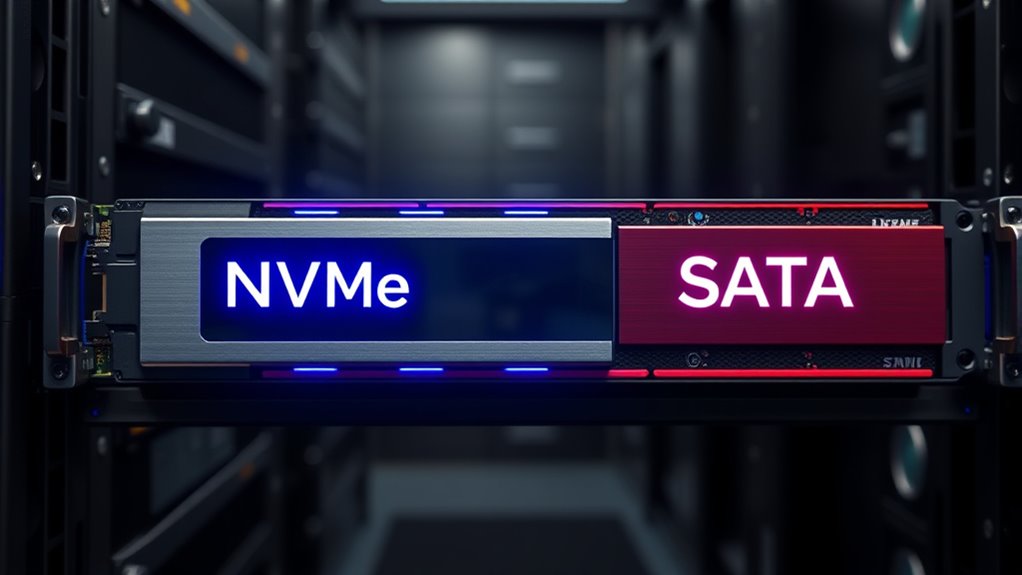
Knowing when to choose NVMe or SATA SSDs depends on your application’s performance needs, budget, and growth plans. NVMe offers unmatched speed and scalability for high-performance workloads, while SATA SSDs provide a cost-effective solution for moderate use. Selecting the right storage type guarantees your VPS can handle current demands and future expansion efficiently. Additionally, understanding cost-effective deployment strategies can help you optimize your infrastructure investments. For example, evaluating performance demands can guide you in selecting the most suitable SSD type for your specific workload. Recognizing the importance of storage architecture can further enhance overall system performance and reliability. Moreover, considering lifestyle factors such as remote work productivity and workspace design can influence how you plan your infrastructure environment for optimal results.
High-Performance Application Suitability
High-performance applications demand fast and reliable storage solutions, making NVMe SSDs the top choice for many VPS environments. If you run large databases, real-time analytics, or machine learning tasks, NVMe’s high read/write speeds and low latency guarantee smooth operation. Its ability to handle multiple queues and parallel I/O boosts performance during intense workloads. You’ll benefit from: – Rapid data access for large, transactional databases – Faster processing in real-time data environments – Improved responsiveness for high-concurrency applications like containers and multi-tenant hosting. Additionally, NVMe drives excel at reducing I/O bottlenecks, ensuring consistent performance even under demanding conditions. The architecture of NVMe drives also supports advanced caching mechanisms, which further enhance speed and efficiency. This advanced technology is aligned with market trends favoring high-performance storage solutions, making NVMe the preferred choice for demanding workloads. Moreover, parallel processing capabilities enable NVMe drives to handle multiple data streams simultaneously, further boosting overall performance. SATA SSDs, while slower, still suit moderate workloads with lower I/O demands, such as small websites or basic CMS platforms. For high-performance needs, NVMe’s speed and efficiency make it the clear choice.
Cost-Effective Storage Solutions
When selecting storage solutions for your VPS, balancing cost and performance is essential to meet your specific needs. NVMe SSDs cost 15-30% more than SATA SSDs but deliver higher IOPS and faster speeds, making them ideal for high-performance applications. SATA SSDs are more budget-friendly and suit projects with moderate demands. Consider your workload carefully.
| Use Case | Recommended Storage | Cost Range |
|---|---|---|
| High-Traffic Apps | NVMe SSDs | Higher, but worth it for speed |
| Basic Projects | SATA SSDs | $2-$10/month for small projects |
| Data Archiving | SATA SSDs | Cost-effective storage |
Scalability and Growth Needs
Choosing the right storage solution for your VPS involves considering how well it can support your growth over time. NVMe SSDs excel in scalability because they leverage PCIe interfaces (Gen 3, 4, 5), which are continually upgraded for higher bandwidth and speed. They support multiple queues and massive parallel I/O, handling up to 500,000 IOPS—perfect for increasing loads and complex applications. As PCIe 5.0 drives reach speeds up to 14,000 MB/s, they future-proof your setup for data-intensive tasks. Additionally, the variety of materials used in teapot and accessory manufacturing demonstrates the importance of choosing durable and high-quality components to ensure longevity and optimal performance. When selecting storage media, it is also crucial to consider performance metrics, which directly impact the efficiency of data processing and transfer rates. Incorporating industry standards can further enhance compatibility and reliability across different systems. Understanding storage endurance is vital for maintaining consistent performance over time, especially under heavy workloads. Optimal use cases for NVMe include: – High-traffic websites and real-time web apps – Heavy database operations and big data analytics – Scalable environments with growing user demands and resource spikes
Emerging Trends and Future Developments in SSD Technology
Emerging trends in SSD technology are driven by rapid advancements in interfaces, form factors, and efficiency, shaping the future of data storage. You’ll see faster transfer speeds with PCIe 4.0, PCIe 5.0, and beyond, pushing NVMe SSDs to new limits. M.2 form factors continue to dominate, offering compact, high-performance storage options. Energy efficiency improves, helping reduce power consumption without sacrificing speed. High-resolution applications like 4K and 8K video editing rely heavily on these fast SSDs. Budget-friendly NVMe drives now outperform many SATA options in real-world use, making high performance more accessible. Future developments will focus on even faster interfaces, innovative form factors, increased storage density, and integration with AI and cloud tech—driving SSDs toward greater capacity, efficiency, and sustainability.
Frequently Asked Questions
How Do NVME and SATA SSDS Affect VPS Security?
You’ll find that NVMe SSDs boost VPS security by offering faster encryption, decryption, and threat detection thanks to their low latency and high throughput. They support advanced encryption standards and integrate better with security tools, making data harder to access unauthorized. SATA SSDs, while still secure, lack some of these features and have slower performance, which can create delays in security processes, potentially increasing vulnerability during high-demand operations.
Are There Compatibility Issues When Upgrading to NVME SSDS?
Yes, there can be compatibility issues when upgrading to NVMe SSDs. You need a motherboard with M.2 or PCIe slots that support NVMe, and your BIOS/UEFI must be updated to recognize NVMe drives. Older systems might require adapters or hardware upgrades. Additionally, your operating system needs native NVMe support, and your VPS provider must support NVMe storage infrastructure. Without these, the upgrade could face hardware, firmware, or software compatibility hurdles.
What Are the Maintenance Requirements for NVME Versus SATA SSDS?
If you upgrade to NVMe SSDs, you’ll need to perform more frequent firmware updates to optimize performance and security, like in a data center case study where timely updates prevented data breaches. You’ll also have to manage thermal issues due to higher heat output and guarantee BIOS compatibility. In contrast, SATA SSDs require less maintenance, with fewer updates and simpler cooling needs, making them easier to manage long-term.
How Does Power Consumption Differ Between NVME and SATA Drives?
You’ll notice that SATA SSDs generally use less power, especially when idle, consuming about 0.2W to 0.5W, making them energy-efficient for light workloads. In contrast, NVMe drives tend to have higher idle power, ranging from 0.5W to 3W, due to their complex controllers. During active use, NVMe consumes more power—up to 8W or more—yet they deliver faster performance, often resulting in better power efficiency per task.
Do NVME SSDS Improve VPS Uptime and Reliability?
Yes, NVMe SSDs improve your VPS uptime and reliability. They have fewer moving parts, which reduces hardware failure risks, and their durability means less wear and tear over time. This results in fewer unexpected outages and consistent performance. Additionally, their faster data access speeds ensure your VPS runs smoothly under load, maintaining stability and minimizing downtime. Overall, investing in NVMe SSDs enhances your VPS’s dependability for long-term operation.
Conclusion
Choosing between NVMe and SATA SSDs depends on your needs; NVMe offers blazing-fast speeds and lower latency, perfect for demanding workloads, while SATA provides solid performance at a lower cost, great for less intensive tasks. Think of it as choosing between a jet engine and a trusty horse—each has its place. By understanding their strengths, you can future-proof your VPS like a wise old time traveler, ensuring your storage keeps up with your growth.