
In real-world tests, SSD VPS hosting outperforms HDD VPS by providing much lower latency and faster data access. This means your website or applications will load quicker, respond faster, and handle traffic more efficiently with an SSD. HDDs, on the other hand, have slower read/write speeds due to mechanical parts, which can increase delays. If you want to discover how these differences can boost your performance, keep exploring the details ahead.
Key Takeaways
- SSD VPS consistently shows significantly lower latency compared to HDD VPS in real-world performance tests.
- Faster data access on SSDs improves website load times and application responsiveness under typical user conditions.
- HDD VPS exhibits higher latency due to mechanical delays, affecting overall server responsiveness.
- Real-world tests confirm SSDs handle high traffic and rapid data requests more efficiently than HDDs.
- Choosing SSD storage results in better performance metrics, especially for latency-sensitive applications.
When choosing a Virtual Private Server (VPS), understanding the differences between SSD and HDD storage is vital, as it directly impacts your server’s performance and cost. Storage performance plays a key role in how quickly your applications load, how fast data transfers occur, and how responsive your server feels overall. SSDs, or Solid State Drives, use flash memory to store data, which allows for near-instant access times. This means that with SSD VPS hosting, you’ll notice dramatically faster read and write speeds, resulting in snappier website performance and quicker database queries. HDDs, or Hard Disk Drives, rely on spinning disks and mechanical parts, leading to longer access times and slower data retrieval. If your workload demands rapid data access—like hosting a busy e-commerce site or a database-heavy application—an SSD VPS offers a clear advantage in performance.
However, performance isn’t the only factor worth weighing. Cost effectiveness is a vital aspect when selecting your hosting environment. Typically, HDD VPS plans tend to be more affordable because traditional spinning disks are cheaper to manufacture than SSDs. If your website or application isn’t heavily reliant on fast data access, opting for an HDD VPS can save you money while still providing reliable storage. That said, the initial investment in SSD hosting might seem higher, but it often pays off with improved performance, reduced latency, and better handling of high-traffic scenarios. Over time, the faster response times can lead to better user experience, increased conversions, and less downtime, which ultimately enhances cost effectiveness in terms of operational efficiency. Additionally, understanding the impact of storage type on overall user experience can help inform your decision-making process.
It’s also worth noting that storage performance isn’t just about raw speed; it influences your overall user experience and your ability to scale. With SSDs, you benefit from lower latency, meaning data requests are fulfilled almost instantly, making your website feel more responsive. For businesses or developers who prioritize speed and responsiveness, this performance boost justifies the higher cost. Conversely, if your workload involves mostly static content or infrequent data access, an HDD VPS might serve your needs sufficiently at a lower price point, providing a more cost-effective solution without sacrificing essential functionality.
SSD VPS hosting
As an affiliate, we earn on qualifying purchases.
As an affiliate, we earn on qualifying purchases.
Frequently Asked Questions
How Does SSD Vs HDD Impact Data Transfer Speeds?
When comparing SSD and HDD, your data transfer speeds are considerably affected. SSDs offer much higher read speeds, allowing you to access and transfer data faster. This means tasks like loading files or applications happen almost instantly. HDDs, on the other hand, have slower read speeds, which can cause delays during data transfer. So, if speed matters, choosing an SSD will give you quicker data access and improved overall performance.
What Are the Cost Differences Between SSD and HDD VPS?
Imagine choosing between a sleek sports car and a rugged truck. SSD VPSs often come with higher costs, like the sports car, due to faster performance and advanced tech. HDD VPSs are more budget-friendly, akin to the truck, with lower upfront prices. Keep in mind, pricing variability and maintenance costs can shift over time, making SSDs pricier long-term, while HDDs may need more repairs but remain cheaper initially.
Which VPS Type Offers Better Scalability Options?
You’ll find that SSD VPS offers better scalability options because it supports hardware compatibility with newer, faster components, making upgrades smoother. You also face fewer maintenance requirements, which means you can expand resources easily without frequent downtime. HDD VPS might limit your scalability due to slower hardware compatibility and higher maintenance needs. So, for growth and flexibility, SSD VPS is generally the smarter choice.
How Do SSD and HDD VPSS Compare in Power Consumption?
You might be surprised at how power consumption differs between SSD and HDD VPSs. SSDs excel in energy efficiency, consuming less power and reducing environmental impact. This means your server runs cooler and costs less to operate long-term. Meanwhile, HDDs tend to use more energy, making them less eco-friendly. If you’re aiming for a greener setup, choosing an SSD VPS could be the smarter, more sustainable choice.
Are There Specific Use Cases Better Suited for SSD or HDD VPS?
If you’re choosing between SSD and HDD VPS, consider your use case. For database optimization and quick backups, SSDs are ideal because they offer faster read/write speeds, reducing latency. HDD VPSs work well for less demanding storage needs or archival purposes, where speed isn’t critical. You’ll benefit from SSDs if your applications require rapid data access, whereas HDDs suit ongoing backup strategies that don’t need real-time performance.
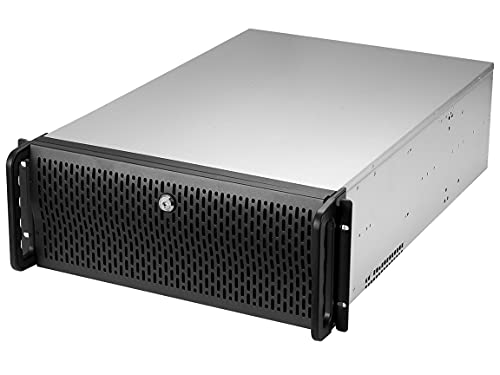
Rosewill 4U Server Chassis 11 Bay Server Case 8X 3.5 + 3X 5.25 HDD, ATX, Rackmount Server Case, Include Front 2X 120mm Fans Rear 2X 80mm Fans Metal Rack Mount Computer Case 21" Deep, RSV-R4000U
Spacious Chassis: This massive 4U server case has 8 internal 3.5” HDD bays plus room for 3 additional…
As an affiliate, we earn on qualifying purchases.
As an affiliate, we earn on qualifying purchases.
Conclusion
Choosing between SSD and HDD VPS isn’t just about speed; it’s about your priorities. While SSDs deliver lightning-fast response times, HDDs offer a budget-friendly, reliable option for less demanding tasks. Think of SSDs as the sports car—quick and exhilarating—whereas HDDs are like a trusty sedan—steady and dependable. Your decision hinges on whether you crave speed or savings. Ultimately, understanding these differences helps you pick the perfect VPS for your needs.

Gigastone 【NAS Certified】 Home Server SSD 1TB Up to 550MB/s TLC Flash with SLC Caching 24/7 Reliable for Gaming/PC/NAS SSD 3-Year Warranty 2.5" SATA Internal Solid State Drives RAID Disk
[Security Home Server SSD Solution] : No.1 NAS SSD choice in heavy workloads NAS systems|24/7 superior NAS Cache…
As an affiliate, we earn on qualifying purchases.
As an affiliate, we earn on qualifying purchases.
virtual private server SSD
As an affiliate, we earn on qualifying purchases.
As an affiliate, we earn on qualifying purchases.