
To smartly plan for 24-port and 48-port switch growth, assess your current bandwidth needs and anticipate future demands. Choose scalable, modular switches that support higher standards like 10GbE and incorporate link aggregation to distribute traffic efficiently. Prioritize energy-efficient models with PoE management and centralized monitoring tools. This approach helps prevent congestion, reduces power issues, and guarantees your network adapts smoothly as it expands—discover more strategies to optimize your network’s growth.

Get business pricing on networking and server gear
- Business-only prices and quantity discounts
- Tax-exempt purchasing
- Multiple users, one account, clear invoices
Key Takeaways
- Assess current and projected bandwidth needs to select appropriate switch port capacities and prevent congestion.
- Opt for modular switches that allow easy port expansion and future upgrades without complete replacements.
- Incorporate energy-efficient features and port-based power management to handle increased power demands effectively.
- Use centralized management tools to streamline network monitoring, configuration, and policy enforcement across growth phases.
- Plan for emerging standards like 10GbE to ensure hardware longevity and support future network performance requirements.
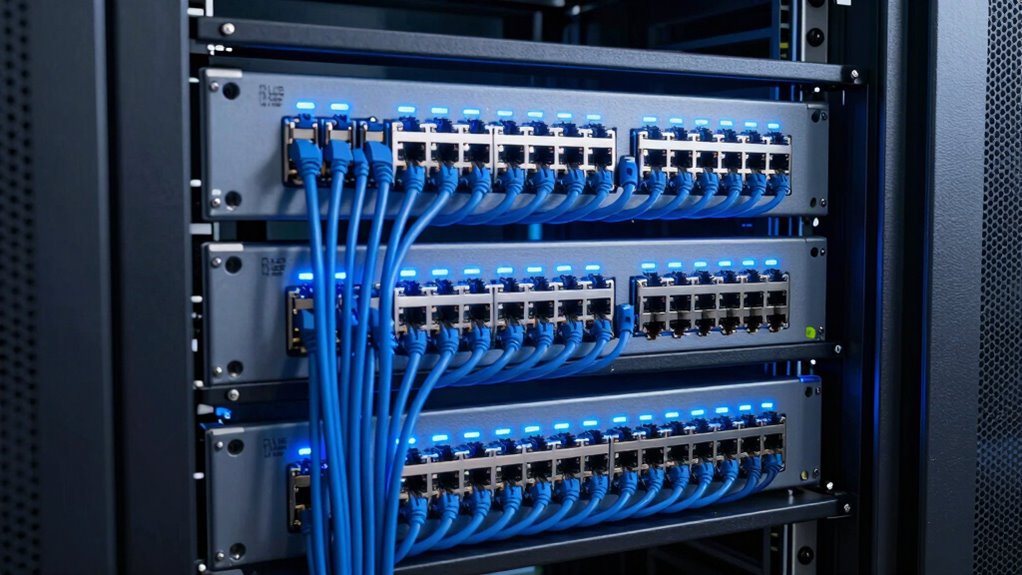
Are you prepared to expand your switch ecosystem effectively? Growing your network with 24-port or 48-port switches requires careful planning to avoid common pitfalls like network congestion and power management issues. As your organization expands, more devices connect to your network, which can slow everything down if you don’t anticipate traffic patterns and capacity needs. To stay ahead, you need a clear growth strategy that considers both the current demands and future scalability.
One of the key considerations is preventing network congestion. When too many devices share a switch, traffic bottlenecks can occur, resulting in sluggish data transfer speeds and decreased productivity. To mitigate this, you should analyze your network’s bandwidth requirements now and project future growth. High-traffic areas, such as conference rooms or data centers, might need more robust switches or even multiple switches linked together with link aggregation to distribute traffic evenly. This way, you can ensure your network remains fast and responsive as you add more devices.
Power management is another critical factor that often gets overlooked. Larger switches, especially 48-port models, draw more power, and with increased port density, managing power consumption becomes essential. You want to select switches with efficient power supplies and energy-saving features, like port-based power management, which reduces power to idle or unused ports. It’s also wise to implement a power-over-Ethernet (PoE) strategy that scales with your needs, ensuring you don’t overload circuits or waste energy. Proper power management not only prevents hardware failures but also reduces operational costs over time. Additionally, understanding network hardware specifications can help you choose solutions that optimize power efficiency and support future upgrades, especially as standards like 10GbE evolve.
When planning for switch growth, consider modular options that allow you to add ports or upgrade capabilities without replacing entire units. This flexibility helps you adapt to evolving network demands while keeping costs in check. Including scalable network solutions in your planning can provide additional peace of mind about future upgrades and capacity. Deploying switches with manageable configurations and centralized management tools can streamline maintenance as your network grows. This approach minimizes downtime, simplifies troubleshooting, and ensures consistent policies across all devices. Proper management tools can also enhance your ability to monitor network performance, which is vital for maintaining a reliable infrastructure. Moreover, staying informed about emerging network standards will help you future-proof your infrastructure and accommodate upcoming technological advancements. Recognizing the importance of power consumption standards and regulations can further guide your purchasing decisions and ensure compliance.
Finally, don’t forget to incorporate future-proofing into your network design. As technology advances, new standards like 10GbE or higher may become necessary, so choosing switches that support these upgrades can extend your investment’s lifespan. By focusing on balanced growth—prioritizing bandwidth, power efficiency, and scalability—you set your network up for success. With thoughtful planning around 24-port and 48-port switches, you’ll avoid congestion and power issues, ensuring your expanding network remains reliable, efficient, and ready for whatever comes next.
As an affiliate, we earn on qualifying purchases.
Frequently Asked Questions
How Do I Future-Proof My Switch Deployment?
To future-proof your switch deployment, you should focus on selecting devices with good compatibility and scalability. Opt for switches that support device compatibility with current and emerging standards, ensuring they can handle new hardware. Additionally, prioritize switches with advanced power management features, which optimize energy use and allow for easier expansion without overloading power supplies. This approach helps your network stay flexible and efficient as your needs grow.
What Are the Cost Implications of Expanding Switch Ports?
A stitch in time saves nine, especially when considering switch port expansion. Expanding switch ports involves costs related to additional hardware, licensing, and potential downtime. Scalability challenges may also arise if your current infrastructure isn’t compatible with new hardware, increasing expenses. To minimize costs, plan for future growth by choosing scalable switches and ensuring hardware compatibility, which helps avoid costly upgrades and disruptions down the line.
How Can I Optimize Network Performance During Growth?
To optimize network performance during growth, focus on bandwidth optimization and traffic prioritization. You can implement Quality of Service (QoS) settings to prioritize critical applications, guaranteeing essential traffic gets the necessary bandwidth. Regularly monitor network traffic to identify bottlenecks, and upgrade switches as needed to handle increased loads. This proactive approach helps maintain smooth operations, minimizes latency, and ensures your network scales efficiently without sacrificing performance.
What Security Considerations Arise With Switch Expansion?
When expanding switches, security risks skyrocket—think of your network as a fortress under siege! You must prioritize VLAN segmentation to isolate sensitive data and prevent breaches, and implement strict access control to keep unauthorized users out. Overlooking these measures could turn your expanding network into an open book for cyber threats. Stay vigilant, segment wisely, and enforce access policies to maintain a secure, resilient infrastructure amid growth.
How Do I Manage Cable Organization With Increased Ports?
To manage cable organization with increased ports, focus on effective cable routing and label management. Use color-coded cables or labels for different devices or departments, making troubleshooting easier. Keep cables neatly bundled and secured with cable ties or Velcro strips, avoiding tangles and stress on connectors. Implement cable trays or management panels to maintain a clean setup, ensuring airflow and easy access for future expansion or maintenance.
As an affiliate, we earn on qualifying purchases.
Conclusion
Planning for switch growth is like charting a course through a busy river—every turn and obstacle matters. By understanding your current needs and future expansion, you guarantee your network remains smooth and reliable. Whether upgrading from 24- to 48-port switches or scaling further, proactive planning prevents bottlenecks and keeps your operations flowing seamlessly. Stay ahead of growth, and your network will navigate change like a skilled captain steering through calm waters.
As an affiliate, we earn on qualifying purchases.
network switch management software
As an affiliate, we earn on qualifying purchases.
As an affiliate, we earn on qualifying purchases.
Fall Picks
fall essentials
As an affiliate, we earn on qualifying purchases.