

To secure your VPS after deployment, start by choosing a reliable hosting provider with strong security standards and geographically distributed data centers. Next, implement multi-factor authentication and use SSH keys to restrict access. Configure firewalls, limit user privileges, and regularly update your system and software to patch vulnerabilities. Install malware scans and prepare an incident response plan to detect and handle threats quickly. Following these essential steps will help protect your server from emerging cyber risks.
Key Takeaways
- Change default SSH ports, disable root login, and restrict access to trusted IPs for enhanced server security.
- Set up SSH key authentication with multi-factor authentication (MFA) for all administrative accounts.
- Regularly update system software, patches, and security tools to fix vulnerabilities and improve stability.
- Configure firewalls to allow only necessary traffic, monitor logs, and implement intrusion detection measures.
- Develop and rehearse incident response plans, ensuring quick action and communication during security events.
Choosing a Secure Hosting Provider

Choosing a secure hosting provider is essential for protecting your VPS and ensuring reliable performance. Look for providers with data centers close to your target users to reduce latency and speed up connections. Prioritize those operating Tier 3 or Tier 4 data centers, which offer high redundancy and reliable power backups. Confirm they use enterprise-grade hardware and RAID-10 storage to boost data resilience. Check if they have geographically distributed data centers for disaster recovery and load balancing. Ensure they meet security standards like ISO 27001 or SOC 2. Additionally, select providers offering integrated DDoS protection, automatic backups, and free SSL certificates to secure data in transit. Reliable providers also implement strict firewall policies and isolated environments to minimize attack surfaces. Affiliate disclosures and privacy policies are crucial for transparent operations and building user trust. Incorporating comprehensive security measures is vital for maintaining your VPS’s integrity in today’s threat landscape, including regular security audits to identify and address vulnerabilities before they can be exploited. Implementing monitoring tools can further enhance security by providing real-time alerts and activity logs.
Implementing Strong Authentication Measures

To protect your VPS effectively, you should implement strong authentication measures like SSH key authentication and multi-factor authentication. These methods substantially reduce the risk of unauthorized access by adding extra layers of security. By adopting these techniques, you guarantee that only trusted users can access your server and sensitive data. Additionally, understanding security best practices can help optimize your server’s performance and security configurations. Regularly updating your authentication protocols and monitoring access logs can further enhance your security posture and prevent potential breaches.
Enforce Multi-Factor Authentication
Enforcing multi-factor authentication (MFA) on your VPS adds a vital layer of security by requiring users to verify their identities through a second factor beyond just a password. First, guarantee SSH or RDP access with administrative privileges is enabled. Choose MFA tools like Google Authenticator, Authy, or Azure MFA, and install the app on a trusted mobile device. For cloud environments like Azure, enable Azure AD/Microsoft Entra ID and MFA services. Configure MFA by editing `/etc/ssh/sshd_config` and setting up PAM with Google Authenticator. After restarting SSH, test the login process, which prompts for a TOTP code. Remember, always enable MFA for admin accounts and keep backup methods handy. Incorporating cybersecurity best practices is crucial to maintaining a secure environment. It is also important to regularly update your software to patch vulnerabilities that could be exploited by attackers. Additionally, understanding the retirement planning strategies applicable in your state can help ensure your financial security in the long term.
Use SSH Key Authentication
Have you considered how SSH key authentication can substantially strengthen your VPS security? By generating SSH keys with tools like `ssh-keygen` or PuTTYgen, you create a secure pair of private and public keys. The private key must be stored securely and protected with a strong password, while the public key is copied to your server using `ssh-copy-id`. Once configured, the server’s `sshd_config` file should enable `PubkeyAuthentication` and disable password authentication for maximum security. Test the setup before making password login unavailable. Managing keys effectively involves regular rotation, revocation, and proper storage. Implementing strong authentication measures can significantly reduce the risk of unauthorized access. Incorporating home theatre projectors can enhance your media setup for a better entertainment experience. Additionally, understanding secure key management practices ensures long-term protection of your credentials. Combining SSH key authentication with firewalls, monitoring, and role-based access controls further fortifies your VPS, making unauthorized access considerably more difficult.
Configuring Network Security Properly
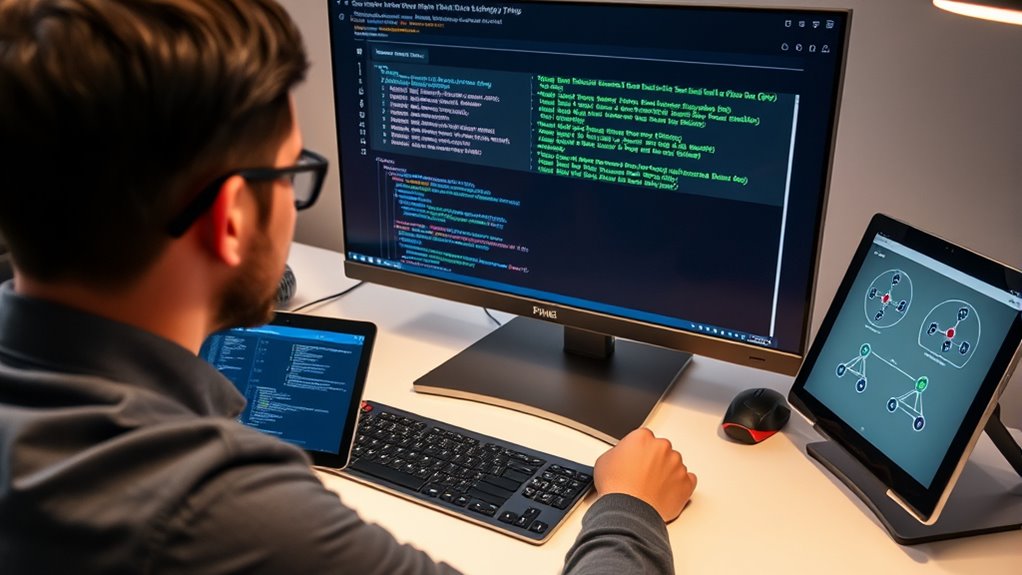
Effective network security begins with proper configuration of your VPS’s firewall settings, port management, and access controls. Set up firewall rules to permit only necessary traffic, and regularly review these rules to stay current. Use tools like iptables or ufw for robust control, and leverage security groups if you’re on a cloud platform. Close any unused ports to reduce attack surfaces, and restrict access to sensitive ports such as databases. Change default SSH ports and limit SSH access to trusted IP addresses. Implement port knocking or VPNs for added protection. Monitor firewall logs for suspicious activity, and ensure your network access controls prevent unauthorized traffic. Regularly updating your firewall rules and configurations helps maintain a strong security posture against evolving threats. Additionally, understanding the roles involved in AI security, such as cybersecurity professionals, can help you implement comprehensive protection strategies. Incorporating data-driven strategies can also assist in identifying potential vulnerabilities before they are exploited, and integrating protective styling techniques can add an extra layer of security by obscuring your network’s structure. Moreover, staying informed about recent security zone info can guide you in adapting your defenses to current threats.
Managing User Access and Privileges

Properly managing user access and privileges is essential for maintaining your VPS’s security. You should create non-root users for daily tasks, limiting root access to critical admin work. Use group management to organize users by roles and assign permissions collectively, making control and audits easier. Add users to relevant groups with commands like `usermod -a -G group1,group2 username` to enforce the principle of least privilege. Regularly audit all user accounts to spot unauthorized or malicious users. Assign root privileges sparingly, only when necessary, using commands like `sudo usermod -aG sudo username`. Additionally, integrating role-based access control strategies can further enhance security by limiting user capabilities based on their responsibilities. Implementing least privilege principle is vital to minimize potential security breaches by restricting user permissions to only what is necessary. Incorporating user activity monitoring can also help detect unusual or unauthorized actions promptly.
Keeping Software and System Updated

Keeping your software and system up to date is a critical step in safeguarding your VPS against security threats. Regularly check for and install updates to patch vulnerabilities and improve stability. Implement a scheduled maintenance plan to apply updates during off-peak hours, minimizing disruptions. Always test updates in a controlled environment before deploying them live, and back up your system beforehand to prevent data loss. Staying current with updates reduces the risk of exploits and enhances performance. Use the following table to guide your update practices:
| Action | Purpose |
|---|---|
| Regularly check for updates | Patch vulnerabilities and improve stability |
| Test updates before deployment | Identify issues early |
| Schedule during off-peak hours | Minimize operational impact |
Additionally, understanding the importance of patching vulnerabilities can help prioritize timely updates.
Protecting Against Malware and Intrusions

To protect your VPS from malware and intrusions, you should install anti-malware tools like ClamAV and run regular security scans to catch threats early. Managing file permissions carefully helps prevent unauthorized access and limits the spread of malware. Combining these steps with strict security practices creates a layered defense that keeps your server safe. Additionally, configuring security awareness settings can improve your overall security awareness and alertness while managing your server. Regularly updating your system and security patches further reduces vulnerabilities that could be exploited by attackers. Incorporating self-monitoring techniques can also help you detect unusual activity promptly and respond effectively.
Install Anti-Malware Tools
Installing anti-malware tools on your VPS is a crucial step to protect your server from malicious threats and intrusions. With the right tools, you can detect, remove, and prevent malware that could compromise your system’s security. Popular options like Malwarebytes excel at catching threats others miss, while ClamAV provides robust open-source protection for Linux servers. ImunifyAV simplifies malware scanning across multiple cPanel accounts, and Hostinger’s Monarx offers automatic detection and cleanup with a paid plan. Additional options like Sophos and Comodo bolster your defenses against emerging threats. Choosing the right anti-malware software helps safeguard your data, maintain server integrity, and ensure peace of mind in a hostile online environment.
- Shield your data from theft and corruption
- Stop malware before it causes damage
- Keep your server running smoothly
- Detect hidden threats lurking in files
- Gain confidence in your security setup
Regular Security Scans
Regular security scans play an essential role in identifying vulnerabilities, misconfigurations, and hidden malware that automated defenses might overlook. These scans help you detect weaknesses before attackers can exploit them, reducing your risk exposure. By scheduling regular assessments, you stay ahead of evolving threats and comply with standards like PCI DSS and HIPAA. Use tools like OpenVAS, Nessus, or rkhunter to automate discovery and monitor for stealth malware. Network scanners like Nmap reveal unnecessary open ports. Combining automated scans with manual testing enhances coverage. Remember to update your tools regularly to catch new threats. Incorporating vulnerability management practices ensures continuous protection against emerging risks.
Manage File Permissions
Managing file permissions is a critical step in safeguarding your VPS against malware and intrusions. Proper permissions prevent unauthorized users from accessing or modifying sensitive files, reducing security risks. Start by reviewing default permissions and adjusting ownership, especially for directories like public_html. Create user groups for similar access needs, then assign group permissions to control access more securely. Limit sudo privileges to trusted users only, and carefully manage who can run commands as root. Remember, restricting user access to only necessary files minimizes attack surfaces.
- Ensure only trusted users have access to critical files
- Regularly review and update permissions to close vulnerabilities
- Avoid overly permissive settings that invite intrusions
- Use groups to organize and control user access
- Limit sudo rights to prevent accidental or malicious damage
Preparing an Incident Response Strategy

Creating an effective incident response strategy is essential for minimizing damage and restoring operations swiftly after a security incident. You should establish clear roles for your response team, including security, legal, and communication staff. Develop detailed playbooks for different attack types, like ransomware or insider threats, and regularly review and update these plans to keep pace with evolving risks. Include communication protocols to guide internal and external messaging during incidents. Involve legal and compliance teams early to address regulatory concerns. Implement advanced threat detection tools, monitor network traffic, and analyze logs to identify threats quickly. Automate detection processes and train your team for rapid response. With a solid plan, you’ll reduce downtime, contain threats fast, and strengthen your VPS security posture.
Frequently Asked Questions
How Often Should I Review User Access Permissions?
You should review user access permissions regularly, ideally at least quarterly, to make certain they match current roles and responsibilities. Additionally, conduct reviews whenever there are significant changes in your team or system updates. Regular monitoring helps you catch unauthorized access or privilege escalations early. Combining scheduled reviews with continuous log monitoring keeps your system secure and ensures permissions remain appropriate, reducing security risks effectively.
What Are the Best Tools for Monitoring Server Logs?
Think of server log monitoring tools as your vigilant lighthouse, guiding you through turbulent waters. Sematext Logs and Sumo Logic stand out with real-time views, advanced filtering, and anomaly detection, making them ideal for exhaustive oversight. For open-source options, Zabbix and Prometheus with Grafana offer scalability and customization. Native Linux tools like Journalctl and ELK Stack provide deep control, while solutions like Nagios combine log analysis with security insights.
How Can I Verify My VPS Is Free From Malware?
To verify your VPS is malware-free, start by running a reputable antivirus scan like ClamAV. Check system and network logs for unusual activity, and perform file integrity checks to identify unexpected modifications. Use network traffic analysis tools to spot suspicious connections. Regularly update your software, monitor system behavior, and perform vulnerability scans. Combining these steps helps you detect and eliminate malware, keeping your VPS secure.
What Steps Are Involved in Creating an Incident Response Plan?
Creating an incident response plan is like building a safety net before the fall. First, you establish an incident response team with clear roles. Then, develop an adaptable plan with communication protocols and threat-specific playbooks. Conduct training and simulations to sharpen skills. Identify critical assets and guarantee legal compliance. Regularly update and review your plan to stay prepared, turning chaos into coordinated action when incidents occur.
How Do I Ensure My Firewall Rules Are Optimal?
You guarantee your firewall rules are ideal by first closing all unnecessary ports and only opening essential ones like 22, 80, and 443. Regularly audit your open ports with netstat, and restrict SSH access to trusted IPs, ideally changing the default port. Use user-friendly tools like UFW, document your rules, and test changes to confirm they work as intended. Keep rules updated to adapt to new threats and infrastructure changes.
Conclusion
Think of your VPS as a fortress—you’re the guardian. By choosing a secure provider, implementing strong authentication, and keeping everything up to date, you build walls that keep intruders out. Managing access and preparing for incidents are your watchtowers, ready to alert you at the first sign of trouble. With these steps, you create a resilient shield, turning your VPS from a vulnerable target into a fortress that stands tall against threats.