

Ignoring proper log rotation and management quietly damages your disk performance over time. Large, unmanaged logs fill up storage, slow read/write speeds, and increase the risk of crashes. Without regular archiving or deletion, logs pile up, consuming valuable space and causing sluggishness. These small, overlooked habits silently strain your system, making it less responsive. If you want to keep your server healthy, understanding and fixing your log practices is essential; keep exploring to learn more.
Key Takeaways
- Excessive or unrotated log files can consume disk space rapidly, slowing down system performance.
- Failing to implement log rotation leads to large, unmanageable logs that strain disk I/O.
- Manual log management increases the risk of overlooked logs, causing disk clutter and performance degradation.
- Not compressing or archiving logs after rotation allows unnecessary disk usage to accumulate over time.
- Ignoring automated log maintenance processes results in disk space exhaustion and decreased server responsiveness.
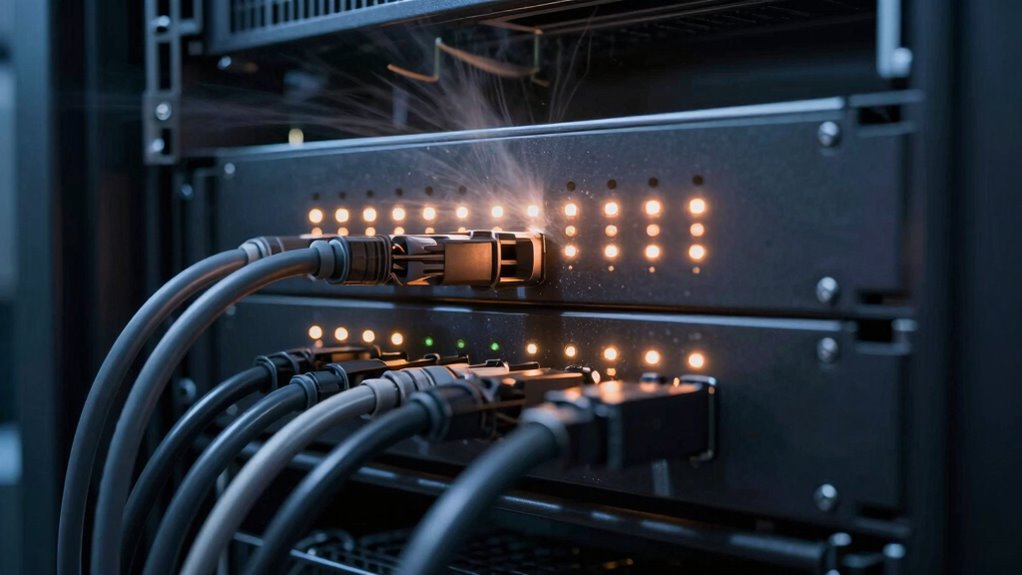
Logging server activities might seem like a mundane task, but it’s an essential habit that can save you time and trouble down the line. When you keep detailed logs, you create a record that can help troubleshoot issues, analyze patterns, and improve system performance. However, if you’re not careful, your logging practices can quietly burn disk performance and clutter your storage. That’s where strategies like log rotation and log file compression come into play.
Keeping detailed logs helps troubleshoot and improve performance but requires careful management to prevent storage and speed issues.
Log rotation is crucial because, over time, log files grow large, consuming significant disk space and slowing down your system. By setting up log rotation, you ensure that old logs are archived or deleted automatically once they reach a certain size or age. This prevents your storage from filling up unexpectedly and keeps your server running smoothly. Regular log rotation also makes it easier to locate recent logs, saving you time during troubleshooting. Additionally, proper log management helps maintain your server’s overall health by preventing unnecessary disk strain. Moreover, choosing the right logging level ensures you’re capturing valuable information without generating excessive data. Implementing automated processes for log maintenance can further enhance efficiency and reduce manual oversight.
Another important aspect is understanding regional flavors and how they influence coffee and tea pairings can inspire unique ways to enhance your beverage experience. Properly configured logs not only improve troubleshooting but also contribute to system security, by keeping an audit trail that can be crucial during security investigations.
If you neglect these practices, your server can become bogged down. Excessive, unmanaged logs fill up your disk, leading to slower read/write speeds and potential system crashes. This hidden drain can be hard to notice until it causes noticeable issues, like sluggish performance or system errors. By establishing a routine that includes log rotation and compression, you keep your logs organized and your disk health in check.
It’s tempting to ignore log maintenance, especially when everything seems fine, but that’s a mistake. Automated log rotation and compression keep your logging system lean and efficient. They prevent your server from spending extra time handling bloated files, which can indirectly impact performance. Plus, organized logs make your troubleshooting faster because you can focus on recent data without wading through mountains of outdated logs.
In essence, your logging habits influence your server’s overall health. Regularly rotating logs and compressing old files might seem minor, but these small steps protect your system’s performance in the long run. They ensure your server remains responsive, storage remains available, and your logs stay manageable. It’s a quiet, unobtrusive way to keep your server running efficiently—one that pays off in reliability and ease of maintenance.
As an affiliate, we earn on qualifying purchases.
Frequently Asked Questions
How Can I Identify Excessive Server Logging?
You can identify excessive server logging by monitoring your disk space and log file sizes regularly. Look for unusually large logs or rapid growth over short periods. Implement log rotation to manage log files efficiently and schedule regular disk cleanup to remove outdated logs. These practices help prevent logs from consuming too much disk space and degrading server performance, ensuring your server runs smoothly without unnecessary storage strain.
What Are the Best Tools to Monitor Disk Performance?
You might think monitoring disk performance is complex, but tools like iostat, Nagios, or Prometheus simplify it. Ironically, they help you spot issues caused by excessive logs—like unchecked growth, requiring log rotation and disk cleanup. These tools track disk I/O, space, and health, letting you catch bottlenecks early. Regular monitoring guarantees your server runs smoothly, preventing logs from silently sabotaging your disk performance.
Does Logging Frequency Impact Server Uptime?
Logging frequency can impact server uptime because excessive logs fill disk space faster, leading to performance issues. You should implement log rotation to manage log sizes and schedule regular disk cleanup to free up space. By doing so, you prevent disk exhaustion, reducing the risk of server crashes or slowdowns. Adjusting logging intervals and maintaining proper log management guarantees your server stays reliable and maintains high uptime.
How to Optimize Logs for Better Disk Health?
To enhance logs for better disk health, implement regular log rotation to prevent log files from growing too large and consuming excessive space. Additionally, use storage compression to reduce disk usage without losing critical information. These strategies help maintain ideal disk performance, improve server uptime, and prolong your storage device’s lifespan, ensuring your logs stay manageable and your server runs smoothly.
Are There Alternatives to Traditional Server Logging Methods?
You can try alternatives like log rotation and log compression to ease server logging. These methods help manage log files efficiently, preventing them from ballooning and consuming excessive disk space. Instead of traditional continuous logging, rotate logs regularly and compress older files to keep disk performance in check. This way, you’re not fighting a losing battle with disk clutter, and your server runs smoother and longer.
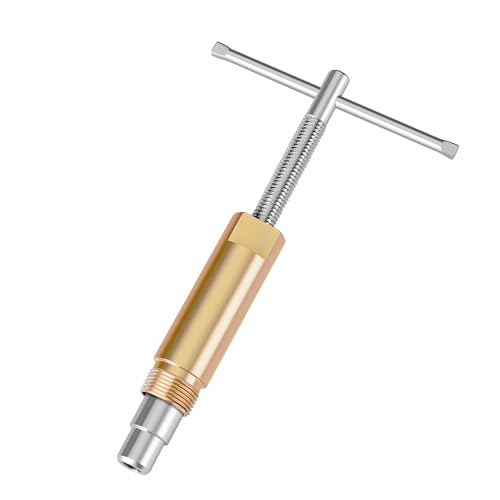
DURATECH Compression Sleeve Puller Tool, for 1/2” Compression Fittings
- Durable Material: Made from high-quality A3 steel with zinc coating
- Corrosion Resistant: Resists corrosion for long-lasting use
- Damage-Free Removal: Removes fittings without damaging pipes or walls
As an affiliate, we earn on qualifying purchases.
As an affiliate, we earn on qualifying purchases.
Conclusion
While disabling server logs might seem risky, it’s about finding a balance. You don’t have to sacrifice security or troubleshooting capabilities entirely; instead, fine-tune your logging settings to reduce unnecessary data. By doing so, you preserve disk performance without losing essential insights. Remember, good server management isn’t just about logging everything but about smart, intentional logging that supports your system’s health—without quietly draining your disk resources.
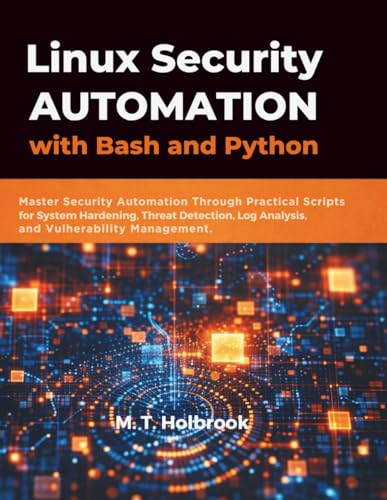
Linux Security Automation with Bash and Python: Master Security Automation Through Practical Scripts for System Hardening, Threat Detection, Log Analysis, and Vulnerability Management
As an affiliate, we earn on qualifying purchases.
As an affiliate, we earn on qualifying purchases.
disk space monitoring for servers
As an affiliate, we earn on qualifying purchases.
As an affiliate, we earn on qualifying purchases.