
In hosting builds, ECC RAM matters more than raw capacity because it actively detects and corrects errors, ensuring your data stays accurate and your system remains stable. This prevents data corruption, crashes, and subtle errors that can cause long-term problems. While more memory might seem appealing, reliability is essential for maintaining uptime and protecting sensitive information. Keep exploring to discover how ECC RAM can safeguard your system’s performance and future-proof your setup.
Key Takeaways
- ECC RAM detects and corrects errors, ensuring data integrity critical for hosting and mission-critical applications.
- Reliability and system stability are prioritized with ECC, reducing crashes and data corruption risks.
- ECC modules support future upgrades and scalability without compromising data accuracy.
- The slight cost increase for ECC RAM is offset by long-term reliability and reduced troubleshooting.
- ECC RAM enhances uptime and security, making it more valuable than raw capacity alone in hosting environments.
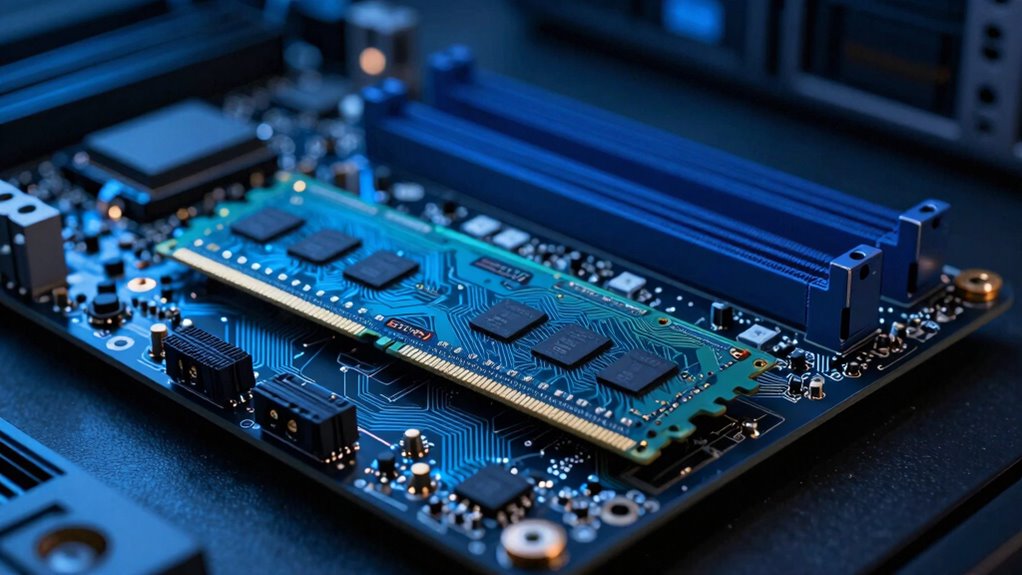
When it comes to choosing RAM for your system, size often takes center stage, but there’s a vital factor that’s frequently overlooked: error correction. ECC RAM, or Error-Correcting Code RAM, isn’t just about having more memory; it’s about ensuring your data stays accurate and your system remains reliable. While many focus on raw capacity, neglecting ECC can lead to costly errors, especially in critical hosting environments. ECC RAM detects and corrects single-bit errors on the fly, preventing data corruption that might go unnoticed with standard RAM. This capability is essential for maintaining uptime, protecting sensitive information, and avoiding troubleshooting headaches caused by silent data errors.
ECC RAM ensures data accuracy and system reliability, preventing costly errors in critical hosting environments.
One of the key advantages of ECC RAM lies in its impact on system stability. When your hosting build relies on large datasets or runs mission-critical applications, even minor data inaccuracies can lead to crashes, inconsistent results, or security vulnerabilities. ECC helps mitigate these risks, giving you peace of mind that your system is resilient against the subtle errors that can accumulate over time. Although ECC modules may cost a little more initially, they pay for themselves through increased reliability, especially when uptime and data integrity are non-negotiable. Additionally, the compatibility of ECC modules with many server-grade motherboards allows for seamless integration and future-proofing of your system. Incorporating error detection features further enhances your system’s robustness against data corruption. And, choosing memory modules designed specifically for error correction can further optimize performance.
Furthermore, as technology advances, ECC modules are continually becoming more energy-efficient, reducing the impact on power consumption. This makes them a practical choice even for systems where energy costs are a concern, reinforcing their value in reliable hosting setups.
Upgrade flexibility is also a significant benefit. ECC RAM modules are compatible with many server-grade motherboards that support error correction, giving you the option to scale your memory in a reliable way. When you need to expand your hosting environment, ECC modules allow you to do so confidently, knowing your system can handle increased loads without compromising data integrity. This flexibility extends the lifespan of your hardware investments and simplifies future upgrades, reducing the need for frequent replacements or troubleshooting.
In the end, while capacity remains important, ECC RAM’s error correction capabilities, impact on power consumption, and upgrade flexibility make it a smarter choice for many hosting builds. It’s an investment in stability, security, and peace of mind that often outweighs the allure of sheer size, especially in environments where data accuracy and system reliability are paramount.
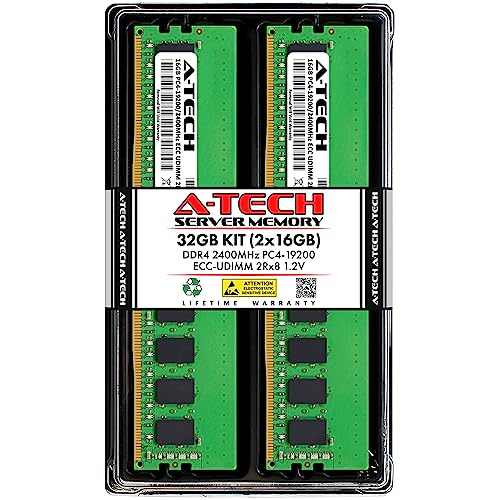
A-Tech Server 32GB Kit (2x16GB) DDR4 2400MHz PC4-19200 ECC UDIMM 2Rx8 Dual Rank 1.2V ECC Unbuffered DIMM 288-Pin Server & Workstation RAM Memory Upgrade Modules (A-Tech Enterprise Series)
- Compatibility: For select DDR4 server/workstation systems
- Capacity: 32GB kit (2x16GB modules)
- Type: ECC unbuffered UDIMM
As an affiliate, we earn on qualifying purchases.
As an affiliate, we earn on qualifying purchases.
Frequently Asked Questions
Can ECC RAM Be Used With Consumer-Grade Motherboards?
You generally can’t use ECC RAM with consumer-grade motherboards because they lack the necessary support for error correction features. Without ECC support, your server stability and data integrity suffer, increasing the risk of data corruption. If you want to benefit from ECC RAM’s advantages, you need a server-grade motherboard designed for it. This guarantees your system maintains higher stability and preserves data integrity during intensive tasks.
What Are the Cost Differences Between ECC and Non-Ecc RAM?
You’ll find that ECC RAM typically costs 10-20% more than non-ECC memory. A recent survey shows that ECC modules can add around $30 to $50 per stick, depending on capacity and brand. When considering memory compatibility, ECC RAM is often limited to specific server or workstation motherboards, which are usually priced higher. So, the cost difference reflects both the added reliability and the specialized hardware needed for ECC memory.
How Does ECC RAM Impact Overall System Performance?
ECC RAM enhances overall system performance by improving memory reliability and system stability. It detects and corrects memory errors in real-time, preventing crashes and data corruption. While it may introduce a slight latency, the benefits outweigh it, especially in hosting environments where uptime is vital. By ensuring consistent memory performance, ECC RAM helps you maintain a stable, reliable system, reducing downtime and safeguarding your data integrity.
Is ECC RAM Necessary for Small-Scale Hosting Setups?
Think of ECC RAM as the vigilant guardian standing watch over your server. For small-scale hosting setups, it’s not just a luxury but a necessity, ensuring server stability and safeguarding data integrity. Without it, tiny errors can cascade into big problems, causing crashes or data corruption. By choosing ECC RAM, you build a resilient foundation, making your hosting environment more reliable and secure, even on a smaller scale.
Are There Compatibility Issues With Specific CPU Architectures and ECC RAM?
You might encounter compatibility issues between ECC RAM and certain CPU architectures, especially with consumer-grade processors. To guarantee peak memory performance and adherence to compatibility standards, check your CPU’s specifications and motherboard manual. Some architectures support ECC RAM fully, while others don’t. Always verify compatibility before upgrading to ECC memory, as mismatched hardware can lead to system instability or failure to recognize the RAM properly.

TEAMGROUP T-Create Master Overclocking DDR5 R-DIMM 64GB Kit (4 x 16GB) 6000MHz (PC5-48000) CL32 Hynix A-DIE Workstation Memory Module Ram Black – CTCMD564G6000HC32AQC01
- Memory Capacity: 64GB (4 x 16GB) DDR5 Kit
- Speed: 6000MHz (PC5-48000)
- CAS Latency: CL32
As an affiliate, we earn on qualifying purchases.
As an affiliate, we earn on qualifying purchases.
Conclusion
Ultimately, prioritizing precision with ECC RAM over sheer size secures your server’s stability and safety. Think of it as a vigilant guardian guarding against glitches, a steadfast shield shielding your system from silent, sneaky errors. When you choose quality over quantity, you’re building a robust, reliable backbone for your hosting. So, don’t just stack the stacks—safeguard your server’s success with smart, vigilant memory that keeps everything running smoothly and securely.

OWC 32GB Memory RAM Kit Compatible with Synology DiskStation DS723+ DS923+
- Memory Capacity: 32GB (2x16GB modules)
- Memory Type: DDR4 2666MHz ECC SO-DIMM
- Compatibility: Synology DiskStation and more
As an affiliate, we earn on qualifying purchases.
As an affiliate, we earn on qualifying purchases.
A-Tech Server 32GB Kit (2x16GB) DDR4 2400MHz PC4-19200 ECC UDIMM 2Rx8 Dual Rank 1.2V ECC Unbuffered DIMM 288-Pin Server & Workstation RAM Memory Upgrade Modules (A-Tech Enterprise Series)
- Compatibility: For select DDR4 server/workstation systems
- Capacity: 32GB kit (2x16GB modules)
- Type: ECC unbuffered UDIMM
As an affiliate, we earn on qualifying purchases.
As an affiliate, we earn on qualifying purchases.