
To secure remote work on your VPS, start by choosing strong VPN solutions like OpenVPN or WireGuard to guarantee encrypted connections. Implement strict access controls with role-based permissions and multi-factor authentication to prevent unauthorized access. Keep firewalls updated and close unnecessary ports, while monitoring network traffic for suspicious activity. Fortify endpoint security with regular updates and endpoint detection tools. Continue exploring how to strengthen your setup and stay protected from evolving threats.
Key Takeaways
- Implement secure VPN protocols like OpenVPN or WireGuard with strong encryption for reliable remote access.
- Enforce multi-factor authentication and role-based permissions to control user access and prevent unauthorized entry.
- Configure firewalls to close unnecessary ports, restrict access via IP whitelisting, and apply tailored traffic filtering rules.
- Manage ports strategically by changing default ports and applying rate limiting to reduce attack surface.
- Use endpoint security tools, regular system updates, and continuous monitoring to detect and prevent threats effectively.

GL.iNet MT2500A(Brume 2) Professional Mini VPN Security Gateway, Home Office Remote Work Site-to-Site, WireGuard OpenVPN Server Client 24/7 Connection, 2.5G WAN USB3.0 OpenWrt NO Wi-Fi Ethernet Only
【Compatible with 30+ VPN service providers】Pre-installed with OpenVPN and WireGuard. OpenVPN speeds up to 150 Mbps; WireGuard speeds…
As an affiliate, we earn on qualifying purchases.
As an affiliate, we earn on qualifying purchases.
Establishing Secure VPN Connections for Remote Access
To establish secure VPN connections for remote access, selecting the right protocol is essential. OpenVPN is a popular choice because it’s compatible with most operating systems, including Android, iOS, Linux, macOS, and Windows. It offers strong security through customizable encryption options like AES-256. WireGuard is a modern, fast protocol with a simple setup, supporting many OS platforms and providing high performance. SSTP is tailored for Windows, easily traversing firewalls via TCP port 443, but isn’t compatible with other systems. L2TP, usually combined with IPSec, supports Windows, macOS, and Linux, but can face issues with firewalls and slower speeds due to encapsulation overhead. PPTP, although fast and widely supported, is outdated and insecure, making it unsuitable for secure remote access. Additionally, understanding the security features of each protocol helps ensure data integrity and confidentiality during remote sessions. Considering the compatibility and performance aspects of these protocols can help optimize your VPN setup. Choosing the right encryption standards further enhances the security of your VPN connections and protects sensitive information from potential threats. Incorporating headphone compatibility considerations can improve remote audio communication during sessions, ensuring clear audio quality.

Mullvad VPN | 12 Months for 5 Devices | Protect Your Privacy with Easy-To-Use Security VPN Service
Mullvad VPN: If you are looking to improve your privacy on the internet with a VPN, this 12-month…
As an affiliate, we earn on qualifying purchases.
As an affiliate, we earn on qualifying purchases.
Implementing Robust Authentication and Role-Based Permissions
To secure your VPS effectively, you need to enforce multi-factor authentication, adding an extra layer of protection beyond passwords. Defining precise access roles guarantees users only get permissions necessary for their tasks, minimizing security risks. Implementing these measures together helps you maintain control and safeguard your remote environment. Access controls are vital in ensuring that only authorized individuals can perform specific actions, reducing potential vulnerabilities. Regularly reviewing your privacy and cookies settings ensures compliance with user consent preferences and enhances overall security. Additionally, understanding the horsepower of electric dirt bikes can inform your approach to managing high-performance remote systems, ensuring your security measures are robust enough to handle demanding workloads. Applying philosophical insights on ethics and responsibility can further reinforce a security-conscious mindset across your team.
Enforce Multi-Factor Authentication
Implementing multi-factor authentication (MFA) is vital for securing remote access on your VPS, especially as cyber threats continue to grow in sophistication. MFA can prevent up to 90% of cyber-attacks and is critical when users access resources outside your network. Over 83% of organizations already require MFA for some IT assets, highlighting its importance. To enhance security, consider these key points:
- Use biometric options, as over two-thirds of organizations require them.
- Integrate MFA with VPNs to strengthen remote access.
- Offer flexible enrollment to reduce user fatigue and resistance.
- Combine MFA with role-based permissions for layered security.
- Incorporate insights from Personality Traits research to understand user behavior and improve authentication compliance.
- Regularly review and adjust cost variances related to security investments to ensure effective allocation of resources.
- Understand the types of authentication methods to select the most effective solutions for your environment.
Define Precise Access Roles
Defining precise access roles is essential for maintaining a secure and manageable VPS environment. You need roles that reflect specific job functions to streamline permission management and boost security. Avoid overly broad roles that risk over-permissioning users, or overly narrow ones that add unnecessary complexity. Collaborate with department managers and analyze system logs to create practical, data-driven roles. Establish role hierarchies to inherit permissions from senior to junior roles, aligning with organizational structure. Document each role’s permissions for transparency, audits, and training. Assign roles based on the principle of least privilege, limiting users to only what they need. Regularly audit role assignments to prevent privilege creep. Proper role management reduces security risks and simplifies access control across your VPS environment. Incorporating well-being tips such as routine reviews and clear documentation can further enhance security practices. Additionally, understanding and implementing role-based permissions can ensure that each user has appropriate access levels, minimizing potential vulnerabilities. Furthermore, incorporating space and organization principles can help in maintaining an orderly and efficient access management system, reducing confusion and errors. Conducting periodic security assessments can identify areas where permissions may need adjustment to stay aligned with evolving organizational needs.

Symantec VIP Hardware Authenticator – OTP One Time Password Display Token – Two Factor Authentication – Time Based TOTP – Key Chain Size
Standard OATH compliant TOTP token (time based)
As an affiliate, we earn on qualifying purchases.
As an affiliate, we earn on qualifying purchases.
Configuring Firewalls and Network Security Measures

To safeguard your VPS, you need to implement effective port management strategies that close unnecessary openings and restrict access. Combining this with intrusion detection tools helps you spot and respond to suspicious activity quickly. Additionally, using secure network protocols ensures data remains protected during transmission, strengthening your overall security posture. Leveraging remote hackathons can also provide insights into emerging cybersecurity best practices from a global community of experts. Implementing firewall rules tailored to your specific needs further enhances your defense against potential threats. Understanding security zone info can inspire you to select the right companion that suits your lifestyle and security needs, especially when considering service animals or alert dogs.
Port Management Strategies
Effective port management is crucial for securing your VPS against unauthorized access and attacks. You should minimize exposure by closing all unnecessary ports, keeping only essential ones like 22, 80, and 443 open. To further reduce risk, implement these strategies:
- Block incoming traffic on non-public ports by default, opening only those necessary for your services.
- Change default service ports, such as SSH from 22 to a non-standard port, to deter automated attacks.
- Restrict access to critical ports through IP whitelisting or trusted IP ranges.
- Apply rate limiting on sensitive ports, like DNS (UDP 53), to prevent DoS or brute force attempts.
- Incorporate network security measures such as intrusion detection systems to monitor and respond to threats proactively. Regularly reviewing port configurations helps ensure your security measures stay effective against emerging threats. Additionally, maintaining proper access controls is essential for limiting the risk of insider threats and unauthorized modifications. Implementing vulnerability assessments can help identify potential weaknesses in your port management strategy.
Intrusion Detection Tools
Configuring firewalls and implementing network security measures are essential steps in safeguarding your VPS from unauthorized access and malicious activities. Firewalls help restrict unnecessary services, manage ports, and block unwanted traffic, reducing vulnerabilities. Use tools like UFW, CSF, or APF to set rules that discard or rate-limit suspicious traffic such as ICMP or UDP. Regular updates ensure your firewall adapts to changing needs. Network security measures include filtering traffic based on source, protocol, and destination, along with access controls to limit IP access and prevent DDoS attacks through rate limiting. Monitoring tools track activity and alert you to anomalies. Here’s a quick overview: Additionally, practicing stillness can improve your mental clarity and focus, which is beneficial when managing complex security configurations.
| Security Measure | Purpose | Tools/Methods |
|---|---|---|
| Port Management | Reduce attack surface | Firewalls, rule configs |
| Traffic Filtering | Block malicious traffic | Firewall rules |
| Access Controls | Restrict unauthorized access | IP whitelists, rules |
| Monitoring | Detect anomalies and threats | Monitoring tools |
Secure Network Protocols
Securing your VPS’s network protocols is essential for protecting your server from unauthorized access and malicious traffic. Proper firewall configuration minimizes vulnerabilities by controlling traffic flow and blocking unwanted connections. To do this effectively, consider these steps:
- Close unnecessary services to reduce your attack surface.
- Allow only essential ports like SSH, HTTP, and HTTPS, and block all others.
- Create specific rules for protocols like ICMP and UDP to prevent misuse.
- Use tools such as UFW, CSF, or Iptables to manage and automate rule enforcement. Utilizing network security measures like intrusion detection systems can further enhance your VPS’s defenses.
Additionally, implement packet filtering, rate limiting, and static IP configurations to strengthen defenses. Regularly review and update rules to adapt to evolving network threats. Employing best practices from the Best Airless Paint Sprayer guidelines can help ensure your VPS remains secure and resilient against attacks. Implementing cybersecurity best practices and staying informed about recent vulnerabilities is also crucial for ongoing protection.
firewall port scanner
As an affiliate, we earn on qualifying purchases.
As an affiliate, we earn on qualifying purchases.
Strengthening Endpoint Security for Remote Devices

As remote work becomes more prevalent, strengthening endpoint security is critical to protect sensitive data and maintain overall cybersecurity posture. The expanded attack surface from hybrid work models and diverse devices makes it essential to implement robust measures. Use continuous monitoring and Endpoint Detection and Response (EDR) tools to detect threats in real time. Multi-factor authentication adds an extra security layer to remote access. AI-driven analytics help identify suspicious activity early, while behavioral analysis pinpoints abnormal device behavior. Prioritize securing personal and IoT devices, which increase vulnerability risks, and ensure VPN configurations are correct to prevent leaks. Addressing these challenges helps reduce vulnerabilities like unpatched devices and shadow IT, strengthening your defenses against cyber threats targeting remote endpoints.
Managing System and Software Updates Effectively
Effective management of system and software updates is essential to maintaining a secure and reliable VPS environment. You need a thorough asset inventory to track all hardware, software, and endpoints, ensuring no device is overlooked during updates. Use automated tools to discover new assets dynamically, especially in cloud settings. Keep software versions and configurations up-to-date to identify vulnerabilities quickly. Maintain detailed documentation of OS, dependencies, and third-party software, integrating it with patch management systems for seamless workflows.
Implement a structured patch management policy that:
- Defines patch types, severity levels, and testing procedures
- Prioritizes patches based on CVE data and risk assessment
- Schedules regular, aligned deployment windows
- Employs automation to detect, download, and apply patches efficiently
Protecting Data With Encryption and Data Loss Prevention

Protecting your data in a remote work environment requires a multi-layered approach that includes encryption and Data Loss Prevention (DLP). Encryption software is rapidly growing, with 95% of firms investing in data security, and industries like tech increasing adoption from 31% to 72% between 2012 and 2022. Use encryption on cloud storage and apps to safeguard sensitive info at rest. DLP tools help track, classify, and monitor data, preventing misuse and breaches by controlling access and transfers—especially across endpoints. Integrate DLP with endpoint protection to secure devices against malware and unauthorized data movement. As data security demands grow, both encryption and DLP become essential components in protecting your data from interception, theft, and leaks in a remote setup.
Enhancing Security With Multi-Factor Authentication and Access Policies
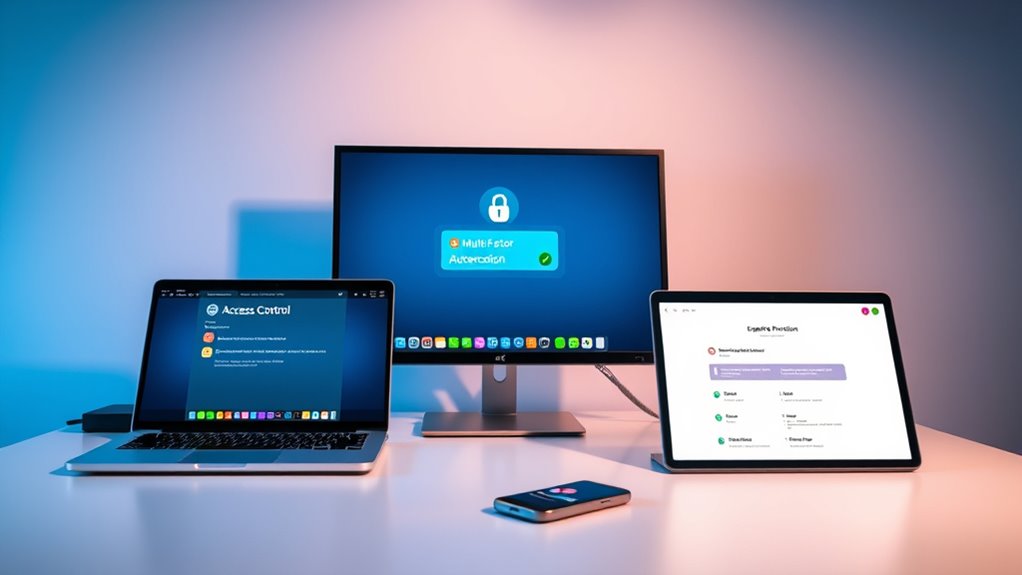
Implementing multi-factor authentication (MFA) and strong access policies is crucial for securing remote work environments. MFA markedly boosts security by preventing up to 90% of cyber-attacks and protecting against phishing. To maximize its effectiveness, consider these key points:
- Enforce biometric or token-based MFA for sensitive systems.
- Develop strict password policies, especially for larger organizations.
- Use adaptive access controls to adjust security based on context, such as location or device.
- Integrate MFA with other security measures like VPNs and endpoint protection for layered security.
While MFA enhances security, ensure a smooth implementation to avoid user fatigue. Regular updates and flexible enrollment processes are essential for maintaining system integrity and user productivity.
Monitoring and Responding to Security Incidents

Monitoring and responding to security incidents is essential for maintaining the integrity of your VPS environment. You should regularly check server logs stored in directories like `/var/log` on Linux systems, looking for unusual patterns such as repeated login failures or unexpected file changes. Use tools like Logrotate to manage logs and set up real-time alerts for critical events, enabling quick responses. Deploy intrusion detection systems (IDS) like Fail2Ban, which monitor network traffic and logs to detect threats and block malicious IPs. Establish an incident response team with clear protocols for isolating affected systems, notifying stakeholders, and conducting post-incident reviews. Regular training and updates guarantee your team can efficiently handle incidents, minimizing damage and strengthening your security posture.
Frequently Asked Questions
How Can I Optimize VPN Performance for Remote Work on VPS?
To optimize VPN performance for remote work on VPS, choose a server close to your location for faster speeds. Allocate sufficient resources like CPU and RAM, and use cloud hosting for scalability. Enable split tunneling to reduce load, keep your software updated, and manage bandwidth by closing heavy applications. Regularly monitor your network, avoid peak hours, and implement load balancing to guarantee stable, high-performing VPN connections.
What Are Best Practices for Managing User Permissions on VPS?
You must master user permissions on your VPS to avoid chaos! Assign only what’s necessary using the least privilege principle, create non-root accounts, and disable root SSH login. Use groups and role-based access control to streamline permissions, regularly review accounts, and update permissions with `chmod` and `chown`. Enforce strong passwords, implement two-factor authentication, and monitor logs constantly. This keeps your system secure, efficient, and ready for any challenge.
How Do I Detect and Prevent VPN Connection Breaches?
To detect VPN breaches, monitor logs regularly, analyze behavior for unusual activity, and use geolocation tools to spot connections from unexpected locations. Prevent breaches by enforcing strict access controls, implementing multi-factor authentication, adopting Zero Trust models, and using secure protocols. Additionally, employ real-time analysis, third-party threat intelligence, and endpoint protection. Regular updates and audits help close vulnerabilities, while tools like kill switches and DNS leak protection safeguard your VPN connections effectively.
What Are Common Endpoint Security Pitfalls to Avoid?
You should avoid common endpoint security pitfalls like neglecting timely patches, which leaves vulnerabilities open. Don’t grant excessive permissions or reuse weak passwords, as these increase breach risks. Failing to implement multi-factor authentication and proper access controls makes lateral movement easier for attackers. Also, neglecting continuous monitoring, incident response plans, and insecure data transmission can leave you blind to threats. Guarantee proper configuration, encryption, and device management to protect your endpoints effectively.
How Can I Automate VPS Update and Patch Management Effectively?
Automating VPS updates is like keeping a garden well-tended—you need consistent care. You should use OS-specific tools like unattended-upgrades or yum-cron, schedule updates during low-traffic hours, and employ configuration management tools like Ansible or Puppet for centralized control. Always test patches in staging, back up beforehand, and monitor update success. This way, your VPS stays secure, up-to-date, and resilient against vulnerabilities without disrupting your services.
Conclusion
By implementing these security practices, you create a fortress around your remote work environment, much like a lighthouse guiding ships safely through stormy seas. Staying vigilant and proactive keeps threats at bay, ensuring your data and systems remain protected. Remember, securing your remote VPS isn’t a one-time task but an ongoing commitment—like tending a garden that flourishes with care. Keep these measures in place, and you’ll navigate remote work confidently and securely.