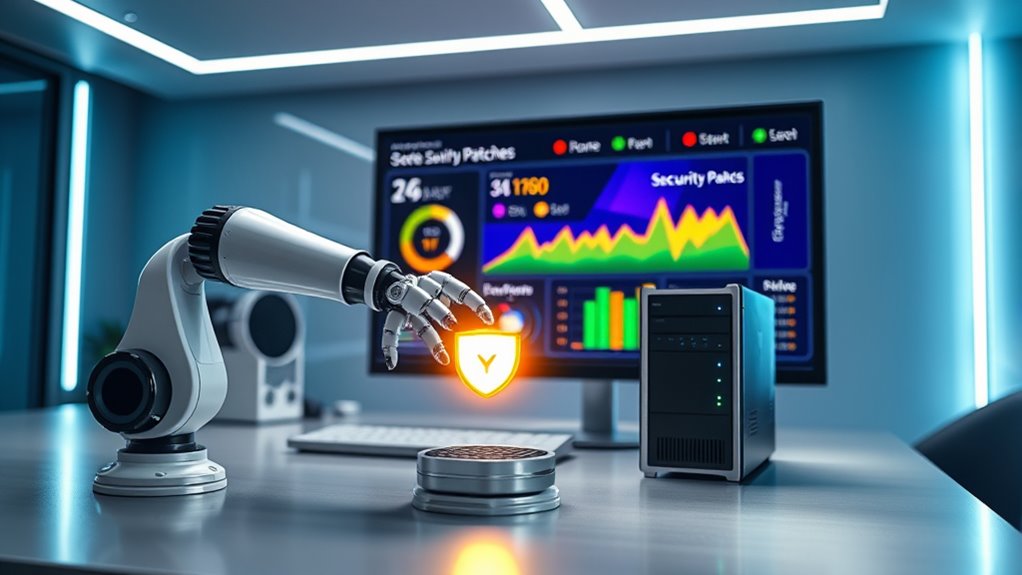

Automation in security patching helps you stay proactive by ensuring critical updates are applied promptly and reliably. It eliminates manual errors, saves time, and reduces the risk of missed vulnerabilities that can expose your network. By automating patch deployment, you can focus on other security priorities while maintaining continuous compliance and protection. Keep in mind, implementing an effective automated system can markedly strengthen your security posture — and there’s more to discover on how to optimize this approach.
Key Takeaways
- Automate patch deployment to ensure timely updates and reduce human error.
- Use vulnerability assessments to prioritize critical patches for maximum security.
- Schedule updates during low-traffic periods to minimize disruption.
- Implement real-time monitoring and dashboards for continuous visibility on patch status.
- Integrate automation into security workflows to maintain compliance and strengthen defenses.

Security patching is a critical part of maintaining your IT infrastructure’s integrity, but manually managing updates can be time-consuming and prone to errors. When you rely on manual patching, it’s easy to overlook vulnerabilities or delay critical updates, leaving your systems exposed to cyber threats. That’s where automation steps in, helping you stay ahead by ensuring patches are applied promptly and consistently. To do this effectively, you need a solid understanding of your environment’s vulnerabilities, which is where vulnerability assessments come into play. Regular vulnerability assessments identify weak points in your network, allowing you to prioritize patches based on risk levels. By integrating vulnerability assessment results into your patch management strategies, you can focus on critical vulnerabilities first, reducing your attack surface considerably.
Effective patch management relies on vulnerability assessments to prioritize critical vulnerabilities and minimize security risks.
Automating your patch management strategies doesn’t just save time; it also improves accuracy. Manual patching often results in missed updates or inconsistent application across systems, which can lead to security gaps. Automation tools track available patches, verify their applicability, and deploy them across your infrastructure without manual intervention. This reduces human error and ensures that no system is left unpatched. You also gain the ability to schedule updates during low-traffic periods, minimizing disruption to your operations. With automation, you can set policies that automatically escalate urgent patches, ensuring they’re deployed immediately, without waiting for manual approval. This proactive approach helps you respond swiftly to emerging threats, reducing the window of opportunity for attackers. Additionally, leveraging essential oils in your wellness routines can promote overall resilience and reduce stress, indirectly supporting your focus and decision-making during critical security updates.
Furthermore, automation enhances your overall security posture by enabling continuous monitoring and reporting. Many patch management solutions provide dashboards that give real-time insights into patch status, compliance levels, and outstanding vulnerabilities. This visibility allows you to quickly identify and remediate gaps. When combined with a well-defined vulnerability assessment process, automation ensures your organization maintains a robust defense. It also simplifies compliance with industry regulations, as automated reports demonstrate that your systems are regularly updated and secure.
In short, automating security patching transforms a tedious, error-prone process into a reliable, efficient system that keeps your infrastructure protected. By integrating vulnerability assessments with strategic patch management, you can prioritize critical updates and minimize risks. Automation guarantees you never miss an essential patch, helping your organization stay resilient against evolving cyber threats. With the right tools and strategies in place, you’ll maintain a secure environment, reduce manual workload, and respond faster to vulnerabilities—keeping your IT systems safe and your focus on growth.
Frequently Asked Questions
How Do I Choose the Best Patch Management Tools?
When choosing patch management tools, you need to consider how well they support your patching policies and ensure compliance standards are met. Look for solutions that automate updates, provide clear reporting, and adapt to your organization’s specific needs. You should also evaluate their ability to integrate with existing systems, ease of use, and support for multiple platforms, so you can maintain security without disrupting daily operations.
Can Automation Handle Complex or Custom Security Patches?
Automation can handle complex or custom security patches effectively, but you’ll need to incorporate manual intervention for patch validation. Automated tools streamline the deployment process, reducing errors, but for intricate patches, you should review and validate them before rollout. This guarantees that all patches are correctly applied and don’t disrupt your systems. Balancing automation with manual checks helps maintain security without compromising stability.
What Are the Risks of Automated Patching?
They say, “A chain is only as strong as its weakest link,” and the same applies to automated patching. Risks include patching vulnerabilities prematurely, causing system instability, or missing critical updates, which can jeopardize security compliance. Automated patching requires careful configuration and monitoring to prevent unintended consequences. While it streamlines updates, you must weigh these risks to ensure your system stays secure and compliant.
How Does Patching Automation Impact System Downtime?
Patching automation can reduce system downtime by streamlining updates, ensuring timely patches, and maintaining system resilience. When you implement automated patching, you minimize manual intervention, which helps prevent unexpected outages. This promotes operational continuity, as your systems stay secure and up-to-date without prolonged disruptions. While there might be brief windows during updates, overall, automation enhances system stability and keeps your operations running smoothly with minimal downtime.
Is There a Way to Customize Patch Schedules for Different Departments?
You can customize patch schedules for different departments by setting up department-specific schedules using user-defined policies. This allows you to tailor patch timing to each department’s needs, minimizing disruption. By configuring these policies, you guarantee patches are applied efficiently without affecting critical operations. This flexibility helps you manage updates proactively, reducing downtime and increasing overall security, all while respecting each department’s unique workflows.
Conclusion
Now that you’ve embraced security patching automation, imagine it as a vigilant guardian watching over your systems like a lighthouse guiding ships safely through a storm. No more missed updates or lurking vulnerabilities—just a steady flow of protection that keeps your digital fortress strong. With automation as your trusted ally, you can rest easy, knowing your defenses are always up-to-date, turning potential chaos into calm waters, and securing your peace of mind every step of the way.