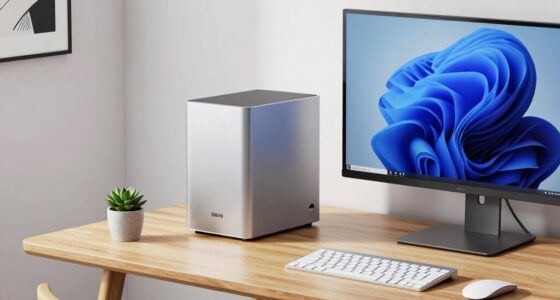
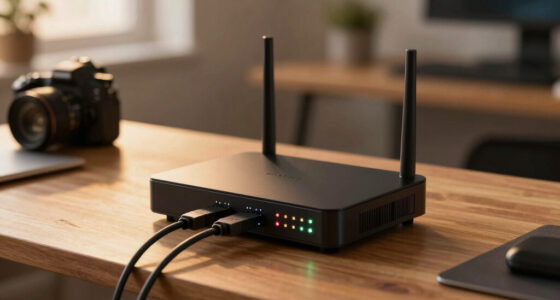
Choosing among mini PCs for home servers comes down to one big question: do you need internal storage bays, or will external drives and network storage do the job? The AOOSTAR WTR PRO 4-Bay NAS earns my best overall pick because it is the only option here built specifically as a server, combining a Ryzen 7 5825U with four hot-swap drive bays and dual 2.5GbE networking. For lighter duties like Pi-hole, Home Assistant, or a media server with a NAS elsewhere, the Beelink SER5 Pro and GEEKOM A5 deliver far more CPU power per dollar in a standard mini PC chassis. The tradeoffs you will face in this category are raw performance versus idle power draw, included memory versus DIY flexibility, and whether fanless silence is worth accepting a much weaker CPU. Keep reading for the full breakdown of all fifteen machines and which one fits your workload.

Get business pricing on networking and server gear
- Business-only prices and quantity discounts
- Tax-exempt purchasing
- Multiple users, one account, clear invoices
Key Takeaways
- Only the two AOOSTAR WTR PRO models offer internal drive bays and dual 2.5GbE LAN, making them the only true NAS-ready picks in this lineup — everyone else is repurposing a desktop mini PC.
- The lineup splits into three CPU tiers: Ryzen 3 (5300U/5400U) for light container workloads, Ryzen 5 (3500U/7430U) for media servers, and Ryzen 7 5825U for heavy virtualization — matching the chip to your workload matters more than RAM size.
- Three products (both AOOSTAR units and the fanless Celeron) ship without RAM or storage, which lowers the entry cost but means budgeting for DDR4/DDR5 and NVMe drives on top of the sticker.
- The fanless Intel N2840 machine is the only fully silent option, but its decade-old dual-core CPU rules out Plex transcoding or virtualization — it suits DNS, VPN, and light Linux services only.
- Multiple near-duplicate configurations (three BOSGAME E5 variants, two NucBox G10 sizes, two G11 storage tiers) mean the real differences within a family are storage capacity and memory headroom, not performance.
| BOSGAME E5 Plus Mini PC with AMD Ryzen 3 5400U, 8GB RAM, 256GB SSD |  | Best Budget Server Foundation | Processor: AMD Ryzen 3 5400U, 4 cores / 8 threads, up to 4.0GHz | Memory: 8GB DDR4, expandable to 64GB via two SODIMM slots | Storage: 256GB M.2 SATA SSD plus open NVMe PCIe 3.0 x4 slot | VIEW LATEST PRICE | See Our Full Breakdown |
| BOSGAME E5 Mini PC with AMD Ryzen 3 5300U, 16GB DDR4, 512GB NVMe SSD |  | Best Plug-and-Play Value | Processor: AMD Ryzen 3 5300U, 4 cores / 8 threads, up to 3.8GHz | Memory: 16GB DDR4, upgradeable to 64GB via two SODIMM slots | Storage: 512GB M.2 NVMe PCIe 3.0 SSD plus one additional NVMe slot | VIEW LATEST PRICE | See Our Full Breakdown |
| AOOSTAR WTR PRO 4-Bay NAS Mini PC with AMD Ryzen 7 5825U (No RAM or SSD) |  | Best True NAS Foundation | Processor: AMD Ryzen 7 5825U, 8 cores / 16 threads, up to 4.5GHz | Memory support: Two DDR4-3200 slots, up to 64GB (RAM not included) | Storage bays: Four 3.5-inch SATA bays, up to 22TB per drive | VIEW LATEST PRICE | See Our Full Breakdown |
| AOOSTAR WTR PRO Mini PC NAS with AMD Ryzen 7 5825U, 4+2 Bays, Dual 2.5GbE LAN, No RAM, SSD, or OS |  | Best for Virtualization and RAID Builds | Processor: AMD Ryzen 7 5825U, 8 cores / 16 threads, up to 4.5GHz | Memory support: Up to 64GB DDR4 (2 x 32GB); RAM not included | Storage bays: 4 drive bays plus 2 M.2 NVMe slots, up to 96TB listed | VIEW LATEST PRICE | See Our Full Breakdown |
| KAMRUI Pinova P2 Mini PC, AMD Ryzen 7330U, 16GB RAM, 256GB SSD |  | Best Compact and Mountable | Processor: AMD Ryzen 7330U, 4 cores / 8 threads, up to 4.3GHz (Zen 3) | Memory: 16GB LPDDR4X (soldered) | Storage: 256GB M.2 SSD; two M.2 2280 slots support up to 4TB total | VIEW LATEST PRICE | See Our Full Breakdown |
| GMKtec NucBox G10 Mini PC, Ryzen 5 3500U, 16GB DDR4, 1TB SSD |  | Best Big-Storage Starter Pick | Processor: AMD Ryzen 5 3500U, 4 cores, up to 3.7 GHz | Memory: 16GB DDR4 SO-DIMM, expandable | Storage: 1TB SSD; dual M.2 2280 slots, up to 16TB total | VIEW LATEST PRICE | See Our Full Breakdown |
| GMKtec G11 Mini PC with AMD Ryzen Embedded R2514, 16GB RAM, 512GB SSD |  | Best for Home Lab Networking | Processor: AMD Ryzen Embedded R2514, quad-core, 8 threads | Memory: 16GB dual-channel DDR4 (2 x 8GB) | Storage: 512GB PCIe M.2 SSD | VIEW LATEST PRICE | See Our Full Breakdown |
| GETORLI Mini PC with AMD Ryzen 5 3501U, 16GB RAM, 512GB SSD, and Triple Display Support |  | Best Budget Beginner Option | Processor: AMD Ryzen 5 3501U, 4 cores, 8 threads, 2.1 GHz | Memory: 16GB DDR4 2400MHz, up to 32GB | Storage: 512GB PCIe 3.0 NVMe SSD; expandable to 2TB plus 2.5-inch HDD | VIEW LATEST PRICE | See Our Full Breakdown |
| Beelink SER5 Pro Mini PC with AMD Ryzen 7 5825U, 16GB DDR4 RAM, and 500GB NVMe SSD |  | Best Overall Performance | Processor: AMD Ryzen 7 5825U, 8 cores, 16 threads, up to 4.5GHz | Graphics: Integrated AMD Radeon, 8 CUs at 2.0GHz | Memory: 16GB DDR4 3200MHz, expandable to 64GB | VIEW LATEST PRICE | See Our Full Breakdown |
| GMKtec G11 Mini PC with Ryzen Embedded R2514, 16GB DDR4 RAM, and 256GB PCIe M.2 SSD |  | Best Dedicated Network Appliance Pick | Processor: AMD Ryzen Embedded R2514, quad-core, 8 threads | Memory: 16GB dual-channel DDR4 (2 x 8GB) | Storage: 256GB PCIe M.2 SSD | VIEW LATEST PRICE | See Our Full Breakdown |
| Fanless Mini PC with Intel Celeron N2840, Dual Gigabit Ethernet and Wi-Fi (No RAM or SSD) |  | Best for Silent Network Appliance Builds | Processor: Intel Celeron N2840, 2 cores / 2 threads, up to 2.58 GHz | Cooling: Fanless | Memory: 1 × DDR3L SO-DIMM, up to 8GB (not included) | VIEW LATEST PRICE | See Our Full Breakdown |
| GEEKOM A5 Mini PC with AMD Ryzen 5 7430U, 16GB RAM, 1TB SSD |  | Best Main Home Server for Power Users | Processor: AMD Ryzen 5 7430U, 15W TDP | Graphics: AMD Radeon Vega 7 | Memory: 16GB DDR4, upgradeable to 64GB | VIEW LATEST PRICE | See Our Full Breakdown |
| GMKtec NucBox G10 Mini PC, AMD Ryzen 5 3500U, 16GB RAM, 512GB SSD |  | Best Balanced Media Server Pick | Processor: AMD Ryzen 5 3500U, 4 cores / 8 threads, up to 3.7GHz | Graphics: AMD Radeon Vega 8, up to 1200MHz | Memory: 16GB dual-channel DDR4, upgradeable to 32GB | VIEW LATEST PRICE | See Our Full Breakdown |
| BOSGAME E5 11 Pro Mini PC with AMD Ryzen 3 5300U |  | Best Entry Point for Home Lab Tinkering | Processor: AMD Ryzen 3 5300U, 4 cores / 8 threads, up to 3.8GHz | Memory: 8GB DDR4, expandable to 64GB | Storage: 256GB M.2 2280 NVMe SSD; second M.2 slot up to 2TB | VIEW LATEST PRICE | See Our Full Breakdown |
| BOSGAME E5 Mini PC with AMD Ryzen 3 5300U |  | Best Ready-to-Run Dual-NIC Server | Processor: AMD Ryzen 3 5300U, 4 cores / 8 threads, up to 3.8GHz | Memory: 16GB DDR4 (upgrade claims vary by listing) | Storage: 512GB M.2 2280 NVMe SSD; second M.2 slot up to 2TB | VIEW LATEST PRICE | See Our Full Breakdown |
| mini PCs for home server | Processor | Memory | Storage | Display support |
|---|---|---|---|---|
| BOSGAME E5 Plus Mini PC with A | AMD Ryzen 3 5400U, 4 cores / 8 threads, up to 4.0GHz | 8GB DDR4, expandable to 64GB via two SODIMM slots | 256GB M.2 SATA SSD plus open NVMe PCIe 3.0 x4 slot | Up to three 4K displays at 60Hz |
| BOSGAME E5 Mini PC with AMD Ry | AMD Ryzen 3 5300U, 4 cores / 8 threads, up to 3.8GHz | 16GB DDR4, upgradeable to 64GB via two SODIMM slots | 512GB M.2 NVMe PCIe 3.0 SSD plus one additional NVMe slot | Up to three 4K displays at 60Hz |
| AOOSTAR WTR PRO 4-Bay NAS Mini | AMD Ryzen 7 5825U, 8 cores / 16 threads, up to 4.5GHz | — | — | — |
| AOOSTAR WTR PRO Mini PC NAS wi | AMD Ryzen 7 5825U, 8 cores / 16 threads, up to 4.5GHz | — | — | — |
| KAMRUI Pinova P2 Mini PC | AMD Ryzen 7330U, 4 cores / 8 threads, up to 4.3GHz (Zen 3) | 16GB LPDDR4X (soldered) | 256GB M.2 SSD; two M.2 2280 slots support up to 4TB total | Up to three 4K displays at 60Hz |
| GMKtec NucBox G10 Mini PC | AMD Ryzen 5 3500U, 4 cores, up to 3.7 GHz | 16GB DDR4 SO-DIMM, expandable | 1TB SSD; dual M.2 2280 slots, up to 16TB total | — |
| GMKtec G11 Mini PC with AMD Ry | AMD Ryzen Embedded R2514, quad-core, 8 threads | 16GB dual-channel DDR4 (2 x 8GB) | 512GB PCIe M.2 SSD | Up to three 4K displays via dual HDMI 2.0 and USB-C |
| GETORLI Mini PC with AMD Ryzen | AMD Ryzen 5 3501U, 4 cores, 8 threads, 2.1 GHz | 16GB DDR4 2400MHz, up to 32GB | 512GB PCIe 3.0 NVMe SSD; expandable to 2TB plus 2.5-inch HDD | Up to 3 displays via 2 HDMI and USB-C |
| Beelink SER5 Pro Mini PC with | AMD Ryzen 7 5825U, 8 cores, 16 threads, up to 4.5GHz | 16GB DDR4 3200MHz, expandable to 64GB | 500GB M.2 NVMe SSD; expandable plus optional 2.5-inch drive up to 2TB | Up to three 4K displays via HDMI, DisplayPort 1.4, USB-C |
| GMKtec G11 Mini PC with Ryzen | AMD Ryzen Embedded R2514, quad-core, 8 threads | 16GB dual-channel DDR4 (2 x 8GB) | 256GB PCIe M.2 SSD | Up to three 4K displays via dual HDMI 2.0 and USB-C |
| Fanless Mini PC with Intel Cel | Intel Celeron N2840, 2 cores / 2 threads, up to 2.58 GHz | 1 × DDR3L SO-DIMM, up to 8GB (not included) | mSATA 3.0 (not included) | — |
| GEEKOM A5 Mini PC with AMD Ryz | AMD Ryzen 5 7430U, 15W TDP | 16GB DDR4, upgradeable to 64GB | 1TB PCIe NVMe SSD, upgradeable to 4TB | Up to four 4K displays; 8K via USB-C |
| GMKtec NucBox G10 Mini PC | AMD Ryzen 5 3500U, 4 cores / 8 threads, up to 3.7GHz | 16GB dual-channel DDR4, upgradeable to 32GB | 512GB M.2 PCIe 3.0 SSD; dual M.2 2280 slots support up to 2×8TB | Up to three 4K displays at 60Hz |
| BOSGAME E5 11 Pro Mini PC with | AMD Ryzen 3 5300U, 4 cores / 8 threads, up to 3.8GHz | 8GB DDR4, expandable to 64GB | 256GB M.2 2280 NVMe SSD; second M.2 slot up to 2TB | — |
| BOSGAME E5 Mini PC with AMD Ry | AMD Ryzen 3 5300U, 4 cores / 8 threads, up to 3.8GHz | 16GB DDR4 (upgrade claims vary by listing) | 512GB M.2 2280 NVMe SSD; second M.2 slot up to 2TB | Up to three displays via HDMI, DisplayPort, USB-C |
More Details on Our Top Picks
BOSGAME E5 Plus Mini PC with AMD Ryzen 3 5400U, 8GB RAM, 256GB SSD
Buyers drawn to a tinker-friendly entry point will find the BOSGAME E5 Plus makes a sensible starting chassis for a home server. The two SODIMM slots mean the modest 8GB of included RAM is a starting point rather than a ceiling, and the open NVMe slot lets you add fast storage later without discarding the boot drive. Compared with its sibling, the BOSGAME E5, this model actually carries a slightly faster 5400U chip, but ships with half the RAM and a slower SATA SSD — a trade that favors upgraders over plug-and-play users. Dual 2.5GbE ports, rare at entry pricing, give it genuine firewall and NAS credentials.
Pros:- Memory expandable to 64GB via two accessible SODIMM slots
- Dual 2.5GbE Ethernet ports rival pricier server-focused machines
- Open NVMe PCIe 3.0 slot for adding fast storage later
- Runs both Windows 11 Pro and Ubuntu out of the box
Cons:- Only 8GB of included RAM is thin for virtualization or containers
- Included boot drive is SATA rather than NVMe, so it’s slower than rivals like the BOSGAME E5
Best for: DIY builders who want to buy cheap now and upgrade RAM and storage incrementally
Not ideal for: Anyone wanting a turnkey server out of the box — 8GB of RAM and a 256GB SATA drive need immediate upgrades for serious workloads
- Processor:AMD Ryzen 3 5400U, 4 cores / 8 threads, up to 4.0GHz
- Memory:8GB DDR4, expandable to 64GB via two SODIMM slots
- Storage:256GB M.2 SATA SSD plus open NVMe PCIe 3.0 x4 slot
- Display support:Up to three 4K displays at 60Hz
- Networking:Dual 2.5GbE LAN, Wi-Fi 5, Bluetooth 5.0
- Operating system:Windows 11 Pro; Ubuntu supported
- Warranty:1 year machine, 3 years parts
Our verdict“A solid shell for upgraders, but skip it if you don’t want to open the case within the first month.”
BOSGAME E5 Mini PC with AMD Ryzen 3 5300U, 16GB DDR4, 512GB NVMe SSD
Where the E5 Plus asks you to upgrade your way to a capable server, the BOSGAME E5 arrives ready: 16GB of RAM and a 512GB NVMe SSD are enough to run containers, a small Plex instance, or Pi-hole and a file share from day one. The dual 2.5GbE LAN ports are the standout server credential here — most desktop mini PCs at this tier, like the KAMRUI Pinova P2, only offer a single gigabit port, which halves your ceiling for network-heavy roles. Copper heat pipes and a quiet fan keep it livable on a shelf or desk. The honest limitation is raw power: this is a four-core chip, so heavy transcoding or multi-VM labs will strain it.
Pros:- Ready-to-run 16GB RAM and 512GB NVMe SSD out of the box
- Dual 2.5GbE LAN ports suit firewall, router, and light NAS duty
- Second NVMe slot and RAM ceiling of 64GB leave upgrade headroom
- Quiet copper-pipe cooling suits always-on shelf operation
Cons:- Four-core processor limits virtualization and transcoding headroom
- Not suited to 3D rendering or intensive gaming workloads
Best for: First-time home server owners who want to unbox, install Proxmox or TrueNAS, and get running the same evening
Not ideal for: Users planning virtualization farms or 4K transcoding — the 5300U’s four cores and integrated graphics will bottleneck quickly
- Processor:AMD Ryzen 3 5300U, 4 cores / 8 threads, up to 3.8GHz
- Memory:16GB DDR4, upgradeable to 64GB via two SODIMM slots
- Storage:512GB M.2 NVMe PCIe 3.0 SSD plus one additional NVMe slot
- Display support:Up to three 4K displays at 60Hz
- Networking:2x 2.5GbE RJ45 LAN, Wi-Fi 5
- Cooling:Cooling fan with copper heat pipes
Our verdict“The easiest on-ramp to home server life in this lineup — capable immediately, as long as your ambitions stay modest.”
AOOSTAR WTR PRO 4-Bay NAS Mini PC with AMD Ryzen 7 5825U (No RAM or SSD)
This is the pick that changes the conversation from ‘mini PC repurposed as a server’ to ‘purpose-built NAS.’ The four 3.5-inch drive bays accept up to 22TB each, which no standard mini PC here — not the BOSGAME E5, not the KAMRUI P2 — can match, and the 8-core Ryzen 7 5825U brings the multi-thread muscle those four-core machines lack. The catch is stark: it ships with no RAM, no storage, and no drives, so the real budget is the enclosure plus components. If you already own drives pulled from an old NAS, that trade works in your favor; if you’re starting from zero, the E5’s turnkey simplicity wins. The 12cm temperature-controlled fan and 15–25W draw suit always-on duty.
Pros:- Four 3.5-inch SATA bays support up to 22TB per drive for serious storage
- 8-core, 16-thread Ryzen 7 5825U handles containers, VMs, and transcoding
- Two NVMe slots allow fast cache or boot drives alongside spinning disks
- Low 15–25W power draw suits continuous operation
Cons:- RAM and SSD are not included, so it’s a build-it-yourself project
- No independent test data verifies noise and performance claims
Best for: Upgraders with existing 3.5-inch drives who want a proper multi-bay NAS chassis with a strong CPU
Not ideal for: Beginners on a strict budget — buying RAM, SSDs, and hard drives separately makes the true cost far higher than the sticker suggests
- Processor:AMD Ryzen 7 5825U, 8 cores / 16 threads, up to 4.5GHz
- Memory support:Two DDR4-3200 slots, up to 64GB (RAM not included)
- Storage bays:Four 3.5-inch SATA bays, up to 22TB per drive
- M.2 slots:Two M.2 2280 NVMe slots
- Networking:Dual 2.5GbE LAN
- Cooling:12cm fan with intelligent speed control
- Power consumption:15–25W
Our verdict“The right chassis for a real NAS build — provided you already own or plan to buy the drives that give it purpose.”
AOOSTAR WTR PRO Mini PC NAS with AMD Ryzen 7 5825U, 4+2 Bays, Dual 2.5GbE LAN, No RAM, SSD, or OS
Sitting above its sibling WTR PRO on paper, this configuration leans into serious server work: RAID 0/1/5 support, Intel I226V 2.5GbE controllers, a 120W power adapter, and a through-ventilated metal case built to sustain load during VM-heavy operation. The same Ryzen 7 5825U means it matches the other WTR PRO’s compute, so the differentiators are networking silicon, listed capacity, and the bundled M.2 adapter — details that matter more to experienced builders than to beginners. Like its sibling, it arrives as an empty shell: no RAM, no drives, no OS. The listing also has inconsistencies worth flagging, with display support and maximum storage figures that don’t quite line up, so verify details before committing to a large build.
Pros:- RAID 0/1/5 support across four drive bays and two M.2 slots
- Intel I226V-based dual 2.5GbE networking suits high-throughput server roles
- Metal case with through-ventilation and 120mm fan for sustained loads
- 8-core, 16-thread CPU supports multitasking and virtualization
Cons:- RAM, SSDs, and operating system are all sold separately
- Listing inconsistencies around display support and maximum storage capacity
Best for: Experienced homelab builders planning RAID arrays, virtualization hosts, or multi-OS setups
Not ideal for: Anyone expecting a working machine on arrival — without RAM, storage, and an OS, it won’t boot until you supply all three
- Processor:AMD Ryzen 7 5825U, 8 cores / 16 threads, up to 4.5GHz
- Memory support:Up to 64GB DDR4 (2 x 32GB); RAM not included
- Storage bays:4 drive bays plus 2 M.2 NVMe slots, up to 96TB listed
- RAID support:RAID 0, RAID 1, RAID 5, and other configurations
- Networking:2 x 2.5GbE LAN (Intel I226V)
- Cooling:Metal case, through-ventilation design, 120mm rear fan
- Power adapter:120W
Our verdict“A capable RAID-and-VMs chassis for builders who read spec sheets carefully — everyone else should buy the turnkey BOSGAME E5 instead.”
KAMRUI Pinova P2 Mini PC, AMD Ryzen 7330U, 16GB RAM, 256GB SSD
At just 5.05 inches square and 1.73 inches tall with a VESA mount included, the KAMRUI Pinova P2 is the easiest machine here to hide — behind a monitor, under a shelf, or strapped to a network rack. Its Ryzen 7330U boosts to 4.3GHz, the highest clock in this batch, which helps single-threaded server tasks like Pi-hole or Home Assistant feel snappy. The tradeoffs are real, though: it has only a single gigabit Ethernet port, so it can’t match the dual 2.5GbE of the BOSGAME E5 for network-heavy roles, LPDDR4X RAM is soldered and can’t be upgraded, and total storage tops out at 4TB. This is a light-duty, space-constrained server, not a storage workhorse.
Pros:- Ultra-compact 5-inch-square chassis with included VESA mount
- Ryzen 7330U boosts to 4.3GHz, the highest clock in this batch
- Two M.2 slots allow storage expansion up to 4TB
- USB-C supports 10Gbps data and DisplayPort output
Cons:- Single gigabit Ethernet port limits NAS and firewall potential versus dual-2.5GbE rivals
- Soldered LPDDR4X memory cannot be upgraded, and 256GB of included storage is tight
Best for: Apartment dwellers and tinkerers who want an invisible, always-on server for Home Assistant, Pi-hole, and light file duty
Not ideal for: NAS builders — one gigabit port, a 4TB storage ceiling, and non-upgradeable RAM rule out serious storage or network roles
- Processor:AMD Ryzen 7330U, 4 cores / 8 threads, up to 4.3GHz (Zen 3)
- Memory:16GB LPDDR4X (soldered)
- Storage:256GB M.2 SSD; two M.2 2280 slots support up to 4TB total
- Display support:Up to three 4K displays at 60Hz
- Networking:Gigabit Ethernet, Wi-Fi, Bluetooth
- Dimensions:5.05 x 5.05 x 1.73 inches, VESA mount included
- Warranty:12-month satisfaction service, lifetime technical support
Our verdict“The best pick when size and stealth matter more than storage capacity or network throughput.”
GMKtec NucBox G10 Mini PC, Ryzen 5 3500U, 16GB DDR4, 1TB SSD
Most budget mini PCs arrive with a 512GB SSD that fills up fast once you start hoarding media on a home server, and that’s where the NucBox G10 immediately differentiates itself: a full 1TB SSD in the box, plus a second M.2 slot that takes capacity to 16TB over time. Compared with the GETORLI or the smaller-storage GMKtec G11 variants, this option lets you skip the first storage upgrade cycle entirely. The 2.5GbE Ethernet is a genuine server-friendly touch at this tier, moving files faster than the Gigabit port on the GETORLI. The tradeoff is the aging quad-core Ryzen 5 3500U — it will run Plex, file sharing, and light containers without complaint, but it lags well behind the 8-core Beelink SER5 Pro for anything transcoding-heavy. Add Wi-Fi 5 rather than Wi-Fi 6, and this reads as a storage-first, horsepower-second purchase.
Pros:- 1TB SSD included, double the storage of most mini PCs at this tier
- Dual M.2 slots allow expansion up to 16TB total
- 2.5GbE Ethernet is faster than the Gigabit ports on cheaper rivals
- Supports three displays for a desk-plus-server dual role
Cons:- Older Ryzen 5 3500U lags well behind newer multi-core chips for transcoding
- Wi-Fi 5 is dated compared with Wi-Fi 6 on similarly priced options
Best for: First-time home server builders who want maximum storage capacity on day one without opening the case
Not ideal for: Anyone planning heavy media transcoding or many simultaneous Docker containers — the older quad-core CPU will bottleneck quickly
- Processor:AMD Ryzen 5 3500U, 4 cores, up to 3.7 GHz
- Memory:16GB DDR4 SO-DIMM, expandable
- Storage:1TB SSD; dual M.2 2280 slots, up to 16TB total
- Networking:2.5GbE Ethernet, Wi-Fi 5, Bluetooth 5.0
- Display Outputs:HDMI 2.1, DisplayPort 1.4, USB-C; up to 3 displays
- Power Consumption:25 watts
- Dimensions:4.1 x 3.8 x 1.7 inches
Our verdict“Choose this if your priority is storing lots of files from day one; skip it if your server workload demands CPU muscle.”
GMKtec G11 Mini PC with AMD Ryzen Embedded R2514, 16GB RAM, 512GB SSD
What separates the G11 from every other mini PC in this batch is its pair of 2.5GbE Ethernet ports. Single-port machines like the Beelink SER5 Pro can serve files fine, but two ports open up router, firewall, and virtualization duties that home lab hobbyists actually care about — one port for WAN, one for LAN, no extra hardware. The embedded Ryzen R2514 is built for always-on operation, which matters for a machine that runs 24/7 as a server, and the 35W BIOS-configurable performance mode gives you direct control over the heat/noise/output balance. Wi-Fi 6E roundly beats the NucBox G10’s Wi-Fi 5. On the downside, 512GB is modest next to the G10’s 1TB, and the full port list is incomplete in official documentation, so buyers planning specific peripherals should verify connections before committing.
Pros:- Dual 2.5GbE ports enable router, firewall, and NAS roles without add-on hardware
- Embedded processor is designed for continuous 24/7 operation
- Wi-Fi 6E is the newest wireless standard in this lineup
- Configurable 35W performance mode in BIOS for tuning power and heat
Cons:- Full port list is incomplete in official documentation
- 512GB storage is small for a primary file server without an upgrade
- Enabling full performance requires a manual BIOS change
Best for: Home lab tinkerers who want to run a router, firewall, or hypervisor with dual network interfaces
Not ideal for: Transcoding-focused media server builders — the quad-core R2514 trails the 8-core SER5 Pro for heavy workloads
- Processor:AMD Ryzen Embedded R2514, quad-core, 8 threads
- Memory:16GB dual-channel DDR4 (2 x 8GB)
- Storage:512GB PCIe M.2 SSD
- Ethernet:2 x 2.5GbE
- Wireless:Wi-Fi 6E, Bluetooth 5.2
- Display Support:Up to three 4K displays via dual HDMI 2.0 and USB-C
- Performance Mode:Up to 35W, configurable in BIOS
Our verdict“This pick makes the most sense for network-first home lab builds where two Ethernet ports matter more than raw CPU power.”
GETORLI Mini PC with AMD Ryzen 5 3501U, 16GB RAM, 512GB SSD, and Triple Display Support
For someone dipping a toe into home servers for the first time, the GETORLI keeps things simple and cheap to experiment with. The Ryzen 5 3501U with 16GB of RAM covers the classic starter stack — file sharing, a few containers, maybe a lightweight Pi-hole — and the VESA mount lets you hide the whole thing behind a monitor or shelf. Expansion is friendlier than it first appears: memory grows to 32GB, and there’s room for a 2.5-inch HDD alongside the M.2 SSD, a flexibility the NucBox G10 doesn’t offer. The compromises are real, though: Gigabit Ethernet is half the speed of the G10’s 2.5GbE port, the 2400MHz memory is slower than the SER5 Pro’s 3200MHz kit, and the chip is strictly for light duties. Compared with the dual-NIC G11, this is a simpler, less ambitious box — which is exactly the point for beginners.
Pros:- Room for a 2.5-inch HDD in addition to the NVMe SSD, easing storage growth
- VESA mounting keeps the machine out of sight in a living room or closet setup
- 16GB RAM out of the box is enough for starter container workloads
- Wi-Fi 6 and Bluetooth 5.3 are solid for the price tier
Cons:- Gigabit Ethernet is the slowest networking in this batch
- Slower 2400MHz memory and modest CPU limit it to light server duties
Best for: Server-curious beginners who want an inexpensive, low-risk machine to learn file sharing and Docker basics
Not ideal for: Anyone with a fast network — Gigabit Ethernet caps transfers well below the 2.5GbE machines in this lineup
- Processor:AMD Ryzen 5 3501U, 4 cores, 8 threads, 2.1 GHz
- Memory:16GB DDR4 2400MHz, up to 32GB
- Storage:512GB PCIe 3.0 NVMe SSD; expandable to 2TB plus 2.5-inch HDD
- Connectivity:Wi-Fi 6, Bluetooth 5.3, Gigabit Ethernet
- Display Support:Up to 3 displays via 2 HDMI and USB-C
- Dimensions:5.0 x 4.4 x 1.6 inches
Our verdict“A sensible, low-commitment entry point for learning home server basics, as long as you don’t need fast networking or heavy workloads.”
Beelink SER5 Pro Mini PC with AMD Ryzen 7 5825U, 16GB DDR4 RAM, and 500GB NVMe SSD
When the workload starts getting serious — multiple containers, Plex transcoding, virtual machines — the SER5 Pro is the machine in this batch I’d point to first. The Ryzen 7 5825U brings 8 cores and 16 threads, double the core count of the GMKtec G11 or NucBox G10, and that difference shows up directly in how smoothly a busy server handles concurrent demands. Its Radeon graphics run 8 compute units at 2.0GHz versus roughly half that on the 3500U-based machines, which matters for video work. Expansion is generous too: 64GB RAM ceiling and room for both an M.2 drive and a 2.5-inch disk. It isn’t flawless — only Gigabit Ethernet where the G11 offers dual 2.5GbE, and there’s an annoying inconsistency between the advertised 500GB and listed 480GB of storage. But for pure server muscle in a small chassis, nothing else here matches it.
Pros:- 8-core, 16-thread Ryzen 7 5825U is the strongest CPU in this batch
- Memory expands to 64GB, the highest ceiling here
- Room for both an M.2 SSD and a 2.5-inch drive
- Stronger integrated graphics handle video transcoding better than quad-core rivals
Cons:- Only Gigabit Ethernet, behind the 2.5GbE options in this lineup
- Listed storage capacity is inconsistent between title and product details
Best for: Power users running transcoding-heavy media servers, VMs, or many simultaneous services
Not ideal for: Network-centric builds — a single Gigabit port falls short of the dual 2.5GbE G11 for router or firewall duty
- Processor:AMD Ryzen 7 5825U, 8 cores, 16 threads, up to 4.5GHz
- Graphics:Integrated AMD Radeon, 8 CUs at 2.0GHz
- Memory:16GB DDR4 3200MHz, expandable to 64GB
- Storage:500GB M.2 NVMe SSD; expandable plus optional 2.5-inch drive up to 2TB
- Connectivity:Wi-Fi 6, Bluetooth 5.2, Gigabit Ethernet
- Display Support:Up to three 4K displays via HDMI, DisplayPort 1.4, USB-C
- Dimensions:4.9 x 4.4 x 1.7 inches
Our verdict“The clear choice when CPU muscle for demanding server workloads matters more than networking ports.”
GMKtec G11 Mini PC with Ryzen Embedded R2514, 16GB DDR4 RAM, and 256GB PCIe M.2 SSD
This smaller-SSD sibling of the GMKtec G11 above shares the same home lab DNA — dual 2.5GbE ports, embedded Ryzen silicon, Wi-Fi 6E — but it’s positioned for a different job: running as a dedicated router, firewall, or virtualization host where the operating system lives on a small drive and the workload is network-bound, not storage-bound. For that use case, the 256GB SSD is genuinely fine, since pfSense or OpenWrt barely dent it. It’s a smarter buy than the fanless Celeron-based alternatives in this roundup if you want more processing headroom for VPN encryption or traffic shaping, and it costs less up front than its 512GB counterpart. The catch: try to use it as a general file server or media library and you’ll hit the storage ceiling fast, at which point the GETORLI with its 2.5-inch drive bay or the NucBox G10’s 1TB make far more sense.
Pros:- Dual 2.5GbE ports handle WAN/LAN routing without extra hardware
- Embedded processor rated for continuous operation
- Wi-Fi 6E and configurable 35W performance mode
- Lower entry cost than the 512GB G11 for network-only workloads
Cons:- 256GB SSD is too small for file serving or media storage
- Performance claims in official listings are not independently verified
Best for: Builders creating a dedicated router, firewall, or softw-defined network appliance with VPN duties
Not ideal for: Media server or NAS builders — 256GB fills up almost immediately for large libraries
- Processor:AMD Ryzen Embedded R2514, quad-core, 8 threads
- Memory:16GB dual-channel DDR4 (2 x 8GB)
- Storage:256GB PCIe M.2 SSD
- Ethernet:2 x 2.5GbE
- Wireless:Wi-Fi 6E, Bluetooth 5.2
- Display Support:Up to three 4K displays via dual HDMI 2.0 and USB-C
- Performance Mode:Up to 35W
Our verdict“Buy it as a network appliance, not a file server — its tiny SSD is a feature only if your workload lives on the wire.”
Fanless Mini PC with Intel Celeron N2840, Dual Gigabit Ethernet and Wi-Fi (No RAM or SSD)
This option stands out for one thing almost nothing else in this roundup does: it makes zero noise. The fanless chassis paired with a 7.5W Celeron N2840 makes it a natural fit for a always-on router, firewall, or Pi-hole-style DNS server tucked in a living room or bedroom closet. The dual Gigabit Ethernet ports are the real draw here — unlike the GEEKOM A5 or GMKtec NucBox G10, which each offer only a single LAN port, this one can serve as an actual network appliance with WAN and LAN separated.
The tradeoffs are steep, though. The Celeron N2840 is a decade-old dual-core chip, and the 8GB DDR3L ceiling plus mSATA-only storage mean it can’t run demanding media transcodes or heavy container workloads. RAM and SSD are sold separately, so budget for those before it boots at all.
Pros:- Fanless design produces no cooling noise at all
- Dual Gigabit Ethernet ports enable router and firewall builds
- Very low 7.5W TDP keeps electricity costs minimal for always-on duty
- Legacy VGA output allows connection to older monitors
Cons:- RAM and mSATA SSD must be purchased and installed separately
- Aging dual-core Celeron with an 8GB maximum severely limits heavier server workloads
Best for: Network tinkerers building a silent pfSense firewall, VPN router, or DNS ad-blocking appliance that runs 24/7 in a noise-sensitive space
Not ideal for: Anyone planning a Plex server with transcoding or virtualization — the aging dual-core CPU and 8GB memory cap will stall quickly
- Processor:Intel Celeron N2840, 2 cores / 2 threads, up to 2.58 GHz
- Cooling:Fanless
- Memory:1 × DDR3L SO-DIMM, up to 8GB (not included)
- Storage:mSATA 3.0 (not included)
- Ethernet:2 × Realtek RTL8111H Gigabit LAN
- Wireless:Dual-band Wi-Fi with dual antennas
- Video outputs:HDMI and VGA
- USB ports:2 × USB 3.0, 4 × USB 2.0
- TDP:7.5W
Our verdict“This makes sense only as a dedicated silent network appliance — anything beyond light DNS, routing, or firewall duty belongs on a modern Ryzen machine like the BOSGAME E5.”
GEEKOM A5 Mini PC with AMD Ryzen 5 7430U, 16GB RAM, 1TB SSD
Among the fully-configured machines in this roundup, the GEEKOM A5 has the strongest claim to a primary home server role. The Ryzen 5 7430U is a newer, more efficient chip than the Ryzen 5 3500U inside the GMKtec NucBox G10, and the 1TB NVMe SSD out of the box means no immediate storage upgrade is needed — a real advantage over the 512GB configs from GMKtec and BOSGAME. Storage headroom extends to 10TB total thanks to a spare M.2 2242 slot and a 2.5-inch bay, which the fanless Celeron appliance simply cannot match.
Where it falls short for dedicated server duty: it has only one Ethernet port at standard Gigabit speed, so multi-NIC firewall setups and fast LAN transfers favor the dual-2.5GbE BOSGAME E5 models instead. The 3-year limited warranty is the longest coverage in this batch, which matters for hardware expected to run around the clock.
Pros:- Newest processor in the batch with a 15W efficient TDP
- Up to 10TB total internal storage via M.2 and 2.5-inch bay
- Memory upgradeable to 64GB and storage to 4TB on the main slot
- 3-year limited warranty, the longest coverage here
Cons:- Single Gigabit Ethernet port limits network-oriented server roles
- Radeon Vega 7 integrated graphics constrain GPU-dependent workloads
Best for: Power users who want one capable box for media serving, containers, and virtualization with big expansion headroom and long warranty coverage
Not ideal for: Network-focused home labs — the single Gigabit LAN port rules out firewall builds and caps wired transfer speeds
- Processor:AMD Ryzen 5 7430U, 15W TDP
- Graphics:AMD Radeon Vega 7
- Memory:16GB DDR4, upgradeable to 64GB
- Storage:1TB PCIe NVMe SSD, upgradeable to 4TB
- Additional storage:M.2 2242 slot plus 2.5-inch bay, up to 10TB total
- Display support:Up to four 4K displays; 8K via USB-C
- Warranty:3-year limited warranty
Our verdict“If you want one powerful, expandable mini PC to anchor a general-purpose home server, this is the strongest all-around choice in the lineup.”
GMKtec NucBox G10 Mini PC, AMD Ryzen 5 3500U, 16GB RAM, 512GB SSD
The NucBox G10 hits a middle ground that pure network appliances and storage-first NAS boxes don’t. Its 2.5GbE Ethernet gives it faster wired transfers than the GEEKOM A5’s single Gigabit port, and the dual M.2 2280 slots supporting up to 2×8TB of SSD make it a surprisingly capable compact media library — no spinning drives, no noise. The triple 4K display support at 60Hz means it can double as a desk workstation when it’s not serving files.
Compared with the BOSGAME E5 11 Pro, it gives up a second 2.5GbE port, which matters if you’re planning to segment networks or build a virtualized firewall. The Ryzen 5 3500U is also a generation behind the GEEKOM’s 7430U, so expect less headroom for concurrent containers and VMs. Wi-Fi 5 is another dated choice, though on a wired server it’s largely irrelevant.
Pros:- 2.5GbE Ethernet for faster-than-Gigabit file transfers
- Dual M.2 2280 slots support up to 2×8TB of silent SSD storage
- Three 4K displays at 60Hz for flexible workstation duty
- Memory upgradeable to 32GB in dual-channel configuration
Cons:- Ryzen 5 3500U is an older generation with limited multi-VM headroom
- Wi-Fi 5 wireless is dated compared with current standards
- Only one Ethernet port, unlike the dual-LAN BOSGAME models
Best for: Home users who want a quiet, SSD-only media server and Plex box that also works as an everyday triple-display desktop
Not ideal for: Buyers chasing maximum CPU headroom or dual-NIC network builds — the older 3500U and single 2.5GbE port fall short of dedicated alternatives
- Processor:AMD Ryzen 5 3500U, 4 cores / 8 threads, up to 3.7GHz
- Graphics:AMD Radeon Vega 8, up to 1200MHz
- Memory:16GB dual-channel DDR4, upgradeable to 32GB
- Storage:512GB M.2 PCIe 3.0 SSD; dual M.2 2280 slots support up to 2×8TB
- Display support:Up to three 4K displays at 60Hz
- Networking:2.5GbE RJ45, Wi-Fi 5, Bluetooth 5.2
- Warranty:1 year
Our verdict“This pick makes the most sense for an SSD-based media server that moonlights as a desk PC, sitting between the network-focused BOSGAME boxes and the more powerful GEEKOM A5.”
BOSGAME E5 11 Pro Mini PC with AMD Ryzen 3 5300U
What separates the E5 11 Pro from similarly priced mini PCs is the dual 2.5GbE LAN — a pairing you otherwise only find on the fanless Celeron appliance in this roundup, but here backed by a far more capable Ryzen 3 5300U. That makes it a genuine starter box for virtualized firewalls, Proxmox experiments, and segregated home networks. Windows 11 Pro ships preinstalled with documented Ubuntu support, so Linux-based server setups aren’t a gamble, and the sub-25dB cooling keeps it livable on a shelf.
The catch is the starting configuration: 8GB of RAM and a 256GB SSD will feel cramped fast once you start running containers or VMs, and unlike the GMKtec NucBox G10 with its 16GB/512GB baseline, you’ll likely be buying upgrades within months. The second M.2 slot and 64GB memory ceiling soften that blow, but the true cost of this machine is higher than the sticker suggests.
Pros:- Dual 2.5GbE ports for firewall and virtualized networking builds
- Windows 11 Pro preinstalled with Ubuntu Linux support
- Memory expandable to 64GB and second M.2 slot up to 2TB
- VESA mount and quiet sub-25dB operation
Cons:- 8GB RAM and 256GB storage are limiting without extra purchases
- Ryzen 3 tier CPU offers less headroom than Ryzen 5 alternatives
- Rear USB limited to USB 2.0 speeds
Best for: Home lab beginners who want dual-NIC networking for Proxmox, pfSense, or network segmentation and don’t mind upgrading RAM and storage over time
Not ideal for: Anyone wanting a complete out-of-the-box server — the 8GB/256GB base spec needs immediate investment to be useful
- Processor:AMD Ryzen 3 5300U, 4 cores / 8 threads, up to 3.8GHz
- Memory:8GB DDR4, expandable to 64GB
- Storage:256GB M.2 2280 NVMe SSD; second M.2 slot up to 2TB
- Operating system:Windows 11 Pro; supports Ubuntu Linux
- Networking:Dual 2.5GbE LAN
- Display output:HDMI 2.0, DisplayPort, USB-C; three 4K displays at 60Hz
- Noise level:Under 25dB
- Power consumption:25 watts
- Warranty:1-year full warranty plus 3-year parts warranty
Our verdict“A smart, affordable on-ramp to dual-NIC home lab tinkering — just budget for the memory and storage upgrades it will inevitably need.”
BOSGAME E5 Mini PC with AMD Ryzen 3 5300U
Where the E5 11 Pro asks you to upgrade your way to a usable server, this configuration of the E5 arrives ready to run: 16GB of RAM and a 512GB NVMe SSD are enough for a serious Proxmox host or media server from day one. It keeps the same dual 2.5GbE ports that define the BOSGAME line’s home lab appeal, plus a spare M.2 slot for adding up to 2TB more storage later. Lifetime technical support is a nice safety net for first-time server builders.
Against the GMKtec NucBox G10, you trade one display output and slightly newer connectivity for that second LAN port — a worthwhile swap for a headless server. Two caveats deserve attention: Wi-Fi 5 is dated, and the listing carries conflicting RAM specifications (16GB in product details versus 64GB upgradeable in the description), so confirm actual memory limits before planning a large upgrade.
Pros:- Ships with 16GB RAM and 512GB NVMe SSD, no immediate upgrades required
- Dual 2.5GbE Ethernet for firewall and home lab networking
- Second M.2 slot supports up to 2TB of added storage
- Lifetime technical support and 3-year parts warranty
Cons:- Wi-Fi 5 is an older wireless standard
- Conflicting listed maximum RAM (16GB vs 64GB) creates upgrade uncertainty
- Ryzen 3 CPU trails the Ryzen 5 machines for heavy multitasking
Best for: First-time home server builders who want dual 2.5GbE networking with usable RAM and storage from day one, plus room to expand
Not ideal for: Buyers who need guaranteed upgrade paths — the conflicting maximum-RAM listings make long-term memory planning uncertain
- Processor:AMD Ryzen 3 5300U, 4 cores / 8 threads, up to 3.8GHz
- Memory:16GB DDR4 (upgrade claims vary by listing)
- Storage:512GB M.2 2280 NVMe SSD; second M.2 slot up to 2TB
- Networking:Dual 2.5GbE Ethernet, Wi-Fi 5, Bluetooth 5.0
- Display support:Up to three displays via HDMI, DisplayPort, USB-C
- Operating system:Windows 11 (Pro listed in product information)
- Included accessories:19V/3.42A power adapter, VESA mount
- Warranty:1-year warranty; 3-year parts warranty; lifetime technical support
Our verdict“The most complete dual-NIC home server package in this batch for buyers who want to plug in and start building rather than shop for parts.”

How We Picked
I evaluated every machine against what a home server actually demands around the clock: storage expandability, network throughput, sustained-load thermals, idle power efficiency, and memory configurability. A mini PC that runs hot at 15% load in a closet is a worse server than a slightly slower box that stays cool and quiet for months between reboots. Products with 2.5GbE ports, multiple M.2 slots, or drive bays scored higher on future-proofing, because storage hunger is the number one reason home servers outgrow their hardware.
The ranking also accounts for what ships in the box. Bare-bones units like the AOOSTAR models require you to supply RAM and drives, so I weighed them on flexibility rather than out-of-box readiness, while pre-configured units like the Beelink SER5 Pro and GEEKOM A5 were judged on whether their included specs make sense for a 24/7 appliance. Finally, I penalized CPUs that cannot handle common server tasks — the N2840 loses points for transcoding — and rewarded platforms whose SO-DIMM slots and standard NVMe bays let you repair or upgrade rather than replace.
| mini PCs for home server | Display support |
|---|---|
| BOSGAME E5 Plus Mini PC with A | Up to three 4K displays at 60Hz |
| BOSGAME E5 Mini PC with AMD Ry | Up to three 4K displays at 60Hz |
| AOOSTAR WTR PRO 4-Bay NAS Mini | — |
| AOOSTAR WTR PRO Mini PC NAS wi | — |
| KAMRUI Pinova P2 Mini PC | Up to three 4K displays at 60Hz |
| GMKtec NucBox G10 Mini PC | — |
| GMKtec G11 Mini PC with AMD Ry | Up to three 4K displays via dual HDMI 2.0 and USB-C |
| GETORLI Mini PC with AMD Ryzen | Up to 3 displays via 2 HDMI and USB-C |
| Beelink SER5 Pro Mini PC with | Up to three 4K displays via HDMI, DisplayPort 1.4, USB-C |
| GMKtec G11 Mini PC with Ryzen | Up to three 4K displays via dual HDMI 2.0 and USB-C |
| Fanless Mini PC with Intel Cel | — |
| GEEKOM A5 Mini PC with AMD Ryz | Up to four 4K displays; 8K via USB-C |
| GMKtec NucBox G10 Mini PC | Up to three 4K displays at 60Hz |
| BOSGAME E5 11 Pro Mini PC with | — |
| BOSGAME E5 Mini PC with AMD Ry | Up to three displays via HDMI, DisplayPort, USB-C |
Factors to Consider When Choosing Mini PCs For Home Servers
The fifteen machines above cover a wide spread of server philosophies. Before clicking buy, these are the broader factors that tend to make or break a home server build — and the mistakes I see buyers make most often.Storage Architecture: Bays Versus External Drives
The single biggest fork in the road is whether your storage lives inside the machine or beside it. A bay-based unit like the WTR PRO keeps cables tidy, supports hot-swapping failed drives, and lets you run proper RAID or ZFS arrays — but you pay a premium for the chassis. A standard mini PC forces you into USB or network-attached storage, which works fine for backups but adds failure points and bandwidth bottlenecks. A common mistake is buying a two-drive mini PC with 8GB of RAM and then discovering ZFS wants more memory for ARC caching. Think about your data growth over three years, not your current usage, because migrating a server later is the most painful part of the hobby.
Network Speed and Redundancy
Gigabit Ethernet saturates at roughly 110 MB/s, which feels slow the first time you copy a 4K movie collection. Machines with 2.5GbE ports move data more than twice as fast, and dual NICs — as on the AOOSTAR units — open up either link aggregation or running the box as a firewall and server simultaneously. Buyers frequently overlook that a fast NIC is useless if your switch and cabling are still gigabit. Also check whether the Wi-Fi is worth anything: for a 24/7 server, wireless is a liability, and some cheap units ship with mediocre cards you will want to disable in the BIOS. Wired stability should be treated as non-negotiable for anything you plan to reach remotely.
Idle Power Draw and 24/7 Duty
A home server runs 8,760 hours a year, so even a 10-watt difference in idle consumption adds up on your electricity bill. Mobile and embedded chips like the Ryzen 7330U or the R2514 idle far lower than desktop parts, and fanless designs eliminate the most common mechanical failure point entirely. The mistake to avoid is equating TDP with idle draw — a 15W chip and a 35W chip can both idle near 8W, but their behavior under sustained load differs greatly. If your workload is bursty (nightly backups, occasional transcodes), prioritize idle efficiency. If the box will run VMs all day, sustained thermal design matters more, and a well-vented chassis beats a cramped one.
CPU Tiers and What They Actually Run
Match the processor to your services honestly. DNS filtering, VPN routing, and file sharing run comfortably on a dual-core Celeron. Plex or Jellyfin with hardware transcoding wants a modern Ryzen 5 with a capable iGPU. Heavy virtualization, multiple Docker stacks, or a home lab with Proxmox justifies a Ryzen 7 5825U with 32GB of RAM. Overbuying is the more common error — plenty of people run Pi-hole on hardware that could host a small business. Underbuying, though, is harder to fix: soldered or low-RAM configurations cap how many containers you can stack before the box starts swapping itself to death.
Bare Bones Versus Ready to Run
Bare-bones units trade convenience for control. You pick your own RAM speed, drive brand, and capacity, often ending up with a better-built machine for less total spend — but you accept the assembly step, OS installation, and no single vendor to blame when something misbehaves. Pre-built configurations boot in an afternoon and carry one warranty, though their included drives are sometimes budget-tier NVMe you would not have chosen yourself. First-time server builders usually do better with a complete unit to remove variables; experienced builders will appreciate that memory and storage are where vendors make their margins. Whichever route you take, confirm the platform has standard SO-DIMM slots and an accessible M.2 bay before committing.
Reliability, Support, and the Long Haul
A home server fails in inconvenient ways, so plan for recovery rather than perfection. Look for BIOS features like auto-power-on after an outage — without it, your server stays dead until you physically press the button. Check whether firmware updates exist at all; some budget vendors ship a board and never patch it, which matters if you plan to expose services to the internet. Warranty length varies widely in this segment, and the cheap end of the market often offers a single year with slow support loops. Finally, keep your data redundant somewhere other than the server itself: the box is replaceable in an afternoon, but the array of family photos on it is not.
Frequently Asked Questions
Can I use a regular mini PC like the Beelink SER5 Pro as a home server, or do I need a NAS-style machine?
A regular mini PC handles most home server roles perfectly well — containers, media streaming, VPN, DNS, and backups all run fine on a standard chassis. The NAS-style advantage only matters when you want many drives inside the machine, hot-swap bays, and native RAID or ZFS arrays. If your storage needs fit on one or two NVMe drives plus USB externals, the SER5 Pro’s stronger CPU and included memory make it the simpler choice. If you envision four spinning disks in a mirror or RAIDZ, the WTR PRO’s bay design will save you a tangle of cables and USB adapters. The honest dividing line is drive count, not workload type.
Why do the AOOSTAR models and the fanless unit ship without RAM and storage?
Bare-bones shipping is common in the server segment because builders want control over memory capacity and drive brands — two components where pre-built margins are highest. Buying your own DDR4 lets you configure 32GB or 64GB for RAM-hungry filesystems like ZFS, which vendors rarely bundle. It also means you can install server-grade or endurance-rated SSDs instead of consumer drives. The catch is you must budget for those parts separately and handle installation yourself, and troubleshooting a no-boot situation spans multiple vendors. If that sounds like a fun evening, bare bones is a feature; if it sounds like a chore, buy a complete unit.
Is the fanless Celeron N2840 machine enough for a basic home server?
For genuinely light services, yes — DNS filtering, a WireGuard VPN endpoint, a small MQTT broker, or a Syncthing node will sit nearly idle on that CPU. Its dual gigabit NICs are genuinely useful for router or firewall duty, and the silent, dust-sealed design suits closet or shelf placement. Where it falls apart is anything involving video: the ancient integrated graphics cannot hardware-transcode modern codecs, so Plex or Jellyfin users will hit a wall immediately. Virtualization is also off the table given the CPU’s age and limited instruction support. Treat it as an appliance for two or three specific jobs and it earns its keep; treat it as a flexible server and it will disappoint.
How much RAM do I actually need for a home server mini PC?
Eight gigabytes covers lightweight single-purpose boxes — one service, small file shares, basic containers. Sixteen is the sweet spot for most homes, letting you run a media server, several Docker containers, and a VM or two without swapping. Thirty-two or more is justified for ZFS arrays (which cache aggressively in RAM), Proxmox hosts with multiple virtual machines, or databases. The practical advice is to buy a machine with upgradeable SO-DIMM slots even if you start small, because RAM is the cheapest capacity to add later. The 8GB BOSGAME E5 Plus configuration is the one to approach cautiously, since some of these platforms have limited headroom beyond their shipped memory.
Are the near-identical models in this lineup — like the three BOSGAME E5 variants — actually different machines?
Mostly they are the same platform tuned for different entry points, and understanding that saves you money. The E5 family shares chassis and board design; what changes between variants is the CPU generation (5300U versus 5400U), shipped RAM, and SSD capacity. The 5400U is a modest step up from the 5300U, not a different class of performance, so choosing between them should come down to price per configuration rather than chip envy. The same logic applies to the two NucBox G10 listings (identical except SSD size) and the two G11 units (identical except storage). Buy the cheapest variant that meets your storage floor, then upgrade the NVMe yourself if you outgrow it.
Conclusion
After comparing all fifteen machines, the right pick depends less on benchmarks and more on what your server is for. Best overall goes to the AOOSTAR WTR PRO 4-Bay: drive bays, dual 2.5GbE, and a Ryzen 7 CPU make it the only machine here designed as a server from the ground up. Best value belongs to the Beelink SER5 Pro, which packs a Ryzen 7 5825U and ready-to-run memory and storage at a price that undercuts everything with comparable muscle. Best premium choice is the GEEKOM A5, whose modern Ryzen 5 7430U balances efficiency and performance for buyers who want a current platform with a 1TB drive included.
For beginners, the KAMRUI Pinova P2 or a pre-built BOSGAME E5 removes assembly from the equation — power it on, install your OS, and learn. For specific needs, the fanless Celeron is the pick if silence and minimal power draw outweigh raw performance, while the second AOOSTAR WTR PRO variant suits builders who want the 4+2 bay layout with their own RAM and drives. Whatever you choose, size your storage for three years out, keep your data backed up somewhere else, and match the CPU to your real workload rather than the biggest number on the box.
Fall Picks
fall essentials
As an affiliate, we earn on qualifying purchases.