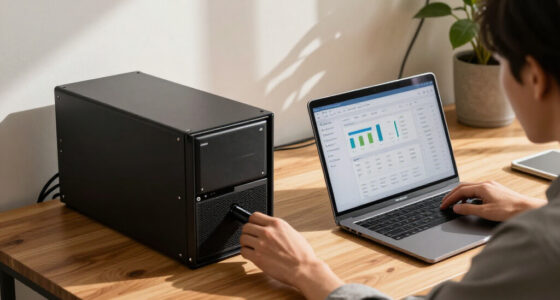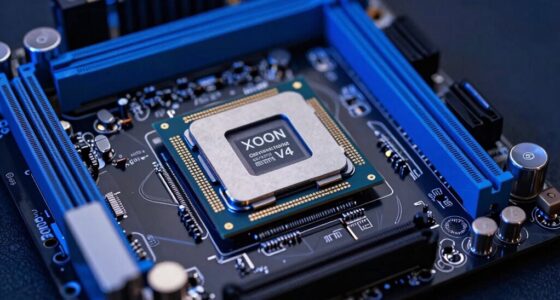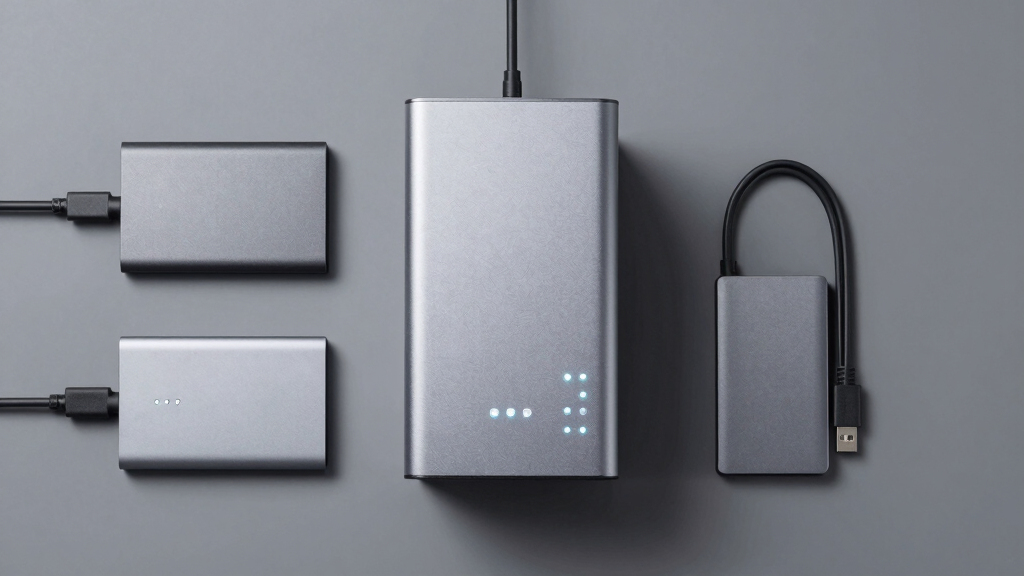

Finding the best backup NAS for business involves balancing performance, scalability, and ease of management. The ideal model should provide reliable data protection while fitting into your existing infrastructure. The Synology DS223 stands out for its affordability and straightforward setup, perfect for small teams. For larger operations, the Asustor Lockerstor 10 offers extensive storage and advanced features, but at a higher price. Many options trade off between raw capacity and user-friendly features, making it vital to consider your specific needs. Continue reading for a detailed breakdown of the top choices in 2026.

Get business pricing on networking and server gear
- Business-only prices and quantity discounts
- Tax-exempt purchasing
- Multiple users, one account, clear invoices
Key Takeaways
- The best backup NAS for business balances capacity, performance, and ease of management.
- Higher storage capacity often means increased cost and complexity, making scalability a key factor.
- Enterprise-grade features like ECC RAM and dual 10GbE ports are essential for larger organizations.
- Many models prioritize either simplicity or advanced features; choosing depends on your technical expertise.
- Price varies significantly, so understanding your growth plans helps avoid over- or under-investment.



More Details on Our Top Picks
Synology DS223 2-Bay DiskStation NAS with 8TB Storage Bundle
The Synology DS223 stands out as the best overall choice for small to medium businesses seeking reliable network storage with straightforward setup. Its quad-core processor and 2GB RAM deliver solid performance for common backup and file sharing needs, especially when paired with the included 8TB HDDs. Compared with the Synology DS225+, the DS223 offers a plug-and-play solution with less complexity, making it ideal for users prioritizing simplicity over advanced features. However, its limited RAM and basic LAN port mean it may struggle under heavy multitasking or future expansion. This model is best suited for small teams that need dependable storage without the need for high-end media or virtualization capabilities.
Pros:- Reliable RAID support for data redundancy
- Includes two 4TB Seagate IronWolf drives for immediate use
- Multiple USB ports for expandability and peripheral connections
Cons:- Limited 2GB RAM may bottleneck heavier multitasking
- Basic 1GbE LAN port lacks multi-gig support for faster local transfers
Best for: Small business owners needing reliable, easy-to-deploy network backup with minimal setup fuss
Not ideal for: Enterprises requiring high-speed multi-gig networking or extensive virtualization support
- Processor:Realtek RTD1619B Quad-Core 1.7 GHz
- Memory:2 GB DDR4 RAM
- LAN Port:1x RJ-45 1GbE
- USB Ports:3x USB 3.2 Gen 1
- HDD Capacity:8TB (2 x 4TB Seagate IronWolf)
Our verdict“This NAS offers a straightforward, reliable backup solution for small teams that prioritize ease of use over advanced networking or virtualization features.”
Synology DS225+ Private Cloud Media Server – 2-Bay Diskless NAS with Intel CPU for Hardware Transcoding
The Synology DS225+ is tailored for businesses needing robust media streaming, remote backups, and multi-layered data protection. Its Intel CPU and 4K media support enable smooth local and remote media playback, outperforming basic NAS units like the DS223 in multimedia capabilities. Unlike the DS223, which is more suited for simple storage, the DS225+ offers automated backups to multiple destinations and supports AI surveillance, making it ideal for remote office setups. The diskless design means additional costs upfront, and its complex feature set might overwhelm users unfamiliar with enterprise-grade NAS configurations. This model is ideal for organizations that prioritize media handling and remote access alongside data security.
Pros:- Supports 4K media streaming and local playback
- Automated backup options to cloud, external drives, and remote NAS
- Multi-layered data protection including RAID, snapshots, and backups
- Supports up to 30 IP cameras with AI detection
Cons:- Requires separate purchase of drives, increasing initial cost
- Setup complexity may challenge less experienced users
Best for: Businesses requiring media-rich backup and remote access with advanced data protection
Not ideal for: Small teams with minimal media needs or those seeking plug-and-play simplicity
- Number of Bays:2
- CPU:Intel
- Transfer Speed:282 MB/s
- Warranty:3 years
Our verdict“This NAS excels for media-focused businesses needing remote backup, but its advanced features come with a steeper learning curve and higher initial investment.”
QNAP TS-432XeU-4G 4-Bay 1U Short-Depth Rackmount NAS
The QNAP TS-432XeU-4G is designed for businesses that need a compact yet powerful rackmount NAS. Its 10GbE and 2.5GbE ports provide rapid data transfers, making it suitable for quick backups and file sharing in small rack setups. Compared to the Synology DS425+ with its larger capacity, the TS-432XeU is more space-efficient and offers higher network speeds, but it supports only 4 bays and lacks included drives or extensive RAM for large-scale applications. The limited RAM can restrict performance during heavy workloads, and without pre-installed drives, setup requires additional investment. It’s best for small to medium-sized offices needing fast local backups in constrained rack environments.
Pros:- High-speed 10GbE/2.5GbE connectivity for fast data transfer
- Compact 1U short-depth rackmount fits in small racks
- Supports snapshots, remote access, and data security features
Cons:- Limited 4-bay capacity restricts total storage
- No included drives or upgrade paths specified
Best for: Small offices with space-constrained rack environments seeking high-speed data transfer
Not ideal for: Large enterprise environments requiring extensive storage or high RAM for virtualization
- Processor:Annapurna Labs Alpine Cortex-A57 Quad-core
- RAM:4 GB DDR4
- Number of Bays:4
- Form Factor:1U Short-Depth Rackmount
- Connectivity:10GbE/2.5GbE/SFP+
Our verdict“Ideal for small business setups needing rackmount space efficiency combined with high-speed networking, though limited bays and RAM cap scalability.”
Asustor Lockerstor 10 Gen3 AS6810T 10-Bay NAS, AMD Ryzen V3C14 Quad-Core, 16GB ECC DDR5 RAM, Dual 10GbE + Dual 5GbE, 4 M.2 NVMe SSD Slots, USB4 40Gbps, Diskless
The Asustor Lockerstor 10 Gen3 is designed for demanding enterprise environments needing large-scale storage, virtualization, and high-speed networking. Its AMD Ryzen V3C14 processor coupled with 16GB ECC DDR5 RAM enables intensive workloads like AI, media editing, and virtualization. The dual 10GbE and dual 5GbE ports offer exceptional network throughput for simultaneous remote access and data transfers. Its four M.2 NVMe slots support caching for high-performance operations, making it suitable for professionals with heavy data or media workflows. However, being diskless, it involves additional costs for drives, and its complexity might be overkill for small or non-technical teams. This model is best for large organizations requiring robust, expandable storage and high-performance computing.
Pros:- High-performance dual 10GbE and 5GbE networking
- Supports four NVMe SSDs for caching and high throughput
- Expandable to 64GB RAM and large storage capacity
- Optimized for virtualization, AI, and professional media workflows
Cons:- Requires additional purchase of drives, increasing cost
- Complex setup and management may challenge less technical users
Best for: Large enterprises or media companies needing high-speed, expandable, and multi-user storage
Not ideal for: Small businesses or casual users seeking simple backup solutions without extensive setup
- Processor:AMD Ryzen V3C14 Quad-Core
- Memory:16GB ECC DDR5 (expandable to 64GB)
- Drive Bays:10
- SSD Slots:4 M.2 NVMe PCIe 4.0
- Networking:Dual 10GbE + Dual 5GbE
Our verdict“This NAS excels for large-scale, high-demand environments where maximum speed, expandability, and virtualization are priorities, though it demands technical expertise and higher investment.”
Synology DS425+ 4-Bay Diskless NAS Private Cloud Media Server
The Synology DS425+ is a versatile 4-bay NAS ideal for medium-sized businesses that need a combination of file sharing, media streaming, and surveillance. Its high-speed transfer rate of 278 MB/s ensures efficient handling of multiple users, and its four bays allow for flexible storage expansion. Its robust data protection features, including RAID, snapshots, and backups, make it suitable for safeguarding critical business data. Unlike smaller NAS options like the DS223, the DS425+ supports more users and offers enterprise-level security, but it requires additional disks for storage and can be complex to set up for non-technical users. This makes it a strong candidate for businesses seeking a centralized, multi-purpose storage solution.
Pros:- High-speed data transfer supports multiple concurrent users
- Supports RAID, snapshots, and comprehensive data protection
- Includes surveillance support for up to 30 IP cameras
- Robust warranty and enterprise support
Cons:- Requires additional disks for full storage capacity
- Setup may be complex for non-technical users
Best for: Mid-sized businesses needing robust, multi-user storage with media and surveillance capabilities
Not ideal for: Very small teams with minimal storage needs or those wanting an all-in-one plug-and-play device
- Number of Bays:4
- Type:Diskless NAS
- Data Transfer Speed:278 MB/s
- Supported Users:10+
- Warranty:3 years
Our verdict“This NAS offers a balanced mix of storage, media, and security features, making it ideal for growing businesses needing reliable, centralized backup and media server capabilities.”
Synology DS223 Home & Office Backup Hub – 2-Bay Diskless NAS
The Synology DS223 stands out as a flexible, entry-level backup solution suitable for small businesses and home offices. Its 2-bay configuration allows users to create a centralized storage hub, supporting automated backups and professional file sharing. Unlike the larger Synology RS822+, which offers higher throughput and expandability, the DS223 emphasizes simplicity and affordability. A key tradeoff is that it’s diskless, meaning additional investment in drives is necessary, and setup can be daunting for those unfamiliar with NAS configuration. However, once configured, it provides reliable data consolidation and can double as a surveillance station, adding to its versatility.
Pros:- Centralizes data from multiple devices effectively
- Supports professional file sharing and collaboration features
- Automated backups streamline data protection
- Can be used as a surveillance system for added security
Cons:- Requires purchasing disks separately, increasing initial cost
- Setup process may be complex for NAS beginners
Best for: Small business owners or advanced home users needing a budget-friendly, easy-to-manage backup solution
Not ideal for: Organizations requiring high-speed data transfer or large-scale expansion, as it lacks the performance and scalability of higher-end models like the RS822+
- Number of Bays:2
- Diskless:Yes
- Warranty:2 years
Our verdict“This model is best suited for small offices or tech-savvy home users who prioritize affordability and ease of use over raw performance.”
Synology 4-Bay RackStation RS822+ (Diskless)
The Synology RS822+ is geared toward medium-sized organizations with demanding data management needs. Its 4-bay rackmount design supports high throughput, with speeds exceeding 2,103 MB/s, making it ideal for environments where large data transfers are routine. Compared to the DS223, which is more suited for small setups, the RS822+ offers expandability up to 8 drives with an additional expansion unit, and features like network failover and load balancing for maximum uptime. The primary tradeoff is the additional cost for SSD cache and the fact that it’s diskless, requiring extra investment upfront. Its robust hardware makes it a clear choice for data-heavy operations, though setup and management are more complex.
Pros:- Exceptional data transfer speeds for intensive workflows
- Expandable storage capacity up to 8 drives for future growth
- Supports network failover and load balancing for high availability
- Powerful hardware with 32GB RAM for demanding applications
Cons:- Requires additional purchase for SSD cache to maximize performance
- No included drives, increasing initial setup costs
- More complex setup process suitable for experienced users
Best for: Growing businesses needing high-speed, scalable storage with redundancy and failover capabilities
Not ideal for: Small offices or budget-conscious users who do not require high throughput or extensive expandability, as the initial cost and complexity may be overkill
- Drive Bays:4
- Max Drive Expansion:8 with RX418
- Network Ports:4 x 1GbE
- Throughput:2103 MB/s
- RAM:32GB
- Form Factor:Rackmount
Our verdict“This NAS is ideal for mid-sized businesses that need high performance and scalability, accepting a higher price tag and setup complexity.”

How We Picked
The products in this roundup were evaluated based on performance, scalability, build quality, ease of use, and value for business backup needs. We prioritized models that offer reliable data protection, fast transfer speeds, and expandability. Devices with enterprise features like ECC memory, multiple Ethernet ports, and robust software management earned higher scores. Our ranking reflects a balance between cost, features, and suitability for various business sizes, from small offices to large enterprises.Factors to Consider When Choosing Best Backup Nas For Business
Choosing the right backup NAS for your business requires considering several key factors. The ideal device should not only meet your current storage needs but also adapt to future growth. Understanding these factors can prevent costly mismatches and ensure smooth data management.Capacity and Scalability
Assess your current storage requirements and anticipate future growth. A NAS with flexible expansion options, such as additional drive bays or support for SSD caching, will serve your business longer without needing an immediate replacement. Over-investing in capacity can be expensive, but under-investing risks running out of space during critical times. Balancing present needs with future-proofing is key.
Performance and Speed
Performance impacts how quickly your team can back up and access data. Look for models with fast processors, sufficient RAM, and support for SSD caching if high-speed access is essential. Dual Ethernet ports and link aggregation can boost throughput, especially in larger networks. Avoid models with underpowered hardware that could bottleneck your backup and recovery processes.
Ease of Management and Software
An intuitive interface and robust management tools reduce administrative overhead and minimize errors. Consider whether the NAS offers centralized backup solutions, remote management, and reliable data recovery features. For less technical teams, models with simplified setup and monitoring are advantageous. Conversely, larger organizations might need advanced features like automated tiering or integrated security protocols.
Security and Data Protection
Data security is paramount, especially for sensitive business information. Look for NAS devices with support for encryption, snapshot backups, and RAID configurations. Support for ECC RAM can prevent data corruption in critical systems. Regular firmware updates and secure access controls also help safeguard your backups against cyber threats.
Cost and Total Cost of Ownership
Balance your initial investment with ongoing costs like maintenance, expansion, and energy consumption. Higher-end models with enterprise features tend to cost more upfront but can offer better long-term value through reduced management effort and increased reliability. For smaller businesses, affordability and simplicity may outweigh advanced features, while larger firms should consider long-term scalability and security investments.
Frequently Asked Questions
How much storage capacity do I need for a business backup NAS?
The required storage capacity depends on your current data volume and growth projections. Small businesses might start with 4-8TB, while larger organizations often need 20TB or more, especially if backing up multiple servers or extensive data archives. It’s wise to choose a NAS with room for expansion, so you don’t need to replace it prematurely. Always consider your backup retention policies and future data growth to avoid running out of space unexpectedly.
Is dual Ethernet necessary for a backup NAS?
Dual Ethernet ports provide redundancy and increased throughput, which can be critical for business environments with high data transfer demands. If your network already supports link aggregation or has multiple subnets, dual ports help prevent bottlenecks and ensure continuous operation even if one connection drops. For small offices with minimal traffic, a single port might suffice, but larger setups benefit significantly from dual gigabit or 10GbE ports.
Should I prioritize ease of use or advanced features?
This depends on your team’s technical expertise and management needs. Small or less experienced teams might prefer models with straightforward interfaces, automated backups, and minimal configuration. Larger organizations with dedicated IT staff can leverage advanced features like multi-user management, automated tiering, and security protocols. Balancing these aspects ensures the NAS fits your current capabilities while providing room to grow into more complex management as needed.
What security features are critical for a business backup NAS?
Data encryption, both at rest and in transit, is vital to protect sensitive information. Support for snapshots allows quick recovery from accidental deletions or ransomware attacks. RAID configurations provide redundancy, minimizing data loss risks. Additionally, access controls, VPN support, and regular firmware updates strengthen your security posture. Prioritize models that offer these features to safeguard your critical business data effectively.
Is it worth investing in enterprise-grade NAS features?
For larger or data-sensitive organizations, investing in enterprise-grade features such as ECC RAM, dual 10GbE ports, and advanced security can significantly improve reliability and performance. These features reduce downtime, prevent data corruption, and support higher data throughput. Smaller businesses or those with limited IT resources might find these features excessive, preferring more straightforward, cost-effective models. Weigh your current needs against future scalability and risk management when considering these investments.
Conclusion
For small businesses starting with backup solutions, the Synology DS223 offers a balance of simplicity and reliability. Larger organizations with demanding workloads should consider the Asustor Lockerstor 10 for its expansive capacity and advanced features. Those seeking the best overall blend of performance and value might prefer the Synology DS425+. If you need a compact, easy-to-use system, the Synology DS223 Home & Office Backup Hub fits well. For enterprise-level needs, the Synology RS822+ provides robust scalability and security. Choosing the right NAS depends on your current size, future growth plans, and technical resources.
Halloween Picks
halloween
As an affiliate, we earn on qualifying purchases.