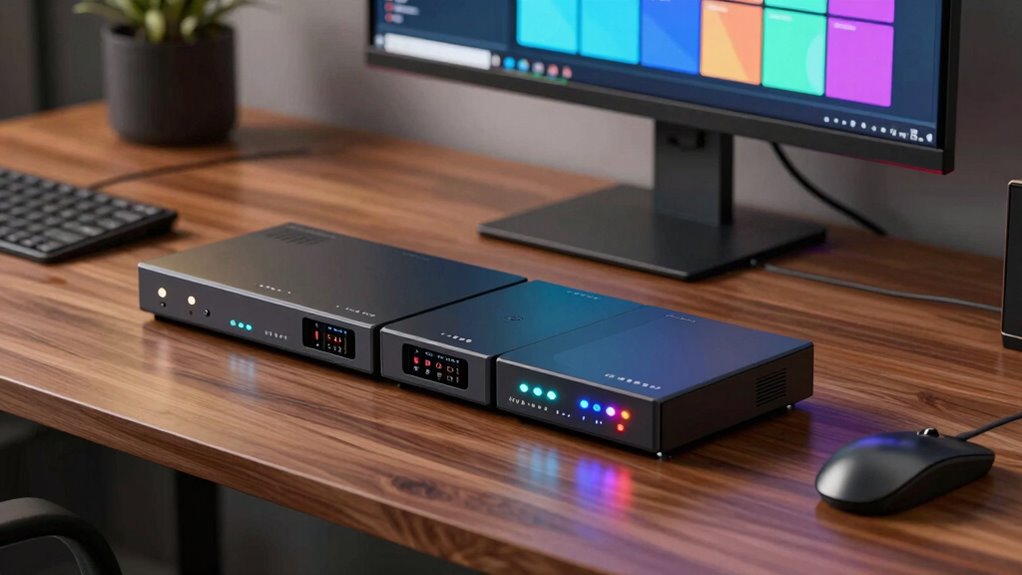

When searching for 4K KVM over IP solutions, you’re looking for reliable, high-resolution access to multiple computers over a network. The best options balance performance, ease of use, and compatibility with your setup. The ATEN KVM Switch stands out for its robust performance, while the GL.iNet Comet GL-RM1 offers excellent remote access features at a more affordable price. However, tradeoffs often involve balancing resolution, latency, and feature sets. Continue reading for a detailed breakdown of the top picks and how they compare.

Get business pricing on networking and server gear
- Business-only prices and quantity discounts
- Tax-exempt purchasing
- Multiple users, one account, clear invoices
Key Takeaways
- The highest-performing models prioritize ultra-low latency and high stability for professional environments.
- Price often correlates with features; budget options tend to have limited remote management capabilities.
- Fiber and PoE options provide longer range and easier power management but can increase cost and complexity.
- User-friendly touchscreen interfaces and BIOS control are common among the top-rated products for ease of setup.
- Tradeoffs include balancing resolution, speed, and price; premium models deliver higher reliability at a premium cost.
| ATEN 1-Local/Remote Share Access Single Port 4K DisplayPort KVM Over IP Switch |  | Best Overall for High-Quality 4K KVM over IP | Resolution: 4K DCI (4096 x 2160) @ 30Hz | Video Interface: DisplayPort | Features: FPGA graphics processor, environment monitoring, reboot control | VIEW ON AMAZON | See Our Full Breakdown |
| GL.iNet Comet GL-RM1 Remote KVM, 4K 30Hz, BIOS Control, Tailscale |  | Best for BIOS-Level Remote Access with Ease of Use | Resolution: 3840×2160@30Hz | Features: BIOS control, Tailscale, remote reboot, file transfer | Connectivity: H.264 hardware encoding | VIEW ON AMAZON | See Our Full Breakdown |
| AV Access 4K HDMI Fiber KVM Extender Over IP, up to 550m/1800ft, 3x USB 2.0 Ports, Remote PC Control |  | Best for Long-Distance 4K Video over Fiber | Transmission Range: 550 meters (1800 feet) | Resolution: 4K Ultra HD | USB Ports: 3x USB 2.0 | VIEW ON AMAZON | See Our Full Breakdown |
| GL.iNet GL-RM10 Comet Pro Remote KVM Over Wi-Fi 6 Dual Band 4K Passthrough with Touchscreen and Tailscale |  | Best for Wireless Flexibility and Touchscreen Control | Wi-Fi Bands: 2.4 GHz and 5 GHz | Video Passthrough: 4K@30FPS | Touchscreen: 2.22-inch | VIEW ON AMAZON | See Our Full Breakdown |
| ATEN 4K DisplayPort KVM Over IP Receiver |  | Best for Multi-Computer Control in Professional Settings | Resolution: 4K | Connectivity: DisplayPort | Type: KVM Over IP Receiver | VIEW ON AMAZON | See Our Full Breakdown |
| ATEN 1-Port 4K DisplayPort KVM Over IP Switch |  | Best Compact Single-Port Solution | Port: 1-Port | Resolution: 4K | Connection Type: DisplayPort | VIEW ON AMAZON | See Our Full Breakdown |
| OREI 4K KVM HDMI Extender Over IP CAT6 4K@60Hz One to Many Up to 400 Feet, 2 USB 1.1 Loop Out |  | Best for Long-Distance Multi-Location HDMI Extension | Resolution: 4K@60Hz | Range: Up to 400 Feet | Input: HDMI, Ethernet | VIEW ON AMAZON | See Our Full Breakdown |
| OREI KVM 4K HDMI Over Ethernet Extender Balun over CAT6/7 Cable 4K@60Hz up to 230 Feet with USB Ports and HDMI Loop Out |  | Best for Professional AV and High-Resolution Control | Video Resolution: 4K@60Hz | Transmission Distance: 230 feet | Cable Type: CAT6/7 | VIEW ON AMAZON | See Our Full Breakdown |
| GL.iNet Comet PoE Remote KVM GL-RM1PE with Tailscale, 4K Streaming |  | Best for Remote BIOS and 4K Streaming at 30FPS | PoE Support: Yes | Power Supply: Type-C and PoE | Built-in Storage: 32GB eMMC | VIEW ON AMAZON | See Our Full Breakdown |
| Aten KE9952T 4K DisplayPort Single View KVM Over IP Transmitter with Audio, Serial, SFP Fiber, and POE |  | Best for Secure, High-Performance Server Access | Video Resolution: 3840 x 2160 @30Hz | DisplayPort: 1 port | Connectivity: RJ-45, SFP | VIEW ON AMAZON | See Our Full Breakdown |
| AV Access 4K60Hz HDMI & USB KVM Extender Over Cat6/6A/7 Up to 230ft, HDR10, HDCP 2.3, 2xUSB 1.1, Bi-Directional PoC, EDID Switch, HDMI Loop-Out | 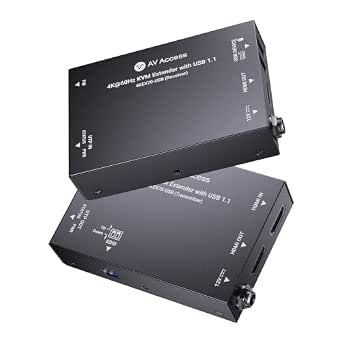 | Best Overall for Long-Distance 4K KVM Extension | Maximum Distance: 230 feet | Video Resolution: 4K@60Hz 4:4:4 | HDCP Version: 2.3 | VIEW ON AMAZON | See Our Full Breakdown |
| Raritan Dominion KX IV-101 Ultra High Performance 1-Port 4K KVM-Over-IP Switch |  | Best for High-Performance Single-Server Management | Weight: 3.1 lbs | Port: 1-Port | Resolution Support: 4K | VIEW ON AMAZON | See Our Full Breakdown |
| Aten KE8952R-AX KVM Over IP Extender Receiver 4K HDMI Single Display with PoE |  | Best for 4K Remote Display with PoE | Video Resolution: 3840 x 2160 @ 30Hz | Color Depth: 24-bit | Supports Deep Color: 36-bit | VIEW ON AMAZON | See Our Full Breakdown |
| 4K HDMI KVM USB Extender over Cat6 – 393ft, Audio, IR, Loop Out |  | Best for Long-Distance 4K KVM Control | Maximum Resolution: 4K@30Hz | Maximum Distance: 393 feet | Cable Type: Cat6/Cat6a/Cat7 | VIEW ON AMAZON | See Our Full Breakdown |
More Details on Our Top Picks
ATEN 1-Local/Remote Share Access Single Port 4K DisplayPort KVM Over IP Switch
This ATEN switch stands out for delivering reliable 4K DisplayPort video at 30Hz with an FPGA graphics processor that significantly enhances image clarity and frame rate. Unlike the more flexible AV Access extender, it offers integrated environment monitoring and reboot control, making it well-suited for critical server rooms. However, its single-port design and the need for a compatible network setup limit scalability and ease of use in larger environments. It’s ideal for users who prioritize image quality and environment management over multi-device support, but those needing multiple ports or plug-and-play scalability may find it restrictive.Pros:- Supports crisp 4K DisplayPort resolution at 30Hz with FPGA enhancement
- Includes environment monitoring and reboot control features
- Dual power supply for reliability
Cons:- Limited to a single port, restricting multi-device use
- Requires compatible network infrastructure, which can add complexity
- No bundled accessories or extensive management features
Best for: IT professionals managing single-server setups needing high-quality 4K video and environment controls.
Not ideal for: Organizations requiring multi-user or multi-device setups, or those seeking a plug-and-play solution with extensive scalability.
- Resolution:4K DCI (4096 x 2160) @ 30Hz
- Video Interface:DisplayPort
- Features:FPGA graphics processor, environment monitoring, reboot control
- Power Supply:Dual power supply
- Network:Dual LAN
Our verdict“This switch is best for single-device setups demanding high image quality and environment control, but it isn’t suited for scalable or multi-device environments.”
GL.iNet Comet GL-RM1 Remote KVM, 4K 30Hz, BIOS Control, Tailscale
Compared with the ATEN switch, the GL.iNet Comet GL-RM1 emphasizes remote BIOS control and easy setup via Tailscale, making it ideal for remote IT technicians and smaller teams. Its support for 4K at 30Hz with low latency ensures clear visuals during remote troubleshooting. Unlike fiber-based options like the AV Access extender, it relies on standard network connections, simplifying deployment but limiting maximum refresh rate at 4K. Its built-in Tailscale and user-friendly app make it accessible for users who prioritize quick, secure remote access over raw video bandwidth or multi-device support.Pros:- Supports BIOS access without host-side software
- Easy setup with one-click app connection
- Supports 4K resolution with low latency
Cons:- Cannot use Power Delivery (PD) adapters, limiting power options
- Limited internal storage (32GB) for additional applications or storage
- No built-in microphone or audio output
Best for: Remote IT teams needing BIOS-level control and simple, secure connection to multiple computers over standard networks.
Not ideal for: Users requiring ultra-low latency for high-speed gaming or multi-device, high-bandwidth environments that need more than 30Hz at 4K.
- Resolution:3840×2160@30Hz
- Features:BIOS control, Tailscale, remote reboot, file transfer
- Connectivity:H.264 hardware encoding
- Compatibility:Laptops, desktops, servers
Our verdict“This device works best for remote technicians needing BIOS access and simple setup, but it isn’t designed for high-refresh-rate or multi-monitor setups.”
AV Access 4K HDMI Fiber KVM Extender Over IP, up to 550m/1800ft, 3x USB 2.0 Ports, Remote PC Control
This fiber KVM extender excels at transmitting 4K HDMI signals over vast distances—up to 550 meters—making it the clear choice for large-scale installations like campuses or data centers. Its zero-latency design and USB 2.0 ports support real-time control and peripheral sharing. Compared with the ATEN single-port switch, it offers unmatched reach but requires fiber optic infrastructure, which adds complexity and cost. It’s less suitable for small setups or environments where fiber deployment isn’t feasible, but for extensive, high-resolution control environments, it provides reliable, scalable performance.Pros:- Supports 4K resolution over distances up to 550 meters
- Zero latency ensures real-time control
- Supports multiple USB peripherals with 3 USB 2.0 ports
Cons:- Requires a fiber optic switch and infrastructure, increasing complexity
- Limited to point-to-point or simple KVM over IP applications, not switching matrices
- Setup may be complex for less experienced users
Best for: Large organizations needing high-resolution control over long distances with fiber infrastructure.
Not ideal for: Small offices or setups where fiber cabling isn’t practical or cost-effective, or where multi-device switching is needed.
- Transmission Range:550 meters (1800 feet)
- Resolution:4K Ultra HD
- USB Ports:3x USB 2.0
- Supported Distance with Modules:up to 10 km
- Latency:Zero
Our verdict“Ideal for large-scale, high-resolution environments that can leverage fiber optics, but not suitable for smaller or simpler setups.”
GL.iNet GL-RM10 Comet Pro Remote KVM Over Wi-Fi 6 Dual Band 4K Passthrough with Touchscreen and Tailscale
Compared to wired solutions like the ATEN switch or fiber extenders, the GL.iNet GL-RM10 emphasizes wireless convenience, supporting Wi-Fi 6 for fast, flexible remote access. Its 4K passthrough at 30FPS with low latency suits remote troubleshooting and home lab environments well. The built-in touchscreen simplifies local control, and Tailscale integration enhances security and ease of access. However, it lacks the high refresh rates needed for fast-paced tasks and the internal storage or audio features found in more comprehensive setups. This makes it ideal for users prioritizing mobility and ease of setup over raw video performance or multi-device scalability.Pros:- Supports dual-band Wi-Fi 6 for fast, reliable wireless connectivity
- User-friendly 2.22-inch touchscreen interface
- Secure remote access with Tailscale and cloud support
Cons:- Limited internal storage and no audio features
- Requires additional accessories for power management
- Limited refresh rate (30Hz) may not suit fast-paced tasks
Best for: Remote workers or home labs requiring flexible wireless access with a user-friendly interface and secure remote connection.
Not ideal for: High-performance professional environments or setups demanding multi-monitor, multi-device switching, or high refresh rates above 30Hz.
- Wi-Fi Bands:2.4 GHz and 5 GHz
- Video Passthrough:4K@30FPS
- Touchscreen:2.22-inch
- Built-in Storage:32GB eMMC
- Features:Tailscale, web cloud, Linux support
Our verdict“This device excels in wireless remote access with touchscreen control but isn’t designed for high-speed or multi-device demanding applications.”
ATEN 4K DisplayPort KVM Over IP Receiver
The ATEN 4K DisplayPort KVM over IP receiver provides seamless remote access to multiple computers at up to 4K resolution, making it suitable for control rooms and data centers. Unlike the single-port switch, it functions as a receiver in a broader setup, ideal for enterprise environments needing remote management of several systems. Its straightforward display and control capabilities are offset by limited product details and potentially complex setup for those unfamiliar with KVM over IP systems. It’s designed for environments where high-resolution, multi-system control takes precedence over simple plug-and-play ease.Pros:- Supports 4K resolution for high-quality video
- Enables remote control of multiple connected computers
- Suitable for enterprise and professional environments
Cons:- Limited product details can complicate installation
- Setup may be complex for those unfamiliar with KVM over IP
- Designed primarily as a receiver, requiring matching transmitters
Best for: IT managers and control room operators managing multiple servers or workstations requiring high-res remote access.
Not ideal for: Small business users or individuals seeking a simple, single-device KVM solution with minimal setup.
- Resolution:4K
- Connectivity:DisplayPort
- Type:KVM Over IP Receiver
Our verdict“This receiver is best for environments with multiple systems needing high-resolution remote access, but it’s less suited for small or straightforward setups.”
ATEN 1-Port 4K DisplayPort KVM Over IP Switch
This device stands out for its simplicity and high-quality 4K display support, making it ideal for environments needing straightforward remote access to a single device. Unlike the multiple-port options like the AV Access 4K HDMI Fiber KVM Extender, this switch is limited to one connection, but it excels in ease of use and reliable virtual media features. The main tradeoff is its single-port capacity, which might not suit setups requiring multiple simultaneous connections. For those managing a single workstation or server, it offers a streamlined, dependable solution with minimal setup complexity.
Pros:- Supports crisp 4K resolution for high-quality display clarity
- Enables remote and local device control in one unit
- Includes virtual media and redundancy features for uptime assurance
Cons:- Limited to a single port, restricting scalability
- Requires network configuration for remote access, which may be complex
Best for: Small offices or individual professionals needing remote access to a single DisplayPort device.
Not ideal for: Large data centers or multi-device setups requiring multiple simultaneous connections.
- Port:1-Port
- Resolution:4K
- Connection Type:DisplayPort
- Features:KVM over IP, Virtual Media, Power/LAN Redundancy
Our verdict“This pick is best for users needing a reliable, straightforward solution for one 4K DisplayPort device.”
OREI 4K KVM HDMI Extender Over IP CAT6 4K@60Hz One to Many Up to 400 Feet, 2 USB 1.1 Loop Out
This extender excels in supporting high-resolution 4K@60Hz video over long distances, making it ideal for multi-room or multi-site environments. Compared to the ATEN single-port switch, it allows one source to be displayed at multiple locations, offering significant flexibility. The main tradeoff involves the need for a network switch and a somewhat complex setup process, which might be daunting for less technical users. It’s best suited for those who require long-range HDMI extension with multi-view capability, such as control rooms or digital signage deployments.
Pros:- Supports ultra-high-definition 4K video at 60Hz
- Extends signals up to 400 feet over CAT6 cables
- Enables one source to be displayed across multiple locations
Cons:- Requires a network switch for operation, adding setup complexity
- Limited USB port functionality and potential latency issues
Best for: AV professionals and enterprise users managing multi-room digital signage or control rooms.
Not ideal for: Small office setups or users needing only a single display, as the complexity may outweigh the benefit.
- Resolution:4K@60Hz
- Range:Up to 400 Feet
- Input:HDMI, Ethernet
- Output:Multiple locations over IP
- USB Ports:2 USB 1.1
Our verdict“This extender is perfect for professional environments needing long-distance, multi-display HDMI distribution over IP.”
OREI KVM 4K HDMI Over Ethernet Extender Balun over CAT6/7 Cable 4K@60Hz up to 230 Feet with USB Ports and HDMI Loop Out
This HDMI extender provides reliable 4K@60Hz video transmission up to 230 feet, supporting HDR and digital audio for high-end AV setups. Unlike the previous OREI model, it includes HDMI loop-out and dual USB ports, making local control and local display simultaneous. However, the shorter maximum distance and reliance on high-quality cabling mean careful installation is essential. This device suits professional AV environments needing high-resolution, secure, and flexible connections, especially where local and remote control are needed simultaneously.
Pros:- Supports high-resolution 4K@60Hz with HDR and audio formats
- Includes HDMI loop-out for local display
- USB ports enable keyboard and mouse control at remote location
Cons:- Requires high-quality CAT6/7 cables for optimal performance
- Limited to 230 feet, shorter than some competitors
- Setup can be complex for non-technical users
Best for: AV integrators and professionals managing high-resolution digital signage or professional media rooms.
Not ideal for: Home users or small offices with simple setup needs, due to cabling and configuration complexity.
- Video Resolution:4K@60Hz
- Transmission Distance:230 feet
- Cable Type:CAT6/7
- USB Ports:2 USB 1.1
- Audio Support:DTS-HD, PCM, LPCM
Our verdict“Ideal for high-end AV projects requiring flexible, high-res HDMI extension over IP with local control capabilities.”
GL.iNet Comet PoE Remote KVM GL-RM1PE with Tailscale, 4K Streaming
This device caters to users needing remote BIOS access, streaming, and management via PoE and dual power options. It supports 4K at 30FPS, which is suitable for most remote control tasks but falls short for high-speed video or media production. Compared to the other HDMI extenders, it emphasizes remote BIOS reinstall and Tailscale integration for secure, flexible remote management, though it lacks detailed device compatibility info. This makes it a fit for IT admins or remote server managers needing a compact, secure remote KVM with basic 4K streaming.
Pros:- Supports 4K streaming at 30FPS for high-quality visuals
- PoE support simplifies power setup
- Remote BIOS reinstall enhances device management
Cons:- Limited information on device compatibility and user reviews
- Streaming at only 30FPS may not suit fast-paced media applications
Best for: IT professionals managing remote servers or BIOS configurations needing secure, 4K-capable remote access.
Not ideal for: Media creators or users requiring 60Hz high-frame-rate streaming or advanced AV features.
- PoE Support:Yes
- Power Supply:Type-C and PoE
- Built-in Storage:32GB eMMC
- Video Output:4K at 30FPS
- Remote BIOS Reinstall:Yes
Our verdict“Best suited for remote IT management environments where 4K BIOS access and security are priorities over high-frame-rate video.”
Aten KE9952T 4K DisplayPort Single View KVM Over IP Transmitter with Audio, Serial, SFP Fiber, and POE
This transmitter targets professional environments requiring secure, high-quality remote access to servers or workstations via 4K DisplayPort. It supports resolutions up to 3840 x 2160 at 30Hz with minimal latency, and its flexible connectivity options—including fiber and Ethernet—make it suitable for demanding setups. Unlike the single-port switch, this device emphasizes secure, low-latency connections over a network, ideal for data centers or critical systems. The main tradeoff involves the need for network configuration and its restriction to a single display, which limits multi-monitor setups.
Pros:- Supports 4K resolution with low latency for critical applications
- Flexible connectivity with Ethernet, fiber, and POE support
- Suitable for secure, remote management in enterprise environments
Cons:- Requires network setup and configuration expertise
- Limited to one display per device, not multi-monitor
Best for: Data centers and IT departments needing secure, high-performance, remote server management with minimal latency.
Not ideal for: Small offices or home users seeking multi-device or multi-display solutions due to its specialized setup.
- Video Resolution:3840 x 2160 @30Hz
- DisplayPort:1 port
- Connectivity:RJ-45, SFP
- Supports:Audio, Serial, POE
- Maximum Distance:Direct or networked
Our verdict“This device fits environments demanding secure, high-performance remote access to single 4K displays with minimal latency.”
AV Access 4K60Hz HDMI & USB KVM Extender Over Cat6/6A/7 Up to 230ft, HDR10, HDCP 2.3, 2xUSB 1.1, Bi-Directional PoC, EDID Switch, HDMI Loop-Out
This extender excels at transmitting 4K@60Hz video over extensive distances up to 230 feet, making it ideal for professional environments like control rooms and retail displays. Unlike simpler point-to-point solutions, it supports HDR10 and multichannel audio, ensuring high-quality visuals and sound. Its bi-directional PoC and EDID switch simplify installation by reducing power requirements and allowing flexible display configurations. Compared to products like the Raritan Dominion KX IV-101, which is more compact but limited to a single display, this unit offers greater flexibility for multiple displays and longer reach. The main tradeoff is its USB support limited to USB 1.1, which may hinder high-bandwidth peripherals. Overall, this model suits installations needing high-quality, long-distance 4K signal extension with professional features, but not for users requiring high-speed USB data transfer or remote control features.
Pros:- Supports 4K@60Hz with HDR10 for vibrant, detailed images
- Passes multichannel audio formats like Dolby Atmos and DTS:X
- Simplifies setup with bi-directional PoC and EDID switch
Cons:- Limited USB bandwidth to USB 1.1, restricting high-speed peripherals
- Requires Ethernet cable for optimal performance, adding installation complexity
- No remote control capabilities for managing multiple units remotely
Best for: IT professionals setting up high-resolution displays across large spaces or retail environments needing reliable, high-quality signal extension.
Not ideal for: Home users or small office setups that do not require extended distances or professional-grade features.
- Maximum Distance:230 feet
- Video Resolution:4K@60Hz 4:4:4
- HDCP Version:2.3
- USB Support:2x USB 1.1
- Audio Support:Dolby Atmos, DTS:X, PCM 7.1
- Features:Bi-Directional PoC, EDID Switch, HDMI Loop-Out
Our verdict“This extender is best suited for professional setups demanding long-distance, high-quality 4K transmission with reliable audio features.”
Raritan Dominion KX IV-101 Ultra High Performance 1-Port 4K KVM-Over-IP Switch
The Raritan Dominion KX IV-101 stands out for its high reliability and straightforward design, supporting 4K resolution on a single port, making it ideal for administrators managing a dedicated server or a single high-resolution display. Unlike multi-port solutions such as the AV Access 4K60Hz Extender, which focus on extended distances, the KX IV-101 prioritizes robust, high-quality connection for critical server access. Its lightweight, compact form factor simplifies deployment in server rooms or remote rack spaces, but it’s limited to just one port, which restricts its use to single-device management. The lack of detailed technical specs in the description may also be a concern for users needing specific feature sets. This device works best for environments where a reliable, high-performance management point for one device suffices, but it’s not suitable for multi-device setups or extensive remote control applications.
Pros:- Supports 4K resolution for crisp, clear visuals
- Reliable, high-performance build for critical environments
- Lightweight and easy to deploy in tight spaces
Cons:- Limited to a single port, restricting scalability
- Lacks comprehensive technical detail in the product listing
- No remote access features beyond basic KVM capabilities
Best for: Data centers or enterprise IT teams needing a dedicated, high-quality remote management solution for a single server or device.
Not ideal for: Users seeking multi-device management or solutions requiring detailed technical specifications and advanced features.
- Weight:3.1 lbs
- Port:1-Port
- Resolution Support:4K
Our verdict“This switch is best for focused, high-reliability management of a single device in professional environments, but not for multi-device setups.”
Aten KE8952R-AX KVM Over IP Extender Receiver 4K HDMI Single Display with PoE
The Aten KE8952R-AX offers a practical solution for high-quality 4K@30Hz HDMI extension over IP, with PoE support simplifying power setup—no need for separate power supplies. Compared with the AV Access 4K60Hz Extender that supports higher refresh rates, this model emphasizes ease of installation and broad device compatibility with HDMI 1.4a and HDCP 1.4. Its support for stereo audio and microphone adds to its versatility for remote management, but the 30Hz refresh rate limits smoothness for fast-moving visuals, making it less suitable for gaming or high-refresh-rate applications. The lack of advanced remote management features beyond the extender capability narrows its use case to straightforward remote display extension. This pick makes the most sense for users who prioritize simple, reliable 4K display extension with easy power integration, especially in security or meeting room setups.
Pros:- Supports 4K UHD at 30Hz for crisp visuals
- PoE support simplifies installation with single cable power
- Compatible with HDMI 1.4a and HDCP 1.4 broadens device compatibility
Cons:- Limited to 30Hz at 4K, less smooth for fast visuals
- No advanced remote management features
- Dependent on compatible network infrastructure for PoE
Best for: Remote workers or security professionals needing reliable 4K HDMI extension with PoE in a straightforward setup.
Not ideal for: Enthusiasts requiring higher refresh rates or advanced remote management features beyond basic display extension.
- Video Resolution:3840 x 2160 @ 30Hz
- Color Depth:24-bit
- Supports Deep Color:36-bit
- Connectivity:HDMI 1.4a, HDCP 1.4
- Features:PoE, USB virtual media
Our verdict“This extender suits environments needing straightforward, reliable 4K HDMI extension with PoE, but not for fast-paced visual applications.”
4K HDMI KVM USB Extender over Cat6 – 393ft, Audio, IR, Loop Out
This extender offers an impressive reach of up to 393 feet at 4K@30Hz, making it well-suited for large-scale AV setups such as conference rooms, surveillance, or home theaters. Its support for IR control and audio output at both ends enhances remote device management and audio flexibility, surpassing shorter-distance extenders like the AV Access 4K60Hz Extender. The inclusion of loop-out for local monitoring adds convenience for real-time control. However, the requirement for specific cable types (Cat6 or higher) and the 30Hz refresh rate at 4K could limit its use for fast-motion content or gaming. Setup complexity might challenge less experienced users, but its ability to extend high-quality signals over hundreds of feet makes it a standout for large installations where distance is critical.
Pros:- Supports 4K@30Hz over nearly 400 feet
- IR control for remote operation of source devices
- Includes audio output and local loop-out for monitoring
Cons:- Limited to 30Hz at 4K, less ideal for fast motion
- Requires specific Cat6 or higher cables for optimal performance
- Setup can be complex for inexperienced users
Best for: AV installers or security professionals needing to control or view high-resolution sources over long distances in professional or surveillance environments.
Not ideal for: Gamers or multimedia users requiring high refresh rates for fast-moving video content or smooth gameplay.
- Maximum Resolution:4K@30Hz
- Maximum Distance:393 feet
- Cable Type:Cat6/Cat6a/Cat7
- Audio Output:3.5mm
- IR Control:Yes
- Loop Out:Yes
Our verdict“This extender is ideal for long-distance AV control and surveillance, where resolution and control are priorities over high refresh rates, but setup complexity can be a barrier for some users.”

How We Picked
To compile this list, I evaluated each product based on performance, connectivity options, build quality, usability, and value. Priority was given to models supporting 4K resolution at 60Hz, low latency, and stable network connections suitable for professional or critical use. We also considered features like remote BIOS access, touchscreen controls, PoE support, and the range of supported USB peripherals. Products were ranked not only for their technical specs but also for ease of deployment and reliability. This approach ensures the selections cater to a broad range of users, from enterprise to home setups.
Factors to Consider When Choosing 4k Kvm Over Ip
Choosing the right 4K KVM over IP involves understanding your specific needs and balancing several key factors. Beyond raw resolution, consider how latency, connectivity, and management features impact your workflow. A well-chosen KVM switch can streamline remote access, but a mismatch can lead to frustration and performance issues. Here are the main considerations to guide your decision.Performance and Latency
For critical applications like video editing or live broadcasting, low latency is essential. Look for models explicitly supporting 4K@60Hz with minimal input lag. Higher latency can cause noticeable delays, hampering real-time control. Cheaper options might cut corners here, so prioritize performance if your tasks demand precision and speed.
Connectivity and Range
The distance between your control station and the servers matters. Fiber-optic or PoE-enabled units extend range significantly, sometimes over hundreds of feet, ideal for large facilities. Conversely, shorter-range models using Ethernet or Cat6 cables are easier to set up but limit flexibility. Consider your physical space and whether remote access from multiple locations is a priority.
Ease of Use and Management
Features like touchscreen interfaces, BIOS control, and remote management software simplify setup and ongoing operation. If you lack technical expertise, focus on models with straightforward UI and minimal configuration. For enterprise environments, remote BIOS access and network-based management are invaluable, even if they come at a higher cost.
Compatibility and Peripherals
Ensure your chosen KVM switch supports your existing peripherals, such as USB devices, audio, or serial connections. Some models include multiple USB ports or support for specific protocols, which can reduce compatibility issues. Failing to match these needs can result in additional adapters or reduced functionality.
Price and Total Cost of Ownership
High-end models offer superior performance and features but come with a higher price tag. Consider your budget alongside the scale of your deployment. Cheaper units may require more troubleshooting or lack features like long-range support, leading to higher costs over time. Balance upfront expenditure with long-term reliability and performance.
Frequently Asked Questions
Can I use a 4K KVM over IP switch with my existing network?
Most 4K KVM over IP switches are designed to be compatible with standard Ethernet networks, but it’s essential to verify compatibility with your specific setup. Some models require managed switches or specific network configurations to optimize performance and reliability. Ensure your network infrastructure supports the bandwidth and latency requirements for 4K@60Hz video transmission, especially if multiple users or high traffic are involved.
What’s the minimum network requirement for smooth 4K over IP performance?
For seamless 4K@60Hz transmission, a dedicated gigabit Ethernet connection is recommended, preferably with low latency and minimal congestion. Managed switches with Quality of Service (QoS) features can prioritize video traffic, reducing lag and stutter. Wireless options are generally not suitable for high-quality 4K KVM over IP due to potential interference and bandwidth limitations.
Are fiber-based KVM over IP solutions worth the extra cost?
Fiber optic KVM solutions are advantageous when long-distance, high-bandwidth, and low latency are critical. They significantly reduce signal degradation over distance, making them ideal for data centers and enterprise environments. However, the higher initial investment and installation complexity mean they are best suited for large-scale setups where performance justifies the expense.
How important is remote BIOS access in a KVM over IP system?
Remote BIOS access is a key feature for managing servers and high-value equipment without physical presence. It allows full control for troubleshooting, updates, or configuration changes. If your environment involves critical systems or distributed locations, prioritizing a model with BIOS-level access can save time and prevent costly downtime.
Should I prioritize features over resolution when choosing a KVM over IP?
While 4K resolution is important for clarity and detail, features like low latency, remote BIOS, and management capabilities often have a greater impact on usability. For professional use, balancing resolution with performance features ensures a smoother experience. In simpler setups, prioritizing essential features over maximum resolution might offer better value and reliability.
Conclusion
For most professional environments requiring reliable, high-performance access, the Raritan Dominion KX IV-101 offers the best overall experience. For those on a budget, the GL.iNet Comet GL-RM1 delivers solid remote capabilities without breaking the bank. If you prefer a premium, feature-rich setup, the ATEN KE9952T provides advanced management and fiber support. Beginners or small office users should consider simpler, user-friendly models that prioritize ease of setup. Ultimately, your choice depends on balancing performance, budget, and specific needs.
Halloween Picks
halloween
As an affiliate, we earn on qualifying purchases.