

Welcome to the 2026 Ultimate Cloud & Hosting Checklist, your go-to guide for selecting the best tools and services to build a reliable online presence. Whether you’re a small business owner, a developer, or an IT professional, this checklist is designed to help you navigate the complex landscape of cloud computing, hosting, and infrastructure. We’ve organized it into key categories, each covering essential products and considerations, so you can make informed decisions with confidence.

Get business pricing on networking and server gear
- Business-only prices and quantity discounts
- Tax-exempt purchasing
- Multiple users, one account, clear invoices
Use this guide as a step-by-step reference when evaluating your current setup or planning new investments. We highlight the most important features to look for, common pitfalls to avoid, and practical tips to ensure compatibility and performance. Remember, the right choices depend on your specific needs—so prioritize what matters most for your goals and budget.
Feel free to skim through the sections, focus on the areas relevant to your project, and revisit the advice as your infrastructure evolves. This checklist aims to simplify your decision-making process, so you can focus on growing your digital footprint without stress.
Cloud Servers
Choosing the right cloud server is crucial for ensuring your applications run smoothly and scale effortlessly. When evaluating options, consider the performance specifications such as CPU, RAM, and storage, as well as the network capabilities. It’s also important to look for providers that offer easy scalability and robust security features. Many users make the mistake of underestimating their resource needs or opting for overly complex solutions that can hinder growth. To avoid this, analyze your workload requirements carefully and select a provider that offers flexible plans.
Additionally, check for compatibility with your existing tools and whether the provider supports the operating systems and software you intend to use. Consider the geographic location of data centers for latency optimization, and review the provider’s support and service level agreements. A good cloud server should integrate seamlessly with your current infrastructure while providing room to expand as your needs grow.
What to look for:
- High performance CPU and RAM options
- Scalability features and ease of upgrade
- Strong security protocols and compliance
- Global data center locations for latency optimization
- Transparent resource usage and billing options
Domain Names
Selecting the right domain name is foundational to your online identity. A good domain should be easy to remember, relevant to your brand, and simple to spell. When browsing options, avoid overly complex or lengthy names, as they can be difficult for users to recall and type. Many buyers err by choosing a domain that’s too similar to competitors or neglecting to check for trademark issues. To prevent this, conduct thorough research on existing trademarks and domain history.
Pay attention to domain extension choices. While .com remains the most popular, alternatives like .net or industry-specific extensions can also work well. Compatibility with your branding strategy and future-proofing are key. Additionally, consider the renewal terms and privacy protection options offered by your registrar. These small details can save you trouble and costs down the line. Secure your domain with strong passwords and two-factor authentication to prevent unauthorized transfers or hijacking.
What to look for:
- Memorable and brand-relevant names
- Easy to spell and pronounce
- Availability across social media platforms
- Clear extension that matches your business
- Strong privacy and security features
SSL Certificates
While we don’t list specific SSL certificate products here, security remains a top priority for any online service. An SSL certificate encrypts data between your site and its visitors, building trust and protecting sensitive information. When choosing an SSL, consider the validation level: Domain Validation (DV), Organization Validation (OV), or Extended Validation (EV). Each offers different levels of assurance and trust.
Common mistakes include selecting cheap or free certificates that may lack recognition or proper validation, and neglecting to install or renew certificates on time. Make sure your hosting provider supports easy SSL installation, or opt for providers that offer automated renewal processes. Compatibility with your platform and browsers is essential, so verify the certificate’s support for your server type. Regularly monitor your SSL status to prevent security warnings and maintain user confidence.
What to look for:
- Proper validation level for your needs
- Ease of installation and renewal
- Compatibility with your hosting platform
- Recognition from major browsers and devices
- Support for multi-domain or wildcard certificates
Backup Solutions
Regular backups are the cornerstone of reliable hosting. When selecting backup solutions, look for tools that offer automated scheduling and easy restore options. Cloud-based backups provide the advantage of off-site storage, which protects your data from local hardware failures or disasters. Many users overlook the importance of testing their backups periodically to ensure data integrity and restore capabilities. This simple step can save you from unexpected data loss during emergencies.
Compatibility with your existing infrastructure is another key factor. Ensure your backup solution supports your operating system, hosting environment, and data formats. Consider the storage limits and encryption features to safeguard sensitive information. A good backup plan includes versioning, so you can revert to previous states if needed, and clear documentation for recovery procedures. Remember, the best backup solution is one that fits seamlessly into your workflow and provides peace of mind.
What to look for:
- Automated backup scheduling
- Off-site/cloud storage options
- Easy restore and recovery process
- Encryption and security features
- Support for multiple data types and platforms
Control Panels
Monitoring Tools
Monitoring your cloud infrastructure and applications is essential for maintaining performance and security. Tools that offer real-time alerts and comprehensive dashboards help you identify issues before they escalate. When choosing monitoring solutions, look for integration capabilities with your existing platform, such as Cloudflare or server management tools. Many organizations make the mistake of relying on manual checks or outdated systems, which can lead to overlooked problems and downtime.
Building on serverless solutions like Cloudflare Apps can simplify monitoring and reduce infrastructure overhead. These tools often provide automatic scaling and security features that adapt to your needs. Ensure the monitoring solution offers customizable alerts and logs to facilitate troubleshooting. Regular review and fine-tuning of your monitoring setup will keep your infrastructure resilient and performant.
What to look for:
- Real-time alerting and notifications
- Integration with existing tools and platforms
- Comprehensive dashboards and reporting
- Support for serverless and cloud-native environments
- Customizable metrics and thresholds
Serverless Apps on Cloudflare: Build Solutions, Not Infrastructure
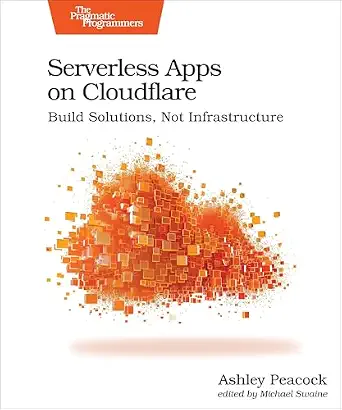
This book provides insights into building serverless applications using Cloudflare, focusing on creating solutions without managing infrastructure. It covers practical techniques and best practices for deploying serverless solutions on the Cloudflare platform.
Pros:
- Provides practical guidance on serverless app development
- Focuses on Cloudflare platform, useful for cloud developers
Cons:
- Limited information on specific features or tools
- No customer reviews or ratings available
Best for: Organizations seeking proactive infrastructure management
Not ideal for: Small projects with minimal monitoring needs
Bottom line: Choose monitoring tools that provide real-time insights and seamless integration.
Starting with a clear budget-friendly plan allows you to prioritize essential tools and avoid overspending. Focus on the core components that support your immediate needs, then expand your infrastructure as your project grows. Remember, smart investments today lay the foundation for future success.
Keep exploring, stay informed, and don’t hesitate to seek expert advice when needed. Your ideal cloud and hosting setup is within reach—confident, capable, and tailored to your goals. Happy building!
Halloween Picks
halloween
As an affiliate, we earn on qualifying purchases.