
Choosing the right RAID level impacts your VPS’s performance, redundancy, and data safety. RAID 0 offers speed but no data protection, while RAID 1 mirrors your data for safety with less capacity. RAID 5 and 6 balance performance with fault tolerance, allowing recovery from disk failures. RAID 10 combines mirroring and striping for high speed and redundancy, ideal for critical tasks. Keep exploring to comprehend which setup best fits your needs and guarantees smooth operation.
Key Takeaways
- RAID levels determine the balance between performance, redundancy, and data protection for VPS storage.
- RAID 0 offers high speed but no data safety, risking total data loss if a disk fails.
- RAID 1 provides data redundancy through disk mirroring, ensuring safety with minimal performance impact.
- RAID 5 and 6 use striping with parity to balance performance and fault tolerance, suitable for VPS environments.
- RAID 10 combines mirroring and striping for optimal speed and data security, ideal for critical VPS applications.
Choosing the right RAID level for VPS storage is essential because it directly affects your data’s performance, redundancy, and reliability. When you select a RAID configuration, you’re balancing the need for speed against the need for data protection. If you don’t choose wisely, a disk failure could lead to considerable downtime or data loss, especially if your setup isn’t optimized for redundancy. That’s why understanding how different RAID levels impact disk failure resilience and performance optimization is crucial.
Choosing the right RAID level is vital for balancing performance, redundancy, and data protection.
RAID 0, also known as striping, offers impressive performance because it splits data across multiple disks, allowing for faster read and write speeds. However, it provides no redundancy. If one disk fails, all data is lost, making it risky for critical VPS environments. It’s suitable only when speed is the priority, and data can be easily restored or recreated. Conversely, RAID 1 mirrors data across two disks, so if one disk fails, the other contains an exact copy, ensuring data integrity. While this setup improves redundancy, it doesn’t boost performance dramatically, and you’re effectively halving your storage capacity.
RAID 5 strikes a balance between performance and redundancy. It distributes data and parity information across three or more disks, allowing your system to recover from a single disk failure without losing data. During disk failure, performance may dip temporarily because the system recalculates parity, but it quickly returns to normal once the failed disk is replaced. This level is popular for VPS hosting because it enhances performance optimization through striped data, while still maintaining fault tolerance. RAID 6 takes this further by offering double parity, meaning it can withstand two disk failures without data loss. The trade-off is slightly slower write speeds due to extra parity calculations, but it provides higher resilience.
RAID 10 combines mirroring and striping, requiring at least four disks. It offers both high performance and redundancy, making it ideal for critical VPS applications that demand fast I/O and protection against disk failures. In this setup, disk failure doesn’t necessarily mean downtime; your system continues running smoothly until the failed disk can be replaced. This level is often recommended for environments where performance optimization and data security are paramount.
Ultimately, your choice depends on your specific needs for speed, redundancy, and cost. If uptime and performance matter most, RAID 10 or RAID 5 are solid options. If you’re willing to accept some performance hit for increased redundancy, RAID 6 provides greater protection. Remember, no RAID level completely replaces regular backups, but selecting the right one can considerably reduce risks associated with disk failure while optimizing your VPS storage for efficiency.
A common misconception about RAID is that it replaces the need for backups, but in reality, regular backups are still essential to safeguard data against other risks.

TERRAMASTER D2-320 USB RAID Enclosure – USB 3.2 Gen 2 10Gbps Type C 2Bay Direct Attached Storage Supports RAID 0, 1, Single, JBOD (Diskless)
- High-Speed Data Transfer: Up to 10Gbps via USB 3.2 Gen 2
- Fast RAID 0 Performance: Up to 1075MB/s with SSDs
- Multiple RAID Modes: Supports RAID 0, 1, JBOD, Single
As an affiliate, we earn on qualifying purchases.
As an affiliate, we earn on qualifying purchases.
Frequently Asked Questions
Can I Change RAID Levels Without Data Loss?
Changing RAID levels without data loss depends on your RAID setup and hardware. You can often perform data migration or use RAID compatibility tools to upgrade or switch levels, but it’s risky. Always back up your data beforehand. Some RAID configurations support online migration, allowing you to change levels without losing data. However, consult your hardware documentation or a professional to guarantee a smooth transition and prevent unexpected data loss.
What Is the Best RAID Level for High Performance?
Imagine revealing the true potential of your VPS—this is where choosing the best RAID configuration becomes vital. For high performance, RAID 0 stands out, offering faster data access by striping data across disks, but it sacrifices data redundancy. If you prioritize speed over safety, it’s your best bet. However, always remember, balancing performance with data protection is key to optimizing your VPS’s capabilities.
How Does RAID Impact VPS Scalability?
RAID impacts your VPS scalability by affecting how easily you can expand storage as your needs grow. With cloud storage, you can add disks or upgrade configurations without disrupting operations, improving scalability. RAID provides data redundancy, ensuring your data stays safe during expansion. This means you can scale your VPS efficiently, balancing performance and security, while maintaining reliable data protection as your storage demands increase.
Are There Specific Hardware Requirements for Different RAIDS?
Imagine building a fortress; each RAID level is a different wall design. You need the right tools, like a compatible raid controller, to guarantee your fortress stands strong. Different RAID levels require specific hardware compatibility, especially with your RAID controller, to function properly. Without the proper hardware, your setup might fail or underperform. So, always check if your hardware supports your chosen RAID level before building your storage fortress.
What Are the Common Troubleshooting Steps for RAID Failures?
When troubleshooting RAID failures, you should first check the disk status and logs to identify issues. If a disk is failing, perform disk recovery by replacing the faulty hardware. Make certain you have proper backups before hardware replacement, and then rebuild the RAID array. Always verify the integrity after recovery, and consult your RAID controller documentation for specific steps. These actions help restore your data and maintain system stability efficiently.
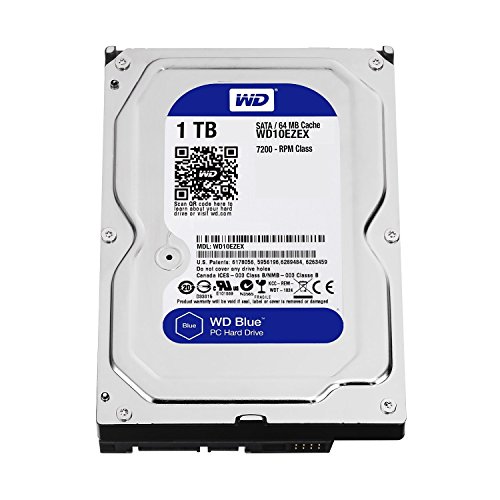
Western Digital(WD) BLUE Deskptop 1TB( 1Terabyte) 3.5"Hard Disk Drive, 5400~7200RPM, SATA3 ( 6.0GB/s), 64MB Cache, IDEAL for PC/Mac/CCTV/NAS/DVR/Raid and SATA Applications, 1YR Warranty (Blue)
- IntelliSeek Technology: Optimizes seek speeds to reduce noise and power
- Data LifeGuard Monitoring: Continuously checks drive health for reliability
- NoTouch Ramp Load: Protects data by safely positioning the recording head
As an affiliate, we earn on qualifying purchases.
As an affiliate, we earn on qualifying purchases.
Conclusion
Now that you understand RAID levels, you’re like a skilled conductor, orchestrating your VPS storage to balance speed and safety. Imagine your data as a delicate symphony—without the right RAID setup, it’s a solo performance at risk of sudden silence. But with the right level, your data flows smoothly, resilient against chaos. Choose wisely, and turn your storage into a harmonious, reliable masterpiece that withstands any storm.
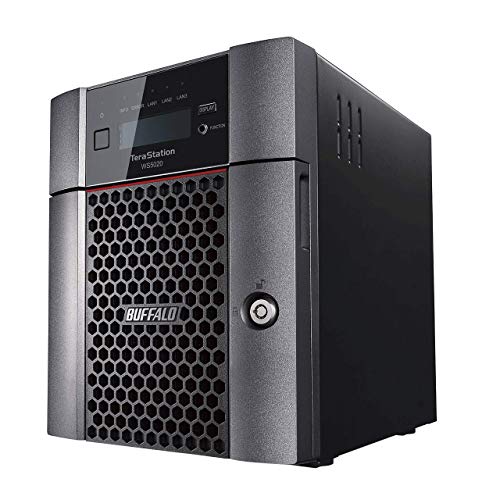
BUFFALO TeraStation WS5420DN 4-Bay Windows Server IoT 2025 Desktop NAS 32TB (4x8TB) w/HDD Included
- Operating System: Windows Server IoT 2025
- Hard Drives Included: Pre-tested NAS-grade drives with RAID
- Licensing: No CALs required
As an affiliate, we earn on qualifying purchases.
As an affiliate, we earn on qualifying purchases.

3Ware 9650SE-8LPML SATA2 Hardware RAID Controller Kit – 9650SE-8LPML-KIT
- RAID 6 Performance: Over 700MB/s read, 600MB/s write
- High Throughput Switch: StorSwitch 8th gen non-blocking fabric
- Optimized I/O: StreamFusion for multiple stream loads
As an affiliate, we earn on qualifying purchases.
As an affiliate, we earn on qualifying purchases.