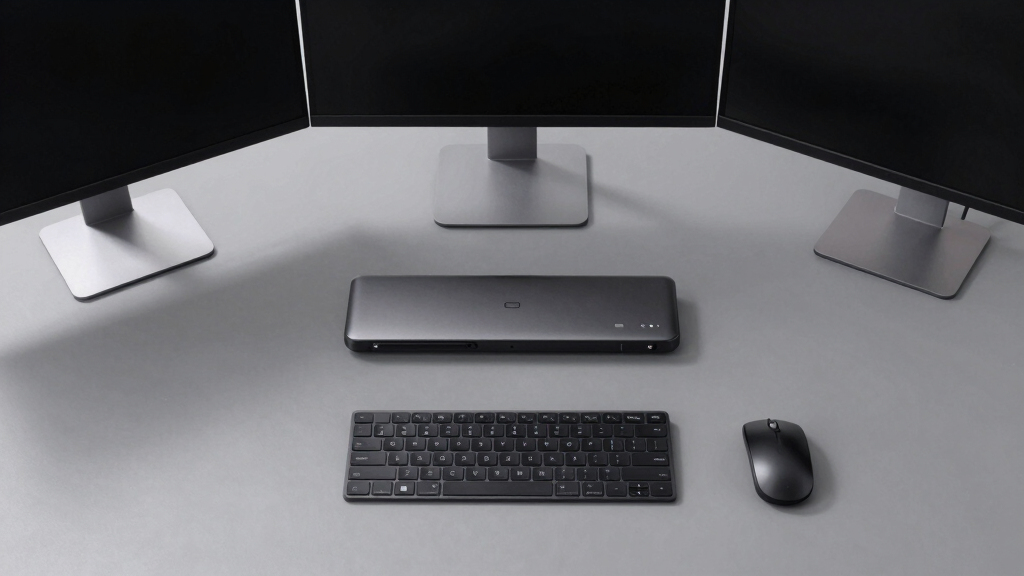

Finding the best docking station for 3 monitors can significantly boost your productivity and workspace organization. The top choice overall is the Plugable USB-C Triple Monitor Docking Station, thanks to its versatility and robust feature set. The WAVLINK DisplayLink Dock stands out for its dual 4K support, making it ideal for high-resolution setups. Meanwhile, the Dell Pro Smart Dock offers excellent reliability for professional environments. Each option balances performance, connectivity, and price differently, which means tradeoffs like port versatility versus size or price versus power delivery. Continue reading for a detailed breakdown to help you find the perfect fit for your setup.
Key Takeaways
- Top-performing docks combine high power delivery with multiple HDMI/DisplayPort outputs for seamless triple monitor setups.
- Build quality and brand reliability are critical for long-term use, especially in professional environments.
- Many docks now support high resolutions like 4K and even 5K, but compatibility varies between Mac and Windows systems.
- Port selection and flexibility, such as USB ports and Ethernet, remain important alongside display outputs.
- Price often correlates with features like charging power, port variety, and build durability—evaluate what tradeoffs matter most.


More Details on Our Top Picks
Plugable USB-C Triple Monitor Docking Station: 13-in-1 Laptop Dock with 100W Charging for Mac, Windows, ChromeOS
This dock stands out for its extensive port selection and broad compatibility, making it a flexible choice for users who need to connect three monitors along with a variety of peripherals. Unlike the WAVLINK DisplayLink Dock, it offers a more comprehensive port array, including Ethernet, SD card reader, and audio in/out, all in a single device. The tradeoff is that it requires driver installation, which can be a hurdle for less tech-savvy users, and it supports 4K only at 30Hz on the primary display, limiting smoothness for fast-paced content. Nevertheless, its 100W charging and universal OS support make it a solid option for diverse setups.
Pros:- Supports three external monitors for increased multitasking
- Delivers up to 100W charging, reducing power concerns
- Universal compatibility with Windows, macOS, and ChromeOS
- Includes a variety of ports like Ethernet, SD card reader, and audio
Cons:- Requires driver installation, which can be complex for some users
- Limited 4K support at 30Hz on primary monitor
- Setup may be complex for non-technical users
Best for: Professionals needing a versatile, all-in-one docking solution compatible with various operating systems and multiple peripherals.
Not ideal for: Gamers or video editors requiring high refresh rate 4K output, as the dock limits to 30Hz at 4K resolution and involves driver setup.
- Number of Ports:13
- Monitor Support:3 HDMI displays
- Maximum Resolution:4K 30Hz on primary, 1920×1200 60Hz on others
- Power Delivery:Up to 100W
- Compatibility:Windows 10+, macOS 11+, ChromeOS
- Included Cables:USB-C host cable (1 meter)
Bottom line: This dock is ideal for users seeking broad connectivity and multi-OS support, willing to handle some setup complexity.
WAVLINK USB 3.0 or USB-C to Quad HDMI Splitter with 85W PD for Multiple Monitors
This splitter excels at supporting four 4K monitors at 60Hz, making it suitable for users who need high-resolution extended displays from a single port. Compared with the Plugable dock, it offers a straightforward solution for multi-monitor setups without requiring multiple ports on your laptop, but it demands driver installation, which can be a hassle for some. The 85W charging capability is sufficient for many laptops but may fall short for power-hungry models, and it doesn’t support HDCP-protected content, limiting media playback options. It’s a solid choice for productivity but less ideal for gaming or media streaming that requires HDCP.
Pros:- Supports four 4K monitors at 60Hz simultaneously
- Versatile connection options with USB-C, USB-A, Thunderbolt, and USB4
- Provides 85W charging for compatible laptops
- Plug-and-play with compatible systems after driver setup
Cons:- Requires driver installation, which can be complex
- No support for HDCP-protected content
- Limited to productivity, not gaming or high-end graphics
Best for: Creative professionals or multitaskers who need four 4K screens at 60Hz from a single connection.
Not ideal for: Gamers or media consumers relying on HDCP content, as HDCP support is absent, restricting playback of protected content.
- Output Resolution:4K@60Hz (four monitors)
- Ports:USB-C, USB-A, Thunderbolt 3/4, USB 4
- Charging Power:85W PD
- System Compatibility:Windows 10/11, macOS 11+, ChromeOS 100+
- Driver Required:Yes
Bottom line: This splitter suits users needing high-resolution multi-monitor setups from a single port, accepting some setup complexity and media limitations.
WAVLINK DisplayLink Docking Station for Triple 4K Monitors with 100W Charging and Versatile Connectivity
This docking station shines with support for three 4K monitors at 60Hz, paired with 100W charging, making it ideal for high-end productivity environments. Unlike the Plugable and WAVLINK splitter, it offers a more integrated experience with multiple USB ports, Ethernet, and audio. The HDMI Alt Mode port requires your laptop to support video output, which isn’t guaranteed across all models, and some features may not function fully on certain macOS versions. Nonetheless, its broad compatibility with many laptop brands and operating systems makes it a compelling choice for demanding professionals.
Pros:- Supports three 4K monitors at 60Hz for high-quality visuals
- Provides 100W charging to keep laptops powered
- Multiple USB ports, Ethernet, and audio for complete connectivity
- Compatible with a wide range of laptops and OS
Cons:- HDMI Alt Mode depends on laptop support
- Some features may be limited on certain macOS versions
- Relatively heavier at 18 ounces
Best for: Power users with high-resolution needs who require seamless multi-monitor support across various devices.
Not ideal for: Linux users or those with laptops lacking HDMI Alt Mode support, as some features might be limited.
- Hardware Interface:HDMI, DisplayPort, Ethernet, USB 3.1 Type C
- Supported Devices:Mac M1/M2/M3/M4, Intel Macs, Surface, Dell XPS, Lenovo
- Total USB Ports:6
- Number of HDMI Ports:3
- Wattage:100W
- Item Weight:18 ounces
Bottom line: This dock offers robust visual support and connectivity for high-end users with compatible hardware, accepting some OS-specific limitations.
Dell Pro Smart Dock SD25 – 3 Year Warranty, Supports Dual/Triple Monitors & 4K Displays, 180W Power Supply, HDMI, DisplayPort, USB-C Cable, Cloth
The Dell SD25 excels in delivering a highly reliable, high-power docking experience for professional environments. Its 180W power supply supports multiple 4K displays and intensive workloads, outperforming many competitors like the TobenONE for power capacity. The extensive port options including dual Thunderbolt-4, DisplayPort, HDMI, and USB-C ensure a flexible setup. Compared to the Plugable dock, it emphasizes durability and future-proofing with a modular design and a 3-year warranty. However, it requires a system with compatible Thunderbolt or USB-C ports, and the price point is higher, which might deter budget-conscious buyers.
Pros:- Supports multiple monitors including 4K displays
- 180W power supply for demanding setups
- Multiple high-speed ports including Thunderbolt-4 and DisplayPort
- 3-year warranty adds reliability
Cons:- Requires compatible Thunderbolt or USB-C system
- More expensive than basic docks
- Setup complexity for non-technical users
Best for: Enterprise or professional users needing a high-powered, durable dock for multi-monitor setups with advanced connectivity.
Not ideal for: Casual users or those with budget constraints, as its higher price and system requirements may not fit all needs.
- Product Type:Docking Station
- Model:SD25
- Warranty:3 Years
- Power Supply:180W
- Supported Monitors:Dual/Triple, 4K Displays
- Ports:2 x Thunderbolt-4, HDMI, DisplayPort, USB-C, USB-A
Bottom line: Ideal for professionals needing a high-capacity, durable dock with extensive port options and strong power support.
TobenONE 18-in-1 USB-C Laptop Docking Station with Triple 4K Display, 9 USB Ports, Ethernet, and 100W Power Delivery
This docking station offers a broad array of ports, supporting three 4K displays at 60Hz alongside multiple peripherals, making it a comprehensive hub for productivity. Compared with the WAVLINK DisplayLink, it emphasizes a large number of USB ports, including SD/microSD slots, which are useful for media workflows. The main drawback is that its power adapter isn’t included, requiring an external supply over 65W, which can add to the cost. It’s best suited for Windows or Chrome OS laptops with full-featured USB-C ports, but not recommended for Mac users due to potential compatibility issues.
Pros:- Supports triple 4K displays for enhanced multitasking
- Numerous USB ports, including SD/microSD slots
- Supports 100W fast charging (via external adapter)
- Versatile connectivity for peripherals and network
Cons:- Power adapter not included; additional purchase needed
- Limited compatibility with MacOS
- Requires full-featured USB-C ports on laptop
Best for: Power users and media professionals who need extensive port options and multiple 4K displays on Windows or Chrome OS devices.
Not ideal for: Mac users or those seeking a plug-and-play solution, as the power adapter is not included and compatibility may vary.
- Ports:9 USB ports, 3 HDMI, Ethernet, SD/microSD
- Display Support:Triple 4K@60Hz
- Power Delivery:100W (power adapter not included)
- Compatibility:Windows, Chrome OS
- Display Support:Triple 4K@60Hz
Bottom line: This dock is best for Windows or Chrome OS users needing extensive ports and multi-4K support, accepting the extra step of acquiring a power supply.
WAVLINK DisplayLink Docking Station with 3 Monitors and 130W Power Adapter for Mac and Windows
This WAVLINK DisplayLink dock stands out for supporting three monitors with 4K and dual 2K outputs, making it highly adaptable for demanding workflows like video editing or gaming. Compared with the Selore 12-in-1 USB C Dock, it offers more comprehensive port options, including SD/TF slots, and a robust 130W power delivery that charges devices rapidly. The main tradeoff is the need for driver installation, which can complicate setup, especially on systems with limited driver support. Its compatibility with both Mac and Windows broadens its appeal, but Linux support remains limited. This dock is ideal for tech-savvy users who want extensive connectivity and high power capacity but are comfortable handling driver installs.
Pros:- Supports triple monitor setup with 4K and dual 2K output for versatile multitasking
- Extensive connectivity including USB, Ethernet, and SD/TF card slots
- Powerful 130W adapter delivers fast charging to laptops and devices
Cons:- Requires installation of DisplayLink drivers, adding setup complexity
- Limited compatibility with Linux, iOS, and iPadOS systems
Best for: Power users who need a flexible, high-performance docking station for multiple high-resolution displays and large accessory arrays
Not ideal for: Users seeking a plug-and-play solution or with Linux systems, due to driver requirements and limited OS support
- Number of HDMI ports:3
- DisplayPort:2
- USB-C ports:2 (10Gbps)
- USB-A ports:3 (5Gbps)
- Ethernet:Gigabit RJ45
- Power Adapter:130W
- Maximum Power Delivery:100W
Bottom line: This dock is perfect for high-demand environments where maximum connectivity and power are priorities, and users are comfortable with driver setup.
Selore 12-in-1 USB C Docking Station with 3 HDMI Ports, 4K Support, 10Gbps Data Transfer, 100W Power Delivery, Gigabit Ethernet, SD/microSD Card Reader for Laptops
The Selore 12-in-1 USB C Dock offers triple 4K HDMI support and a broad array of ports, making it a strong contender for those needing comprehensive expansion at a lower price point. Compared to the WAVLINK Docking Station, it provides similar 4K support but emphasizes high-speed data transfer with 10Gbps USB ports and includes a built-in SD/microSD reader, which is perfect for creative workflows. The main drawback is its reliance on devices supporting DisplayPort Alt Mode or Thunderbolt 3/4 for full triple display functionality, and some MacBook models may have limited extended display options. It suits users who want a cost-effective, multi-monitor setup with fast data transfer but are okay with a slightly more limited OS compatibility profile.
Pros:- Supports three 4K@60Hz monitors for an expansive workspace
- High-speed 10Gbps USB ports facilitate quick data transfers
- Includes SD/microSD card reader and Gigabit Ethernet for comprehensive connectivity
Cons:- Dependent on device support for DisplayPort Alt Mode or Thunderbolt 3/4
- Limited extended display support on certain MacBook models
Best for: Creative professionals and power users on a budget who need multiple 4K displays and fast data transfer capabilities
Not ideal for: Mac users with older models lacking full DisplayPort Alt Mode support, or users seeking hassle-free setup without driver concerns
- Number of HDMI ports:3
- HDMI resolution:4K@60Hz
- USB-C ports:2x USB-C 3.1 (10Gbps)
- USB-A ports:1x USB-A 3.1 (10Gbps), 2x USB-A 2.0
- SD card reader:Yes, UHS-I
- Gigabit Ethernet:Yes
- Power Delivery:100W PD 3.0
Bottom line: This dock offers excellent value for users needing multiple 4K displays and fast data transfer but requires compatible hardware to realize its full potential.
WAVLINK Docking Station for Triple 4K Monitors with USB-C, Ethernet, and Multiple Ports
This WAVLINK docking station supports three 4K monitors at 60Hz, making it ideal for professional tasks requiring sharp visuals and smooth performance. Compared with the Selore Dock, it emphasizes broader OS compatibility, including Windows, Mac, Chrome OS, and even Android, which broadens its appeal for mixed-device environments. Its 130W power delivery ensures laptops are charged quickly, and with multiple HDMI, DisplayPort, and USB ports, it can handle complex setups. The main limitation is the necessity for the laptop’s USB-C port to support both video output and power delivery, which might restrict some models. It’s best suited for users needing maximum resolution and broad OS support, willing to handle driver installation where needed.
Pros:- Supports triple 4K@60Hz displays for crisp, high-quality visuals
- Multiple ports including HDMI, DisplayPort, USB, Ethernet, and SD/TF slots
- Up to 130W power delivery for fast charging
Cons:- Requires USB-C port to support video output and power delivery
- Driver installation may be necessary for some OS configurations
Best for: Professionals or power users with diverse operating systems seeking reliable 3x 4K support and extensive port options
Not ideal for: Users with laptops lacking USB-C video output support or seeking a purely plug-and-play solution
- Number of Monitors:3
- Maximum Resolution:4K@60Hz
- HDMI Ports:3
- DisplayPort:2
- USB-C Ports:2
- Power Delivery:130W
- Supported OS:Windows 7/8/10/11, Mac OS 10.14-14.x, Chrome OS, Ubuntu, Android, Harmony OS
Bottom line: This dock is perfect for multi-platform professionals needing high-resolution displays and versatile connectivity, provided their laptops support video output over USB-C.
Plugable USB-C Triple Display Docking Station with 100W Power Delivery, 3 HDMI, 6 USB Ports, Ethernet, Audio – Compatible with Windows, macOS, ChromeOS
The Plugable USB-C Triple Display Dock offers a reliable connection for users needing three monitors, with one supporting 4K at 30Hz and two at 1080p. Compared to the TobenONE Dock, it emphasizes broader OS compatibility and a straightforward setup, with 6 USB ports and gigabit Ethernet. Its 100W power delivery keeps laptops charged during intensive work sessions. However, limited to 4K at 30Hz for the primary monitor and 1080p for the others, it might not satisfy users demanding ultra-smooth visuals. Its compatibility across Windows, macOS, and ChromeOS makes it a versatile choice, especially for users seeking a straightforward, dependable dock for everyday multitasking.
Pros:- Supports three external monitors for increased workspace
- Provides 100W charging to keep laptops powered
- Compatible with Windows, macOS, and ChromeOS for broad usability
Cons:- Limited to 4K at 30Hz on the main monitor, which may affect smoothness
- Requires driver installation, adding a step for setup
Best for: Users in mixed OS environments who prioritize stable, multi-platform connectivity and reliable performance
Not ideal for: Gamers or creative professionals requiring high-refresh-rate 4K displays or extensive monitor configurations
- Power Delivery:100W
- HDMI Outputs:3 (1x 4K 30Hz, 2x 1080p 60Hz)
- USB Ports:6
- Ethernet:Gigabit
- Compatibility:Windows, macOS 11+, ChromeOS
Bottom line: This dock offers dependable multi-platform performance suitable for general productivity, especially in mixed-OS setups, with some compromise on refresh rates.
TobenONE DisplayLink Triple Monitor Docking Station with 120W Power Adapter, Supports 3x 4K Displays for MacBook Pro/Air and Windows
The TobenONE Docking Station excels in supporting three or even four 4K monitors, making it ideal for professionals needing maximum screen real estate. Its 18 ports, including HDMI, DisplayPort, Ethernet, SD/TF, and multiple USB options, surpass most competitors like the WAVLINK Dock in port variety and flexibility. The included 120W power adapter ensures efficient charging, matching the needs of high-performance MacBook and Windows laptops. The main challenge is the driver setup for Linux or less common operating systems, which can be complex for non-technical users. This dock makes the most sense for demanding workflows requiring multiple high-resolution displays and a wide array of peripheral connections, provided the user is comfortable with driver management.
Pros:- Supports triple or quad 4K@60Hz displays for maximum workspace
- High-speed data transfer with up to 10Gbps USB ports
- 120W power adapter efficiently charges high-performance laptops
Cons:- Driver installation required for Linux and some other systems
- Setup may be complex for users unfamiliar with driver management
Best for: Power users and professionals who need up to four 4K monitors and extensive peripheral connectivity in a single setup
Not ideal for: Casual users or those with simple needs, as setup complexity and port overload may be unnecessary
- Hardware Interface:DisplayPort, HDMI, Ethernet, USB 3.1, MicroSD
- Power Adapter:120W
- Maximum Power Output:100W
- Display Support:Triple or quad 4K@60Hz
- Data Transfer Speed:Up to 10Gbps
- Compatibility:MacBook Pro/Air, Windows 10/11, Chrome OS, Linux (driver required)
Bottom line: This docking station is best suited for demanding professionals needing multiple 4K displays and extensive port options, with a preference for advanced setup capabilities.
Anker 14-in-1 USB-C Hub with Triple Display and 80W Power Delivery for Laptops
The Anker 14-in-1 USB-C Hub stands out for enabling a triple 4K monitor setup, making it a strong choice for multitasking professionals. It compares favorably to the Plugable USB-C Triple Monitor Dock, which offers similar port variety but supports slightly lower power pass-through at 80W instead of 100W. This hub’s main advantage is its extensive connectivity: dual HDMI outputs, VGA, multiple USB ports, Ethernet, and SD card slots, all in a compact package. However, the absence of a included charger means users must purchase one separately, and compatibility issues may arise with Linux systems. Additionally, on macOS, all monitors display the same image, which could limit its usefulness for Mac users. Ideal for Windows and ChromeOS users needing multiple screens, but less suited for Linux or Mac-only workflows.
Pros:- Supports triple 4K monitor setup for enhanced multitasking
- Multiple connectivity options including HDMI, VGA, USB, Ethernet, and SD slots
- Provides 80W pass-through charging to keep devices powered
Cons:- Charger not included, requiring an additional purchase
- Display duplication on macOS limits multi-monitor effectiveness
- Not compatible with Linux systems
Best for: Professionals who need a reliable, multi-monitor setup with extensive connectivity on Windows or ChromeOS laptops.
Not ideal for: Linux users or Mac users seeking true independent display outputs, as the external monitors mirror each other on macOS and the charger must be purchased separately.
- Connectivity:14-in-1
- Monitor Outputs:2 x 4K HDMI, 1 x 1080p VGA
- USB Ports:5 x USB-A, 1 x USB-C
- Ethernet:1 Gbps
- SD Card Slots:SD / micro SD
- Charging:80W pass-through
- Compatibility:USB-C, USB4, Thunderbolt, MacBook, Windows 10/11, ChromeOS
- Charger Included:No
Bottom line: This hub is best for Windows or ChromeOS users who need multiple high-resolution displays and extensive port options, despite some limitations on Mac and Linux systems.
How We Picked
The products in this roundup were selected based on their ability to support three monitors simultaneously with high resolution and reliable performance. Key evaluation criteria included compatibility across operating systems, power delivery capacity, the number and types of video outputs, build quality, and user versatility. We prioritized docks that offer a balance of value and performance, especially those supporting 4K or higher screens. The ranking reflects how well each device integrates these features while considering real-world usability and potential tradeoffs like size or price. Our goal was to identify options that meet diverse needs—from casual users to professionals—without sacrificing core performance elements.Factors to Consider When Choosing Best Docking Station For 3 Monitors
Choosing the right docking station for three monitors involves considering several factors that impact usability, compatibility, and future-proofing. Not all docks are created equal; some excel in high-resolution support, while others shine with extensive port options or robust power delivery. Understanding your specific needs and workspace setup helps avoid common pitfalls such as incompatible connections or insufficient power. Below are key factors to consider, each adding an extra layer of value beyond basic features, to guide your decision-making process.Monitor Compatibility and Resolution Support
Not all docks handle high-resolution displays equally. If you plan to run 4K monitors, verify that the dock explicitly supports 4K at 60Hz for each output. Some models list maximum resolutions but struggle to deliver multiple 4K signals simultaneously, leading to reduced refresh rates or performance issues. Consider your monitor specifications and ensure the dock’s video outputs—whether HDMI, DisplayPort, or USB-C—match your display inputs. For multi-monitor setups, compatibility with macOS, Windows, or ChromeOS is also essential for seamless operation.
Power Delivery and Charging Capacity
Power delivery (PD) determines how much energy the dock can supply to your laptop and peripherals. For a triple monitor setup, a dock with at least 85W or higher PD is advisable to keep your laptop charged during intensive use. Lower wattage docks might save money but could result in slower charging or the need for additional power bricks. Keep in mind that some docks with high PD can also support charging multiple peripherals, reducing cable clutter and simplifying desk setup.
Port Selection and Versatility
Beyond video outputs, consider what other connections you need—USB-A ports, Ethernet, SD card readers, or audio jacks. A dock with a wide variety of ports ensures you can connect all essential peripherals without extra hubs. However, more ports often mean larger size or higher cost. Think about your typical device lineup and choose a dock that offers the right mix of ports to future-proof your workspace, especially if you plan to expand or upgrade peripherals later.
Build Quality and Compatibility
Durability and brand reliability matter, especially in professional or daily-use environments. Look for docks constructed with quality materials, with positive reviews for longevity. Compatibility is another consideration—some docks work better with specific laptops or operating systems, and driver support can vary. Reading user feedback on stability and driver issues can help avoid frustration, particularly for Mac users or those with unusual hardware configurations.
Size, Design, and Ease of Use
Finally, consider how much space the dock occupies and how easy it is to connect and disconnect devices. Slim and lightweight models are great for portable setups, while larger docks might include additional features but require more desk space. Ease of setup and cable management can improve daily experience, especially if you frequently move or upgrade your workspace. Prioritize docks that offer straightforward connectivity and minimal clutter for a cleaner, more efficient setup.
Frequently Asked Questions
Will a docking station support 3 4K monitors at 60Hz each?
Many modern docking stations can support three 4K monitors at 60Hz, but it depends on their video output capabilities and internal bandwidth. Docks with DisplayPort 1.4 or HDMI 2.0/2.1 support higher resolutions and refresh rates, but not all models handle three simultaneous 4K displays smoothly. Always verify the specifications for multi-display support at 60Hz before purchasing, especially if high refresh rates are important for your workflow or gaming needs.
Can I use a docking station with a MacBook or Mac desktop?
Most docking stations listed are compatible with Mac systems, but compatibility can vary, particularly with DisplayLink-based docks. Some docks require specific drivers for Mac, and performance may differ compared to Windows. For seamless operation, look for docks explicitly marked as Mac-compatible and check user reviews for macOS stability. Be aware that certain features, like Ethernet or audio, might work better with Windows or require additional configuration on Macs.
Is it better to choose a dock with dedicated video outputs or a universal USB-C hub?
Docks with dedicated video outputs—like HDMI or DisplayPort—are designed specifically for multi-monitor setups, providing more reliable and higher-quality signals. Universal USB-C hubs may offer more port variety but often rely on DisplayLink technology, which can sometimes introduce lag or driver issues. For a stable, high-performance triple monitor setup, dedicated video output ports are generally the safer choice, especially for professional or productivity-focused use.
How important is power delivery when using multiple monitors?
Power delivery becomes increasingly important as it ensures your laptop stays charged during extended use, especially when running multiple high-resolution monitors. A dock with insufficient wattage may slow your laptop’s charging or fail to power peripherals effectively, leading to inconvenience or even hardware issues. For most users with laptops that support charging via USB-C, opting for a dock with at least 85W to 100W PD is advisable to keep everything running smoothly without extra chargers.
Should I prioritize a compact dock or one with more ports and features?
The choice depends on your workspace and mobility needs. Compact docks are easier to carry and fit in tight spaces but may offer fewer ports and lower power delivery. Larger docks typically include more versatile options like Ethernet, SD card readers, and multiple USB ports, making them better suited for permanent setups. Evaluate your device ecosystem and whether you need portability or maximum connectivity to make the best decision.
Conclusion
For most users seeking the best overall experience, the Plugable USB-C Triple Monitor Docking Station provides excellent performance, broad compatibility, and reliable power delivery. Those on a budget or with simpler needs might prefer the Anker 14-in-1 USB-C Hub for its value and versatility. Professionals who demand maximum reliability and high resolutions should consider the Dell Pro Smart Dock or TobenONE 18-in-1 Dock, both offering robust build quality and extensive connectivity. Beginners or casual users will find the WAVLINK DisplayLink Docking Station user-friendly, while power users requiring high performance should prioritize docks with higher wattage and advanced display support. Matching your specific workflow and setup size will help you choose the best dock for your needs.