

To set up email services on your VPS with Postfix and Dovecot, start by installing the packages and configuring Postfix as an Internet Site, defining your domain and mail settings. Install Dovecot for secure mailbox access with Maildir format, setting up SSL/TLS to encrypt connections. Adjust your firewall to open secure ports and test your setup thoroughly. Continuing will guide you through fine-tuning and securing your mail server for reliable, safe email delivery.
Key Takeaways
- Install and configure Postfix as an SMTP server with proper DNS records, and set up Dovecot for secure IMAP/POP3 email access.
- Use Maildir format for mail storage, creating appropriate directory structures with correct ownership.
- Enable TLS/SSL certificates from trusted providers like Let’s Encrypt to secure email transmission.
- Configure authentication mechanisms in Dovecot, enforce encryption, and manage user credentials securely.
- Test email delivery, verify server security, and regularly update configurations to maintain reliable, secure email services.
Let's Encrypt SSL certificate for mail server
As an affiliate, we earn on qualifying purchases.
As an affiliate, we earn on qualifying purchases.
Installing Postfix and Dovecot on Your VPS
Setting up email services on your VPS begins with installing Postfix and Dovecot, the core components for sending and receiving mail. First, update your package database to guarantee you get the latest versions. Then, install Postfix from your distribution’s repositories, choosing the “Internet Site” configuration for simplicity. During setup, define your system mail name with your domain or server name to assure proper mail routing. Before installation, verify DNS records like MX, A, and SPF to maintain mail delivery integrity. Next, install Dovecot along with IMAP, POP3, and LMTD packages for thorough mailbox access. Create a dedicated vmail user and group, then set up your mail directory structure under /var/mail/vhosts, assigning correct ownership. This foundation prepares your server for further configuration and secure email operation. Additionally, configuring high contrast ratio settings can improve the visibility of your email client interface. To enhance security, consider implementing encryption protocols such as TLS to protect email data during transmission. Ensuring your server is properly configured helps prevent issues like email spoofing and keeps your communications secure, especially by applying sound security practices derived from best practices in the field.
Postfix Dovecot email server setup kit
As an affiliate, we earn on qualifying purchases.
As an affiliate, we earn on qualifying purchases.
Configuring Postfix for Virtual Domains and User Management

To configure Postfix for virtual domains and user management effectively, you’ll need to specify how different types of virtual domains are handled within your main configuration file. Hosted domains are added to `mydestination`, simplifying setup but requiring a system account for each user. Virtual alias domains are managed with `virtual_alias_domains` and a lookup file like `/etc/postfix/virtual`, mapping addresses to local or external accounts. Virtual mailbox domains are listed in `virtual_mailbox_domains` and delivered to private storage managed by Postfix, without system accounts. Remember, only one handling method per domain is allowed; mixing alias and mailbox methods isn’t supported. Properly configuring these parameters guarantees smooth email delivery and clear separation between domain types. Additionally, understanding email routing methods helps in optimizing how emails are directed within your server setup.
VPS email hosting security tools
As an affiliate, we earn on qualifying purchases.
As an affiliate, we earn on qualifying purchases.
Setting up Mail Storage With Maildir Format
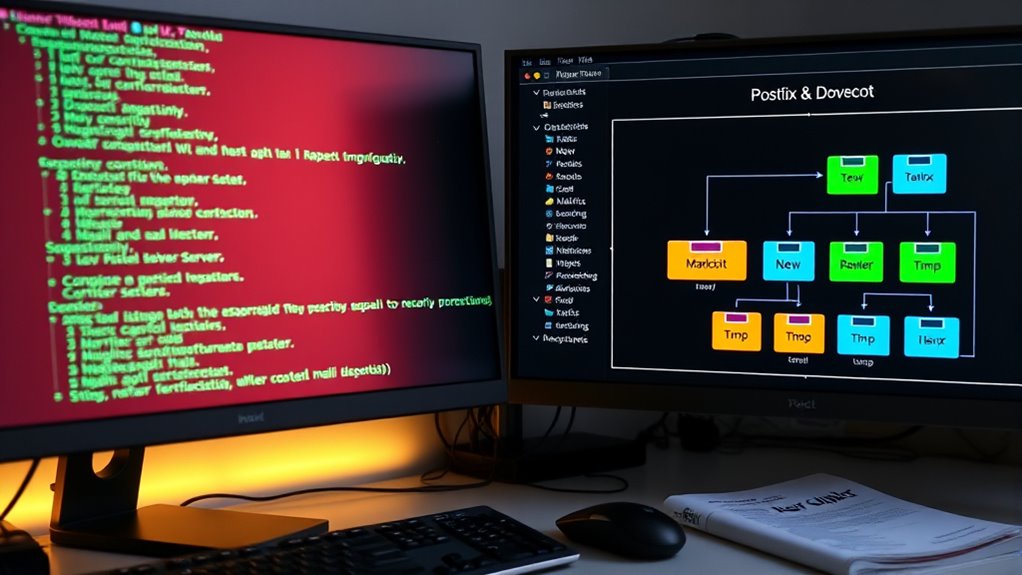
Configuring your mail storage with the Maildir format offers a reliable and efficient way to manage email messages. Maildir stores each email as a separate file within a dedicated directory structure, making access and management straightforward. It consists of three subfolders: new (for unread messages), cur (for read or seen messages), and tmp (temporary storage during delivery). New messages appear in the new folder and move to cur once read. Each message has a unique filename, often with a timestamp and process ID, ensuring no conflicts. Unlike mbox, Maildir eliminates file-locking issues, allowing multiple processes to access messages simultaneously. Its design enhances reliability, simplifies backups, and reduces corruption risks, especially on networked file systems or during system crashes. Additionally, Maildir’s compatibility with modern email systems makes it a preferred choice for scalable and secure email management. The independent storage of messages also facilitates easier migration and recovery processes, and its structure supports efficient synchronization across multiple devices. Furthermore, Maildir’s architecture minimizes corruption risks, ensuring message integrity even during unexpected shutdowns or failures.
Maildir email storage setup
As an affiliate, we earn on qualifying purchases.
As an affiliate, we earn on qualifying purchases.
Securing Email Transmission With Tls/Ssl Encryption

To secure your email transmission, you need to generate and properly install SSL certificates, ensuring they are trusted and up-to-date. Then, configure Postfix and Dovecot with the appropriate TLS settings to enforce encryption on all connections. Finally, confirm your setup by testing secure handshakes and verifying that your servers only accept encrypted communication. Recognizing the importance of encryption can help safeguard sensitive information from potential eavesdroppers and malicious actors. Additionally, understanding the compatibility of your SSL certificates with various clients ensures consistent security across all devices. Staying informed about evolving AI vulnerabilities can also enhance your security practices. Being aware of security best practices ensures your email service remains resilient against emerging threats.
Generating SSL Certificates
Generating SSL certificates is an essential step in securing email transmissions with TLS/SSL encryption on your VPS. You can create self-signed certificates easily with OpenSSL, using commands like `openssl req -x509 -nodes -newkey rsa:2048 -keyout server.key -out server.crt -days 365`. These certificates are stored typically in `/etc/ssl/certs/dovecot.pem` and `/etc/ssl/private/dovecot.pem`. Keep in mind, self-signed certificates expire annually and require manual verification by clients to prevent security risks. For better trust, consider using free certificates from Let’s Encrypt or commercial options like Comodo. You can automate renewal processes or manually configure your setup to point to the correct certificate files. Always ensure your private keys are securely stored and backed up. Community support features can also assist in troubleshooting certificate issues and ensuring your email server remains secure. Additionally, understanding State tax implications is important if you plan to host a server that might affect your local taxation or legal considerations. Utilizing up-to-date security protocols helps maintain the integrity of your email communications and protect against vulnerabilities.
Configuring Postfix TLS Settings
Setting up TLS in Postfix guarantees your email transmissions remain private and secure. To do this, configure `smtpd_tls_security_level` to `may` or `encrypt` for inbound mail, and `smtp_tls_security_level` similarly for outbound mail. Enabling `smtpd_use_tls` and `smtp_use_tls` activates STARTTLS, upgrading plaintext connections to encrypted ones. Specify your TLS certificate and key files with `smtpd_tls_cert_file` and `smtpd_tls_key_file`, ensuring they are trusted and securely stored. You can enhance security further by setting strong cipher suites and optionally requiring client certificates. Logging options like `smtpd_tls_loglevel` help monitor TLS activity. Remember, opportunistic TLS (`may`) balances compatibility and security, while `encrypt` enforces encryption at all times, increasing security but potentially affecting delivery.
Securing Dovecot Connections
Are your Dovecot email connections truly secure? By default, TLS is enabled, encrypting credentials and data during transmission. To enforce this, set `ssl = required` in your config, blocking any plaintext connections. Confirm your server uses valid SSL certificates from trusted authorities like Let’s Encrypt, with the Subject DN matching your FQDN. Regularly renew these certificates to avoid disruptions. Specify certificate and key paths in `/etc/dovecot/conf.d/10-ssl.conf`, and verify their permissions—private keys should be accessible only to root or Dovecot. Improve security further by configuring `ssl_prefer_server_ciphers = yes` and using modern cipher suites like EECDH+AESGCM. Enable TLS 1.3 when possible, and generate Diffie-Hellman parameters for forward secrecy. Regularly audit your settings with SSL Labs to ensure maximum security. Additionally, consider implementing strong cipher suites to enhance encryption strength.
Configuring Dovecot for Mail Delivery and User Authentication

When configuring Dovecot, you’ll need to set your mail storage paths to guarantee emails are saved correctly, such as maildir:~/Maildir. Next, you’ll choose and customize your authentication methods, whether using system users, PAM, or SQL backends, to control user access. Finally, securing mail access with SSL/TLS and proper permissions helps protect your users’ data from unauthorized access.
Setting Mail Storage Paths
To make certain reliable mail delivery and user authentication, configuring Dovecot’s mail storage paths is vital. You need to set the `mail_location` in `/etc/dovecot/conf.d/10-mail.conf` to specify where mailboxes are stored and their format, such as Maildir or mbox. Commonly, Maildir is stored at `/var/mail/vhosts/%d/%n`, with `%d` for the domain and `%n` for the username, ensuring each user has an isolated folder. Proper directory creation and ownership by a dedicated `vmail` user are essential for security and delivery. Additionally, understanding mail storage paths helps optimize mailbox management and security. When choosing a mailbox format, consider the compatibility with your email clients and server performance. Implementing standardized mailbox formats can further improve compatibility and performance across different email systems. Being aware of Nutritional Value of Juices can also inspire better health practices, just as proper mail storage improves server efficiency.
Configuring Authentication Methods
Configuring authentication methods in Dovecot is essential to guarantee secure and reliable access for your mail users. You’ll need to enable mechanisms like PLAIN and LOGIN in `/etc/dovecot/conf.d/10-auth.conf` with the `auth_mechanisms` directive, for example, `plain login`. For added security, include `external` to support client certificate authentication, setting `auth_ssl_username_from_cert = yes`. Remember, PLAIN requires base64-encoded credentials, but you should disable plaintext authentication without TLS by setting `disable_plaintext_auth = yes`. Dovecot supports multiple backends, including system users and LDAP, which you can configure for centralized management. Use tools like `doveadm user` and `doveadm auth test` to verify your setup, ensuring your authentication process is both secure and efficient. Additionally, understanding the various authentication mechanisms available helps you select the most appropriate method for your security requirements.
Securing Mail Access
Securing mail access with Dovecot involves setting up reliable delivery and authenticating users effectively. Proper configuration guarantees mail flows smoothly and remains protected from unauthorized access. To achieve this, focus on these key areas:
- Configure Dovecot LDA in `/etc/dovecot/conf.d/15-lda.conf` to handle incoming mail delivery seamlessly. Ensuring proper setup of the Local Delivery Agent (LDA) helps in managing message delivery efficiently and securely. Additionally, configuring mailbox security is crucial to prevent unauthorized access.
- Define `mail_location` in `10-mail.conf`, typically using Maildir format for better performance and security.
- Enable TLS by setting `ssl = required` and managing SSL certificates, encrypting all client connections. Incorporating encryption protocols is essential for safeguarding sensitive information.
- Adjust firewall rules to open ports like 993 (IMAPS) and 995 (POP3S), ensuring secure remote access.
- Regularly update and monitor your mail server to maintain optimal security and performance, especially since security enhancements are vital for protecting sensitive information. Incorporating proper authentication methods further strengthens your email security by preventing unauthorized access.
Following these steps creates a secure, efficient environment for users to access their mail without vulnerabilities.
Implementing Security Measures for Your Mail Server

Implementing robust security measures for your mail server is essential to protect sensitive data and prevent unauthorized access. Start by configuring SSL/TLS encryption with certificates from providers like Let’s Encrypt. Enforce at least TLS 1.2 and prefer server cipher order to prioritize strong ciphers. Use separate certificate and key files for Postfix and Dovecot, and automate renewal with Certbot to keep security up-to-date. Enable SASL authentication, restrict mechanisms to secure options like `noanonymous` and `noplaintext`, and integrate Dovecot for validated user access. Set user shells to `/sbin/nologin` to prevent privilege escalation and consider virtual users. Enforce SMTP encryption, validate reverse DNS, and implement SPF, DKIM, and DMARC records. Limit open ports, run services in chroot, keep software updated, and monitor traffic to detect threats proactively. Ensuring your server uses Vetted security practices helps maintain the integrity and confidentiality of your email communications.
Testing and Troubleshooting Your Email Services

After setting up security measures for your mail server, it’s important to test its functionality and identify potential issues early on. Proper testing helps guarantee reliable delivery and smooth operation. Here are essential steps:
Once your mail server is secured, thorough testing ensures reliable delivery and smooth operation.
- Use tools like ImapTest to simulate real-world client activity and test server performance.
- Check network configuration by testing port access with `telnet` and verifying DNS settings with `dig` or `nslookup`.
- Monitor server logs with `syslog` or `journald` to catch errors or unusual activity.
- Test email delivery by sending and receiving messages through command-line tools or webmail clients, ensuring authentication and security protocols function correctly.
Carrying out these steps helps you identify and resolve issues quickly, maintaining a healthy email system.
Exploring Advanced Options for Scalability and Integration

To guarantee your email system can handle growing demands, exploring advanced scalability and integration options for Postfix and Dovecot is essential. Postfix’s process-based architecture supports high throughput by spawning multiple processes, and tuning parameters like default_process_limit boosts concurrent deliveries. Managing queues effectively with postqueue -p helps identify bottlenecks. Dovecot’s low-latency design, memory-mapped indexes, and features like lazy_expunge improve performance under load, supporting hundreds of concurrent sessions. For seamless operation, synchronize virtual user mappings, configure Postfix to use Dovecot for SASL authentication, and align mail storage paths. Using shared TLS certificates and a dedicated vmail user ensures secure, unified access. Incorporating database backends like MySQL or LDAP allows flexible user management and scalable virtual mailbox provisioning, making your email system ready for growth.
Frequently Asked Questions
How Do I Troubleshoot Common Postfix and Dovecot Connection Issues?
To troubleshoot common Postfix and Dovecot connection issues, start by checking if both services are running with commands like `systemctl status`. Next, review logs such as `/var/log/mail.log` for errors. Verify that the relevant ports (IMAP, SMTP) are open and correctly configured in your firewall. Also, test connectivity with tools like `telnet` and make sure your DNS records are accurate. Restart services if needed to resolve transient problems.
What Are the Best Practices for Managing Multiple Virtual Domains?
To manage multiple virtual domains effectively, you should centralize control with tools like PostfixAdmin, making it easy to add or modify domains and users. Keep DNS records consistent and redundant across all domains. Regularly audit your SPF, DKIM, and DMARC settings to prevent spam and spoofing. Monitor logs for issues, and plan for future growth by scalable infrastructure. Automate updates and backups to streamline management and guarantee reliability.
How Can I Automate Backups of Mailboxes and Configurations?
You can automate mailbox and configuration backups by scheduling cron jobs with shell scripts or tools like rsync or rsnapshot. These scripts should regularly copy entire maildir directories and critical config files to secure remote locations, with compression and encryption for safety. Automate verification steps like checksum checks or test restores, and set retention policies to manage storage. Regularly monitor backups to guarantee integrity and successful restoration when needed.
Which Tools Are Recommended for Monitoring Mail Server Performance?
Imagine your mail server as a vigilant lighthouse guiding messages safely ashore. To keep it shining bright, you should use tools like PRTG Network Monitor or ManageEngine Applications Manager. They actively watch over server availability, response times, and mail queues. Nagios XI, Zabbix, and SolarWinds provide extensive insights, alerting you to issues before they escalate. These tools guarantee your mail server remains dependable, responsive, and always ready to deliver messages.
How Do I Handle Spam Filtering and Email Quarantine Effectively?
You handle spam filtering and email quarantine effectively by deploying tools like SpamAssassin and ClamAV to analyze and block unwanted messages. Use scoring rules to identify suspect emails, and set up rules for automatic quarantine or deletion. Regularly tune filters, whitelist trusted senders, and educate users on recognizing spam. Also, monitor quarantine logs and adjust settings to reduce false positives, ensuring your email flow stays secure and manageable.
Conclusion
You’ve just unsealed the secret to running a rock-solid, bulletproof email server on your VPS. Your emails will fly faster than lightning, more secure than Fort Knox, and unstoppable in delivering your message to the world. With Postfix and Dovecot, you hold the power to dominate your digital communication. Now go ahead—conquer the inbox universe and make your email setup legendary!