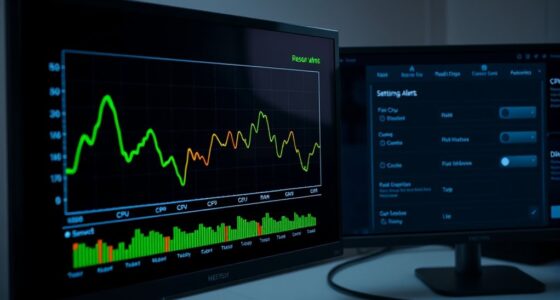

To create a safe staging server, duplicate your production setup closely, including hardware, software, and network configs, and keep it separate from your live system. Limit access to trusted team members and enforce strict security protocols like firewalls and encryption. Automate deployment and testing with tools like Jenkins or Ansible to reduce errors. Regularly run security scans and monitor activity to catch threats early. Continuing this guide will reveal how to maximize security and streamline your staging process effectively.

Get business pricing on networking and server gear
- Business-only prices and quantity discounts
- Tax-exempt purchasing
- Multiple users, one account, clear invoices
Key Takeaways
- Duplicate production infrastructure closely to ensure realistic testing conditions.
- Isolate the staging environment from production to prevent vulnerabilities from affecting live systems.
- Implement strict access controls and security measures, including firewalls and encryption.
- Automate deployment and testing processes using tools like Jenkins, Ansible, or Terraform.
- Conduct regular security scans and vulnerability assessments to identify and address potential risks.

Have you ever experienced the chaos of deploying untested code directly to a live environment? It’s a stressful situation that can cause significant downtime, loss of data, or even security breaches. That’s why creating a safe staging server is essential before making any changes to your production environment. A staging server acts as a testing ground, allowing you to verify new code, configurations, or updates in a setting that closely mirrors your live system. To do this effectively, you need to implement robust security protocols and leverage server automation to streamline the process and reduce human error.
Start by setting up a dedicated environment that duplicates your production infrastructure as closely as possible. This includes matching hardware specifications, software versions, and network settings. Once you’ve established this environment, focus on securing it. Implement security protocols such as firewalls, access controls, and encryption to prevent unauthorized access. Limiting user permissions ensures only trusted team members can modify the staging environment, reducing the risk of accidental breaches or malicious activity. It’s also imperative to isolate your staging server from your production system to prevent any potential vulnerabilities from spreading. Incorporating security best practices into your setup can further enhance protection and resilience. Additionally, regularly monitoring your staging environment for unusual activity can help detect potential threats early.
Server automation plays a pivotal role in maintaining a safe and consistent staging environment. Automate deployment processes, configuration management, and testing routines to eliminate manual mistakes that could compromise security or stability. Tools like Ansible, Terraform, or Jenkins can help you script repetitive tasks, ensuring that every deployment follows the same secure procedure every time. Automation also enables you to quickly recreate or reset your staging server if needed, which is invaluable for testing different scenarios or recovering from issues. Regularly updating your automation scripts keeps security protocols aligned with evolving threats and best practices. Additionally, implementing configuration management ensures your environment remains consistent and reduces configuration drift over time.
Moreover, incorporate continuous integration and continuous deployment (CI/CD) pipelines into your workflow. These pipelines automate testing and validation, catching bugs or security vulnerabilities early before they reach your staging environment. As part of your process, run extensive security scans and vulnerability assessments on your staging server. This proactive approach ensures that when you finally promote code to production, it’s thoroughly vetted and secure. By combining rigorous security protocols with server automation and CI/CD practices, you create a reliable buffer zone that safeguards your live environment from potential disasters. Additionally, paying attention to color accuracy in your testing scenarios can help ensure that visual elements meet quality standards before deployment. Remember that security vulnerabilities can often be mitigated effectively through proactive measures in your staging setup.
Ultimately, a well-constructed staging server is your first line of defense against failures and security issues. It allows you to test with confidence, knowing that your environment is protected and that automation reduces human error. When you follow these steps, you build a resilient process that minimizes risks, keeps your data safe, and guarantees a smooth transition from development to production.
As an affiliate, we earn on qualifying purchases.
Frequently Asked Questions
How Often Should I Update My Staging Environment?
You should update your staging environment regularly, ideally after any significant changes or new releases. Frequent server synchronization helps keep the environment aligned with production, guaranteeing accurate testing. Maintain environment isolation by updating only the staging server, avoiding interference with production. This way, you can identify issues early, reduce risks, and ensure your staging reflects the latest version, making your deployment process smoother and safer.
What Are Common Security Risks for Staging Servers?
You should be aware that common security risks for staging servers include unauthorized access and data breaches. To mitigate these, implement strict access control measures so only trusted users can access the environment. Additionally, use data encryption both at rest and in transit to protect sensitive information. Regularly update security protocols and monitor activities to prevent vulnerabilities, ensuring your staging server remains secure before deploying changes to production.
Can Staging Servers Be Hosted on the Same Network as Production?
You can host staging servers on the same network as production, but it’s risky. For example, if a staging server gets compromised, attackers might access production data through weak network isolation. To avoid this, guarantee proper network segmentation and strict data synchronization controls. Isolating the staging environment from production minimizes security risks, helping prevent accidental data leaks or unauthorized access while still allowing necessary updates and testing.
How Do I Replicate Production Data Safely in Staging?
You should replicate production data safely in staging by first applying data masking to protect sensitive information, ensuring that confidential details are obscured. Implement strict access controls, giving only authorized team members permission to view or modify the data. Regularly update the staging environment with anonymized, masked data, and monitor access logs to prevent unauthorized activity, maintaining data security while enabling effective testing and development.
What Tools Are Best for Managing Staging Server Versions?
You should use version control tools like Git to manage your staging server versions, ensuring you track changes efficiently and revert if needed. Pair this with deployment automation tools such as Jenkins or GitLab CI, which streamline updates and reduce errors during deployments. Combining version control with deployment automation gives you a reliable, consistent way to manage your staging environment, making it easier to test changes before pushing them to production.
As an affiliate, we earn on qualifying purchases.
Conclusion
Think of your staging server as a dress rehearsal before the big show. Just like a director guarantees every cue is perfect before opening night, testing your setup minimizes surprises in production. I once watched a team catch a critical bug during staging that could’ve caused serious downtime—saving them a costly mistake. Remember, investing time in a safe staging environment isn’t just preparation; it’s your safety net that keeps your main performance running smoothly.
As an affiliate, we earn on qualifying purchases.
security scan software for servers
As an affiliate, we earn on qualifying purchases.
As an affiliate, we earn on qualifying purchases.
Columbus Day / Indigenous Peoples' Day Picks
long weekend sales
As an affiliate, we earn on qualifying purchases.