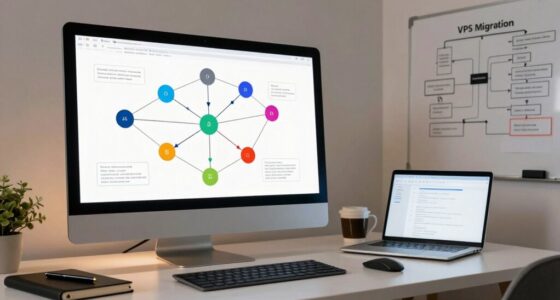
To build a repeatable VPS provisioning workflow easily, start by scripting the core setup tasks, such as OS installation and software configuration. Use configuration management tools like Ansible, Puppet, or Chef to enforce consistent environments and handle complex setups. Break down the process into clear, sequential steps for automation and testing. This approach minimizes manual effort, boosts reliability, and guarantees scalable deployments. Keep exploring to discover how these strategies can streamline your infrastructure even further.

Get business pricing on networking and server gear
- Business-only prices and quantity discounts
- Tax-exempt purchasing
- Multiple users, one account, clear invoices
Key Takeaways
- Use automation scripts to standardize OS installation and software setup for consistent deployments.
- Implement configuration management tools like Ansible or Puppet to enforce server states.
- Develop a detailed blueprint outlining sequential provisioning steps for repeatability.
- Test and refine workflows in controlled environments to ensure reliability before production.
- Integrate automation and management tools into a seamless pipeline for scalable infrastructure.

Setting up a reliable and repeatable VPS provisioning workflow might seem complex at first, but with the right approach, it becomes straightforward and efficient. The key is to leverage automation scripting and configuration management tools that streamline the entire process. Instead of manually configuring each server, you can write scripts that handle repetitive tasks, ensuring consistency and saving you time. Automation scripting allows you to define exact steps for provisioning, from OS installation to software setup, so you don’t have to do it all by hand every time. This not only reduces errors but also accelerates deployment, which is essential for scaling your infrastructure.
Configuration management tools like Ansible, Puppet, or Chef play a crucial role here. Once you’ve created your scripts, these tools help you manage server states, enforce configurations, and keep your environments uniform across multiple deployments. They enable you to define the desired state of your servers, so any drift from the standard setup is automatically corrected during subsequent runs. This guarantees that each VPS you spin up adheres to your predefined specifications, making your workflow both reliable and repeatable. Additionally, automation and configuration management enhance your ability to incorporate digital concepts into your provisioning process, ensuring your infrastructure stays adaptable to evolving technologies.
To get started, you should develop a clear blueprint of your server setup. Break down the provisioning process into manageable steps, then translate those steps into automation scripts. Use configuration management to handle complex configurations, dependencies, and package installations. By integrating scripting with configuration management, you create a seamless pipeline that automates the entire lifecycle of your VPS, from initial setup to ongoing maintenance.
Testing your workflow thoroughly is critical. Run your scripts in a controlled environment to identify potential issues and refine the process. Once you’re confident that your automation scripting and configuration management setup works flawlessly, you can deploy it across multiple servers with confidence. This reduces manual intervention, minimizes inconsistencies, and ensures rapid, predictable deployments every time.
In essence, building a repeatable VPS provisioning workflow hinges on your ability to automate and manage configurations systematically. Automation scripting handles the repetitive tasks efficiently, while configuration management ensures consistency and compliance across all servers. When these elements work together, you unlock a streamlined, scalable, and dependable infrastructure that adapts easily to your growing needs. With this approach, provisioning becomes not just faster but also more reliable, giving you the peace of mind that your servers are always set up correctly, every single time.
As an affiliate, we earn on qualifying purchases.
Frequently Asked Questions
How Do I Handle Security Updates Automatically During Provisioning?
You handle security updates automatically during provisioning by integrating update automation into your workflow. Use tools like unattended-upgrades or configure your package manager to apply security patches immediately after installation. Automate this process with scripts or configuration management tools like Ansible, ensuring your VPS stays secure without manual intervention. This approach guarantees that security patches are consistently applied, reducing vulnerabilities and maintaining a secure environment from the moment your VPS is provisioned.
Can This Workflow Integrate With Existing Monitoring Tools?
Think of your workflow as a bridge connecting your VPS to your monitoring tools. Yes, it can seamlessly integrate, like adding a new lane for traffic. By ensuring your automation is compatible with your existing monitoring system, you create a smooth, continuous flow of data. This integration allows you to detect issues early, automate responses, and maintain system health effortlessly, making your infrastructure resilient and easier to manage.
What Are the Best Practices for Scaling Multiple VPS Deployments?
To scale multiple VPS deployments effectively, you should focus on proper resource allocation and load balancing. Allocate resources based on workload demands, ensuring no VPS is over or under-utilized. Implement load balancing to distribute traffic evenly across your VPSs, preventing bottlenecks and maintaining performance. Automate provisioning and scaling processes to respond swiftly to demand changes, keeping your infrastructure resilient and efficient as your deployment grows.
How to Customize Configurations for Different VPS Environments?
You can customize configurations for different VPS environments by leveraging configuration management tools like Ansible or Puppet, which automate setup tasks. Use deployment automation to apply environment-specific settings efficiently, guaranteeing consistency across deployments. Define variables and templates tailored to each environment, and incorporate version control. This approach streamlines managing multiple VPS setups, reduces manual errors, and guarantees your configurations remain scalable, flexible, and easy to update.
Is There a Way to Rollback Failed Provisioning Processes Easily?
Yes, you can implement rollback strategies for failure recovery during VPS provisioning. Automate snapshots or backups before starting, so if a process fails, you can quickly revert to a known good state. Using tools like Ansible or Terraform, you can script these rollbacks, ensuring minimal downtime. This approach helps you maintain consistent environments, recover swiftly from errors, and keep your provisioning process repeatable and reliable.
Puppet configuration management tool
As an affiliate, we earn on qualifying purchases.
As an affiliate, we earn on qualifying purchases.
Conclusion
By embracing a straightforward, repeatable VPS provisioning workflow, you’re gently guiding yourself toward smoother operations and fewer surprises. Think of it as laying a steady foundation—quietly confident in the knowledge that each step is crafted to support your growth. With each cycle, you’ll find the process becoming more intuitive, almost like a trusted partner. So, take these simple steps, and watch your workflow flourish with ease, quietly paving the way for future success.
Chef infrastructure automation software
As an affiliate, we earn on qualifying purchases.
As an affiliate, we earn on qualifying purchases.
VPS provisioning automation scripts
As an affiliate, we earn on qualifying purchases.
As an affiliate, we earn on qualifying purchases.
Halloween Picks
halloween
As an affiliate, we earn on qualifying purchases.