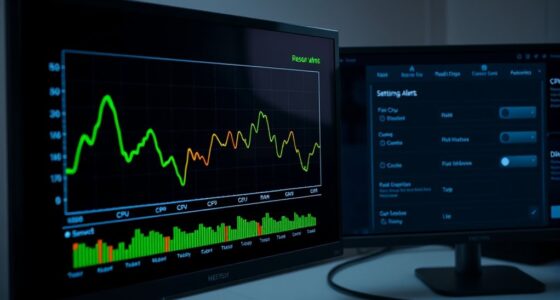

To decide whether to optimize or upgrade your VPS, start by monitoring key performance metrics like CPU, memory, and bandwidth usage. If your current setup runs consistently high or bottlenecks occur despite optimizations, it’s time for an upgrade. However, simple cleanup, query tuning, or caching can often improve performance cost-effectively. Understanding your resource needs and growth plans helps you make the best choice—discover more strategies to keep your VPS running smoothly.
Key Takeaways
- Monitor performance metrics like CPU, memory, and bandwidth to identify bottlenecks before deciding on upgrades or optimizations.
- Prioritize server optimization techniques, such as database tuning and caching, to improve performance cost-effectively first.
- Consider upgrading your VPS if resource usage remains high despite optimizations and there’s consistent performance degradation.
- Evaluate cloud migration for scalable, flexible resource management when traffic patterns are unpredictable or rapidly growing.
- Conduct a cost-benefit analysis comparing ongoing optimization efforts versus hardware upgrades or cloud solutions for long-term planning.

Are you ready to handle increased demand on your Virtual Private Server (VPS)? As your website or application grows, you’ll need to decide whether to upgrade your resources or optimize what you already have. The first step is understanding your current usage and predicting future needs. This involves conducting a thorough cost analysis to see whether investing in a larger VPS makes financial sense or if optimizing your existing setup can meet your demands. During this process, contemplate the potential benefits of cloud migration, which can provide more flexible scaling options and better resource allocation, often at a lower cost.
When evaluating whether to upgrade or optimize, pay close attention to your server’s performance metrics—CPU load, memory utilization, storage I/O, and network bandwidth. If these indicators are consistently high, it’s a clear sign that your current resources are insufficient. However, before jumping into an upgrade, analyze whether you can optimize your current setup. This might involve cleaning up unnecessary files, optimizing database queries, or implementing caching strategies to reduce server load. Sometimes, these adjustments can considerably improve performance without extra costs.
If you find that optimization isn’t enough, it’s time to contemplate an upgrade. But don’t make this decision impulsively. Conduct a detailed cost analysis comparing the expenses of upgrading your VPS versus migrating to a cloud environment that supports auto-scaling and on-demand resource allocation. Cloud migration can be particularly advantageous when your traffic is unpredictable, allowing you to pay only for what you use while maintaining performance. Plus, cloud providers often handle hardware maintenance and security, freeing you from those responsibilities.
Additionally, consider the importance of understanding your resource usage patterns, which can help in planning efficient scaling strategies and avoiding unnecessary expenses. When planning your upgrade or migration, also think about the long-term implications. Will your growth be steady, or are you expecting sudden spikes? If it’s the latter, investing in scalable cloud infrastructure might be more cost-effective and less disruptive than frequent hardware upgrades. Additionally, consider the technical complexity involved. Moving to a cloud environment requires some planning and potentially reconfiguring your applications, but it can offer seamless scalability and improved reliability.
Ultimately, your decision hinges on a combination of real-time performance metrics, future growth expectations, and a clear cost analysis. Upgrading your VPS can be straightforward but may lead to higher costs over time. Cloud migration offers flexibility and potential cost savings but involves initial setup efforts. By carefully evaluating your current needs against your budget and growth projections, you’ll be better equipped to scale your resources efficiently, ensuring your server remains responsive and reliable as your demands grow.

Autel MaxiTPMS ITS600Pro Upgrade of TS508WF ITS600 TPMS Programming Tool All System Diagnostics TPMS Relearn Tool Activate Read Autel Sensor
【2025 Autel ITS600 Pro TPMS Programming Tool】The Autel MaxiTPMS ITS600Pro is a versatile and advanced tool designed for…
As an affiliate, we earn on qualifying purchases.
As an affiliate, we earn on qualifying purchases.
Frequently Asked Questions
How Do I Monitor My VPS Resource Usage Effectively?
To monitor your VPS resource usage effectively, you should use monitoring tools that track key resource metrics like CPU, RAM, disk, and network activity. These tools give you real-time insights, alert you to potential issues, and help you identify whether your server needs optimization or an upgrade. Regularly reviewing resource metrics guarantees you stay ahead of performance problems, keeping your VPS running smoothly and efficiently.
What Are the Cost Implications of Upgrading Versus Optimizing?
Understand the cost comparison between upgrading and optimizing your VPS to make smarter expense management decisions. Upgrading might increase your expenses but offers better performance and future-proofing. Optimization costs are often lower but may require ongoing effort. You weigh the upfront costs against long-term savings, considering how each approach impacts your budget and performance goals. Balancing these factors helps you choose the most cost-effective strategy for your needs.
Can I Upgrade VPS Resources Without Downtime?
You can often upgrade your VPS resources without downtime, depending on your hosting provider and hardware compatibility. Many providers support live resource allocation adjustments, allowing you to increase CPU, RAM, or storage seamlessly. However, it’s vital to verify your provider’s policies and confirm your server’s hardware compatibility. Proper planning and communication with your host can minimize or eliminate service interruption during the upgrade process.
How Does Traffic Variability Influence Scaling Decisions?
Traffic variability considerably influences your scaling decisions. When traffic patterns and workload fluctuations spike unexpectedly, you need to scale quickly to maintain performance. Conversely, during low traffic periods, optimizing your existing resources can save costs. By monitoring these fluctuations, you can determine whether to upgrade your VPS resources or optimize your setup, ensuring smooth operation without unnecessary expenses. This proactive approach keeps your system responsive and efficient.
Are There Security Concerns When Upgrading or Optimizing VPS?
When upgrading or optimizing your VPS, security vulnerabilities are a key concern. You might introduce weaknesses if you don’t update software properly or misconfigure new settings. It’s essential to guarantee data protection by applying security patches, using strong passwords, and enabling firewalls. Regular backups and monitoring help prevent breaches. Staying vigilant during these processes keeps your VPS secure, avoiding potential threats and safeguarding sensitive data effectively.
cloud migration services for VPS
As an affiliate, we earn on qualifying purchases.
As an affiliate, we earn on qualifying purchases.
Conclusion
As your VPS grows, picture it as a bustling highway: sometimes, you need to widen the lanes to keep traffic flowing smoothly, and other times, you just need to streamline the cars for better speed. Knowing when to upgrade or optimize resources guarantees your digital highway runs seamlessly. Stay vigilant, monitor your traffic, and make smart choices—so your VPS can handle the rush without hitting a jam. Keep your server running like a well-oiled machine.
![WavePad Audio Editing Software - Professional Audio and Music Editor for Anyone [Download]](https://m.media-amazon.com/images/I/B1fcLEGCs6S._SL500_.png)
WavePad Audio Editing Software – Professional Audio and Music Editor for Anyone [Download]
Full-featured professional audio and music editor that lets you record and edit music, voice and other audio recordings
As an affiliate, we earn on qualifying purchases.
As an affiliate, we earn on qualifying purchases.

Fan Adapter Cable, Effective 5Pin to 4Pin Converter, 5Pcs Pack for PC Builds, Server Cooling, Computer Upgrades, Case Fans
[EASY INSTALLATION] Simple and easy to use, this fan cable converter allows for seamless integration with your setup.
As an affiliate, we earn on qualifying purchases.
As an affiliate, we earn on qualifying purchases.