To secure your admin panel on public servers, start by using strong, unique passwords combined with multi-factor authentication. Restrict access by IP or via VPN, and always enforce HTTPS to encrypt data. Regularly update your server and software, set up firewalls, and monitor activity logs for suspicious behavior. Applying layered security measures and educating your team keeps your system safe. Keep going to discover more essential tips to strengthen your defenses.
Key Takeaways
- Restrict admin panel access by IP addresses and use VPNs to limit exposure.
- Enforce strong, unique passwords and multi-factor authentication for all admin accounts.
- Regularly update server software and apply security patches immediately.
- Use HTTPS and firewalls to encrypt data and block unauthorized traffic.
- Monitor access logs and set up alerts for suspicious activities.
Are you confident that your admin panel on a public server is fully protected from unauthorized access? If not, it’s time to evaluate your security measures. Public servers are prime targets for cyber attackers, and a single weak point can lead to a breach. The first step is ensuring your login process is robust. Password complexity plays an essential role here. You should use passwords that are long, contain a mix of uppercase and lowercase letters, numbers, and special characters. Avoid common words or easily guessable information like birthdays or pet names. Implementing strict password policies forces users to create strong passwords, making it considerably harder for attackers to crack them through brute-force methods.
But relying solely on password strength isn’t enough. Multi factor authentication (MFA) adds an extra layer of security that can’t be bypassed with just a stolen password. MFA requires users to verify their identity through a second factor—such as a text message, authentication app, or hardware token—beyond just entering a password. This makes it much more difficult for unauthorized individuals to access your admin panel, even if they manage to obtain login credentials. Enabling MFA should be a top priority, especially for sensitive admin interfaces. Many security frameworks and hosting providers offer integrated MFA options, so take advantage of these features.
Beyond login security, you should also consider restricting access based on IP addresses or using VPNs to limit who can reach your admin panel. Regularly updating your software is another key step—patching known vulnerabilities prevents attackers from exploiting outdated code. Additionally, you should implement HTTPS to encrypt all data transmitted between the user and the server, preventing interception of sensitive information. Strong firewall rules and intrusion detection systems can further safeguard your server. Keep a close eye on access logs and set up alerts for suspicious activities—early detection can stop an attack before it causes damage. Incorporating security best practices such as limiting login attempts and monitoring for unusual activity can significantly enhance your defenses. Incorporating security measures like network segmentation and proper server configuration can further reduce the attack surface. Implementing security protocols that are aligned with industry standards can help ensure comprehensive protection against evolving threats. Utilizing comprehensive security strategies that include layered defenses is essential in today’s complex threat environment.
Training your team is equally important; ensure everyone understands the importance of strong passwords and MFA. A single weak link, like an employee sharing credentials, can compromise your entire system. Regularly review your security protocols and stay informed about evolving threats. In today’s digital landscape, protecting your admin panel requires a complete approach. Combining password complexity, multi factor authentication, and proactive security practices creates a formidable barrier against unauthorized access. Don’t leave your server’s security to chance—take deliberate, consistent steps to defend your data and maintain control.
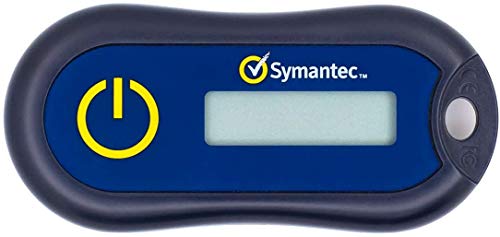
Symantec VIP Hardware Authenticator – OTP One Time Password Display Token – Two Factor Authentication – Time Based TOTP – Key Chain Size
- OATH Compliant TOTP Token: Standard time-based OTP
- 6-Digit OTP with Countdown: Displays 6-digit code with timer
- No Software Needed: Zero installation required
As an affiliate, we earn on qualifying purchases.
As an affiliate, we earn on qualifying purchases.
Frequently Asked Questions
How Often Should Admin Panel Security Be Reviewed and Updated?
You should review and update your admin panel security regularly, ideally every 3 to 6 months. During these reviews, verify your password policies are strong and enforce frequent changes. Check access controls to confirm only authorized personnel have entry. Staying proactive helps prevent vulnerabilities, especially as new threats emerge. Regularly updating security measures keeps your admin panel safe and maintains the integrity of your server environment.
Are There Specific Firewall Rules Recommended for Admin Panel Protection?
You should implement specific firewall configurations to protect your admin panel effectively. Restrict access using IP whitelisting, allowing only trusted addresses, and block all other traffic. Set access restrictions to limit connections to necessary ports, like SSH or the admin panel port. Regularly review these rules to adapt to new threats. This proactive approach helps prevent unauthorized access and keeps your admin panel secure from potential attacks.
What Are Common Mistakes to Avoid When Securing Admin Panels?
You should avoid common mistakes like using weak passwords or neglecting two-factor authentication, which are critical for securing admin panels. Guarantee password complexity to prevent brute-force attacks and enable two-factor authentication for an extra security layer. Also, don’t leave default credentials unchanged or expose admin panels unnecessarily. Regularly update your software and review access permissions, reducing the risk of unauthorized access and keeping your admin panel safe.
Can Using VPNS Improve Admin Panel Security?
Yes, using VPN benefits can improve your admin panel security by reducing exposure to admin panel vulnerabilities. A VPN encrypts your connection, making it harder for hackers to intercept sensitive data or perform man-in-the-middle attacks. It also limits access to your admin panel to trusted networks, decreasing the chances of unauthorized access. Overall, incorporating a VPN adds an extra layer of protection, helping keep your admin panel safer from cyber threats.
How to Recover Access if the Admin Panel Is Compromised?
Imagine your admin panel as a vault; once compromised, you need to act fast. To recover access, first change all passwords immediately, following strict password policies. Enable multi-factor authentication to add an extra layer of security, making it harder for attackers to regain entry. Contact your hosting provider or security team if needed. Regular backups can also help restore control quickly and minimize damage.
As an affiliate, we earn on qualifying purchases.
Conclusion
By taking these simple steps, you create a more welcoming environment for your admin panels, gently guiding potential issues away before they become problems. Think of your security measures as a friendly gatekeeper—always there, quietly ensuring everything runs smoothly. With just a little attention, you’ll keep your server’s heart safe, letting you focus on growth and innovation. Remember, a little care today keeps the worries at bay tomorrow.
SSL/TLS certificate for web servers
As an affiliate, we earn on qualifying purchases.
As an affiliate, we earn on qualifying purchases.
As an affiliate, we earn on qualifying purchases.