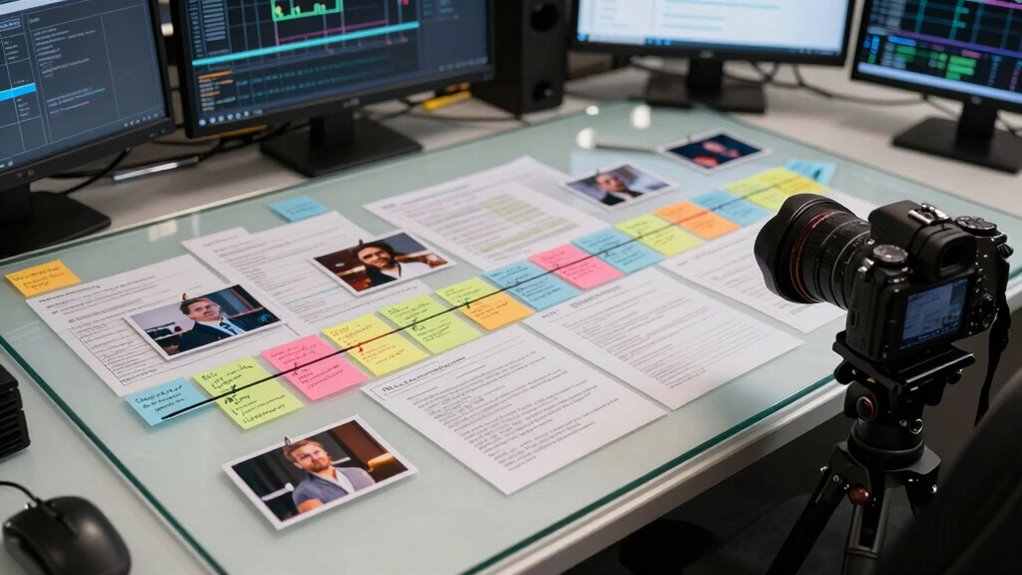

To build an incident timeline without missing critical clues, you should systematically gather all relevant digital evidence like logs, emails, and system files, making certain to extract precise timestamps. Organize data chronologically and cross-reference different sources to confirm events and spot anomalies. Use visual tools to recognize patterns and update your timeline as new evidence arises. Staying thorough and validating findings ensures accuracy. Keep exploring to discover more strategies that can help you master this process.
Key Takeaways
- Collect and preserve all relevant digital evidence systematically, ensuring timestamps and metadata are accurately recorded.
- Organize data chronologically and cross-reference multiple sources to verify event sequences.
- Highlight anomalies and critical points during analysis to focus on potential incident milestones.
- Continuously update the timeline with new evidence and validate findings across different data sets.
- Use visual tools like charts and summaries to clearly communicate the timeline and avoid missing key clues.

Have you ever needed to piece together a clear, chronological account of an incident? When you’re tasked with building an incident timeline, it’s crucial to gather all relevant information systematically. Digital forensics plays a critical role here, as it allows you to analyze digital evidence meticulously. By examining logs, emails, system files, and network activity, you can establish a timeline that reflects the sequence of events accurately. This process helps you avoid missing critical clues that could be pivotal in understanding what happened.
As you collect data, keep stakeholder communication in mind. Different teams—IT, legal, management—need updates, so it’s imperative to document your findings in a way that’s accessible and clear. Maintaining open channels ensures everyone stays informed and can provide additional insights or context. Sharing preliminary timelines with stakeholders early on can also highlight gaps or inconsistencies, prompting further investigation. Remember, a well-communicated incident timeline supports transparency and builds trust among involved parties.
To build an extensive timeline, start with raw data from digital forensics tools. Extract timestamps from logs, system files, and network captures, then cross-reference these with user reports or alerts. Pay attention to anomalies—unusual login times, unexpected data transfers, or sudden system shutdowns—since these often mark critical points in the incident. Keeping your data organized chronologically helps you spot patterns and eliminate assumptions. Use visual tools like charts or timelines to map out the sequence, which makes it easier to identify the progression of the incident and any overlooked details. Incorporating digital evidence analysis techniques ensures a comprehensive understanding of the incident’s timeline.
Don’t forget to validate your findings with multiple sources. Cross-check logs with system snapshots or user testimonies, and update your timeline as new evidence emerges. The goal is to create a definitive sequence that’s both accurate and thorough. As you compile this, consider how you’ll communicate it to stakeholders. Clear, concise summaries combined with detailed appendices can serve different audiences—executives may prefer high-level overviews, while technical teams need granular data. Familiarity with forensic methodology can also enhance the accuracy of your reconstruction, ensuring no critical detail is overlooked.
Ultimately, building an incident timeline without missing critical clues hinges on your ability to integrate digital forensics with effective stakeholder communication. Stay organized, verify your information, and keep everyone informed throughout the process. This approach not only helps you reconstruct events precisely but also ensures that your response is coordinated, efficient, and well-documented.
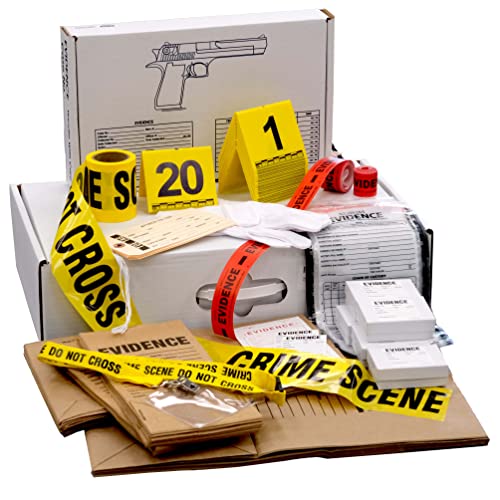
Forensic Supply Kit for Classrooms – CSI Evidence Collection Set with Evidence Bags & Markers – Crime Scene Investigation Kit for STEM Education – 25+ Student Classroom Pack – Hands-On Learning
- Authentic investigative materials: Professional-grade forensic tools for students and educators
- Includes packaging options: Paper bags, plastic bags, evidence boxes, sealing tape
- Complete crime scene setup: Photographic markers and crime scene tape included
As an affiliate, we earn on qualifying purchases.
As an affiliate, we earn on qualifying purchases.
Frequently Asked Questions
What Tools Are Best for Creating Incident Timelines?
You should consider tools like Microsoft Visio, TimelineJS, or Lucidchart, which excel at data visualization and support seamless software integration. These tools help you create detailed incident timelines quickly, allowing you to visualize complex sequences and identify critical clues efficiently. By using software that integrates with your existing systems, you guarantee data accuracy and save time, making it easier to track incidents thoroughly and respond promptly.
How Do You Prioritize Clues in Complex Incidents?
You should start with clue evaluation, evaluating each piece’s relevance and credibility. Use prioritization strategies like ranking clues based on their impact on the incident’s timeline and their connection to key events. Focus on high-impact clues first, ensuring you don’t overlook critical details. Regularly revisit and adjust your priorities as new information emerges, keeping your incident timeline accurate and thorough without missing essential clues.
How Often Should the Timeline Be Updated During an Investigation?
You should update the timeline regularly, especially after new evidence correlation. For example, after discovering a new clue, add it immediately to maintain accurate timeline visualization. This continuous updating guarantees you don’t miss critical clues and keeps the investigation aligned. Frequent updates help you spot patterns early, prioritize actions, and refine your understanding, making your incident response more efficient and thorough.
What Common Mistakes Should Be Avoided When Building a Timeline?
You should avoid neglecting contextual accuracy and bias mitigation when building your timeline. Don’t rely solely on initial reports; cross-check facts to prevent inaccuracies. Be cautious of personal biases that might skew your interpretation of events. Make certain all relevant details are included, and verify sources to maintain objectivity. By doing so, you create an extensive, precise timeline that captures critical clues without distortion or oversight.
How Do You Handle Conflicting Evidence in the Timeline?
Like a detective in a noir film, you evaluate credibility when handling conflicting evidence. First, compare the sources, noting inconsistencies and handling ambiguities carefully. Cross-reference details to find the most plausible account. Don’t rush to judgment; instead, document each piece, noting its origin and reliability. This approach helps you build a reliable timeline, ensuring critical clues aren’t lost amid conflicting reports, even when the story feels as tangled as a noir plot.

Python Drone Log Analysis: Read Flight Data, Detect Problems, Improve Reliability, and Support Better Maintenance
As an affiliate, we earn on qualifying purchases.
As an affiliate, we earn on qualifying purchases.
Conclusion
Building an incident timeline is essential for uncovering every critical clue and solving the case efficiently. Remember, organizations that maintain detailed incident timelines are 30% more likely to identify root causes quickly. By staying organized and attentive to detail, you guarantee nothing slips through the cracks. With practice, you’ll become adept at piecing together events seamlessly, leading to faster resolutions and stronger security. Keep honing your skills, and you’ll turn incident investigations into your greatest strength.

Production Incident Response Logbook: Incident Tracking, Timelines, and Postmortem Notes for Production Systems
As an affiliate, we earn on qualifying purchases.
As an affiliate, we earn on qualifying purchases.

Klein Tools VDV526-200 Cable Tester, LAN Scout Jr. 2 Ethernet Tester for CAT 5e, CAT 6/6A Cables with RJ45 Connections
- Versatile Cable Testing: Tests data and patch cords
- Large Backlit LCD: Easy reading in low light
- Comprehensive Fault Detection: Detects open, short, miswire, and more
As an affiliate, we earn on qualifying purchases.
As an affiliate, we earn on qualifying purchases.