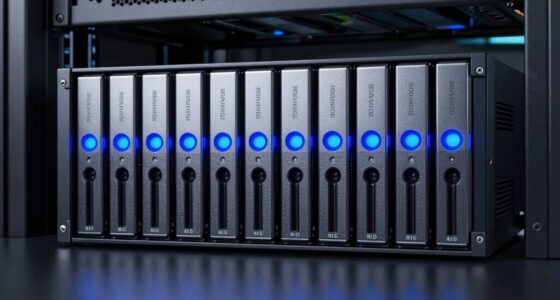
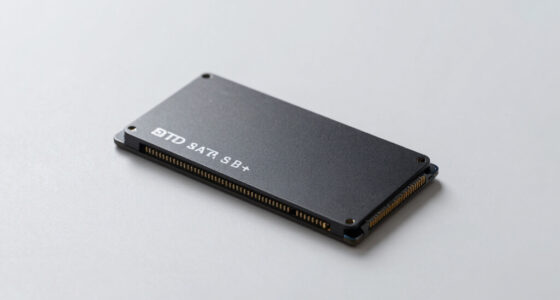
For most servers, I’d start with the Intel X520-DA2: its dual SFP+ ports offer a practical balance of capacity and familiar server-adapter design. The ipolex XL710-BM1 and GLOTRENDS ST7322 stand out when four ports matter more than keeping the card simple. Across these SFP+ network cards for servers, the main tradeoffs are port count, controller and driver compatibility, PCIe requirements, and cooling. A lower-cost card may fit a basic link, while a multiport adapter can better serve virtualization or network segmentation. Read on for the full comparison and guidance on matching a card to your server.

Get business pricing on networking and server gear
- Business-only prices and quantity discounts
- Tax-exempt purchasing
- Multiple users, one account, clear invoices
Key Takeaways
- The Intel X520-DA2 is the most balanced starting point: it has two SFP+ ports, while single-port X520-based options suit a narrower need and four-port cards demand more planning.
- Port count changes the buying decision: the GLOTRENDS ST7322, ipolex XL710-BM1, and StarTech.com PEX10GSFP4I offer four ports for segmentation or multiple links, but need more PCIe capacity and cooling attention than a one-port card.
- Controller identity matters as much as the 10GbE label: the lineup spans Intel, Broadcom, and Realtek controllers, so driver support for the server’s operating system should be checked before choosing.
- Two-port cards cover several different priorities: the VIMIN, BZIZU TXA406, 10Gtek, and H!Fiber options vary by controller and design, making exact model and OS compatibility checks more useful than port count alone.
- PCIe fit is a recurring constraint: several options specify x8 connections, so available slot wiring, physical clearance, and airflow can rule out a card even when its network ports look right.
| GLOTRENDS ST7322 Quad-Port 10GbE SFP+ PCIe Network Adapter |  | Best for High-Density Server Connectivity | Controller: Broadcom BCM57840 | Ports: 4 × SFP+ | Port speeds: 10G/1G auto-negotiation | VIEW LATEST PRICE | See Our Full Breakdown |
| BZIZU 10Gb PCIe Network Card with Intel 82599EN SFP+ |  | Best Single-Port Value Pick | Chipset: Intel 82599EN | Ports: 1 × SFP+ | Maximum data rate: 10 Gbps | VIEW LATEST PRICE | See Our Full Breakdown |
| YuanLey 10Gb Ethernet PCIe Network Card with Realtek RTL8127AT Controller |  | Best for Existing RJ45 Cabling | Controller: Realtek RTL8127AT | Interface: PCIe 4.0 x1; backward compatible with PCIe 3.0 x4/x8/x16 slots | Data rate: 10 Gbps | VIEW LATEST PRICE | See Our Full Breakdown |
| VIMIN Dual-Port 10Gb PCIe SFP+ Network Card |  | Best for Two-Port Server Links | Chipset: Intel 82599 (X520-DA2) | Ports: 2 × 10Gbps SFP+ | Maximum data rate: 10 Gbps | VIEW LATEST PRICE | See Our Full Breakdown |
| BZIZU TXA406 10GbE SFP+ PCIe Network Card |  | Best for Wake-on-LAN and PXE | Controller: Realtek RTL8127ATF | Interface: PCIe 4.0 x1 | Port: 1 × open SFP+ | VIEW LATEST PRICE | See Our Full Breakdown |
| ipolex 10G Network Card with Intel XL710-BM1 Controller, Quad SFP+ Ports, PCIe 3.0 x8 |  | Best for High-Density Server Links | Controller: Intel XL710-BM1 | Ports: 4 x SFP+ | Interface: PCIe 3.0 x8 | VIEW LATEST PRICE | See Our Full Breakdown |
| NICGIGA 10Gb SFP+ PCIe Network Card with X520-DA1 Controller |  | Best for a Straightforward Single-Link Upgrade | Controller: X520-DA1 (82599) | Ports: 1 x 10Gb SFP+ | Hardware interface: PCIe x8 | VIEW LATEST PRICE | See Our Full Breakdown |
| Lemspum 10Gb Ethernet Network Card with Single SFP+ Port, PCIe x8, Intel X520-1 Controller |  | Best for Broad OS and Case Compatibility | Controller: Intel 82599EN | Model: X520-1 | Ports: 1 x SFP+ | VIEW LATEST PRICE | See Our Full Breakdown |
| 10Gtek 10Gb PCIe Network Card with Broadcom BCM57810S, Dual SFP+ Ports |  | Best for Legacy Server Builds | Controller: Broadcom BCM57810S | Ports: 2 x SFP+ | Interface: PCI Express 2.0 x8 | VIEW LATEST PRICE | See Our Full Breakdown |
| Intel X520-DA2 Dual-Port 10GbE SFP+ PCIe Server Adapter |  | Best for Intel-Branded Dual-Port Deployments | Brand: Intel | Model: E10G42BTDABLK | Ports: 2 | VIEW LATEST PRICE | See Our Full Breakdown |
| StarTech.com Quad-Port 10GbE SFP+ Network Card (PEX10GSFP4I) |  | Best for Multi-Link Server Builds | Ports: 4 x SFP+ | Data rate: 10 Gbps per port | Chipset: Intel XL710 | VIEW LATEST PRICE | See Our Full Breakdown |
| TRENDnet 10 Gigabit PCIe SFP+ Network Adapter (TEG-10GECSFP) |  | Best for Single-Port Server Upgrades | Port: 1 x SFP+ | Supported speeds: 1Gbps and 10Gbps | Interface: PCIe 3.0 x4 | VIEW LATEST PRICE | See Our Full Breakdown |
| H!Fiber 10Gb Dual SFP+ PCIe Network Card with Broadcom BCM57810S |  | Best for Broad OS and Cable Flexibility | Controller: Broadcom BCM57810S | Ports: 2 x SFP+ | Maximum data rate: 10 Gbps | VIEW LATEST PRICE | See Our Full Breakdown |
| SFP+ network cards for server | Ports | Interface | Controller |
|---|---|---|---|
| GLOTRENDS ST7322 Quad-Port 10G | 4 × SFP+ | — | Broadcom BCM57840 |
| BZIZU 10Gb PCIe Network Card w | 1 × SFP+ | — | — |
| YuanLey 10Gb Ethernet PCIe Net | — | PCIe 4.0 x1; backward compatible with PCIe 3.0 x4/x8/x16 slots | Realtek RTL8127AT |
| VIMIN Dual-Port 10Gb PCIe SFP+ | 2 × 10Gbps SFP+ | PCIe x8 or x16 | — |
| BZIZU TXA406 10GbE SFP+ PCIe N | — | PCIe 4.0 x1 | Realtek RTL8127ATF |
| ipolex 10G Network Card with I | 4 x SFP+ | PCIe 3.0 x8 | Intel XL710-BM1 |
| NICGIGA 10Gb SFP+ PCIe Network | 1 x 10Gb SFP+ | — | X520-DA1 (82599) |
| Lemspum 10Gb Ethernet Network | 1 x SFP+ | PCI Express 2.0 x8; compatible with x16 slots | Intel 82599EN |
| 10Gtek 10Gb PCIe Network Card | 2 x SFP+ | PCI Express 2.0 x8 | Broadcom BCM57810S |
| Intel X520-DA2 Dual-Port 10GbE | 2 | — | — |
| StarTech.com Quad-Port 10GbE S | 4 x SFP+ | PCIe 3.0 x8 | — |
| TRENDnet 10 Gigabit PCIe SFP+ | — | PCIe 3.0 x4 | — |
| H!Fiber 10Gb Dual SFP+ PCIe Ne | 2 x SFP+ | PCI Express 2.0 x8 | Broadcom BCM57810S |
More Details on Our Top Picks
GLOTRENDS ST7322 Quad-Port 10GbE SFP+ PCIe Network Adapter
The GLOTRENDS ST7322 is the standout here when a server needs several SFP+ links from one expansion slot: its four ports can serve separate networks, storage paths, or aggregated connections without adding multiple cards. The Broadcom BCM57840 platform also brings iSCSI and FCoE offloads, SR-IOV, and DCB features that suit virtualization and storage-heavy setups. Compared with the VIMIN Dual-Port 10Gb PCIe SFP+ Network Card, it doubles the port count and offers a broader set of server-oriented features, but it also requires a PCIe 3.0 x8 slot rather than simply fitting an x8 or x16 slot. Its 10G/1G auto-negotiation helps when connecting to mixed-speed SFP+ infrastructure. The tradeoffs are no Wake-on-LAN and a short 30-day manufacturer-defect warranty.
Pros:- Four SFP+ ports provide more links per slot than the two-port VIMIN card.
- Supports 10G/1G auto-negotiation for mixed-speed connections.
- iSCSI and FCoE offloads, SR-IOV, and DCB suit storage and virtualized servers.
- Includes full-height and low-profile brackets, plus legacy BIOS and UEFI PXE boot support.
Cons:- Requires a PCIe 3.0 x8 slot.
- Does not support Wake-on-LAN.
- The stated manufacturer-defect warranty is only 30 days.
Best for: Server administrators consolidating four 10GbE SFP+ links, virtualization traffic, or storage networking onto one PCIe x8 card.
Not ideal for: Small servers without a free PCIe x8 slot, or buyers who need Wake-on-LAN or a longer stated warranty.
- Controller:Broadcom BCM57840
- Ports:4 × SFP+
- Port speeds:10G/1G auto-negotiation
- PCIe interface:PCIe 3.0 x8
- Offloads:TOE, iSCSI, FCoE
- Virtualization:SR-IOV, VEB/VEPA, NPAR
- Boot support:Legacy BIOS and UEFI PXE; iSCSI boot
- Operating systems:Linux and Windows; minimum Windows 10
- Included brackets:Full-height installed; low-profile included
Our verdict“Choose the ST7322 when four SFP+ server links and virtualization or storage features matter more than slot flexibility and warranty length.”
BZIZU 10Gb PCIe Network Card with Intel 82599EN SFP+
For a server that needs one SFP+ connection rather than a multiport adapter, the BZIZU 10G-1S keeps the requirements relatively simple: it uses an Intel 82599EN, takes a PCIe x4 slot, and accepts DAC, AOC, or compatible fiber media. Link support down to 100 Mbps can help when the card must connect to older equipment, while 9 KB jumbo frames and checksum offload cover common server networking needs. Compared with the GLOTRENDS ST7322, this card gives up extra ports and advanced virtualization and storage features, but it needs fewer PCIe lanes and may suit a lightly connected host better. The passive heatsink makes case airflow a real requirement, and Windows setup calls for Intel’s driver pack; it is not as feature-rich as the quad-port GLOTRENDS.
Pros:- Intel 82599EN chipset supports a range of DAC, AOC, and fiber connections.
- Fits PCIe x4, x8, and x16 slots.
- Supports link speeds from 100 Mbps through 10 Gbps.
- Includes both low-profile and full-height brackets.
Cons:- The passive heatsink depends on adequate chassis airflow or an added fan.
- Windows use requires installing the Intel Ethernet Adapter Complete Driver Pack.
- One port offers less connection capacity than the GLOTRENDS ST7322 or VIMIN dual-port card.
Best for: Administrators adding one 10GbE SFP+ uplink to a server with a PCIe x4 slot and suitable case airflow.
Not ideal for: Servers needing multiple SFP+ links, advanced offloads, or a low-airflow installation where passive cooling could be a concern.
- Chipset:Intel 82599EN
- Ports:1 × SFP+
- Maximum data rate:10 Gbps
- Supported link speeds:10 Gbps, 2.5 Gbps, 1 Gbps, 100 Mbps
- PCIe lanes:x4; compatible with x4, x8, and x16 slots
- Compatible media:DAC twinax, AOC, 10GBASE-SR multimode, 10GBASE-LR single-mode optics
- Jumbo frames:Up to 9 KB
- Operating systems:Linux and Windows
- Included brackets:Low-profile and full-height
Our verdict“Pick this BZIZU card for a straightforward single-link SFP+ upgrade when the server has a PCIe x4 slot and good airflow.”
YuanLey 10Gb Ethernet PCIe Network Card with Realtek RTL8127AT Controller
The YuanLey RTL8127AT stands apart from the SFP+ cards in this roundup: it provides 10GbE over copper cabling, not an SFP+ cage. That distinction makes it a better fit for a server room already wired with Cat5e, Cat6, Cat6A, or Cat7, where replacing cabling or adding optical modules would add complexity. Its PCIe 4.0 x1 interface is also less demanding on slot lanes than the BZIZU 10G-1S, though the BZIZU is the relevant choice when the server specifically needs SFP+ DAC or fiber connections. YuanLey supports 10G and 1G auto-negotiation, Wake-on-LAN, and runs over cable distances up to 100 meters. The main compromise is scope: listed OS support is Windows 11 and Linux kernels up to 6.12, and it does not provide SFP+ media flexibility.
Pros:- Uses existing Cat5e, Cat6, Cat6A, or Cat7 cabling for 10GbE.
- PCIe 4.0 x1 connection uses fewer lanes than the x4 BZIZU SFP+ card.
- Supports Wake-on-LAN and hardware checksum offload.
- Includes standard and low-profile brackets.
Cons:- This is a copper Ethernet card, not an SFP+ adapter.
- Listed operating-system support is limited to Windows 11 and Linux kernel versions up to 6.12.
- Auto-negotiation is listed for 10 Gbps and 1 Gbps, not intermediate speeds.
Best for: Server owners who want 10GbE over existing Cat5e-to-Cat7 copper runs and need Wake-on-LAN.
Not ideal for: Buyers specifically shopping for an SFP+ server card, or administrators needing broader stated operating-system support.
- Controller:Realtek RTL8127AT
- Interface:PCIe 4.0 x1; backward compatible with PCIe 3.0 x4/x8/x16 slots
- Data rate:10 Gbps
- Link speeds:10 Gbps and 1 Gbps auto-negotiation
- Supported cabling:Cat5e, Cat6, Cat6A, Cat7
- Maximum transmission distance:100 meters
- Operating systems:Windows 11; Linux kernel up to 6.12
- Features:Wake-on-LAN and hardware checksum offload
Our verdict“Choose YuanLey when existing copper wiring matters more than SFP+ compatibility and your server runs a listed operating system.”
VIMIN Dual-Port 10Gb PCIe SFP+ Network Card
The VIMIN Dual-Port is a practical middle ground for a server that needs two SFP+ links but does not need the four ports or broader feature set of the GLOTRENDS ST7322. Its Intel 82599 (X520-DA2) chipset and support for Windows, Windows Server, Linux, and VMware make it a fit for mixed server environments, while the included standard and slim brackets help with different chassis layouts. Two ports can separate traffic or provide a second connection without occupying another expansion slot. There are clear compatibility limits, though: it has no RJ45 port, and it does not support 2.5Gbps or 5Gbps links. When connected to a 2.5G or 5G network device, the listing says it operates at 1Gbps, so it is less accommodating than the BZIZU single-port card, which lists those intermediate speeds.
Pros:- Two SFP+ ports support separate links or network paths.
- Intel 82599 (X520-DA2) chipset supports Windows, Windows Server, Linux, and VMware.
- Fits PCIe x8 and x16 slots.
- Includes a heatsink and standard and slim brackets.
Cons:- No RJ45 port, so it cannot connect directly to copper Ethernet cabling.
- Does not support 2.5Gbps or 5Gbps link speeds.
- The listed behavior with 2.5G or 5G network devices is a fallback to 1Gbps.
Best for: Server operators who need two SFP+ links, run Windows, Linux, or VMware, and have PCIe x8 or x16 space.
Not ideal for: Installations using copper Ethernet directly, or network devices that require 2.5Gbps or 5Gbps negotiation.
- Chipset:Intel 82599 (X520-DA2)
- Ports:2 × 10Gbps SFP+
- Maximum data rate:10 Gbps
- Interface:PCIe x8 or x16
- Operating systems:Windows, Windows Server, Linux, VMware
- Data link protocol:IEEE 802.3
- Included brackets:Standard and slim
- Weight:0.22 kg
Our verdict“Choose VIMIN for two SFP+ server connections in a supported PCIe x8 or x16 system, but skip it if intermediate speeds or RJ45 are required.”
BZIZU TXA406 10GbE SFP+ PCIe Network Card
The BZIZU TXA406 suits a server or workstation where a single SFP+ connection needs more built-in network conveniences than the basic one-port BZIZU 82599EN card. Its open SFP+ port accepts compatible 10GBASE-SR or 10GBASE-LR transceivers, and the feature set includes PXE boot, Wake-on-LAN, VLAN tagging, and jumbo frames up to 16K. That makes it a more appealing fit for remote administration and managed-network setups than the VIMIN Dual-Port if boot and wake functions matter more than having a second port. The tradeoffs are specific: the transceiver and fiber cable are separate purchases, and reaching up to 10Gbps calls for a PCIe 4.0 or newer slot plus an up-to-date Realtek driver. It also offers only one connection, unlike VIMIN’s two-port design.
Pros:- Includes PXE boot and Wake-on-LAN features.
- Supports compatible 10GBASE-SR and 10GBASE-LR transceivers.
- Jumbo frames up to 16K, VLAN tagging, and flow control support managed-network use.
- PCIe 4.0 x1 interface uses a single PCIe lane.
Cons:- SFP+ transceiver and fiber cable are not included.
- The stated up-to-10Gbps operation requires a PCIe 4.0 or newer slot.
- Requires an up-to-date Realtek driver and has only one SFP+ port.
Best for: Administrators adding one SFP+ link to a Windows or Linux server that benefits from PXE boot and Wake-on-LAN.
Not ideal for: Servers needing two network links, an included transceiver and fiber cable, or a slot older than PCIe 4.0 for the stated maximum speed.
- Controller:Realtek RTL8127ATF
- Interface:PCIe 4.0 x1
- Port:1 × open SFP+
- Maximum data rate:10 Gbps
- Supported transceivers:10GBASE-SR or 10GBASE-LR
- Network features:Full duplex, IEEE 802.3ae, jumbo frames up to 16K, VLAN tagging, flow control, PXE boot, Wake-on-LAN
- Operating systems:Windows 10 64-bit, Windows 11, Linux kernels up to 6.12
- Warranty:1 year
Our verdict“Pick the TXA406 for a single SFP+ server link when PXE and Wake-on-LAN are priorities and the required slot and optics are available.”
ipolex 10G Network Card with Intel XL710-BM1 Controller, Quad SFP+ Ports, PCIe 3.0 x8
With four SFP+ ports and an Intel XL710-BM1 controller, this ipolex card suits servers that need several 10GbE links from one PCIe slot. That port density sets it apart from the single-port NICGIGA X520-DA1 and the dual-port Intel X520-DA2, leaving more room for separate storage, virtual-machine, or network connections. Its PCIe 3.0 x8 interface and listed support for Windows Server, Linux, VMware ESXi, and FreeBSD make it the more flexible fit for mixed server and lab setups. Virtualization offloads and DPDK support also give administrators features to work with in demanding network environments. The tradeoff is a need for an available x8 slot to use the interface as specified, and it does not support hot swapping. Buyers who only need one or two links may find the extra ports unnecessary.
Pros:- Four SFP+ ports provide more 10GbE connections per slot than the single- and dual-port options here.
- Intel XL710-BM1 controller with listed support for Windows Server, Linux, VMware ESXi, and FreeBSD.
- Includes network virtualization offloads and DPDK optimization.
- Supports load balancing, teaming, and IEEE 802.3ad link aggregation.
Cons:- Requires a PCIe 3.0 x8 slot for full bandwidth utilization.
- Hot swapping is not supported.
- Four ports may be unnecessary for servers with only one or two 10GbE links.
Best for: Server and home-lab administrators who need four 10GbE SFP+ links, broad listed OS support, and virtualization features in one card.
Not ideal for: Systems with no available PCIe x8 slot, or buyers who need only one connection and would rather choose a simpler single-port card like the NICGIGA X520-DA1.
- Controller:Intel XL710-BM1
- Ports:4 x SFP+
- Interface:PCIe 3.0 x8
- Transfer rate:10 Gbps per port
- Supported operating systems:Windows Server, Linux, VMware ESXi, FreeBSD, UEFI
- Model:X710-DA4-Intel
- Hot swapping:Not supported
Our verdict“Choose the ipolex if you need four SFP+ links and server-oriented networking features; skip it if a single- or dual-port card will do.”
NICGIGA 10Gb SFP+ PCIe Network Card with X520-DA1 Controller
The NICGIGA is the most focused option in this group: an X520-DA1 controller, one 10Gb SFP+ port, and included standard and slim brackets. That makes it a practical fit for a server or workstation with one open PCIe slot and one fast uplink to add. Compared with the four-port ipolex, it uses less of the system’s expansion capacity; unlike the Lemspum X520-1, though, the supplied OS list is narrower and does not name Linux or FreeBSD. Its PCIe x8 card is compatible with x8 and x16 slots, and the description notes heat-dissipation design for sustained transmission. You will need to supply a compatible SFP+ module, DAC, or other suitable connection. It is not for legacy PCI slots, and buyers who need several independent links should choose a dual- or quad-port card instead.
Pros:- Single 10Gb SFP+ port keeps the card choice simple for one-link upgrades.
- Includes standard and slim brackets for different case layouts.
- PCIe x8 card is compatible with x8 and x16 slots.
- Designed with heat dissipation to support stable network transmission.
Cons:- Only one SFP+ port, so it cannot provide multiple independent 10GbE links.
- Listed operating system support does not include Linux or FreeBSD.
- Requires a PCIe slot and does not work in a legacy PCI slot.
Best for: Server or workstation owners adding one 10Gb SFP+ connection who need both full-height and low-profile mounting brackets.
Not ideal for: Linux, FreeBSD, or multi-link server builds; the listed OS support is limited to Windows, Windows Server, and VMware, and the card has only one port.
- Controller:X520-DA1 (82599)
- Ports:1 x 10Gb SFP+
- Hardware interface:PCIe x8
- Compatible PCIe slots:x8 and x16
- Supported operating systems:Windows, Windows Server, VMware
- Included brackets:Standard and slim
- Warranty:1 year
Our verdict“Pick the NICGIGA for a single 10Gb SFP+ link in a Windows- or VMware-oriented system, but look to the Lemspum for broader listed OS support.”
Lemspum 10Gb Ethernet Network Card with Single SFP+ Port, PCIe x8, Intel X520-1 Controller
The Lemspum’s main advantage over the NICGIGA X520-DA1 is not port count—it is the more extensive listed operating system support and inclusion of both low-profile and full-height brackets. Its Intel 82599EN controller provides one SFP+ port, making it a reasonable match for a server that needs a single fast link but may move between different operating systems or case formats. The PCI Express 2.0 x8 interface also fits x16 slots, while the listed OS range spans Windows versions, Linux distributions, FreeBSD, and VMware ESX/ESXi. That breadth gives it an advantage over the NICGIGA’s narrower compatibility list. The tradeoffs are still those of a single-port card: no second link for network separation or redundancy, and connectivity requires a separate SFP+ cable or module. Windows 11 may also need the specified Release 28.0 driver pack.
Pros:- Listed support spans Windows, Linux distributions, FreeBSD, and VMware ESX/ESXi.
- Includes both low-profile and full-height brackets.
- Supports direct-attach cables, SFP+ modules, and AOC cables.
- Three-year warranty and lifetime technical support are listed.
Cons:- One SFP+ port does not provide a second link for redundancy or traffic separation.
- An SFP+ cable or module is required for connectivity.
- Windows 11 may require the Release 28.0 Complete Driver Pack.
Best for: Administrators building a single-link server or workstation that may run Windows, Linux, FreeBSD, or VMware and needs flexible bracket options.
Not ideal for: Buyers who need two or more 10GbE ports, or anyone expecting a complete plug-and-play connection without sourcing an SFP+ cable or module.
- Controller:Intel 82599EN
- Model:X520-1
- Ports:1 x SFP+
- Interface:PCI Express 2.0 x8; compatible with x16 slots
- Data rates:10/100/1000/10000 Mbps
- Supported operating systems:Windows 7/8/10/11, Windows Server 2008/2012/2016/2019, Linux, CentOS/RHEL, Ubuntu, Debian, FreeBSD, VMware ESX/ESXi
- Included brackets:Low-profile and full-height
- Warranty and support:3-year warranty; lifetime technical support
Our verdict“Choose the Lemspum over the NICGIGA when broad listed OS compatibility and two bracket heights matter more than adding a second port.”
10Gtek 10Gb PCIe Network Card with Broadcom BCM57810S, Dual SFP+ Ports
The 10Gtek pairs two SFP+ ports with a Broadcom BCM57810S controller, offering more link flexibility than the single-port NICGIGA and Lemspum without requiring a four-port card like the ipolex. It fits PCIe x8 and x16 slots and includes both standard- and low-profile brackets, which helps when moving between a rack server and a smaller chassis. Its strongest fit is a system running one of the specifically listed older environments, such as Windows Server 2008 or VMware 4.1/5.0-era software. That specificity is also its biggest limitation: the compatibility list does not establish support for newer OS releases, so current deployments should verify driver availability before choosing it. The card does not support hot swapping, and its PCIe 2.0 x8 interface is an older platform fit than the ipolex’s PCIe 3.0 x8 connection.
Pros:- Two SFP+ ports support separate links or compatible modules, DACs, and AOCs.
- PCIe x8 interface is compatible with x8 and x16 slots.
- Includes standard-profile and low-profile brackets.
- Fits a range of specifically listed legacy Windows Server, Linux, and VMware environments.
Cons:- The stated OS and hypervisor compatibility list focuses on older versions.
- Hot swapping is not supported.
- PCIe 2.0 x8 is an older interface generation than the ipolex’s PCIe 3.0 x8.
Best for: Owners of older servers or desktops who need two SFP+ ports, have compatible drivers, and want both standard- and low-profile mounting options.
Not ideal for: Newer server deployments that need clearly documented current OS support, or systems requiring hot-swappable network hardware.
- Controller:Broadcom BCM57810S
- Ports:2 x SFP+
- Interface:PCI Express 2.0 x8
- Compatible slot sizes:PCIe x8 and x16
- Data transfer rate:10 Gbps
- Supported operating systems:Windows Server 2008/2008 R2, HPC Server 2008, Red Hat Enterprise Linux 5.7/6.1, SLES 10/11, VMware 4.1u2/5.0u1
- Included brackets:Standard-profile and low-profile
- Hot swapping:Not supported
Our verdict“The 10Gtek is a sensible dual-port option for a compatible legacy server, but newer builds should favor a card with current OS support clearly listed.”
Intel X520-DA2 Dual-Port 10GbE SFP+ PCIe Server Adapter
The Intel X520-DA2 offers a direct choice for buyers who want two 10GbE SFP+ ports from an Intel-branded server adapter. Compared with the Broadcom-based 10Gtek, it has a shorter listed set of OS examples that includes Linux, macOS 12 Monterey, Ubuntu 22.04, and Windows 10, rather than the older server and hypervisor versions called out for the 10Gtek. That makes its published compatibility details more relevant to some newer workstation and lab setups, though they do not confirm support across every current server OS. Two ports can support separate network roles without using the four-port ipolex’s greater slot capacity. The drawback is the bulk OEM listing and the lack of further slot, bracket, or controller details in the supplied specifications. Buyers needing explicit VMware or Windows Server support should check compatibility before selecting it.
Pros:- Two 10GbE SFP+ ports provide more link capacity than single-port options.
- Intel-branded adapter for buyers seeking that controller and product lineage.
- Listed support includes Linux, Ubuntu 22.04, macOS 12 Monterey, and Windows 10.
- Certifications include FCC B, UL, CE, VCCI, BSMI, CTICK, and KCC.
Cons:- Sold as a bulk OEM product.
- The listed OS details name specific versions and do not establish broad current server OS support.
- The supplied specifications do not state bracket options or PCIe slot requirements.
Best for: Administrators who specifically want an Intel-branded dual-SFP+ adapter for a system running one of the listed Linux, macOS, Ubuntu, or Windows environments.
Not ideal for: Buyers who need detailed current server OS validation, bundled bracket information, or four ports from one adapter.
- Brand:Intel
- Model:E10G42BTDABLK
- Ports:2
- Data transfer rate:10,000 Mbps
- Hardware interface:Ethernet
- Listed operating system support:Linux, macOS 12 Monterey, Ubuntu 22.04, Windows 10
- Certifications:FCC B, UL, CE, VCCI, BSMI, CTICK, KCC
- Product format:Bulk OEM
Our verdict“Pick the Intel X520-DA2 when an Intel-branded dual-port adapter matches your system, but verify OS and chassis compatibility before ordering.”
StarTech.com Quad-Port 10GbE SFP+ Network Card (PEX10GSFP4I)
I’d choose the StarTech.com PEX10GSFP4I when a server needs several 10GbE links from one card. Its four SFP+ ports can serve separate networks or support link aggregation and redundancy, while the Intel XL710 chipset and virtualization, DCB, SAN, and iSCSI features suit demanding server roles. Compared with the single-port TRENDnet TEG-10GECSFP, it offers far more connection capacity, but needs a PCIe 3.0 x8 slot rather than x4. That higher port count also means buyers need to source compatible SFP+ modules or DACs separately; none are listed as included. I’d favor it for a rack server with real multi-link needs, not a small host that only requires one fast uplink.
Pros:- Four 10Gbps SFP+ ports support multiple links, redundancy, or aggregation.
- Accepts MSA-compliant SFP+ modules and direct attach cables.
- Virtualization, DCB, SAN, and iSCSI offload features suit server workloads.
- Supports 9K jumbo frames and PXE boot.
Cons:- Requires a PCIe 3.0 x8-or-higher slot.
- SFP+ modules and direct attach cables are not listed as included.
Best for: Server administrators connecting multiple 10GbE networks or building link aggregation, redundancy, virtualization, or storage links from one PCIe card.
Not ideal for: Small servers with only one 10GbE uplink or systems without a free PCIe x8-or-higher slot; the extra ports and slot requirement may go unused.
- Ports:4 x SFP+
- Data rate:10 Gbps per port
- Chipset:Intel XL710
- Interface:PCIe 3.0 x8
- Fiber support:Multimode and single-mode
- Jumbo frames:Up to 9K
- Selected features:PXE boot, link aggregation, VLAN, DCB, virtualization, SAN and iSCSI offload
- Warranty:2 years
Our verdict“Choose this card when one server needs four configurable 10GbE links and has the PCIe capacity to support it.”
TRENDnet 10 Gigabit PCIe SFP+ Network Adapter (TEG-10GECSFP)
For a server that needs one SFP+ uplink and no more, I’d shortlist the TRENDnet TEG-10GECSFP. Its PCIe 3.0 x4 interface asks less of the slot than the StarTech.com four-port card, and the link can run at either 1Gbps or 10Gbps. That flexibility can help when integrating with existing 1GbE equipment, while VLAN tagging and jumbo frames up to 16 KB add useful network controls. Standard and low-profile brackets make it easier to fit different server chassis. The tradeoff is straightforward: there is only one SFP+ port, so it cannot match the StarTech’s multi-link capacity or provide multiple physical connections from the adapter. I’d pick it for a focused uplink upgrade, not a server that needs several independent 10GbE connections.
Pros:- Supports both 1Gbps and 10Gbps connections through one SFP+ port.
- PCIe 3.0 x4 interface has a lower slot-width requirement than the StarTech quad-port card.
- Includes standard and low-profile brackets for different chassis.
- Supports VLAN tagging, 16 KB jumbo frames, checksum offloading, and receive-side scaling.
Cons:- A single port limits link aggregation and multi-network deployments from this card.
- Listed operating-system support focuses on Windows and Windows Server.
- Requires an available PCIe 3.0 x4 slot.
Best for: Administrators adding a single 10GbE SFP+ uplink to a Windows or Windows Server system with an available PCIe 3.0 x4 slot.
Not ideal for: Server builders who need multiple 10GbE ports, several separate network paths, or broad Linux and virtualization compatibility beyond the listed operating systems.
- Port:1 x SFP+
- Supported speeds:1Gbps and 10Gbps
- Interface:PCIe 3.0 x4
- Maximum jumbo frame:16 KB
- VLAN:IEEE 802.1Q tagged-based VLAN
- Operating systems:Windows 10 (64-bit), Windows 11, Windows Server 2016, 2019, 2022, 2025
- Included accessories:Standard and low-profile brackets, driver and user guide CD-ROM, quick installation guide
- Warranty:3 years
Our verdict“Choose the TRENDnet for a straightforward single-port 10GbE server upgrade where its Windows-focused compatibility fits the host.”
H!Fiber 10Gb Dual SFP+ PCIe Network Card with Broadcom BCM57810S
The H!Fiber BCM57810S dual-port card is a flexible fit for mixed server environments: it supports SFP+ modules, DAC, and AOC cables, accepts 1Gbps connections, and lists compatibility with Windows, Linux, FreeBSD, and VMware ESXi versions. That makes it broader on named operating systems than the Windows-focused TRENDnet TEG-10GECSFP, while its two ports provide more link options than TRENDnet’s single port. The tradeoff is an older PCIe 2.0 x8 interface and a slot-width requirement that can rule it out of compact or tightly provisioned systems. Its compatibility list also explicitly excludes Mac OS and bypass mode. I’d consider it for a server fleet that values cable choice and varied OS support, but I’d check the host’s slot and driver requirements before choosing it over the newer PCIe 3.0 alternatives.
Pros:- Two SFP+ ports support 10Gbps connections and compatibility with 1Gbps links.
- Works with SFP+ modules, DAC, and AOC cables.
- Lists support for Windows, Linux, FreeBSD, and VMware ESXi versions.
- Includes full-height and low-profile brackets.
Cons:- Uses PCIe 2.0 x8, rather than the PCIe 3.0 interface found on the StarTech and TRENDnet cards.
- Requires a PCIe x8-or-x16 slot.
- Does not support Mac OS or bypass mode.
Best for: Server operators running listed Windows, Linux, FreeBSD, or VMware ESXi versions who need two SFP+ ports and flexibility to use modules, DAC, or AOC cabling.
Not ideal for: Mac OS users, bypass-mode deployments, or compact servers without a free PCIe x8-or-x16 slot.
- Controller:Broadcom BCM57810S
- Ports:2 x SFP+
- Maximum data rate:10 Gbps
- Interface:PCI Express 2.0 x8
- Compatible slots:PCIe x8 and x16
- Supported connections:10G SFP+ modules, DAC, AOC, and compatible 1Gbps connections
- Operating-system support:Specified Windows, CentOS/RHEL, Ubuntu, Debian, FreeBSD, VMware ESXi, and SUSE versions
- Brackets:Full-height and low-profile
- Warranty:3 years
Our verdict“Choose H!Fiber when two ports, varied cabling, and its listed OS coverage matter more than a newer PCIe interface.”

How We Picked
I compared the 13 cards as server components, focusing on the factors that affect deployment rather than treating 10GbE as a complete specification. The ranking weighs port count and controller identity, stated PCIe interface, likely fit for common server roles, and how much compatibility and cooling diligence a buyer should expect. A useful adapter should match the workload without consuming more slots or adding more configuration burden than the server needs.
The Intel X520-DA2 ranks first as a balanced two-port choice; the four-port models rank well for workloads that can use their added connectivity, not as automatic upgrades for every server. I distinguish cards with named Intel or Broadcom controllers from listings where details or exact compatibility should be verified, and I account for the tradeoff between familiar adapter families and product-specific documentation. This is a comparison based on the supplied product specifications, not a claim of hands-on testing or guaranteed compatibility.
Factors to Consider When Choosing SFP+ Network Cards For Servers
Choosing a server SFP+ adapter is a systems decision, not just a search for a 10GbE port. I’d check the server, network equipment, and workload together before deciding whether a single port, dual-port card, or four-port adapter makes sense.
Match Port Count to the Network Design
Start with the links the server actually needs: one uplink, separate storage and client networks, redundant connections, or several virtual-switch links. A dual-port adapter can support two distinct connections, but redundancy depends on switch design, cabling, and software configuration rather than port count alone. Four ports can reduce the need for multiple adapters when a host has several network roles, yet they also use one slot for more connectivity and can create a single point of failure if all links share one card. Avoid buying extra ports on the assumption they will automatically improve throughput; a workload may be limited by storage, CPU, or the rest of the network. Map the intended links first, then choose the smallest port count that covers them with room for the redundancy you need.
Check Controller and Operating-System Support
A controller name is a useful clue, but it does not prove that a card supports every operating system or server configuration. Check the exact adapter revision, vendor driver guidance, and support for the operating system and hypervisor version you run. This matters especially for long-lived servers, where a driver bundled with an older installation may behave differently from a current release. Cards with named Intel or Broadcom controllers can be easier to identify, but buyers should still confirm the adapter’s exact identity and supported features. Don’t rely only on a marketplace title or a chipset family name when firmware, board revisions, and driver packages can differ.
Confirm PCIe Slot Wiring, Size, and Clearance
Look beyond whether a card physically fits a PCIe slot: its interface width and the slot’s electrical wiring both matter. An x8 adapter placed in a slot wired for fewer lanes may work differently than expected, so check the server manual and the slot layout before ordering. Also account for full-height or low-profile brackets, adjacent cards, and obstruction from storage cages or risers. A four-port card can be a sensible way to consolidate adapters, but only if the server has enough PCIe bandwidth and usable clearance. When the host has limited expansion options, a lower-port-count card may be the better system-level choice even if it offers less connectivity on paper.
Choose Transceivers and Cabling as a System
SFP+ identifies the port type, not the complete link setup. The card, transceiver or direct-attach cable, fiber type, link distance, and switch must all be compatible with one another. Before buying, check whether the connection will use a DAC, optical modules, or another supported medium, and confirm that the switch accepts the chosen transceiver. A low-cost adapter can become an awkward fit if the required optics are unsupported or unavailable for the network design. For short connections inside a rack, a DAC may simplify the setup; for longer runs or existing fiber infrastructure, verify the required optical standard and fiber path before selecting the card.
Plan for Cooling and Server Airflow
Server adapters rely on the host’s airflow, and a card that works in a well-ventilated chassis may run hotter in a compact or densely populated system. Extra ports and nearby expansion cards can make airflow planning more relevant, particularly in a server designed around a specific fan layout. Check the adapter’s cooling requirements and the server manufacturer’s guidance rather than assuming that a standard desktop case and a rack server behave alike. Poor airflow can lead to instability or reduced performance even when the card and link are otherwise compatible. Leave clearance around the adapter where possible, keep fans and vents unobstructed, and account for other heat-producing cards in the same area.
Decide When a Premium or Multiport Card Is Worth It
Paying for more ports or a server-focused adapter makes sense when it solves a concrete constraint: too few expansion slots, multiple network roles, or a need to standardize around a supported controller. It is less compelling when the server needs only one 10GbE link and the extra ports will remain unused. Also compare the full deployment cost, including compatible cabling or optics, driver work, and any chassis changes—not just the adapter itself. For a homelab or small server, a simpler card may meet the workload without adding configuration overhead. For a heavily virtualized host, the added connectivity can be worthwhile, but only after checking how the hypervisor and network design will use each port.
Frequently Asked Questions
Will an SFP+ card work in any server PCIe slot?
No; physical fit is only part of the check. Compare the card’s PCIe interface with the slot’s physical size and electrical lane count in the server documentation. A slot may accept an x8 card physically but provide fewer lanes, or share bandwidth with other devices. Also check the card’s bracket height, riser support, and clearance from nearby components. Confirming those details before purchase can prevent a card from fitting the chassis but failing to work as expected.
Should I choose a dual-port card for link redundancy?
A dual-port adapter gives you two network interfaces, but it does not by itself provide end-to-end redundancy. The ports need suitable cabling and switch connections, and the operating system or hypervisor must be configured for teaming, bonding, or a comparable failover arrangement. If both ports connect to the same switch or depend on the same upstream equipment, a larger failure can still take down both links. A single-port card may be enough when the server has a separate backup path or only needs one connection. Choose dual ports when the network design can make practical use of them.
Can I connect an SFP+ server card to a 10GBASE-T switch port?
Not with a standard fiber transceiver or DAC alone, because SFP+ and 10GBASE-T use different physical interfaces. Some SFP+ ports can accept compatible copper transceiver modules, but support, power, heat, and link distance vary by card and switch. Check the documentation for both ends rather than assuming that a module will work because it fits the cage. If the switch only has RJ45 ports, a native 10GBASE-T adapter may be a simpler match. If an SFP+ card is already selected, verify the exact copper module’s compatibility and operating limits first.
Do I need a four-port card for a virtualized server?
Not necessarily. A virtualized host can use multiple networks through VLANs on a smaller number of physical links, depending on its switch configuration, traffic patterns, and redundancy requirements. More physical ports can help separate storage, management, and client traffic or support several independent links, but they also consume bandwidth, cooling, and a PCIe slot. Decide based on the number of physical connections and failure domains your design requires, not on the number of virtual machines. If the network team already uses VLAN trunking and the host has modest traffic, a dual-port option may be a better fit.
What should I verify before using a used or third-party SFP+ adapter in production?
Confirm the exact controller and board revision, then check driver support for the server’s operating system or hypervisor. Inspect the card for damaged ports, missing brackets, or signs of poor handling, and verify that the server can cool it properly. Check the vendor or platform guidance for supported transceivers and DACs, since compatibility may vary across adapters and switches. If the card is intended for a production service, test link stability, failover, and sustained traffic in a noncritical environment before deployment. A familiar chipset name is helpful, but it does not replace checks on the individual card and the full link.
Conclusion
For a balanced server build, I’d choose the Intel X520-DA2 as the best overall because two SFP+ ports suit a broad range of common host designs. The best value depends on the exact system and controller support: compare the BZIZU Intel 82599EN and NICGIGA X520-DA1 against your port needs rather than choosing by listing title alone. For a best premium or high-connectivity fit, consider the ipolex XL710-BM1 or GLOTRENDS ST7322 when four ports serve a real workload and the server can support their PCIe and airflow needs. Beginners should favor a clearly identified controller, documented OS support, and a simple one- or two-link setup over unused ports. For specific needs, the StarTech.com PEX10GSFP4I is another four-port option to compare, while the single-port X520-based NICGIGA or Lemspum models may suit a host that needs just one SFP+ connection. Match the card to the server’s slot, software, switch, and cabling before making the final choice.
Black Friday Picks

Sony WH-1000XM6 Wireless Noise-Canceling Headphones, Black
As an affiliate, we earn on qualifying purchases.