For most PostgreSQL builds, I’d choose the Samsung 990 PRO 2TB as the best overall SSD: it pairs fast PCIe 4.0 performance with extra room for database files and growth. The Kingston DC3000ME is the enterprise-focused pick for compatible U.2 servers, while the Samsung 990 EVO Plus offers a more accessible NVMe option for lighter workloads. The main tradeoffs are interface and platform compatibility, sustained write demands, capacity, and the protections a production database needs. A faster drive alone cannot replace backups, monitoring, or a sound PostgreSQL storage plan. Read on for the full comparison and guidance on matching each SSD to your workload.

Get business pricing on networking and server gear
- Business-only prices and quantity discounts
- Tax-exempt purchasing
- Multiple users, one account, clear invoices
Key Takeaways
- The Samsung 990 PRO 2TB is the most balanced choice here: its PCIe 4.0 M.2 interface and larger capacity suit many single-drive PostgreSQL systems without requiring a PCIe 5.0 platform.
- The Kingston DC3000ME stands apart by form factor and class: its 3.84TB U.2 enterprise design is aimed at compatible server deployments, not ordinary desktop M.2 slots.
- PCIe 5.0 is not an automatic database upgrade: the Samsung 9100 PRO and Kingston DC3000ME make the most sense when the host, cooling, workload, and budget can use their capabilities.
- The two Fikwot SATA drives fit a different priority: they may suit capacity-conscious or legacy systems, but SATA’s interface ceiling makes them less compelling for latency-sensitive database work than NVMe options.
- Capacity matters alongside speed: the 1TB drives can suit smaller databases, while the 2TB 990 PRO and 3.84TB DC3000ME leave more room for indexes, write-ahead logs, temporary files, and growth.
| Fikwot FX815 1TB 2.5″ SATA III Internal SSD |  | Best SATA Upgrade for Existing Systems | Capacity: 1 TB | Form factor: 2.5-inch | Interface: SATA III (6.0 Gb/s) | VIEW LATEST PRICE | See Our Full Breakdown |
| Fikwot FS810 1TB 2.5-Inch SATA III Internal SSD |  | Best Basic SATA Value | Capacity: 1 TB | Form factor: 2.5-inch | Interface: SATA III, 6 Gb/s; compatible with SATA II | VIEW LATEST PRICE | See Our Full Breakdown |
| Samsung SSD 990 EVO Plus 1TB NVMe M.2 2280 Internal Solid State Drive | 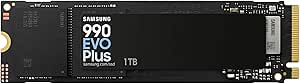 | Best Overall for a Desktop PostgreSQL Workstation | Capacity: 1 TB | Form factor: M.2 2280 | Interface: NVMe PCIe Gen 4×4 / Gen 5×2 | VIEW LATEST PRICE | See Our Full Breakdown |
| Samsung 9100 PRO 1TB PCIe 5.0 NVMe M.2 2280 SSD |  | Best for PCIe 5.0 Throughput | Capacity: 1 TB | Interface: PCIe 5.0 x4 NVMe | Form factor: M.2 2280 | VIEW LATEST PRICE | See Our Full Breakdown |
| Kingston DC3000ME 3.84TB U.2 PCIe 5.0 NVMe Enterprise SSD |  | Best Enterprise Drive for PostgreSQL | Capacity: 3.84 TB | Interface: PCIe 5.0 NVMe; backward compatible with PCIe 4.0 | Form factor: U.2, 2.5-inch | VIEW LATEST PRICE | See Our Full Breakdown |
| Samsung 990 PRO 2TB PCIe 4.0 M.2 2280 SSD |  | Best PCIe 4.0 Pick for High-Throughput PostgreSQL | Capacity: 2 TB | Interface: PCIe 4.0 x4 | Form factor: M.2 2280 | VIEW LATEST PRICE | See Our Full Breakdown |
| SSDs for PostgreSQL | Capacity | Form factor | Interface | Maximum read speed |
|---|---|---|---|---|
| Fikwot FX815 1TB 2.5" SATA III | 1 TB | 2.5-inch | SATA III (6.0 Gb/s) | 560 MB/s |
| Fikwot FS810 1TB 2.5-Inch SATA | 1 TB | 2.5-inch | SATA III, 6 Gb/s; compatible with SATA II | 560 MB/s |
| Samsung SSD 990 EVO Plus 1TB N | 1 TB | M.2 2280 | NVMe PCIe Gen 4×4 / Gen 5×2 | 7,150 MB/s |
| Samsung 9100 PRO 1TB PCIe 5.0 | 1 TB | M.2 2280 | PCIe 5.0 x4 NVMe | — |
| Kingston DC3000ME 3.84TB U.2 P | 3.84 TB | U.2, 2.5-inch | PCIe 5.0 NVMe; backward compatible with PCIe 4.0 | — |
| Samsung 990 PRO 2TB PCIe 4.0 M | 2 TB | M.2 2280 | PCIe 4.0 x4 | — |
More Details on Our Top Picks
Fikwot FX815 1TB 2.5″ SATA III Internal SSD
The Fikwot FX815 makes the most sense when your PostgreSQL machine has a 2.5-inch SATA bay and no practical M.2 upgrade path. Its listed speeds of up to 560 MB/s read and 510 MB/s write are close to the ceiling of SATA, so it can improve database startup and ordinary reads over a hard drive, but it cannot match the NVMe throughput of the Samsung 990 EVO Plus. For a small development database or a modest home server, that distinction may matter less than fitting existing hardware. The 1TB capacity gives room for the OS and a working dataset, while the 3-year or 320 TBW warranty sets a finite endurance boundary. I would skip it for write-heavy production databases: the product data does not establish enterprise-grade power-loss protection or sustained-write behavior.
Pros:- 2.5-inch SATA format can fit many older systems without an M.2 slot
- Up to 560 MB/s read and 510 MB/s write speeds suit basic database and OS workloads on SATA
- 1TB capacity leaves room for the operating system and a modest PostgreSQL dataset
- Listed 3-year or 320 TBW warranty provides a defined coverage period and endurance limit
Cons:- SATA throughput is far below the NVMe speeds offered by the Samsung 990 EVO Plus
- 320 TBW warranty limit may be restrictive for write-heavy database use
- Product data does not specify power-loss protection or enterprise workload behavior
Best for: Owners of SATA-only desktops or laptops running a small PostgreSQL development database or low-write home server
Not ideal for: Production operators with sustained database writes, larger datasets, or a PCIe NVMe slot who need higher throughput and documented enterprise protections
- Capacity:1 TB
- Form factor:2.5-inch
- Interface:SATA III (6.0 Gb/s)
- Maximum read speed:560 MB/s
- Maximum write speed:510 MB/s
- NAND and cache:3D NAND with SLC cache
- Thickness:7 mm
- Warranty:3 years or 320 TBW
Our verdict“Choose the FX815 to add SSD responsiveness to a SATA-only PostgreSQL system, not to serve a demanding write-heavy database.”
Fikwot FS810 1TB 2.5-Inch SATA III Internal SSD
The Fikwot FS810 is a straightforward choice for a PostgreSQL user replacing a hard drive in a SATA-based machine. Its 3D NAND TLC and stated read speed of up to 560 MB/s put it in the same general SATA performance class as the FX815, while the FS810 explicitly lists support for SATA II systems and Linux. That compatibility helps when upgrading older database hosts, though a SATA II link will limit throughput below the drive’s stated maximum. It is still a different tier from the Samsung 990 EVO Plus, which uses NVMe and offers much higher sequential speeds on compatible hardware. The FS810’s product data gives a three-year service period but no TBW figure or power-loss protection details, so I would reserve it for light-duty databases rather than write-intensive production use.
Pros:- 1TB capacity suits an operating system and a small working database
- 3D NAND TLC is specified, unlike products whose NAND type is not listed
- Compatibility includes SATA II systems and Linux
- Up to 560 MB/s read speed can reduce waits compared with a mechanical hard drive on SATA III
Cons:- SATA interface limits throughput compared with the Samsung 990 EVO Plus and other NVMe drives
- Advertised maximum speed depends on the host system and workload
- No TBW rating or power-loss protection is specified in the supplied product data
Best for: Linux users upgrading an older SATA II or SATA III laptop or desktop for a small personal PostgreSQL instance
Not ideal for: Database administrators needing documented endurance, power-loss protection, or NVMe performance for sustained production writes
- Capacity:1 TB
- Form factor:2.5-inch
- Interface:SATA III, 6 Gb/s; compatible with SATA II
- Maximum read speed:560 MB/s
- Media speed:510 MB/s
- Flash memory:3D NAND TLC
- Operating temperature:0–60°C
- Warranty:3 years
Our verdict“Pick the FS810 for a basic SATA-based Linux database machine, but look to NVMe or enterprise storage for heavy write workloads.”
Samsung SSD 990 EVO Plus 1TB NVMe M.2 2280 Internal Solid State Drive
For a PostgreSQL workstation with a compatible M.2 slot, the Samsung 990 EVO Plus is the most balanced performance pick in this group. Its PCIe interface and listed speeds of up to 7,150 MB/s read and 6,300 MB/s write put it far ahead of the SATA-based Fikwot FX815 and FS810, giving database files and other application data a much faster storage path on supported systems. That does not translate directly into the same gain for every query—CPU, memory, and database configuration still matter—but faster storage can help with file-heavy tasks. Compared with the Samsung 9100 PRO, this model has lower peak throughput while avoiding the need for a PCIe 5.0 system. Its 1TB capacity is a practical limit, and the supplied data does not list endurance or power-loss protection, so I would not treat it as a purpose-built server drive.
Pros:- NVMe interface and high listed sequential speeds substantially exceed the SATA options in this roundup
- PCIe Gen 4×4 and Gen 5×2 compatibility offers flexibility across supported systems
- Nickel-coated controller is specified for thermal efficiency and power consumption
- Magician software supports firmware updates and drive-health monitoring
Cons:- Peak performance depends on a compatible PCIe M.2 system
- 1TB capacity may be tight for database files, backups, and the operating system together
- Product data does not list a TBW rating or power-loss protection
Best for: Developers and small-office users with a PCIe 4.0 or compatible PCIe 5.0 M.2 system who want responsive local PostgreSQL work
Not ideal for: Operators with a SATA-only host, a large database needing more than 1TB, or production workloads requiring documented enterprise power-loss protection
- Capacity:1 TB
- Form factor:M.2 2280
- Interface:NVMe PCIe Gen 4×4 / Gen 5×2
- Maximum read speed:7,150 MB/s
- Maximum write speed:6,300 MB/s
- Weight:9 g
- Dimensions:3.2 × 0.9 × 0.1 inches
- Model number:MZ-V9S1T0B/AM
Our verdict“Choose the 990 EVO Plus for fast local PostgreSQL work on a compatible M.2 system when enterprise power-loss features are not the priority.”
Samsung 9100 PRO 1TB PCIe 5.0 NVMe M.2 2280 SSD
The Samsung 9100 PRO targets buyers who want the highest stated throughput here in a standard M.2 NVMe drive. Its listed 14,700 MB/s read and 13,300 MB/s write speeds exceed the 990 EVO Plus figures, but a PostgreSQL server benefits only if its motherboard supports PCIe 5.0 and the workload can use that bandwidth. For many databases, random access patterns, memory, and CPU limits can matter more than peak sequential transfer rates. This makes the 9100 PRO a more specialized choice than the Samsung 990 EVO Plus, which is the more broadly suited workstation pick. Hardware encryption and thermal controls add useful safeguards, but the provided data does not state power-loss protection or endurance, and 1TB leaves less room for growing datasets than the Kingston DC3000ME.
Pros:- Highest listed sequential read and write speeds among the M.2 drives in this batch
- PCIe 5.0 x4 NVMe interface supports high-throughput workloads on a compatible system
- Hardware encryption is specified
- Thermal and power controls are included
Cons:- Full performance depends on a PCIe 5.0-capable system
- PostgreSQL workloads may not benefit from its sequential speed ceiling
- Only 1TB capacity is listed, and the product data does not specify power-loss protection
Best for: Workstation owners with PCIe 5.0 support who run storage-heavy local database tasks alongside demanding creative or technical workloads
Not ideal for: PostgreSQL users on PCIe 4.0 or SATA systems, or administrators seeking a higher-capacity enterprise drive with stated power-loss protection
- Capacity:1 TB
- Interface:PCIe 5.0 x4 NVMe
- Form factor:M.2 2280
- Sequential read speed:Up to 14,700 MB/s
- Sequential write speed:Up to 13,300 MB/s
- Random read speed:Up to 1,850K IOPS
- Random write speed:Up to 2,600K IOPS
- Cache memory:1 GB
Our verdict“Choose the 9100 PRO when your PCIe 5.0 workstation can use its throughput; otherwise, the 990 EVO Plus is a more measured fit for PostgreSQL.”
Kingston DC3000ME 3.84TB U.2 PCIe 5.0 NVMe Enterprise SSD
For a database host, the Kingston DC3000ME stands apart from the consumer M.2 options because its product data identifies it as an enterprise SSD built for databases and sustained workloads. The 3.84TB capacity gives PostgreSQL data files more room than the 1TB Samsung drives, while 3D eTLC NAND, on-board power-loss protection, and AES 256-bit hardware encryption speak directly to server deployment needs. It is also listed as PCIe 4.0 compatible, although its U.2 form factor still demands the right server bay and connection. Its 14,000 MB/s read figure is below the Samsung 9100 PRO’s listed sequential peak, but raw peak speed is not the only selection point for database storage. The tradeoff is deployment complexity: a typical desktop M.2 slot will not accept this drive directly.
Pros:- 3.84TB capacity provides substantially more database and data-file space than the 1TB options
- Enterprise workload positioning and 3D eTLC NAND suit sustained database use
- On-board power-loss protection is specified
- AES 256-bit and TCG Opal hardware encryption are listed
Cons:- U.2 form factor may require compatible server hardware, cabling, or an adapter
- PCIe 5.0 performance depends on host support, despite PCIe 4.0 compatibility
- Its enterprise feature set may be unnecessary for a light-duty development database
Best for: Database administrators building a compatible server or workstation for a larger PostgreSQL dataset and sustained database workloads
Not ideal for: Home users or small-office developers with only an M.2 slot, or buyers who do not need enterprise features and capacity
- Capacity:3.84 TB
- Interface:PCIe 5.0 NVMe; backward compatible with PCIe 4.0
- Form factor:U.2, 2.5-inch
- NAND:3D eTLC
- Read speed:14,000 MB/s
- Data transfer rate:5,800 MB/s
- Encryption:AES 256-bit; TCG Opal hardware encryption
- Power-loss protection:On-board
- Model number:SEDC3000ME/3T8
Our verdict“Choose the DC3000ME for a compatible PostgreSQL server where capacity, power-loss protection, and enterprise workload design outweigh easy M.2 installation.”
Samsung 990 PRO 2TB PCIe 4.0 M.2 2280 SSD
The Samsung 990 PRO 2TB suits PostgreSQL systems that need fast local storage without moving to a PCIe 5.0 platform. Its sequential speeds reach 7,450 MB/s read and 6,900 MB/s write, while the 2TB capacity leaves more room for database files and working data than the 1TB Samsung 990 EVO Plus. That extra space can reduce pressure to split a database across drives, though sequential throughput alone does not predict database performance; random I/O, latency, workload, and system configuration matter too.
Compared with the Samsung 9100 PRO, this drive avoids requiring PCIe 5.0 to reach its rated interface performance. Its tradeoff is the same: it needs a compatible PCIe 4.0 slot, and the supplied details do not specify endurance or power-loss protection. I’d choose it for a capable desktop or laptop where capacity and fast storage matter, but not as an enterprise drive for workloads that require documented data-protection features.
Pros:- 2TB capacity offers more room for database files and working data than the 1TB Samsung 990 EVO Plus.
- Sequential read speeds up to 7,450 MB/s and write speeds up to 6,900 MB/s.
- PCIe 4.0 interface avoids the PCIe 5.0 platform requirement of the Samsung 9100 PRO.
- Designed for improved power efficiency over the Samsung 980 PRO.
Cons:- Requires PCIe 4.0 support to reach its advertised performance.
- Product details provided do not specify endurance ratings or power-loss protection.
- Sequential speed claims alone do not establish performance for PostgreSQL random-I/O workloads.
Best for: PostgreSQL developers and small teams with a PCIe 4.0 desktop or laptop who want 2TB of fast local storage for databases, development environments, and working files.
Not ideal for: Enterprise database operators who need specified power-loss protection or endurance figures, and buyers whose system lacks PCIe 4.0 support.
- Capacity:2 TB
- Interface:PCIe 4.0 x4
- Form factor:M.2 2280
- Sequential read speed:Up to 7,450 MB/s
- Sequential write speed:Up to 6,900 MB/s
- Compatible devices:Desktop, laptop
- Compatible console:Sony PlayStation 5
- Dimensions:3.16 × 0.87 × 0.09 in
Our verdict“Choose the 990 PRO if you want 2TB of fast local PostgreSQL storage on a PCIe 4.0 system, but look to an enterprise drive if documented data-protection features are a requirement.”

How We Picked
I ranked these drives around the demands PostgreSQL places on storage: responsive reads and writes, sustained workload suitability, usable capacity, interface compatibility, and the ability to fit a sensible database deployment. I also separated consumer M.2 SSDs from the U.2 enterprise model, since their intended systems and installation requirements differ. A high interface generation alone did not earn a higher position; the platform must support it, and the workload must benefit.
The Samsung 990 PRO 2TB leads as the most balanced fit for many PostgreSQL users because it combines NVMe performance with more capacity than the 1TB consumer options. The Kingston DC3000ME ranks as a specialist enterprise choice rather than a default recommendation, while the Samsung 9100 PRO is aimed at buyers building around PCIe 5.0. The 990 EVO Plus follows as a practical NVMe option; the Fikwot SATA models sit lower for database workloads that prioritize storage responsiveness, though they can still suit compatible, less demanding builds. Product descriptions alone do not establish endurance, power-loss protection, or workload-specific results, so I recommend checking those details for the exact SKU before putting any drive in production.
| SSDs for PostgreSQL | Interface |
|---|---|
| Fikwot FX815 1TB 2.5" SATA III | SATA III (6.0 Gb/s) |
| Fikwot FS810 1TB 2.5-Inch SATA | SATA III, 6 Gb/s; compatible with SATA II |
| Samsung SSD 990 EVO Plus 1TB N | NVMe PCIe Gen 4×4 / Gen 5×2 |
| Samsung 9100 PRO 1TB PCIe 5.0 | PCIe 5.0 x4 NVMe |
| Kingston DC3000ME 3.84TB U.2 P | PCIe 5.0 NVMe; backward compatible with PCIe 4.0 |
| Samsung 990 PRO 2TB PCIe 4.0 M | PCIe 4.0 x4 |
Factors to Consider When Choosing Best SSDs For PostgreSQL
Choosing storage for PostgreSQL involves more than picking the fastest advertised interface. I would first match the drive to the server and workload, then check capacity, durability, and the safeguards around database writes. These broader decisions often matter more than moving up one SSD generation.
Match the Interface to the Host
Start with the motherboard or server’s actual storage connections, not the SSD’s headline interface. M.2 NVMe, U.2 NVMe, and 2.5-inch SATA drives are not interchangeable without the right slot, cable, bay, or adapter. A PCIe 5.0 SSD installed in a PCIe 4.0-capable system will not run at its full interface generation, and some boards share lanes among slots. Check physical clearance, lane allocation, boot support, and cooling before ordering. A well-matched PCIe 4.0 drive can be a better purchase than a faster model your platform cannot properly host.
Size for the Whole Database Footprint
Do not size the SSD only for the current database files. PostgreSQL also needs room for indexes, write-ahead logs, temporary query files, maintenance operations, and future growth. A nearly full SSD can complicate routine operations and leave little flexibility during upgrades or data imports. Separate volumes for data, logs, and backups can help with operational planning, but they do not replace independent backup storage. Estimate growth over your planned service life and leave working headroom rather than buying only enough capacity for today.
Look Beyond Peak Transfer Claims
Database responsiveness depends on the pattern of reads and writes, queue depth, and latency under load—not just a drive’s peak sequential speed. Small, random operations and sustained writes can behave differently from short benchmark bursts. Ask whether your workload is read-heavy, write-heavy, or mixed, and compare available specifications for random performance and sustained behavior. PostgreSQL query plans, indexes, memory allocation, and checkpoint settings can also shape storage demand. If the database is small or already served from memory, paying for a higher interface generation may make little practical difference.
Check Endurance and Power-Loss Protection
Frequent writes make endurance a relevant purchase criterion, especially for busy databases that generate substantial WAL and temporary data. Compare the exact drive’s endurance rating and warranty terms with your expected write volume; do not infer durability from a product family name. Enterprise drives may offer features aimed at server workloads, but confirm whether the specific model has power-loss protection and what that protection covers. A consumer SSD should not be treated as having enterprise safeguards unless its documentation says so. Keep tested backups and a recovery plan regardless of the drive you choose.
Plan for Cooling and Sustained Operation
Fast NVMe drives can produce heat during sustained activity, and thermal limits may reduce performance to protect the hardware. Compact M.2 slots inside servers can have less airflow than an open desktop build. Check whether the system provides a heatsink or direct airflow, and confirm the SSD fits beneath any board cover. U.2 drives need a compatible bay and suitable server cooling as well. For a database that runs continuously, stable performance under its real workload is more useful than brief peak speed.
Treat Redundancy and Backups as Separate Jobs
One SSD, however capable, remains a single point of failure. RAID can improve availability or provide redundancy when configured for that purpose, but it is not a substitute for backups that can recover from accidental deletion, corruption, or broader system loss. Keep backup copies on separate storage and test restores before relying on them. Also plan how the operating system, database files, and WAL will be monitored for capacity and health. Buyers often overspend on interface speed while leaving recovery and monitoring plans unfinished.
Frequently Asked Questions
Is a PCIe 5.0 SSD worth choosing for PostgreSQL?
It can make sense when the server supports PCIe 5.0, has the right slot and cooling, and the workload can use the added throughput. Many PostgreSQL workloads are limited by random access patterns, memory, CPU, or query design rather than sequential transfer speed. For a general-purpose build, the Samsung 990 PRO’s PCIe 4.0 interface may be a more balanced fit than paying for a platform upgrade around the Samsung 9100 PRO. Check real workload behavior before treating the newer interface as a guaranteed database speedup. Prioritize endurance and recovery needs for write-heavy production systems.
Can I use a consumer SSD for a production PostgreSQL server?
A consumer SSD can work in a production system, but the decision should depend on workload, expected writes, redundancy, and the exact drive’s documented protections. Check endurance ratings, warranty conditions, and whether power-loss protection is specified rather than assumed. Put tested backups and monitoring in place, and consider how the service will recover if the drive fails. For a high-write or business-critical deployment, compare enterprise models and platform requirements before choosing a consumer M.2 drive. A consumer label alone does not describe every relevant reliability feature.
Should I choose the 2TB Samsung 990 PRO or the 3.84TB Kingston DC3000ME?
Choose between them based on system compatibility and storage needs, not capacity alone. The 990 PRO is an M.2 PCIe 4.0 drive suited to compatible consumer and workstation platforms, while the DC3000ME uses U.2 and targets enterprise server installations. The Kingston offers more listed capacity, which can help when the database, indexes, and working files need more room. It may be unsuitable if your system lacks a U.2 bay, cabling, or support for the drive. Confirm platform fit and the exact model’s endurance and power-loss features before deciding.
Are the Fikwot SATA SSDs adequate for a small PostgreSQL database?
They may be adequate for a small, low-write database or a system whose hardware is limited to SATA. Their main tradeoff in this lineup is the SATA interface, which gives them a different performance ceiling from the NVMe options. For a lightly used development setup, a legacy machine, or a workload with modest storage demands, that may be an acceptable compromise. For a latency-sensitive service or heavier concurrent activity, I would compare an NVMe option and check the exact SATA model’s endurance details. Keep a separate backup either way.
How much SSD capacity should I leave free for PostgreSQL?
There is no single free-space figure that suits every database, since growth, WAL generation, temporary queries, and maintenance operations vary. Estimate the full working footprint, including indexes and expected growth, then leave enough headroom for routine operations and unexpected spikes. Avoid planning a system that reaches near-full capacity during normal use, since that leaves less room for imports, vacuuming, or recovery tasks. Monitor disk use and WAL growth after deployment so capacity planning reflects real behavior. Keep backups on separate storage rather than counting them as free space on the database drive.
Conclusion
For most buyers, I recommend the Samsung 990 PRO 2TB as the best overall: it balances NVMe performance, a widely used PCIe 4.0 M.2 format, and more capacity than the 1TB options. The Fikwot FX815 or FS810 is the best value direction for a compatible SATA-only system or modest workload, though I would verify the exact model’s endurance and accept the interface tradeoff. For a first NVMe build, the Samsung 990 EVO Plus is the beginner-friendly pick among these options. Buyers building a compatible PCIe 5.0 workstation can look at the Samsung 9100 PRO as the premium M.2 choice; server operators needing more capacity and a U.2 enterprise form factor should assess the Kingston DC3000ME for that specific need. Before purchase, match the connection to your system and check the exact drive’s durability features—then pair it with backups and monitoring.
Fall Picks
fall essentials
As an affiliate, we earn on qualifying purchases.