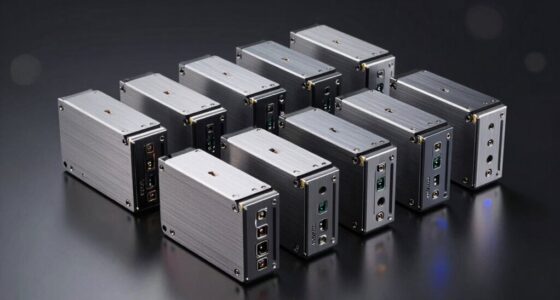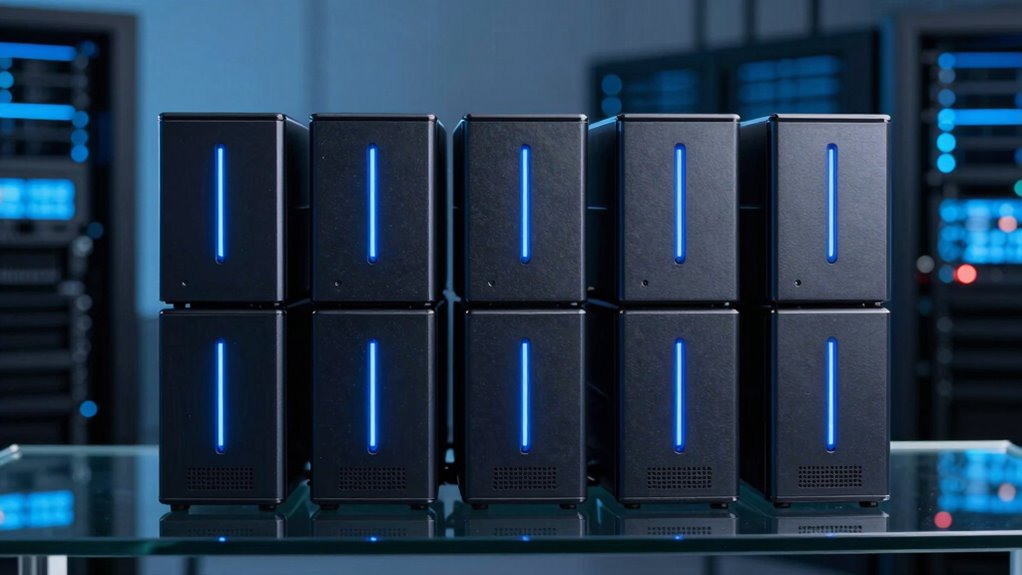
If you’re searching for a 12 bay NAS, you’re likely looking for a high-capacity, scalable solution to handle large data environments. The Asustor Flashstor 12 Pro FS6712X stands out as the best overall, thanks to its fast SSD support and flexible configuration options. The TrueNAS Mini R offers unmatched data integrity with ZFS and robust hardware, making it ideal for enterprise use. Meanwhile, the Synology DiskStation DS2422+ strikes a balance between performance and user-friendly features. Choosing the right NAS involves tradeoffs between raw power, ease of use, expandability, and initial cost. Continue reading for a detailed breakdown of these options to find the best fit for your needs.
Key Takeaways
- High-performance rackmounts like the QNAP TS-1273AU-RP provide redundancy and scalability but come at a higher price point.
- Diskless models offer flexibility but require additional investment in drives and setup time.
- Enterprise-focused options like TrueNAS Mini R prioritize data integrity and advanced features over simple setup.
- Budget-friendly choices such as the TERRAMASTER T12-500 Pro deliver strong specs but may lack pre-installed drives or advanced features.
- Form factor and expandability are critical; rackmount units are better for large, permanent setups, while desktop models suit smaller environments.
| Asustor Flashstor 12 Pro FS6712X – 12 Bay M.2 SSD NAS Network Storage Enclosure |  | Best for High-Speed NVMe SSD Expansion | Processor: Intel Celeron N5105, Quad-Core, 2.0GHz | Number of Bays: 12 M.2 SSD slots | Ethernet Ports: 2 x 2.5 Gigabit Ethernet | VIEW ON AMAZON | See Our Full Breakdown |
| TrueNAS Mini R Rackmount ZFS Storage Server with 12 Drive Bays, 32GB RAM, 8-Core CPU, Dual 10GbE |  | Best for Enterprise-Grade Data Integrity and Remote Management | Drive Bays: 12 | RAM: 32GB ECC | CPU: 8-Core 2.2GHz Intel Atom | VIEW ON AMAZON | See Our Full Breakdown |
| Synology DiskStation DS2422+ 12-Bay NAS with Quad-Core CPU and 4GB RAM |  | Best for Expandable Storage and High Performance | Drive Bays: 12 (expandable to 24) | Processor: Quad-Core | Memory: 4GB RAM (expandable to 32GB) | VIEW ON AMAZON | See Our Full Breakdown |
| TERRAMASTER U12-500 Plus NAS 12-Bay Intel Core i7 1255U, 16GB DDR5, 10GbE, 2U Rack Mount (Diskless) |  | Best for Business Power and Large Capacity | Processor: Intel Core i7-1255U | Memory: 16GB DDR5 | Storage Capacity: Up to 288TB | VIEW ON AMAZON | See Our Full Breakdown |
| QNAP TS-1273AU-RP 12-Bay High-Performance Rackmount NAS with Redundant Power Supply |  | Best for Reliability and Business Continuity | Processor: AMD Ryzen Embedded V1500B | Memory: 8GB UDIMM DDR4 (max 32GB) | Drive Bays: 12 | VIEW ON AMAZON | See Our Full Breakdown |
| TERRAMASTER T12-500 Pro NAS 12-Bay Intel Core i7, 16GB DDR5, Diskless |  | Best Overall for High-Performance Business Use | Processor: Intel Core i7-1255U, 10-core | Memory: 16GB DDR5 | Storage Bays: 12 | VIEW ON AMAZON | See Our Full Breakdown |
| Synology 8 Bay RackStation RS1221+ (Diskless) |  | Best Compact Multi-User NAS for Small Offices | Number of Bays: 8 | Performance: Up to 2,315 MB/s read, 1,147 MB/s write | Depth: 298 mm | VIEW ON AMAZON | See Our Full Breakdown |
| Synology 12-Bay DiskStation DS3622xs+ (Diskless) |  | Best for Scalability and Demanding Enterprise Workloads | Drive Bays: 12 | Processor: 6-core Intel Xeon | Maximum Memory: 48 GB | VIEW ON AMAZON | See Our Full Breakdown |
| Asustor Lockerstor 12 Pro Gen2 AS7212RDX 12-Bay NAS |  | Best for Enterprise-Ready Performance and Expandability | Processor: AMD Ryzen 7 Pro 7745 | Memory: 16GB ECC DDR5 (expandable to 192GB) | Network Ports: Dual 10GbE | VIEW ON AMAZON | See Our Full Breakdown |
| bay na | Processor | Memory |
|---|---|---|
| Asustor Flashstor 12 Pro FS671 | Intel Celeron N5105, Quad-Core, 2.0GHz | — |
| TrueNAS Mini R Rackmount ZFS S | — | — |
| Synology DiskStation DS2422+ 1 | Quad-Core | 4GB RAM (expandable to 32GB) |
| TERRAMASTER U12-500 Plus NAS 1 | Intel Core i7-1255U | 16GB DDR5 |
| QNAP TS-1273AU-RP 12-Bay High- | AMD Ryzen Embedded V1500B | 8GB UDIMM DDR4 (max 32GB) |
| TERRAMASTER T12-500 Pro NAS 12 | Intel Core i7-1255U, 10-core | 16GB DDR5 |
| Synology 8 Bay RackStation RS1 | — | — |
| Synology 12-Bay DiskStation DS | 6-core Intel Xeon | — |
| Asustor Lockerstor 12 Pro Gen2 | AMD Ryzen 7 Pro 7745 | 16GB ECC DDR5 (expandable to 192GB) |
More Details on Our Top Picks
Asustor Flashstor 12 Pro FS6712X – 12 Bay M.2 SSD NAS Network Storage Enclosure
This diskless NAS offers a unique advantage with its 12 M.2 NVMe SSD slots, making it ideal for users prioritizing ultra-fast local storage and caching. Unlike the Synology DS2422+ which relies on traditional drive bays, the Flashstor 12 Pro focuses on SSD performance, but it requires you to purchase and install your own drives, adding to the setup complexity and cost. Its dual 2.5GbE ports deliver excellent network throughput, yet the absence of bundled drives and the need for separate SSDs make it less straightforward for new users. This model’s high-performance hardware can handle intensive workloads, but the initial investment can be steep if you’re not already equipped with SSDs.
Pros:- 12 dedicated M.2 NVMe SSD slots for blazing-fast cache or storage
- Dual 2.5GbE ports support high-speed network connectivity
- Quad-core Intel Celeron processor offers efficient performance
Cons:- Requires separate SSDs, increasing initial setup costs
- No pre-installed drives, adding complexity for beginners
Best for: Prospective users seeking maximum SSD cache performance and willing to invest in SSDs separately
Not ideal for: Beginners or those looking for a ready-to-use NAS with included drives
- Processor:Intel Celeron N5105, Quad-Core, 2.0GHz
- Number of Bays:12 M.2 SSD slots
- Ethernet Ports:2 x 2.5 Gigabit Ethernet
- RAM:4GB DDR4
- Form Factor:Diskless
Our verdict“This pick is perfect for advanced users prioritizing SSD performance and prepared to handle a DIY setup.”
TrueNAS Mini R Rackmount ZFS Storage Server with 12 Drive Bays, 32GB RAM, 8-Core CPU, Dual 10GbE
The TrueNAS Mini R stands out for its robust hardware and advanced ZFS filesystem, making it a top choice for SMBs and power users needing reliable data protection. Compared to the QNAP TS-1273AU-RP, which emphasizes high performance with AMD Ryzen, the TrueNAS offers superior data integrity through ZFS and ECC RAM, but it comes as a diskless system requiring full drive setup, which can be daunting for newcomers. Its 8-core CPU and 32GB ECC RAM support demanding workloads, while dual 10GbE ports ensure fast network throughput. The heavy weight and complex configuration mean this is better suited for experienced IT staff or dedicated server environments.
Pros:- Supports extensive 12 drive bays for large storage pools
- High-performance 8-core CPU and 32GB ECC RAM ensure stability under load
- Dual 10GbE ports facilitate rapid data transfer
Cons:- Requires additional drives for storage, increasing setup complexity
- Heavy weight and rackmount form factor may require sturdy infrastructure
Best for: IT professionals or SMBs needing enterprise-level reliability and remote management
Not ideal for: Home users or those seeking a plug-and-play solution without technical expertise
- Drive Bays:12
- RAM:32GB ECC
- CPU:8-Core 2.2GHz Intel Atom
- Network:Dual 10GbE RJ45
- Form Factor:Rackmount
Our verdict“Ideal for tech-savvy users demanding enterprise-grade data integrity and remote management features.”
Synology DiskStation DS2422+ 12-Bay NAS with Quad-Core CPU and 4GB RAM
The Synology DS2422+ offers a flexible platform with its support for up to 24 drives through expansion, making it a standout for scalability. Its quad-core CPU and support for up to 32GB RAM enable fast data processing, similar to the QNAP TS-1273AU-RP, but with a more straightforward setup and Synology’s user-friendly interface. While it’s diskless and requires drives, its well-supported ecosystem and software make it appealing for users who want high performance combined with ease of management. The main tradeoff is the higher cost for expansion units, which can add up quickly.
Pros:- Supports up to 24 drives with expansion units
- Fast read/write speeds with quad-core processing
- Supports large memory upgrades up to 32GB and cache with NVMe SSDs
Cons:- Requires additional drives for storage capacity
- Higher total cost when expanding with optional units
Best for: Power users needing scalable storage with a focus on software ease and expandability
Not ideal for: Cost-conscious buyers or those seeking an all-in-one solution with drives included
- Drive Bays:12 (expandable to 24)
- Processor:Quad-Core
- Memory:4GB RAM (expandable to 32GB)
- Networking:10/25GbE
- Warranty:3 years
Our verdict“Great for users who prioritize scalability and robust performance, willing to invest in expansion hardware.”
TERRAMASTER U12-500 Plus NAS 12-Bay Intel Core i7 1255U, 16GB DDR5, 10GbE, 2U Rack Mount (Diskless)
The TERRAMASTER U12-500 Plus combines a powerful Intel Core i7-1255U processor with 16GB DDR5 RAM, supporting up to 288TB of storage in a 2U rackmount chassis. Its performance rivals the QNAP TS-1273AU-RP, but with added emphasis on enterprise features such as AES hardware encryption and extensive RAID options. The device is diskless, requiring drives to be added, which could be a drawback for users seeking a ready-to-use system. It excels in demanding environments like media editing or extensive backups, but its complex setup and higher price make it less suitable for casual home users.
Pros:- Powerful Intel Core i7 processor with 16GB DDR5 RAM
- Supports up to 288TB storage capacity with multiple RAID options
- Dual 10GbE ports for fast network throughput
Cons:- Requires drives for storage, adding to initial setup complexity
- Complex configuration may challenge less technical users
Best for: Business users needing high performance, large capacity, and enterprise features
Not ideal for: Home users or those preferring a simple, ready-to-go NAS without extensive configuration
- Processor:Intel Core i7-1255U
- Memory:16GB DDR5
- Storage Capacity:Up to 288TB
- Network Ports:2 x 10GbE
- Form Factor:2U Rack Mount
Our verdict“This NAS suits small businesses or power users needing extensive performance and storage capacity, willing to handle a more involved setup.”
QNAP TS-1273AU-RP 12-Bay High-Performance Rackmount NAS with Redundant Power Supply
The QNAP TS-1273AU-RP excels with its AMD Ryzen Embedded V1500B processor, offering solid performance for demanding enterprise tasks. Its redundant power supply enhances reliability, making it a smart choice for mission-critical environments. While it shares the same 12-bay capacity as the other models, it differs in processor architecture and includes features like PCIe expansion slots, making it highly versatile. Unlike the Synology and TrueNAS options, this model’s focus on redundancy and expandability appeals to businesses with high availability needs. The diskless setup requires drives, and the complexity might be overkill for simple home use.
Pros:- AMD Ryzen Embedded V1500B processor delivers strong performance
- Redundant power supply ensures continuous operation
- Multiple bays and PCIe slots for expansion
Cons:- Requires additional drives, increasing initial costs
- Complex setup and configuration
Best for: Businesses requiring high uptime, redundancy, and flexible expansion options
Not ideal for: Home or casual users who prefer simple, all-in-one solutions
- Processor:AMD Ryzen Embedded V1500B
- Memory:8GB UDIMM DDR4 (max 32GB)
- Drive Bays:12
- Network Ports:2 x 2.5GbE
- Power:Redundant PSU
Our verdict“This NAS is best suited for business environments where uptime and redundancy are critical, and technical setup is manageable.”
TERRAMASTER T12-500 Pro NAS 12-Bay Intel Core i7, 16GB DDR5, Diskless
This model stands out for combining a powerful Intel Core i7 processor with extensive RAID options, making it ideal for demanding business environments. Compared with the Synology DS3622xs+, it offers faster data transfer speeds thanks to dual 10GbE ports, but its diskless setup can be a hurdle for those needing a turnkey solution. The high price reflects its enterprise-grade capabilities, which might be overkill for small offices or home users. The 16GB DDR5 RAM supports multitasking and large backups, but the complex configuration can challenge less experienced users. For those needing a reliable, high-speed storage solution with flexible RAID options, this pick makes the most sense.
Pros:- High-performance Intel Core i7 CPU for demanding workloads
- Supports extensive RAID configurations and up to 288TB capacity
- Dual 10GbE ports enable rapid data transfer
Cons:- Diskless setup demands additional drives to be functional
- Complex configuration may intimidate beginners
- Premium price point limits accessibility for small-scale users
Best for: IT managers or small businesses requiring robust, scalable NAS with enterprise features
Not ideal for: Home users or small offices seeking a simple, ready-to-use system without the need for additional drives or configuration
- Processor:Intel Core i7-1255U, 10-core
- Memory:16GB DDR5
- Storage Bays:12
- Maximum Storage Capacity:up to 288TB
- Network Ports:2 x 10GbE
- Supported RAID:Single, RAID 0, 1, 5, 6, 10
Our verdict“This NAS is suited for enterprises or advanced users prioritizing speed, scalability, and flexibility over simplicity.”
Synology 8 Bay RackStation RS1221+ (Diskless)
This NAS excels in environments where space-saving design and high transfer speeds matter, supporting up to 2,315 MB/s read and 1,147 MB/s write. Compared to the Asustor Lockerstor 12 Pro, it offers a more compact form factor, making it ideal for tight server rooms. While it doesn’t include drives, its support for clustering ensures minimal downtime, a feature less emphasized in other 8-bay models. The shorter depth (298 mm) makes installation easier in constrained spaces. However, the need to purchase additional network cards and drives can increase setup costs. If you want a reliable, high-speed NAS for multi-user access in a small footprint, this is a strong contender.
Pros:- Exceptional performance suitable for multi-user workloads
- Compact, short-depth design ideal for limited spaces
- Supports clustering for high availability
Cons:- Requires additional network cards for full connectivity
- Diskless configuration adds to overall costs
- Limited detail on included features may require further research
Best for: Small businesses or teams needing fast multi-user access in a space-efficient rackmount
Not ideal for: Home users or those looking for a turnkey system with included drives and simple setup
- Number of Bays:8
- Performance:Up to 2,315 MB/s read, 1,147 MB/s write
- Depth:298 mm
Our verdict“Perfect for small offices seeking a high-speed, space-efficient NAS that can handle multiple users smoothly.”
Synology 12-Bay DiskStation DS3622xs+ (Diskless)
The DS3622xs+ is designed for large-scale storage needs, boasting a 6-core Intel Xeon processor and support for up to 48 GB RAM. Compared with the TERRAMASTER T12-500 Pro, it offers unmatched scalability, supporting up to 36 additional drive bays via expansion units, making it ideal for data-heavy environments like virtual machines or media editing. Its advanced networking options, including 10/25GbE, cater to high-throughput scenarios. The tradeoff is the need for additional expansion units, which can increase costs and complexity. It’s best suited for organizations with growth plans or intensive workloads that demand maximum flexibility and power.
Pros:- High scalability with support for expansion units
- Powerful 6-core Xeon processor for demanding workloads
- Advanced networking with 10/25GbE
Cons:- Requires additional expansion units for full capacity
- No included drives, increasing initial setup cost
- Complex setup may be daunting for less experienced users
Best for: Enterprises or data centers requiring scalable, high-performance storage with expansion capabilities
Not ideal for: Small offices or home users who need an all-in-one, plug-and-play NAS solution
- Drive Bays:12
- Processor:6-core Intel Xeon
- Maximum Memory:48 GB
- Networking:10/25GbE
- Expansion Units Supported:up to 36
Our verdict“This NAS is geared toward large-scale operations that need scalable, high-end performance and expansion flexibility.”
Asustor Lockerstor 12 Pro Gen2 AS7212RDX 12-Bay NAS
The Lockerstor 12 Pro Gen2 pairs an AMD Ryzen 7 Pro 7745 8-core processor with extensive expandability, including support for PCIe Gen5 SSDs and up to 192GB RAM. Compared to the Synology RS1221+, it offers superior processing power and memory capacity, making it ideal for virtual machines, video editing, or backup tasks. With dual 10GbE ports and dual redundant power supplies, it emphasizes reliability and high throughput. The main tradeoff is its higher price and complexity—set up involves multiple components and a more technical approach. This model suits users who need serious processing power and future-proof expandability in a rackmount form factor.
Pros:- Powerful AMD Ryzen 7 Pro 7745 processor for demanding tasks
- High expandability with support for 192GB RAM and PCIe Gen5 SSDs
- Dual 10GbE ports and redundant power for enterprise reliability
Cons:- Requires additional drives to reach full functionality
- Complex setup process for less technical users
- Premium price reflects enterprise-level features
Best for: Advanced users or enterprises needing high expandability, virtualization, and enterprise reliability
Not ideal for: Small or casual users seeking a simple, cost-effective storage solution
- Processor:AMD Ryzen 7 Pro 7745
- Memory:16GB ECC DDR5 (expandable to 192GB)
- Network Ports:Dual 10GbE
- Expansion Slots:PCIe 5.0 x8 and x4
- Disk Bays:12
Our verdict“Ideal for organizations or power users who demand maximum processing power and future expansion options in a rackmount NAS.”

How We Picked
Our evaluation focused on key factors that matter most to buyers of 12 bay NAS devices: performance capabilities, build quality, expandability, ease of setup, and value for money. We compared hardware specifications, such as CPU power and RAM, alongside features like network options, redundancy, and compatibility with enterprise features. Cost and maintenance requirements also influenced our rankings, ensuring that each model offers a clear benefit for its target user. By balancing these criteria, we aimed to highlight options suitable for small businesses, prosumers, and enterprise users alike, with transparent tradeoffs explained for each.Factors to Consider When Choosing 12 Bay Nas
Selecting the right 12 bay NAS involves understanding your specific storage needs, future growth plans, and technical capabilities. Beyond raw specs, it’s essential to consider how the device will integrate into your existing infrastructure, whether redundancy or scalability are priorities, and what your budget allows. A well-chosen NAS can boost productivity and data security, but overspending on features you don’t need can lead to unnecessary costs. Conversely, under-investing might limit your system’s growth or compromise data safety. The following factors will help you navigate these decisions effectively.Performance and Hardware Specifications
Look beyond the number of drive bays and examine the CPU, RAM, and network interfaces. High-performance CPUs and ample RAM support smoother operation, especially when running multiple services or virtual machines. Network options such as 10GbE are vital for fast data transfers in larger environments. Remember, more powerful hardware generally costs more upfront but can save time and reduce bottlenecks in the long run.
Expandability and Scalability
Consider whether the NAS allows for future expansion, either through additional drives, PCIe slots, or external connections. Rackmount models often excel in this regard, offering straightforward scalability for growing data needs. For smaller setups, a diskless chassis might be more cost-effective, but ensure they support future drive additions without complicated upgrades. Overlooking these aspects can lead to costly replacements or migrations later.
Ease of Use and Management
User-friendly interfaces and comprehensive management tools can significantly reduce setup time and ongoing maintenance. Brands like Synology and QNAP are known for intuitive OS environments, which are ideal for users without extensive technical backgrounds. Enterprise models may offer more advanced features but often require dedicated IT staff for effective management. Balance your comfort level with the complexity of the management tools provided.
Cost and Total Ownership
Initial purchase price is just part of the total cost. Consider the expenses for drives, optional accessories, and ongoing maintenance. Diskless models are cheaper upfront but need additional investments in drives and setup time. Fully equipped units with pre-installed drives and redundancy features might cost more initially but could lead to lower operational headaches. Define your budget carefully to avoid overspending on unnecessary features or underspending on critical data protection.
Data Protection and Redundancy
Data safety features such as RAID support, hot-swappable drives, and dual power supplies are vital for preventing data loss. Enterprise-grade models like the TrueNAS Mini focus heavily on data integrity with ZFS, while consumer-grade units may offer simpler RAID options. Think about your tolerance for downtime and the importance of backups when choosing a model. Proper redundancy can save significant time and stress during hardware failures.
Frequently Asked Questions
Is a rackmount NAS worth it for small businesses?
For small businesses with growing storage needs, rackmount NAS units often provide better scalability, higher performance, and easier integration into existing infrastructure. They typically support multiple redundant power supplies and advanced networking options, making them more reliable for critical operations. However, they come with higher initial costs and require more space and technical know-how. If your business expects rapid growth or needs high availability, rackmount models are usually a worthwhile investment.
Should I choose a diskless NAS or an all-in-one unit?
Diskless NAS devices offer flexibility because you can select drives based on your performance and capacity needs, often at a lower upfront cost. However, they require additional setup time and technical knowledge to install and configure drives. All-in-one units with pre-installed drives simplify the process but come at a higher price. Your choice depends on your comfort with hardware installation, budget, and whether you anticipate future upgrades or replacements.
How important is network connectivity in a 12 bay NAS?
Network connectivity is a critical factor, especially in high-capacity NAS units designed for multiple users or heavy data transfer. Features like 10GbE ports significantly increase transfer speeds and reduce bottlenecks, which are essential for media editing, backups, or virtualization. Cheaper models might only offer gigabit Ethernet, limiting performance in demanding environments. Evaluate your data throughput needs carefully to avoid bottlenecks that can hinder productivity.
Can I expand a 12 bay NAS later if I need more storage?
Many enterprise-grade NAS units support expansion through additional drives, external storage, or PCIe slots for SSD caching or network upgrades. Rackmount models often excel in this area, allowing seamless scalability. However, some desktop models or diskless units may have limited expansion options, requiring a migration to a different device if future growth exceeds current capacity. It’s wise to plan for future expansion upfront to minimize costly upgrades later.
What should I prioritize: performance or data security features?
The answer depends on your specific needs. If you work with large files, virtual machines, or multimedia content, prioritizing performance with powerful CPUs and fast networking makes sense. Conversely, if data integrity and protection are paramount, choosing models with advanced RAID, ZFS, or dual power supplies is advisable. Striking a balance between these factors is ideal; often, premium models deliver both, but at a higher cost.