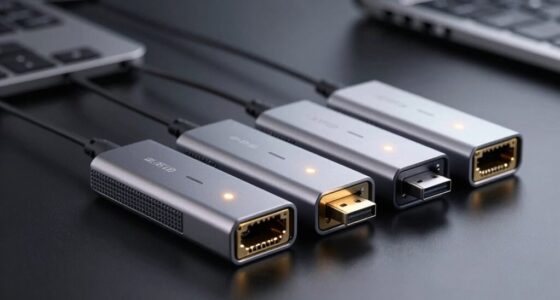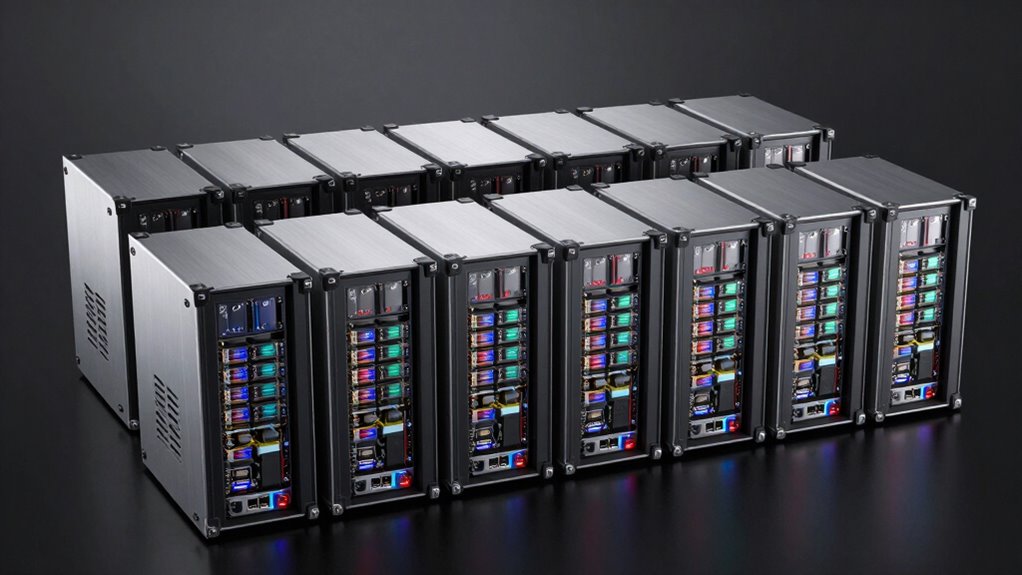

Choosing the right JBOD enclosure depends heavily on your storage needs, budget, and technical comfort level. For high-capacity setups, the QNAP TL-D800C stands out with its 8-bay design, perfect for large-scale data expansion. If speed and multimedia output are priorities, the WAVLINK 4-Bay Enclosure with HDMI makes a compelling case. Meanwhile, the TERRAMASTER D6-320 offers a balanced mix of capacity and ease of use for those who need reliable, expandable storage. Each of these options presents unique tradeoffs, from capacity limits to setup complexity, making your choice highly dependent on your specific requirements.

Get business pricing on networking and server gear
- Business-only prices and quantity discounts
- Tax-exempt purchasing
- Multiple users, one account, clear invoices
Key Takeaways
- The QNAP TL-D800C is ideal for high-capacity needs but is diskless and limited to standalone use.
- WAVLINK enclosures excel in multimedia applications with HDMI output and cooling but require additional brackets for some drives.
- TERRAMASTER D6-320 offers a straightforward setup for up to 6 drives, balancing speed and capacity without RAID support.
- Consider whether you need hot-swapping, high throughput, or large capacity to pick the best enclosure.
- Durability, compatibility, and ease of use vary across these options, so matching features to your workflow is key.


More Details on Our Top Picks
WAVLINK 4-Bay Hard Drive Enclosure for SATA HDD/SSD with USB-C 3.2, 4K HDMI, and Cooling Fans
The WAVLINK 4-bay enclosure stands out for its dual support of 3.5” and 2.5” drives, offering up to 128TB total capacity. Its fast transfer speeds of up to 10Gbps via USB-C make it suitable for large file transfers, and the 4K HDMI output adds media versatility. The built-in cooling fans and aluminum construction help mitigate heat buildup during intensive tasks. Compared to other options, it provides multimedia outputs not typical in standard JBODs, but the setup can be complex, especially with the need for additional brackets for 2.5” drives and host support for HDMI.
Pros:- Supports both 3.5” and 2.5” drives with high total capacity
- Fast data transfer speeds of up to 10Gbps
- Includes 4K HDMI output for multimedia use
- Built-in cooling fans for heat dissipation
Cons:- Additional brackets needed for 2.5” drives
- HDMI output requires compatible host support
- Complex setup process
Best for: Power users needing high capacity and multimedia output for video editing or professional workflows
Not ideal for: Beginners or those seeking a simple plug-and-play storage solution without extra setup
- Bays:4 SATA 6Gbit/s
- Supported Drive Sizes:3.5” and 2.5” (additional brackets required)
- Max Capacity:128TB
- Data Transfer Speed:up to 10Gbps
- Connectivity:USB 3.2 Type-C, HDMI
- Display Output:4K@60Hz
Our verdict“This enclosure suits users who need high capacity, fast transfer, and multimedia capabilities, but it demands a more technical setup.”
TERRAMASTER D6-320 External Hard Drive Enclosure – USB 3.2 Gen2, 6-Bay, Hot Swappable, Plug and Play
The TERRAMASTER D6-320 is designed for straightforward, high-capacity storage, supporting up to six drives with a total of 132TB. Its USB 3.2 Gen2 interface ensures rapid data transfer up to 10Gbps, and the hot-swappable bays make drive replacement quick and easy. While it doesn’t support RAID configurations, its broad OS compatibility makes it suitable for users who want a reliable, expandable storage solution without complex setup. Compared to multi-bay enclosures with advanced features, it offers a clean, plug-and-play experience but lacks RAID support for redundancy.
Pros:- Supports up to 6 drives with a total of 132TB
- Fast transfer speeds of up to 10Gbps
- Hot-swappable drive bays
- Compatible with Windows, Mac, and Linux
Cons:- No RAID support for redundancy
- Requires individual drives to be purchased separately
- Limited to a standalone enclosure without RAID capabilities
Best for: Users needing large storage capacity with easy access and minimal fuss
Not ideal for: Those who require RAID redundancy or advanced data management features
- Number of Bays:6
- Drive Interface:SATA 6Gb/s
- Max Speed:10Gbps
- Maximum Capacity:22TB per drive
- Compatibility:Mac, Windows, Linux
- Cooling:Temperature-controlled fan
Our verdict“This enclosure offers a no-fuss, high-capacity solution for users who prioritize ease of use and maximum storage over redundancy features.”
WAVLINK 4-Bay Hard Drive Enclosure for 3.5″ and 2.5″ SATA HDD/SSD with 10Gbps USB-C, 4K HDMI Output, Aluminum Shell
This WAVLINK 4-bay enclosure combines high-capacity support with fast data transfer, supporting up to 88TB across four drives. It features USB 3.2 Type-C with speeds up to 10Gbps and HDMI output capable of 4K at 60Hz, making it a versatile choice for multimedia professionals. Its aluminum shell and built-in fans help maintain optimal drive temperatures. Compared with similar models, it offers a more balanced approach with robust multimedia features but may require additional brackets for 2.5” drives and some users find setup slightly involved.
Pros:- Supports multiple drives with up to 88TB total capacity
- Fast data transfer via USB 3.2 and HDMI 4K output
- Built-in cooling for thermal management
- Hot-swappable bays
Cons:- Additional brackets needed for 2.5” drives
- HDMI output may require specific host support
- Setup can be somewhat complex
Best for: Creative professionals needing large storage with multimedia output
Not ideal for: Users seeking a simple, no-fuss storage device without multimedia features
- Drive Bays:4 SATA 6Gbit/s
- Supported Drives:3.5” and 2.5” SATA HDD/SSD
- Maximum Capacity:88TB
- USB-C Speed:10Gbps
- HDMI Output:4K@60Hz
- Material:Aluminum
Our verdict“This model suits multimedia creators who need high-speed storage combined with high-quality video output, at the cost of some setup complexity.”
QNAP TL-D800C 8-Bay Desktop JBOD Storage Enclosure with USB 3.2 Gen 2 Type-C
The QNAP TL-D800C caters to enterprise and high-capacity users with its 8-bay, diskless design. It supports SATA drives up to 22TB each and connects via USB 3.2 Gen 2 Type-C, enabling fast data transfer. Since it lacks RAID, it’s best suited for users who want raw storage expansion without redundancy. Its compatibility with QNAP NAS and other systems makes it ideal for large data pools, although it requires separate drives and isn’t suitable for those seeking integrated RAID or preconfigured setups.
Pros:- Supports 8 drives for extensive storage
- High-speed USB 3.2 Gen 2 connectivity
- Compatible with multiple systems including QNAP NAS
- Supports large volumes
Cons:- Diskless, requires separate drives
- No RAID support for redundancy
- Limited to standalone storage expansion
Best for: Large-scale data expansion for professionals with existing storage infrastructure
Not ideal for: Users looking for a plug-and-play, all-in-one storage solution with RAID
- Number of Bays:8
- Drive Interface:SATA 6Gb/s
- Power Supply:250W
- Connectivity:USB 3.2 Gen 2 Type-C
- Included Cables:USB Type-C to Type-A
Our verdict“Ideal for users who need maximum raw capacity with flexible drive options but are comfortable with a separate drive setup and lack of RAID features.”
TERRAMASTER D2-320 USB RAID Enclosure – 2 Bay, USB 3.2 Gen 2, Supports RAID 0, 1, JBOD, Single
The TERRAMASTER D2-320 provides a practical, budget-friendly option for users needing flexible RAID configurations. Its two bays support drives up to 22TB each, with a maximum capacity of 44TB. The tool-free design simplifies installation, and the enclosure’s USB 3.2 Gen 2 interface delivers fast data transfer. While it doesn’t support more advanced RAID levels or high capacities, it’s a sturdy choice for those who want reliable, straightforward external storage with options for RAID 0 or 1 for performance or redundancy.
Pros:- Supports RAID 0 and 1, JBOD, or Single modes
- Tool-free drive installation
- Fast transfer speeds up to 10Gbps
- Durable plastic enclosure
Cons:- Plastic body may be less durable
- Limited capacity for large drives
- No support for RAID levels beyond 0 and 1
Best for: Small office or personal users seeking dependable RAID-enabled external storage
Not ideal for: Heavy-duty enterprise storage needs or those requiring large-scale capacity
- Hardware Interface:USB 3.2 Gen 2
- Supported Devices:Hard Disk, SSD
- Hard Disk Form Factor:3.5 Inches
- Maximum Storage Capacity:22TB per drive
- Supported RAID Modes:RAID 0, RAID 1, JBOD, Single
Our verdict“This enclosure delivers a cost-effective, flexible RAID solution for small-scale or personal data management, with limitations in capacity and durability.”

How We Picked
Our selection process focused on enclosures that deliver reliable performance, scalability, and compatibility for both professional and personal use. We prioritized models supporting standard SATA drives and USB 3.2 or higher interfaces for fast data transfer. Ease of installation, cooling features, and expandability also guided our choices, along with user reviews highlighting real-world reliability. We aimed to include a range of options—from compact units to high-capacity, multi-bay enclosures—to serve different storage demands and technical skill levels.
Factors to Consider When Choosing Jbod Enclosure
Selecting the right JBOD enclosure requires understanding your storage volume needs, speed requirements, and feature preferences. Whether you prioritize capacity, multimedia output, or ease of use, the right choice balances these factors against your budget and technical skill. Here, I break down key considerations to help you match a product with your specific use case.Capacity and Drive Support
Assess how many drives you need to support now and in the future. Enclosures like the QNAP TL-D800C support up to 8 drives, perfect for extensive data pools, while smaller models like the TERRAMASTER D2-320 are suitable for fewer drives but easier to manage. Think about maximum drive size and total capacity to ensure your setup scales with your needs.
Connectivity and Speed
Fast data transfer is vital for large file handling. USB 3.2 Gen 2 offers speeds up to 10Gbps, seen in most models here, but if multimedia output is a concern, models like the WAVLINK 4-Bay HDMI provide additional features like 4K HDMI support. Compatibility with your operating system and host device also influences your choice.
Build Quality and Features
Durability varies, with metal enclosures generally more robust than plastic. Cooling features such as built-in fans help maintain optimal drive temperatures during intensive use. Hot-swappable bays facilitate easy drive replacement, saving time and reducing risk of data loss.
Ease of Use and Setup
Some models, like the TERRAMASTER D6-320, emphasize plug-and-play simplicity, making them ideal for less technical users. Others, especially those with multimedia or advanced connectivity features, may require more complex setup steps. Consider your comfort level with hardware configuration.
Frequently Asked Questions
What is a JBOD enclosure?
A JBOD (Just a Bunch Of Disks) enclosure is a storage device that holds multiple drives individually. Unlike RAID setups, JBOD does not combine or mirror drives but presents each as separate volumes or one large volume, offering flexible expansion options for users needing straightforward, scalable storage.
Can I use these JBOD enclosures with any operating system?
Most of the enclosures in this list are compatible with Windows, macOS, and Linux, but it’s important to check specific compatibility details. Some, like the TERRAMASTER D6-320, explicitly support multiple OS, making them versatile for various workflows. Always verify the connection interface and driver support for your system before purchasing.
Do I need special drives to use these JBOD enclosures?
These enclosures support standard SATA HDDs and SSDs, which are widely available. You will need to purchase drives separately, as most models are diskless. For optimal performance, choose drives compatible with the enclosure’s supported specifications, and consider your capacity and speed needs.
Are RAID configurations supported in JBOD enclosures?
Most JBOD enclosures, including those here, do not support RAID configurations natively. They expose each drive individually or as a simple concatenated volume. If RAID redundancy or performance is necessary, you might need a dedicated RAID controller or a NAS system with RAID support.
What features should I look for in a JBOD enclosure?
Key features include drive support and capacity, transfer speeds (preferably USB 3.2 or higher), build quality, cooling solutions, and ease of drive installation. Additional features like HDMI output or hot-swapping are beneficial for multimedia use or frequent drive changes. Match these features to your specific storage and workflow needs.
Conclusion
If your priority is high capacity and scalability for enterprise or large-scale data projects, the QNAP TL-D800C is the best fit. For multimedia professionals or those needing high-speed data transfer with video output, the WAVLINK 4-Bay Enclosure offers a compelling balance. Budget-conscious users or those seeking straightforward, reliable external storage should consider the TERRAMASTER D2-320. Select based on your specific capacity, speed, and feature preferences, always considering your technical comfort level and future storage plans.
Evergreen bestsellers Picks
bestsellers
As an affiliate, we earn on qualifying purchases.