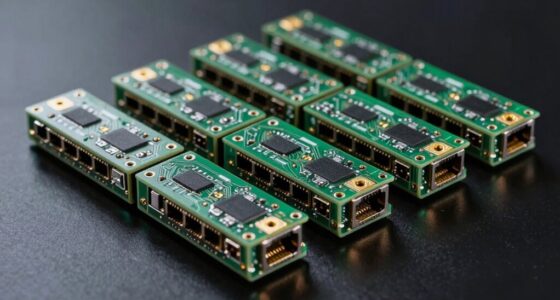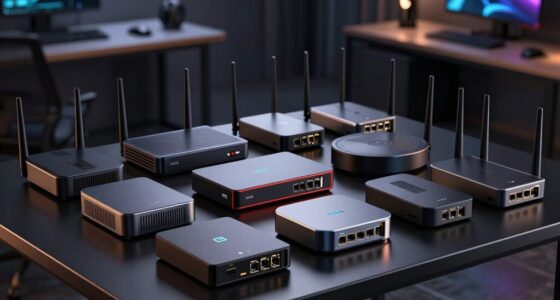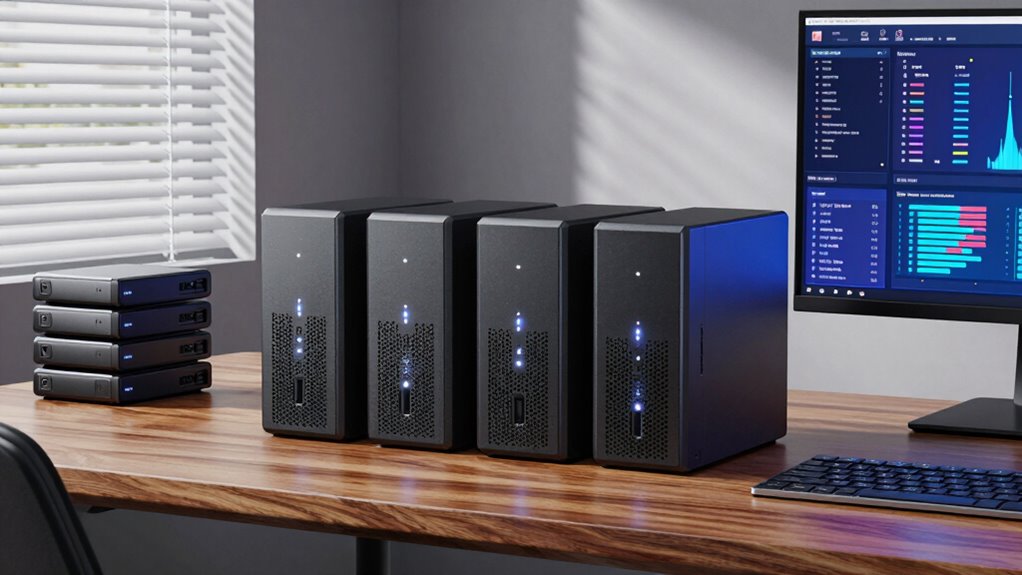

Choosing the right NAS for small business backup involves balancing performance, scalability, and ease of use. The Zero1 2-Bay Desktop NAS stands out for its beginner-friendly setup and silent operation, making it ideal for small offices. The Ugreen NAS DXP4800 GT offers powerful hardware, including dual 10GbE ports, suited for businesses with higher data demands. However, tradeoffs include higher costs for premium features or complexity for those new to NAS setups. Continue reading to see a detailed breakdown of the best options for different needs and budgets.

Get business pricing on networking and server gear
- Business-only prices and quantity discounts
- Tax-exempt purchasing
- Multiple users, one account, clear invoices
Key Takeaways
- The best NAS devices for small business backup balance ease of use with expandable features, but premium hardware often comes with a higher price tag.
- Diskless models provide flexibility for custom storage configurations, yet they require selecting compatible drives separately, which can complicate setup.
- Models with higher RAM and faster network ports (like 10GbE) are better suited for businesses with large data transfer needs or multiple users.
- Some NAS options include bundled drives, which simplify setup but may limit upgrade flexibility or increase initial costs.
- Ease of management and remote access features are vital for small businesses that need reliable, hassle-free backup solutions.







More Details on Our Top Picks
Zero1 2-Bay Desktop NAS, Beginner-Ready Silent Home NAS Storage 2.5GbE, Maximum 60TB Capacity (Diskless), Support Docker, Remote Access, 4GB RAM, 4K HDMI
This model stands out for its user-friendly setup and quiet, compact design, making it ideal for those new to NAS who want a straightforward private storage solution. Unlike the Synology DS223j, which offers robust security and multi-platform sharing, the Zero1 focuses on ease of use with support for remote access and media streaming. Its 2.5GbE network speed ensures quick file transfers without the complexity of high-end enterprise hardware. However, being diskless means initial storage depends on user-purchased drives, and its capacity is limited to 2 bays, which might not suffice for rapidly growing needs. Still, for small offices or personal use, this device offers a flexible start with minimal fuss.
Pros:- Easy to set up and use, even for beginners
- Supports remote access from multiple devices
- Compact and quiet design suitable for home or small office
Cons:- Hard drives must be purchased separately, adding initial cost
- Limited to 2-bay capacity, restricting future expansion
Best for: Small business owners or home users new to NAS who prioritize simplicity and quiet operation.
Not ideal for: Businesses requiring high-performance workloads or large-scale virtualization, as this model lacks advanced processing power and expandability.
- Maximum Capacity:60TB
- Diskless:Yes
- Network Interface:2.5GbE
- RAM:4GB
- Supports:Docker, 4K HDMI
- Weight:2kg
Our verdict“This pick makes the most sense for small businesses or individuals seeking simple, reliable backup and media sharing without complexity.”
Asustor Lockerstor 4 Gen3 AS6804T 4-Bay NAS Diskless
The Asustor Lockerstor 4 Gen3 offers a level of performance that outpaces most home-based NAS, thanks to its AMD Ryzen quad-core processor and 16GB ECC DDR5 memory, making it suitable for demanding tasks like video editing, virtualization, or AI projects. Compared to the Synology DS225+, which emphasizes media and backup features, the Lockerstor 4 is better suited for professionals who need raw power and expandability. Its four M.2 NVMe slots enable fast SSD caching, boosting overall performance. The main tradeoff is its higher price point and the complexity of setup, which might deter less experienced users. Still, for those needing a capable, enterprise-style device in a small business setting, this is a compelling option.
Pros:- High-performance AMD Ryzen processor for demanding workloads
- Ample 16GB ECC DDR5 RAM for reliability and multitasking
- Multiple M.2 NVMe slots for fast SSD caching
- Dual 5GbE & 10GbE ports for flexible networking
Cons:- Requires separate purchase of drives, increasing initial cost
- Setup can be complex for users unfamiliar with enterprise hardware
Best for: Small businesses or creative professionals requiring powerful multitasking and expandability.
Not ideal for: Casual users or startups with limited budgets, as its premium features come with a steep price and complex setup.
- Processor:AMD Ryzen 3.8GHz Quad-Core
- Memory:16GB ECC DDR5
- Drive Bays:4
- M.2 Slots:4 NVMe
- Network Ports:Dual 5GbE & 10GbE
- Form Factor:Desktop
Our verdict“Ideal for small businesses or prosumers needing robust performance and expandability, despite its higher cost and setup complexity.”
Synology 2-Bay DiskStation DS223j (Diskless)
The Synology DS223j is a reliable and secure option for those needing private cloud storage and automated backups, especially for small-scale use. Its multi-platform support and remote access features outperform basic NAS setups like the UGREEN DXP4800 in terms of ease of use and security. However, as it’s diskless, buyers must purchase compatible drives separately, which can add to the total cost. Its feature set may feel complex for complete beginners, but its reputation for stability and the included 2-year warranty make it a solid choice for small offices or home backups that prioritize security and automation without high expense.
Pros:- Secure private cloud with multi-platform access
- Automated backup capabilities for multiple devices
- Supports remote monitoring with IP cameras
- Reliable hardware backed by a warranty
Cons:- Requires additional hard drives for total storage capacity
- Features may be complex for absolute beginners
Best for: Small businesses or home users seeking straightforward, secure backup and file sharing with minimal fuss.
Not ideal for: Power users or those needing high performance, virtualization, or multimedia streaming at high resolutions.
- Number of Bays:2
- Model:DS223j
- Type:Diskless NAS
- Warranty:2 years
Our verdict“This NAS suits small-scale users prioritizing security and automation over high performance or multimedia features.”
Synology DS225+ Private Cloud Media Server – 2-Bay Diskless NAS with Intel CPU
The Synology DS225+ pairs a capable Intel CPU with a 2-bay design, making it an excellent choice for users wanting to stream 4K content and securely back up media files. Its transfer speeds of 282 MB/s outperform many basic models, and the support for RAID and snapshots provides solid data protection. Compared with the DS223j, which emphasizes automation and security, the DS225+ focuses more on media capabilities and real-time streaming. Setting it up can be somewhat complex and requires additional disks, but its multi-layered data protection and media features justify the extra effort for media-heavy small businesses or creative teams.
Pros:- Supports 4K media streaming to multiple devices
- Fast transfer speeds and robust data protection features
- Supports up to 30 IP cameras for surveillance
- Three-year warranty adds peace of mind
Cons:- Requires additional disks for operation, adding to cost
- Setup can be complex for beginners
Best for: Small businesses or media professionals needing reliable streaming and media backup with advanced protection.
Not ideal for: Budget-conscious users or those with minimal media needs, as its setup complexity and additional drive requirement may be overkill.
- Type:2-Bay Diskless NAS
- Processor:Intel CPU
- Max Transfer Speed:282 MB/s
- Supported Cameras:Up to 30 IP cameras
- Warranty:3 years
Our verdict“Best suited for small businesses focused on media streaming and advanced data security, despite higher setup complexity.”
UGREEN NAS DXP4800 Plus 4-Bay NAS with Intel Pentium Gold 8505, 8GB DDR5 RAM, 128GB SSD, 10GbE, 4K HDMI, Diskless
The UGREEN DXP4800 Plus is a robust 4-bay NAS tailored for small offices needing high-speed data transfer and extensive features like Docker and virtual machines. Its Intel Pentium Gold processor and 8GB DDR5 RAM support multitasking and virtual workloads with ease, making it suitable for backups, hosting applications, or AI-powered photo organization. The built-in 128GB SSD accelerates system performance, unlike models like the NAS DXP2800, which lack such speed enhancements. The device’s 10GbE port provides rapid data movement, but the absence of included drives means additional investment. Its wired-only design might limit flexibility where Wi-Fi is needed.
Pros:- Powerful Intel Pentium Gold processor for multitasking
- High-speed 10GbE network port for rapid transfers
- Supports advanced features like Docker and virtual machines
- Includes built-in 128GB SSD for quick responsiveness
Cons:- Hard drives are not included, increasing initial costs
- No Wi-Fi support; relies solely on wired Ethernet
Best for: Small businesses or advanced home offices needing centralized storage, virtualization, and high-speed connectivity.
Not ideal for: Small teams or users seeking plug-and-play simplicity, as setup and configuration can be complex and require technical knowledge.
- Processor:Intel Pentium Gold 8505 5-Core
- RAM:8GB DDR5
- Built-in Storage:128GB SSD
- Network Ports:1x 10GbE, 1x 2.5GbE
- M.2 NVMe Slots:2
- Max Storage Capacity:144TB
Our verdict“Designed for tech-savvy small offices needing high performance and virtualization, despite requiring extra drives and wired setup.”
UGREEN NAS DXP2800 2-Bay Desktop NAS Network Attached Storage (Diskless)
The UGREEN NAS DXP2800 stands out for users who require robust processing power and versatile connectivity, thanks to its Intel N100 quad-core CPU and 2.5GbE network. Compared with the Synology DS223, which offers simpler setup and more streamlined features, this model caters to those who want to customize their storage with multiple M.2 NVMe drives and high-end performance. The main tradeoff is its diskless design, meaning buyers must purchase drives separately, and it’s limited to just two bays, restricting maximum storage. This pick makes the most sense for remote workers or small teams needing flexible, high-speed data access without sacrificing performance.
Pros:- High-performance Intel N100 quad-core CPU
- Fast 2.5GbE network connectivity
- Supports multiple M.2 NVMe drives for flexible storage options
- User-friendly interface for advanced users
Cons:- Requires purchasing drives separately, increasing initial cost
- Limited to 2 bays, restricting maximum capacity
- No included drives, which may delay deployment
Best for: Tech-savvy small business owners or remote workers who want high-performance, customizable storage.
Not ideal for: Small businesses seeking an all-in-one, plug-and-play solution with included drives and simple setup.
- CPU:Intel N100 Quad-Core
- RAM:8GB DDR5
- Network:2.5GbE
- Drive Bays:2X M.2 NVMe Slots
- Video Output:4K HDMI
- Storage:Diskless
Our verdict“This NAS is best for technically experienced users who need customization and raw performance in a small business environment.”
Synology DS725+ Expandable NAS Storage – 2-Bay Diskless Private Cloud for Home and Small Business
The Synology DS725+ makes sense for small businesses planning to grow, thanks to its expandable storage up to 140TB with an additional DX525 unit. Unlike the DS223, which offers a straightforward setup for small-scale storage, the DS725+ supports multi-site surveillance with up to 30 cameras and layered data protection, making it suitable for security-conscious owners. The main tradeoff is that to reach maximum capacity, an extra expansion unit is necessary, adding complexity and cost. This device is ideal for small businesses that anticipate growth and want integrated surveillance alongside reliable data management.
Pros:- Expandable storage capacity up to 140TB
- Supports multi-layered data protection
- Integrates surveillance for up to 30 cameras
- Reliable 3-year warranty
Cons:- Requires additional expansion unit for full capacity
- Setup can be complex for beginners
- Higher initial cost with expansion needs
Best for: Small business owners needing scalable storage and integrated security features.
Not ideal for: Businesses seeking a simple, out-of-the-box solution without the need for expansions or surveillance.
- Number of Bays:2
- Expandable Storage:Up to 140TB with DX525
- Supported Cameras:Up to 30 IP cameras
- Warranty:3 years
Our verdict“This NAS is best suited for small businesses planning for growth and requiring integrated security features.”
Synology DS223 2-Bay DiskStation NAS with 8TB Bundle (2 x 4TB Seagate IronWolf HDDs)
The Synology DS223 bundled with Seagate IronWolf drives offers a hassle-free storage solution for small offices or home businesses that prioritize simplicity. Unlike the more advanced DS725+ or DXP2800, this model provides plug-and-play setup with pre-installed drives, making it ideal for less technical users. However, its limited to 2 bays, which restricts scalability, and the basic network port can bottleneck transfer speeds for larger data flows. It’s a solid choice for those who want dependable storage without the need for expansion or advanced features.
Pros:- Includes two 4TB Seagate IronWolf drives for immediate use
- Reliable quad-core processor and ample RAM for small workloads
- Multiple USB ports for expandability
- Hot-swappable drives for easy maintenance
Cons:- Limited to 2 bays, restricting future expansion
- Basic network interface may limit high-speed data transfer
- Lacks advanced features like encryption or cloud integration
Best for: Small business owners or home users who need reliable, easy-to-install storage with minimal fuss.
Not ideal for: Growing businesses that require scalability or advanced surveillance and virtualization features.
- Processor:Realtek RTD1619B Quad-Core 1.7 GHz
- Memory:2 GB DDR4
- LAN Port:1 x RJ-45 1GbE
- HDD Capacity:8TB (2 x 4TB)
- HDD Brand:Seagate IronWolf
- Form Factor:2-Bay NAS
Our verdict“This bundle suits small offices or home users seeking straightforward, reliable storage with minimal setup effort.”
Synology DS223 2-Bay Diskless NAS for Home & Office Backup
The Synology DS223 for home and small office backup offers a simple, effective way to centralize data and automate backups. Compared with the DS725+ or DXP2800, this model emphasizes ease of use over expandability or high-end performance. It’s ideal for users who want to back up multiple devices and monitor IP cameras with minimal fuss; however, it requires you to purchase drives separately, which can delay deployment and increase costs. This NAS is perfect for those who prioritize straightforward backup solutions over complex configurations or large storage needs.
Pros:- Centralizes data from multiple devices
- Supports automated backups for various platforms
- Enables camera monitoring and basic surveillance
- Reliable hardware with software updates
Cons:- Requires separate purchase of disks
- Learning curve for new users unfamiliar with NAS systems
- Limited to basic features, lacking advanced security or cloud options
Best for: Home or small office users who need reliable data centralization and automated backup features.
Not ideal for: Growing businesses needing expandable storage or advanced media management.
- Model:DS223
- Type:2-Bay NAS
- Diskless:Yes
- Warranty:2 years
Our verdict“This NAS is best for users seeking a straightforward, reliable backup and file sharing system for home or small office use.”
UGREEN NAS DXP4800 GT 4-Bay Desktop NAS with AMD R2514 CPU, 8GB DDR4 RAM, Dual 10GbE, M.2 NVMe Slots, 4K HDMI, Diskless
The UGREEN NAS DXP4800 GT caters to advanced users who need powerful multitasking, media processing, and virtualization capabilities. Its AMD Ryzen Embedded R2514 CPU and expandable RAM make it ideal for demanding workflows, unlike the simpler DS223 models with limited processing power. The dual 10GbE ports and multiple SSD options support high-speed data transfer and extensive storage, suitable for media servers or virtual machine hosts. However, it’s a complex setup, especially for those unfamiliar with enterprise features, and it doesn’t include drives, adding to initial costs. This device is best for tech-savvy professionals or small teams with intensive workloads.
Pros:- Powerful AMD Ryzen embedded CPU with multi-threading
- Dual 10GbE ports for ultra-fast networking
- Supports multiple SSDs and extensive storage up to 144TB
- Built-in surveillance and media streaming capabilities
Cons:- Drives not included, increasing upfront costs
- Complex setup for advanced features like Docker and virtualization
- Pre-installed RAM is non-ECC, requiring compatible upgrade for critical applications
Best for: Small businesses or power users needing high-performance media, virtualization, or self-hosted app support.
Not ideal for: Small businesses seeking an easy, out-of-the-box storage solution without complex configuration or high initial investment.
Our verdict“This NAS is ideal for small businesses or power users with demanding media, virtualization, and security needs who are comfortable with complex setup processes.”

How We Picked
Our evaluation focused on key factors that matter most for small business backup needs. Performance benchmarks, ease of setup, expandability, and hardware reliability were prioritized to ensure the NAS can handle daily backups and data growth. We also considered usability features like remote management, user interface, and support for popular backup protocols. Cost-effectiveness was evaluated by comparing features relative to price, ensuring each pick offers genuine value. Devices were ranked based on a combination of hardware specs, user-friendliness, and suitability for small business environments to provide a balanced, practical shortlist.Factors to Consider When Choosing Nas For Small Business Backup
Selecting the right NAS for small business backup requires understanding several key factors. Beyond raw specs, it’s essential to consider how the device aligns with your current infrastructure, future growth plans, and technical comfort level. The wrong choice can lead to bottlenecks, increased costs, or complicated management, so weighing these considerations carefully will pay off in the long run.Performance and Network Speed
Speed is crucial for backup efficiency, especially if your business handles large files or multiple users access the NAS simultaneously. Look for models with 1GbE ports at a minimum, but 10GbE support makes a significant difference for high-volume environments. Consider your current network setup and whether your infrastructure can support higher speeds to avoid bottlenecks. Remember, hardware with faster CPUs and more RAM also improves data transfer rates and multitasking capacity.
Scalability and Storage Capacity
Think about both your immediate needs and future growth. Diskless models provide flexibility to choose drives tailored to your capacity expectations, but must be compatible with your existing hardware. Pre-configured models with bundled drives are easier to set up but limit upgrade options. Consider how many bays you’ll need now and later—more bays allow expansion, but often come at a higher cost. A good rule is to select a NAS that can grow with your business rather than one that quickly becomes outdated.
Ease of Use and Management
If you’re not a tech expert, a straightforward user interface and simple setup process are essential. Many models offer web-based management tools, mobile apps, and remote access options that streamline backups and maintenance. Some NAS devices include automatic backup features or integrations with cloud services, reducing manual effort. However, more advanced features often require a learning curve, so balance your comfort level with the complexity of the management tools offered.
Hardware Reliability and Support
Small businesses need dependable hardware that can run continuously without issues. Look for brands with a solid reputation for durability, and check warranty and support options. Devices with enterprise-grade components tend to last longer but are more expensive. Consider the availability of firmware updates and customer service responsiveness, as these impact long-term usability. Investing in reliable hardware minimizes downtime and reduces replacement costs down the line.
Price and Value
Balancing cost against features is key. While budget models may suffice for basic backup needs, they often lack expandability or faster network options. Premium devices offer advanced hardware and management features but come with higher price tags. Focus on what features are essential for your business—overpaying for unnecessary specs isn’t wise, but under-investing can lead to performance issues. Aim for a model that offers the best combination of features and affordability for your specific situation.
Frequently Asked Questions
Can I use a consumer NAS for small business backup?
Yes, many consumer-grade NAS devices can serve small business backup needs, especially for very small operations or light data loads. However, they often lack enterprise-level features like advanced backup options, remote management, or higher reliability. For a business-critical environment, investing in a NAS designed for small businesses typically provides better durability, support, and scalability, reducing the risk of data loss or downtime.
How much storage do I need for my small business NAS?
Estimating your storage needs depends on your current data volume and growth projections. Start by calculating your daily backup size and multiply by the number of backups retained. Consider future expansion—choosing a NAS with additional bays or higher capacity drives helps avoid frequent upgrades. Remember, it’s often more cost-effective to buy a slightly larger capacity than you immediately need, as data accumulation tends to grow faster than anticipated.
Is it better to buy a diskless NAS or one with drives included?
Diskless NAS units offer maximum flexibility, allowing you to select drives based on capacity, speed, and reliability preferences, which is beneficial if you already have drives or want to customize storage. Pre-bundled models with drives are simpler to set up and come ready to go, but they limit upgrade options and may carry higher initial costs. Your decision should depend on whether you prefer a tailored setup or a straightforward, plug-and-play solution.
What network speed should I look for in a NAS for small business?
At a minimum, a gigabit Ethernet (1GbE) port is standard, suitable for most small business backups. However, if your business handles large files or multiple users simultaneously, models with 10GbE support can drastically reduce transfer times. Upgrading your network infrastructure to match the NAS’s capabilities can also improve overall performance, making higher-speed ports a worthwhile investment for growing or data-intensive environments.
How important is remote access for small business NAS?
Remote access is vital for small businesses that need to manage backups or access files outside the office. A NAS with reliable remote management features enables off-site backups, disaster recovery, and flexible file sharing. However, ensure that remote access is secured with strong authentication and encryption to prevent unauthorized data breaches. The convenience of remote access often outweighs the additional security considerations when properly implemented.
Conclusion
For small business owners prioritizing ease of use and reliable performance, the Zero1 2-Bay Desktop NAS makes an excellent overall choice. Those needing high-speed data transfer and expansion should consider the Ugreen NAS DXP4800 GT for its robust hardware. Beginners or small teams just starting out may prefer pre-configured models with included drives, while larger or growing businesses should look for scalable options like the Synology DS725+. For high-end, future-proof solutions, the Ugreen NAS DXP4800 GT offers advanced specs for demanding environments. Tailor your pick based on your current needs, growth plans, and technical comfort level to ensure a smooth backup experience.
As an affiliate, we earn on qualifying purchases.Halloween Picks
halloween