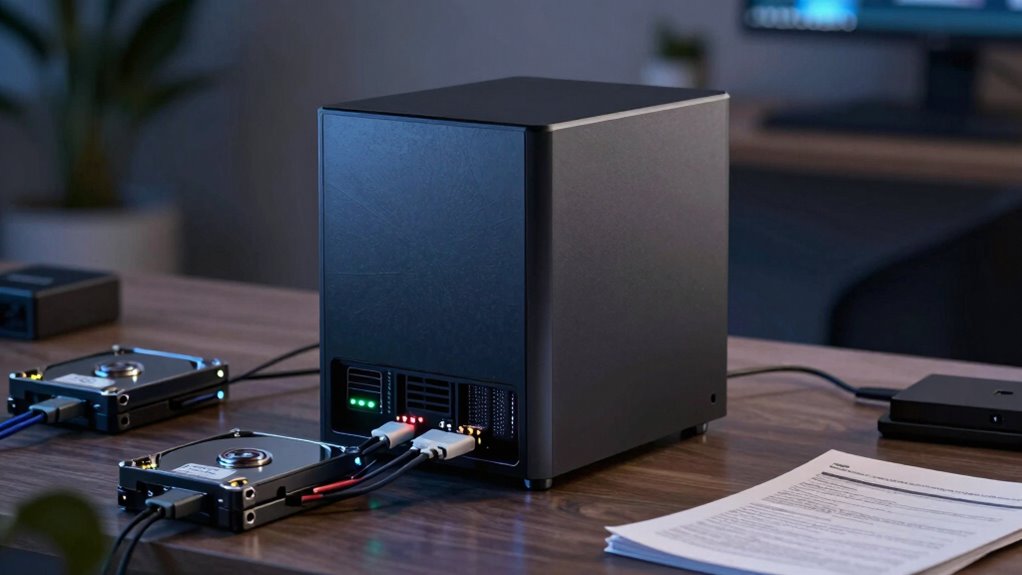

Many new NAS buyers make the mistake of choosing a RAID level solely based on storage capacity or speed, ignoring the balance between performance and data safety. You might think faster or larger means better, but this can increase the risk of data loss or slowdowns during recovery. To protect your data and get the best performance, you need to understand the different RAID options. Keep going to learn how to make smarter RAID choices that suit your needs.

Get business pricing on networking and server gear
- Business-only prices and quantity discounts
- Tax-exempt purchasing
- Multiple users, one account, clear invoices
Key Takeaways
- Choosing RAID levels solely based on capacity or speed without considering data protection risks data loss.
- Overlooking hardware compatibility issues can lead to RAID instability and difficult recovery.
- Neglecting proper RAID configuration increases vulnerability to drive failures and complicates data recovery.
- Relying only on RAID without regular backups leaves data exposed during hardware failures.
- Failing to understand RAID limitations may cause performance bottlenecks and reduced long-term data security.

When setting up a new NAS, many first-time buyers make the common mistake of choosing the wrong RAID configuration without fully understanding its implications. This decision can significantly impact your data recovery options and how well your system performs over time. Selecting a RAID level based solely on storage capacity or perceived speed can lead to problems down the line, especially if you don’t consider your specific needs for data security and performance. For example, opting for RAID 0 might give you quick access speeds and maximum storage, but it also increases the risk of data loss if one drive fails. You could find yourself in a tough spot trying to recover critical files, especially if you haven’t set up proper backup routines, making data recovery more challenging.
On the other hand, choosing a more redundant RAID like RAID 1 or RAID 5 offers better protection against drive failures. However, these configurations often come with a trade-off in performance. While they improve data security, they may slow down write speeds or increase latency, which might affect your workflow if you rely on fast data access. Understanding how each RAID level influences performance optimization is key to making an informed decision. You want a setup that balances speed with security, ensuring your data remains accessible without sacrificing efficiency. Properly configuring your RAID can help prevent bottlenecks and keep your system running smoothly, especially during intensive tasks like large file transfers or multimedia editing.
Redundant RAID like RAID 1 or 5 enhances data security but may slow down write speeds and increase latency.
It’s also crucial to think about future data recovery needs. No matter how careful you are, hardware failures can happen, and the right RAID setup can make a big difference in how easily you recover lost data. Knowing which RAID level supports seamless data recovery can save you hours of frustration and potential data loss. Regular backups are essential, but selecting a RAID that aligns with your recovery expectations adds an extra layer of protection. For example, understanding the limitations of your RAID setup can help you better plan for contingencies. Additionally, being aware of how the hardware components interact within your RAID configuration can influence your overall data safety strategy. It’s important to remember that hardware compatibility can impact the reliability and stability of your RAID array, so choosing compatible drives and controllers is critical. Proper consideration of drive quality and configuration options can significantly influence the longevity and robustness of your setup. Furthermore, familiarizing yourself with RAID management tools can help you monitor and maintain your array more effectively. Make sure you understand the limitations of your chosen RAID and have recovery plans in place, such as off-site backups or cloud storage, for comprehensive data safety.
In essence, the biggest mistake you can make when setting up your NAS is not fully understanding how your RAID choice affects both data recovery and performance optimization. Take the time to research each configuration, evaluate your storage needs, and consider your long-term data security strategies. A well-informed decision now can save you headaches later, ensuring your NAS delivers the performance you need while keeping your data safe and accessible.
As an affiliate, we earn on qualifying purchases.
Frequently Asked Questions
How Do I Choose the Best RAID Level for My Needs?
To choose the best RAID level, first identify your needs for redundancy, speed, and storage capacity. Avoid RAID myths that suggest one size fits all; instead, consider hardware compatibility with your NAS device. For critical data, RAID 5 or 6 offers a good balance of protection and performance, while RAID 0 boosts speed but lacks redundancy. Carefully assess your priorities, and select the level that aligns with your data safety and performance goals.
Can I Change My Nas’s RAID Configuration Later?
Yes, you can change your NAS’s RAID configuration later, but it’s not always straightforward. Before doing so, make certain your network security is up to date, as changing RAID can expose vulnerabilities. Also, consider power management, since some configurations may require longer downtime. Always back up your data beforehand, and consult your NAS manufacturer’s guidelines to avoid data loss or hardware issues during the changeover.
What Are the Risks of Using RAID 0?
Using RAID 0 increases your risk because it offers no data redundancy, meaning if one drive fails, you lose everything. While RAID 0 boosts performance, it comes with significant trade-offs—your data isn’t protected, and recovery is impossible without backups. You should be aware that the speed gains come at the expense of data safety, making it risky for critical or irreplaceable files. Always back up your data regularly if you choose RAID 0.
Do All NAS Devices Support All RAID Levels?
Not all NAS devices support all RAID levels. Before choosing a NAS, check its specifications for supported RAID configurations, as some may only support basic levels like RAID 0 or 1, while others handle more complex setups like RAID 5 or 6. Consider features like data encryption and network compatibility, which can vary with RAID levels. Ensuring your device supports your preferred RAID setup helps protect your data and maintains smooth network performance.
How Does RAID Impact Data Recovery Options?
Sure, RAID’s your hero—or villain—depending on your luck. It impacts your data recovery options by providing data redundancy, which can save you during drive failures. Without proper RAID setup, recovery options become limited, and data loss looms. Think of RAID as your safety net; it enhances recovery chances, but only if you choose the right level. Otherwise, you’re just a tightrope walker without a safety harness.
As an affiliate, we earn on qualifying purchases.
Conclusion
So, you’ve seen the common mistake new NAS buyers make with RAID. But here’s the twist—what if the real disaster isn’t just a missed detail, but something even more unexpected lurking behind the scenes? Stay sharp, because your next move could be the difference between smooth storage and a nightmare you didn’t see coming. Don’t let this mistake catch you off guard—prepare now, and keep your data safe from the unexpected.
As an affiliate, we earn on qualifying purchases.
As an affiliate, we earn on qualifying purchases.
Halloween Picks
halloween
As an affiliate, we earn on qualifying purchases.