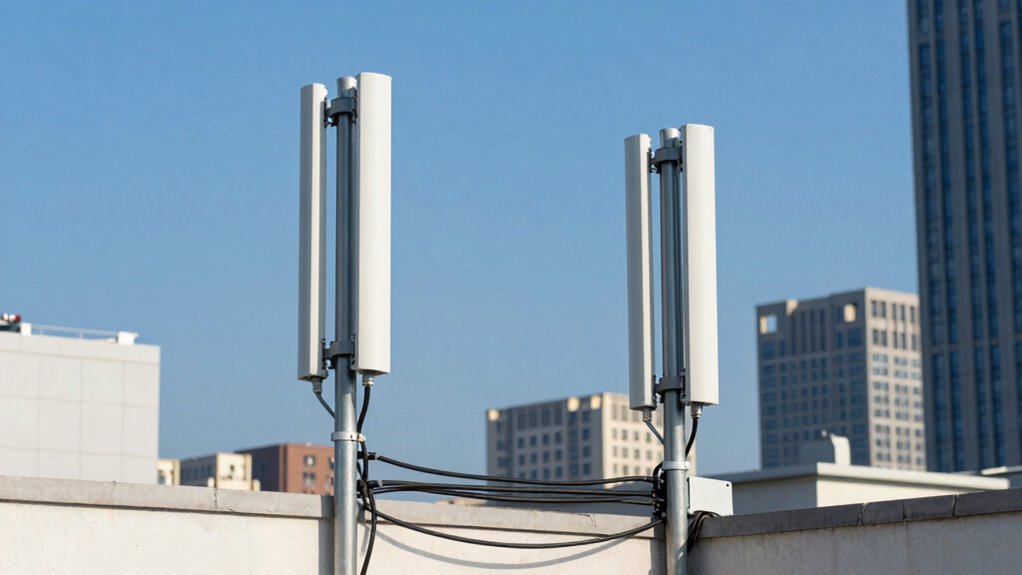

Point-to-point wireless bridges help you avoid costly cabling by using radio signals to connect networks over long distances. They eliminate the need for laying expensive fiber or Ethernet cables through busy streets or tough terrains. This makes setup quick and affordable, especially in remote areas. Plus, with advanced encryption and strategic placement, your data remains secure. To discover how these solutions can fit your needs and improve your connectivity, keep exploring the details.

Get business pricing on networking and server gear
- Business-only prices and quantity discounts
- Tax-exempt purchasing
- Multiple users, one account, clear invoices
Key Takeaways
- They eliminate the need for costly fiber or Ethernet cable installation in challenging environments.
- Wireless links can be set up quickly, reducing labor and material expenses.
- They avoid disruptions and expenses associated with trenching or street excavation.
- High-speed radio signals provide reliable connectivity without physical infrastructure costs.
- Strategic placement and antenna technology optimize performance, minimizing ongoing maintenance expenses.
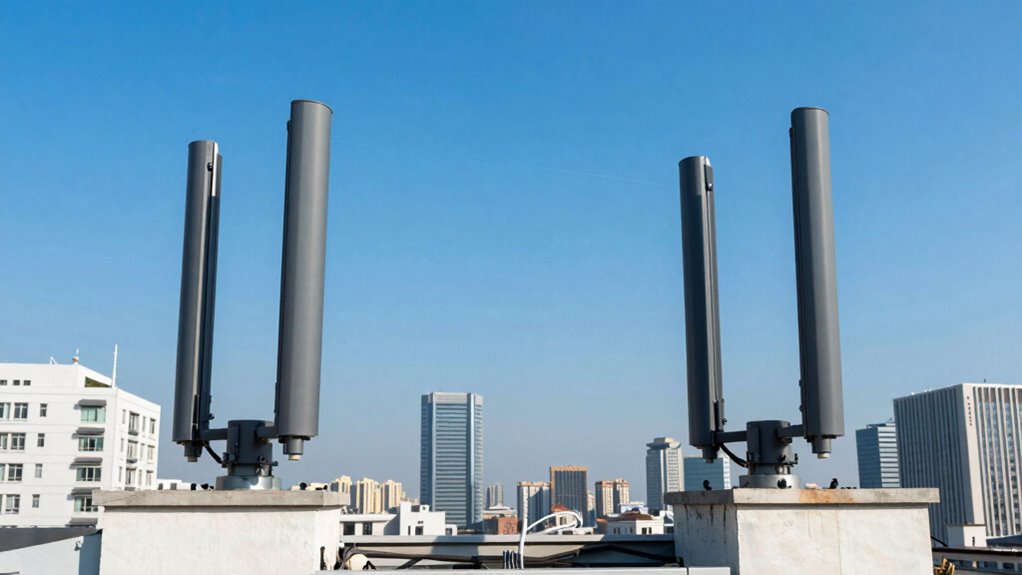
One of the key advantages of using wireless bridges is their ability to bypass expensive infrastructure work. For many businesses, laying fiber or Ethernet cables through busy city streets or rugged terrains can be prohibitively expensive. Wireless bridges eliminate that financial barrier by providing a high-speed connection through radio signals. They are especially beneficial in rural or remote areas where laying cables isn’t feasible. The setup is quick, often taking just a few hours, and once configured, the connection remains stable and robust. Additionally, choosing the right frequency band can significantly improve performance and reduce interference issues. Wireless security is a vital consideration when deploying these bridges. Since data travels through the air, you need to guarantee it’s protected from unauthorized access. Modern wireless bridges come equipped with advanced encryption protocols, such as WPA2 or WPA3, locking down your network against potential breaches. You also have the option to implement VPNs for an extra layer of security. Proper placement and configuration help prevent signal interception, making your wireless link secure from external threats. This focus on wireless security reassures you that your sensitive data remains private, even as it travels wirelessly. Understanding signal interference and how to mitigate it can make a significant difference in maintaining a reliable connection. signal interference can pose challenges, but technology has evolved to mitigate these issues. Wireless bridges operate on specific frequency bands, often 5 GHz or 2.4 GHz, which can be affected by other electronic devices, weather conditions, or physical obstructions. To combat this, you can select channels with less traffic, use directional antennas, or position the devices in clear, unobstructed locations. Proper planning and antenna alignment ensure a clear line of sight, which is essential for minimizing signal interference and maintaining a steady, high-quality connection. Additionally, antenna technology plays a crucial role in enhancing signal strength and directionality. A good understanding of these interference mitigation techniques can help you optimize network performance and reliability. Ultimately, point-to-point wireless bridges offer a cost-effective and flexible solution for connecting distant sites. They eliminate the need for costly cabling, enhance your network’s security, and provide reliable connectivity even in challenging environments. By understanding how to optimize wireless security and reduce signal interference, you can guarantee a seamless, secure, and efficient link that supports your business’s growth and operational needs.
As an affiliate, we earn on qualifying purchases.
Frequently Asked Questions
How Secure Are Wireless Bridge Connections Against Hacking?
Wireless bridge connections are quite secure if you use strong encryption protocols like WPA3, which protect against hacking vulnerabilities. You should regularly update firmware and change default passwords to minimize risks. While no system is completely invulnerable, these measures substantially enhance security, making it difficult for hackers to intercept or access your data. Staying vigilant and using advanced encryption ensures your wireless bridge remains a safe and reliable connection.
What Is the Typical Installation Time for a Wireless Bridge?
Installing a wireless bridge is like setting up a quick bridge over a river—you’ll typically need a few hours to a day. You’ll focus on aligning antennas and ensuring ideal signal strength, much like tuning a fine instrument. Unlike fiber optics, which can take longer due to extensive cabling, wireless bridges are faster to deploy, especially in areas where cabling isn’t practical. Overall, the process is streamlined and efficient.
Can Wireless Bridges Operate in Extreme Weather Conditions?
Yes, wireless bridges can operate in extreme weather conditions thanks to their weatherproof design. This design protects the equipment from rain, snow, and dust, ensuring durability. Additionally, they offer signal resilience, maintaining a strong connection despite harsh weather. You can rely on these bridges to deliver stable, continuous performance even during storms or extreme cold, making them ideal for challenging outdoor environments.
What Is the Maximum Distance a Wireless Bridge Can Effectively Cover?
You can typically expect a wireless bridge to effectively cover up to several miles, depending on the frequency range and line of sight. Higher frequency ranges, like 60 GHz, offer shorter distances but faster speeds, while lower frequencies, such as 2.4 GHz or 5 GHz, can cover longer distances if you maintain a clear line of sight. Your environment and obstacles will also influence the maximum effective distance.
Are There Specific Regulatory Requirements for Deploying Wireless Bridges?
Imagine a busy highway—regulatory requirements for wireless bridges are like traffic laws. You must comply with local regulations, including regulatory compliance and licensing requirements. These rules ensure safe, interference-free operation and vary by region. Before deploying, you need to check local authorities’ guidelines, obtain necessary licenses, and adhere to spectrum regulations. Following these requirements helps prevent legal issues and guarantees your wireless bridge functions reliably and within legal boundaries.
high speed wireless network bridge
As an affiliate, we earn on qualifying purchases.
As an affiliate, we earn on qualifying purchases.
Conclusion
Now that you see how point-to-point wireless bridges can cut costs and eliminate the hassle of cabling, imagine what’s possible. You’re on the brink of transforming your network’s reach, but the real game-changer is just around the corner. Will you take the leap and uncover the full potential of seamless, reliable connectivity? The choice is yours — and the next move could redefine your entire setup. Are you ready to make it?
As an affiliate, we earn on qualifying purchases.
wireless security encryption WPA3
As an affiliate, we earn on qualifying purchases.
As an affiliate, we earn on qualifying purchases.
Halloween Picks
halloween
As an affiliate, we earn on qualifying purchases.