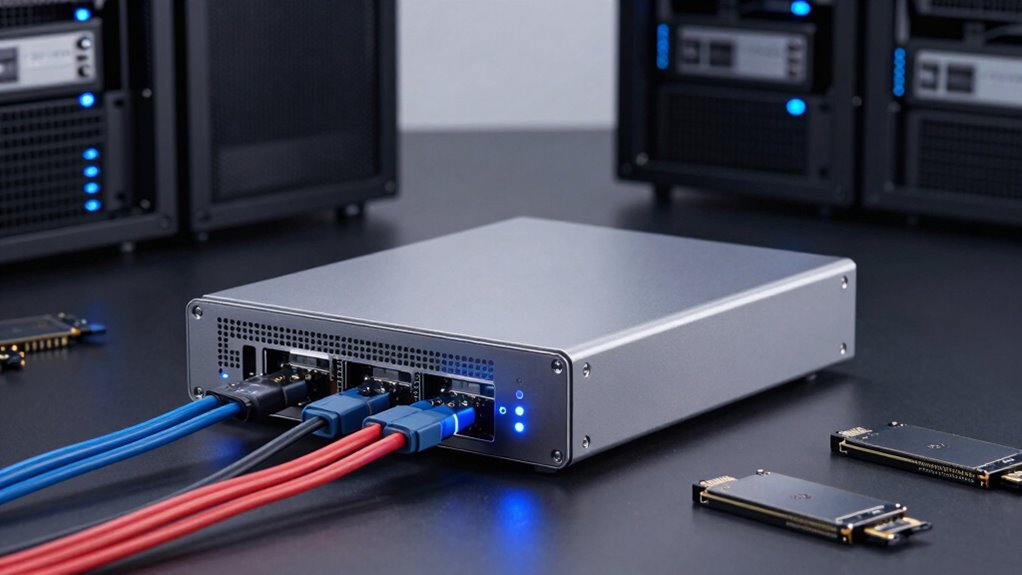

If your high-speed workflows require instant access and minimal latency, DAS still outshines other storage options. It connects directly to your system via SATA, SAS, or NVMe, ensuring faster data transfer and lower delays. Plus, it offers superior security with hardware encryption and RAID redundancy. For tasks like video editing, 3D rendering, or real-time analysis, DAS keeps your work smooth and reliable. Keep exploring how DAS can optimize your performance even further.

Get business pricing on networking and server gear
- Business-only prices and quantity discounts
- Tax-exempt purchasing
- Multiple users, one account, clear invoices
Key Takeaways
- DAS provides ultra-low latency and faster data access compared to network-dependent storage options.
- It ensures seamless, real-time data transfer crucial for time-sensitive workflows like video editing.
- Direct connections via SATA, SAS, or NVMe eliminate network bottlenecks, enhancing performance.
- Local backup and RAID configurations offer reliable redundancy without cloud or network delays.
- Enhanced security features like hardware encryption safeguard sensitive data during high-speed operations.

When it comes to high-speed workflows, direct-attached storage (DAS) often outperforms other storage options by providing faster data access and lower latency. In environments where speed is critical—such as video editing, 3D rendering, or real-time data analysis—DAS delivers the quick read/write speeds you need to keep productivity flowing smoothly. In addition, DAS can be configured with setup guides to optimize performance and ensure seamless integration with your existing systems. Unlike network-based storage solutions, DAS connects directly to your computer or server via SATA, SAS, or NVMe interfaces, minimizing delays caused by network traffic or protocol overhead. This direct connection means data moves swiftly, allowing you to work seamlessly without frustrating bottlenecks.
While cloud backup solutions are essential for data security and disaster recovery, they can’t match the instantaneous access of DAS during active workflows. Cloud storage typically involves data traveling over the internet, introducing latency that hampers real-time performance. However, DAS doesn’t just excel in speed; it also offers robust data encryption options to safeguard your sensitive information. Encryption ensures that your data remains protected from unauthorized access, both during transfer and while stored on the device. This added layer of security is especially important when working with confidential or proprietary material, giving you peace of mind without sacrificing performance.
DAS offers fast, encrypted storage for active workflows, safeguarding your data without compromising performance.
You might wonder how DAS stacks up regarding data protection compared to cloud backup. While cloud solutions provide off-site redundancy, DAS often includes features like hardware-based encryption and RAID configurations that enhance data integrity and protection on-site. For workflows demanding rapid data access, you benefit from both the speed of DAS and the security of data encryption, ensuring your work remains safe and accessible when you need it most. Plus, with local backups or RAID setups, you can create reliable redundancy without the latency delays of cloud-based backups. Additionally, data redundancy features in DAS systems help maintain data integrity even in the event of hardware failure, making them a reliable choice for high-stakes workflows. Incorporating performance optimization techniques into your DAS setup can further enhance speed and efficiency, especially in demanding environments.
In high-speed workflows, you’re often making split-second decisions based on the data in front of you. DAS keeps you ahead by delivering quick, reliable access to large files, while encryption keeps that data secure from threats. Although cloud backup is invaluable for long-term storage and disaster recovery, it’s the low latency and high performance of DAS that make it the go-to choice for active, demanding tasks. When speed, security, and control are your priorities, DAS’s combination of direct connection, data encryption, and local backup options keeps you working at peak efficiency.
Products Worth Considering

Amazon Kindle Paperwhite Signature Edition (12th Generation, 2024), 32 GB, Metallic Black

Logitech MX Brio Ultra HD 4K Webcam, Graphite

Samsung 27-inch Odyssey OLED G6 QD-OLED QHD Gaming Monitor
As an affiliate, we earn on qualifying purchases.
Frequently Asked Questions
How Does DAS Compare to Networked Storage in Terms of Cost?
You’ll find that DAS generally costs less upfront than networked storage because it doesn’t require extensive infrastructure or networking hardware. However, when considering scalability challenges, DAS might become more expensive long-term as you add more drives, since expansion can be limited and complex. In contrast, networked storage can offer better scalability, but at a higher initial cost. So, your choice depends on your budget and future growth plans.
Can DAS Scale Easily for Growing Data Needs?
Sure, scaling DAS is a breeze—if you enjoy endless hardware upgrades and scalability challenges. As your data grows, you’ll need to keep adding more drives, more controllers, and hope your system doesn’t buckle under the weight. Unlike networked storage, DAS isn’t designed for seamless expansion. So, if you crave simplicity and scalability, prepare for a constant cycle of upgrades and troubleshooting. Who said growth had to be painless?
What Are the Limitations of Using DAS for Collaborative Workflows?
Using DAS for collaborative workflows presents collaboration challenges because it limits seamless data sharing among multiple users. You might face data access bottlenecks, as DAS typically connects to a single computer, making it harder for team members to work simultaneously. These data sharing limitations hinder real-time collaboration, which is critical for efficient teamwork. For collaborative projects, network-attached storage (NAS) or cloud solutions often prove more effective.
How Secure Is Data Stored on DAS Devices?
Your data’s security on DAS devices hinges on your precautions. While physical security is essential—keeping the device in safe places—data encryption adds a powerful layer of protection against unauthorized access. Think of encryption as a lock only you hold the key to. Combining strong physical security measures with robust data encryption makes your DAS considerably more secure, safeguarding your sensitive information from both physical and cyber threats.
Are There Specific Industries Where DAS Is Particularly Advantageous?
You’ll find DAS particularly advantageous in industries like media production, where high-speed data transfers are vital. Its industry-specific applications include real-time editing and large file management. You benefit from DAS’s hardware compatibility, making setup straightforward and reliable. For workflows requiring quick data access without network dependency, DAS offers low latency and high performance, ensuring your high-speed tasks run smoothly and efficiently in demanding environments.
Conclusion
In the end, it’s clear that direct-attached storage still holds its ground in high-speed workflows. When speed and reliability matter most, you can’t beat the direct route. It’s the best of both worlds—fast and straightforward—allowing you to keep your projects moving without a hitch. So, don’t overlook this tried-and-true solution; sometimes, the old dog just has the best tricks up its sleeve. Keep it close, and you’ll stay ahead of the game.